I think you’re confused about what orca slicer is. It’s not a very differently built slicer, like the way cura or simply3d is.
These days bambu lab slicer is a subset of orca slicer. If you know bbl slicer, then you mostly already know orca slicer. orca slicer just has extra capabilities, which you don’t even have to use if you don’t want to. But you’ll want to.
Third-party software is a computer program created or developed by a different company than the one that developed the computer’s operating system
@NeverDie Youre right one of us (you) doesnt know what he is talking about and id like this thread to stay on Topic . Thanks
edit need the right commentator to know who im referring to, as reply isnt showing in post
IMO you are somewhere extruding filament in mid air just before it moves to that corner and that’s why you paste those pieces there therefore you should take a detailed look at the slicer preview while using the sliders observing the extruder travel and extrusion line types before it travels to that corner.
Is there an easy way the OP could roll-up and export the totality of her project, such that we could simply open it up where she left it and have a look for ourselves? It would be so much more efficient if anyone who wanted to could go directly into “hands on” mode to scope out what’s going on. I’m thinking not just of this troubleshooting session, but also the countless others that lay ahead.
The plot thickens then. Before your update, I would have bet money that it was the seam. I had a similar problem once (now greatly diminished) with regular PETG that was seam related, and you can kinda see the similarity:
Do me a favor and do a screenshot of your travel line type but this time with the slider set at a layer height that corresponds with your picture of the part that you initially posted and with everything in line type display checked
Btw I do have a hunch where your problem comes from since there is something missing on one side of your failed part foto but still would like to see the travel screen shot.
yep that’s likely your problem the support got knocked over therefore the extruder extruded material in mid air for the support and when you look at the travel the extruder moves exactly into that corner were you have the issue after it (air) printed that material for this missing support.
Enable “On Build plate Only” in the support section as this area will likely print just fine without any support, might sag a bit but should not effect functionality.
Thank you, this makes complete sense. I will try a print now.
I have spent the evening going through all of the calibrations in orca slicer. So I am now going to start the print. I will let you all know how it goes.
Thanks for everyone’s input and advice. It has been very much appreciated
I will report back tomorrow.
Just woke up to the completed print. And I must say, all though not perfect, it is much better!
There’s a few small marks in the outer corner side walls which to me look like slight layer shifts so I will try and retention the belts today. Also there is a very small amount of stringing in the lower layers which I am guessing is due to retraction. But overall a successful print. So thank you very much to all of you for your help and assistance over the past couple of days.
With regards to the retraction, I did try and carry out the retraction tower calibration model but got no stringing. Therefore I didn’t adjust any values. But I am thinking a little adjustment may now be good. Can anyone recommend any values for the retraction settings at all please?
Lastly, am I right in thinking that layer shifts are generally to do with belt tension or speed? Am I right in thinking this?
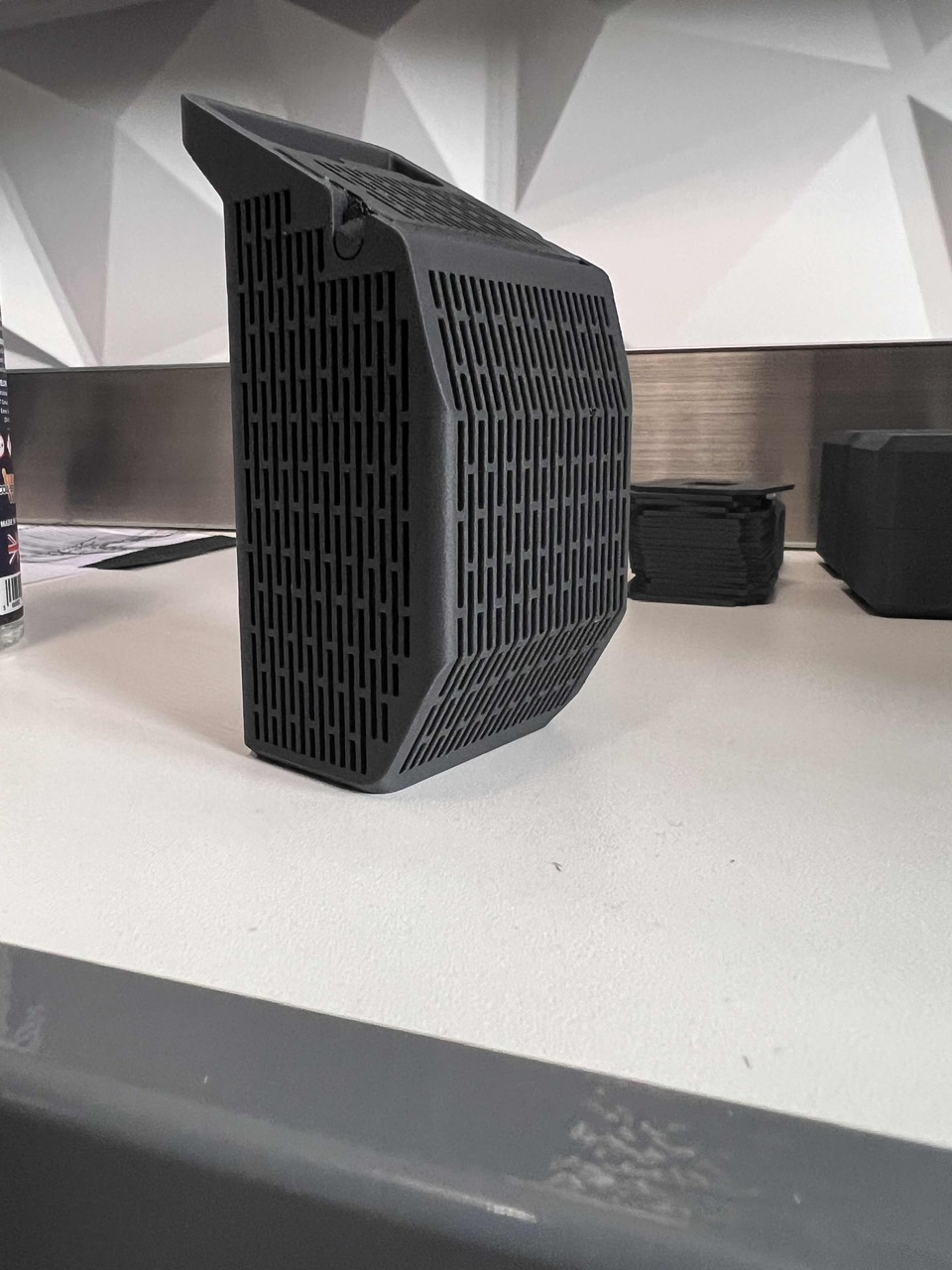
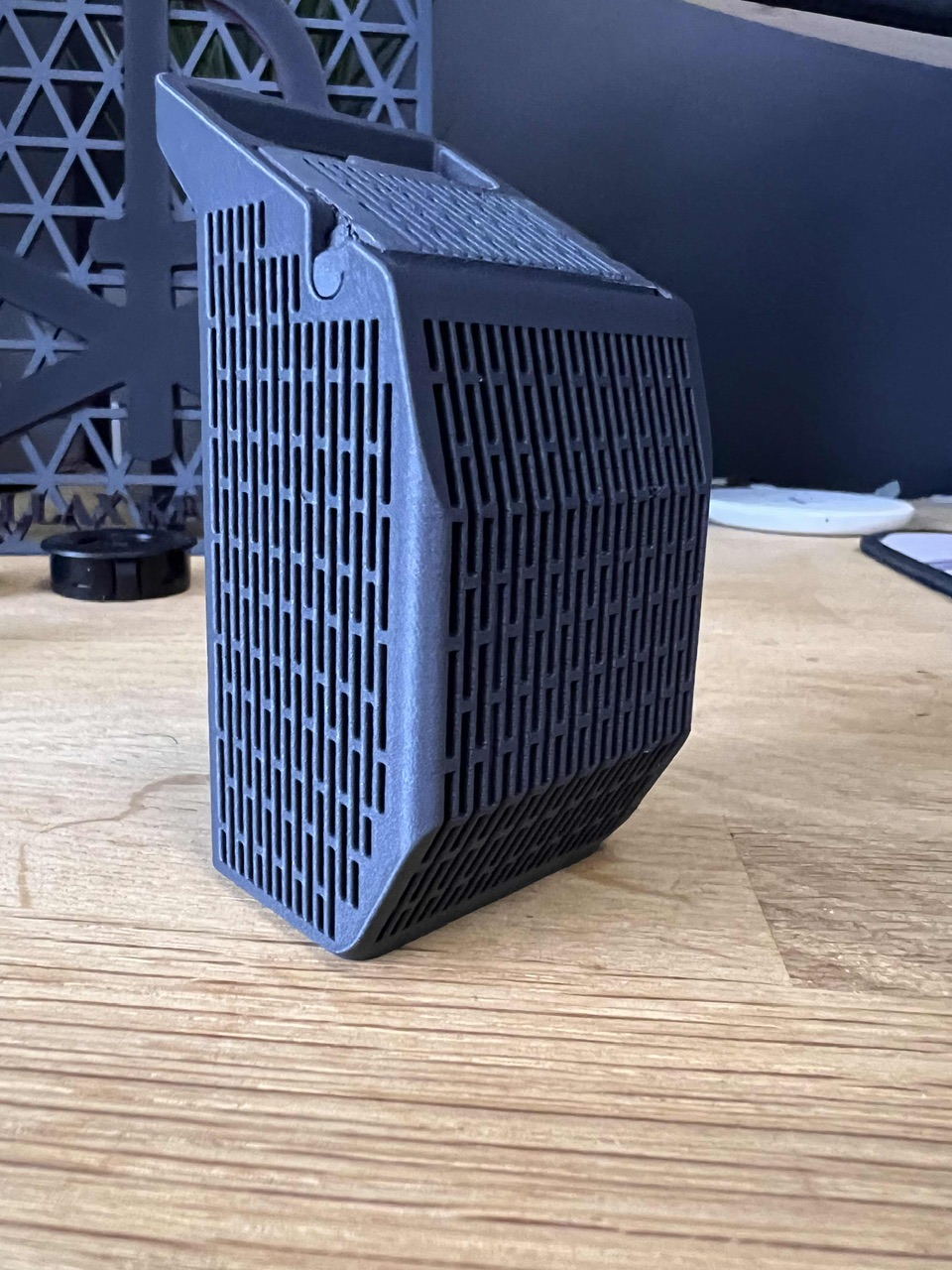
Here’s a picture of the completed model, printed at a 0.16mm layer height in Bambu Lab PETG CF.
A piece of advise from my side, take it for what it is >>> stop overanalyzing with trying to fix assumed issues without really understanding what’s going on. You will get into a death spiral of fixing ghosts while their fixes are branching out causing other issues and as a result you keep chasing your tail and stop making real things.
I am having very similar stringing in a specific spot in my prints using PET-CF, always in the same spot. I even added a no-support in that area to help minimize that stringing but I am still having this issue.
Not sure why its happening, I dry my filament before printing. Can anyone help with this stringing?