Hi, i have a P1S and a x1c and both can’t print really goo overhang corner, with round overhang no problem but in the corner or in thin wall with just 45 degree angle, like the 2nd and 3rd picture, they make an horrible work.
I’ve calibrate the filament (they make the same with all filament) with orca slicer (temperature, flow and PA) and reduce speed (120 mms for the outer with 1000mms acceleration wall and 200 with 3000mms acceleration for the intern ones) but just with very slow speed(50 mms, but it too slow) they can achieve goo results.
I tried with slow down for overhang or not(way better with the first), with classic wall generator and Arachne but no difference .
I’ve noticed in the slicer that the part printed at the overhang speed is just the overhang(seem obvious) but I mean with no gradually slow down and increase, it si just a simplification of the slicers ?
Can I make the speed more homogeneous?
Thank at all


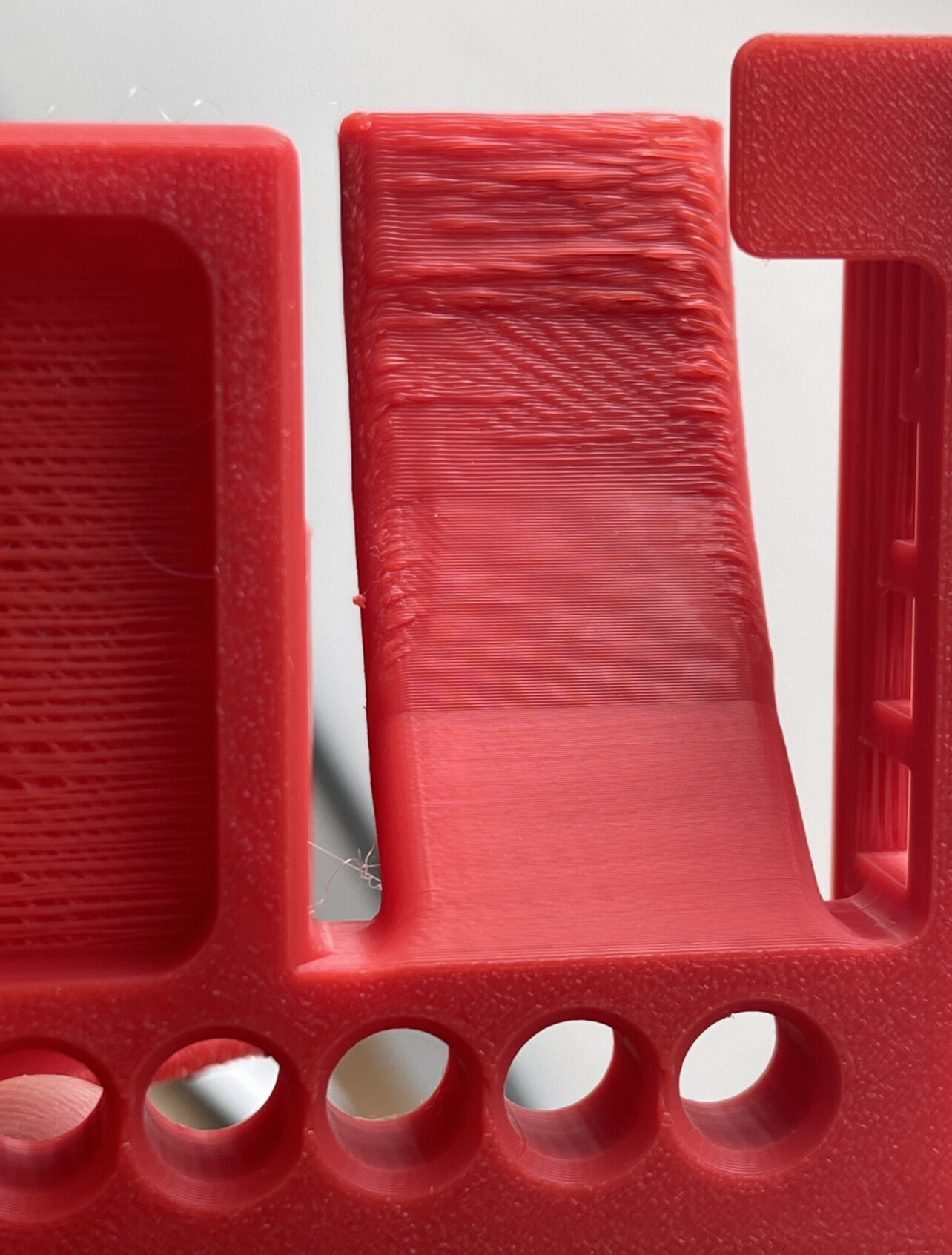
Those are cooling issues from the fans, notice as how the second photo the closer to the bed the line separation goes away, and the extrusion become more homogonous, turn off the part cooling fan and open the door or top a little, see if it improves. if it does then you know you are on the right track
Thanks for the quick answer I’ll try in 5 minutes and I update you, to leave the part cooling fan from 70% to 100% and turn completely off the aux fan ?
Why does the AUX fan run all the time? It only causes problems for me too, leads to material distortion. I switch it off all the time. When I get spaghetti again, the AUX fan is running and I forgot to switch it off.