Hi all,
I have a H2D and am printing a model with ABS and using BBL ABS Support for the interface layers. I’ve not been completely happy with the model’s supported surface quality so I started digging deeper into the slicing results.
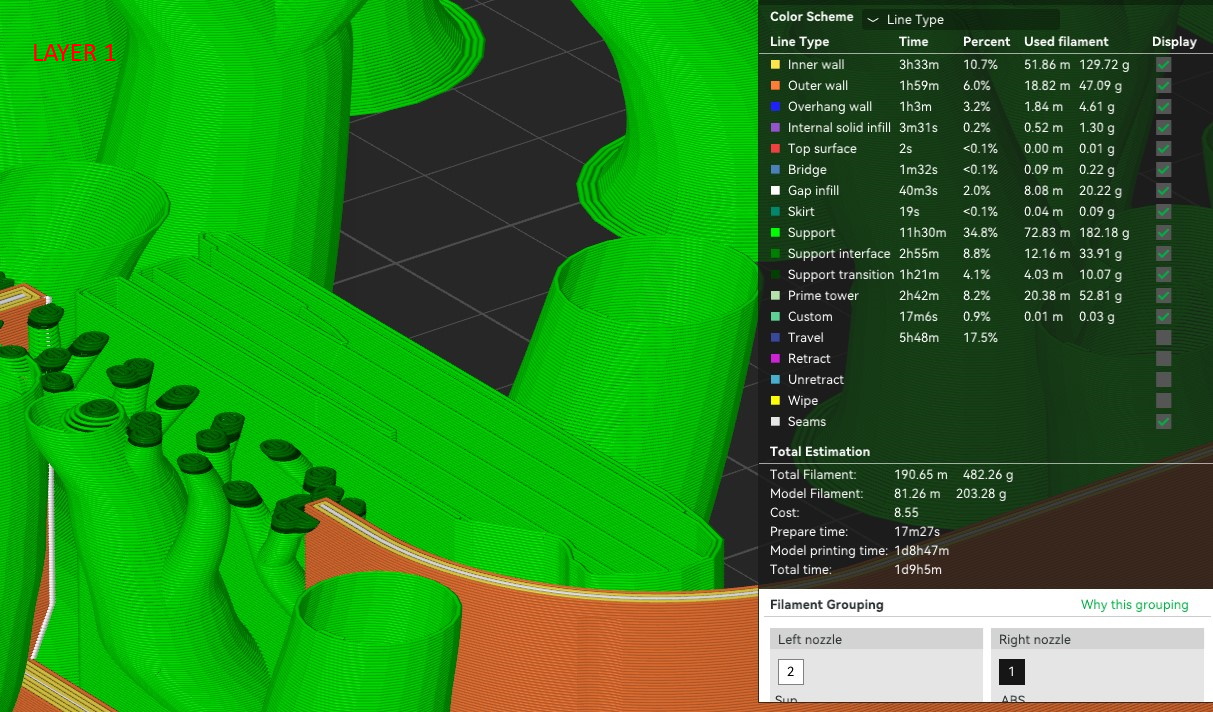
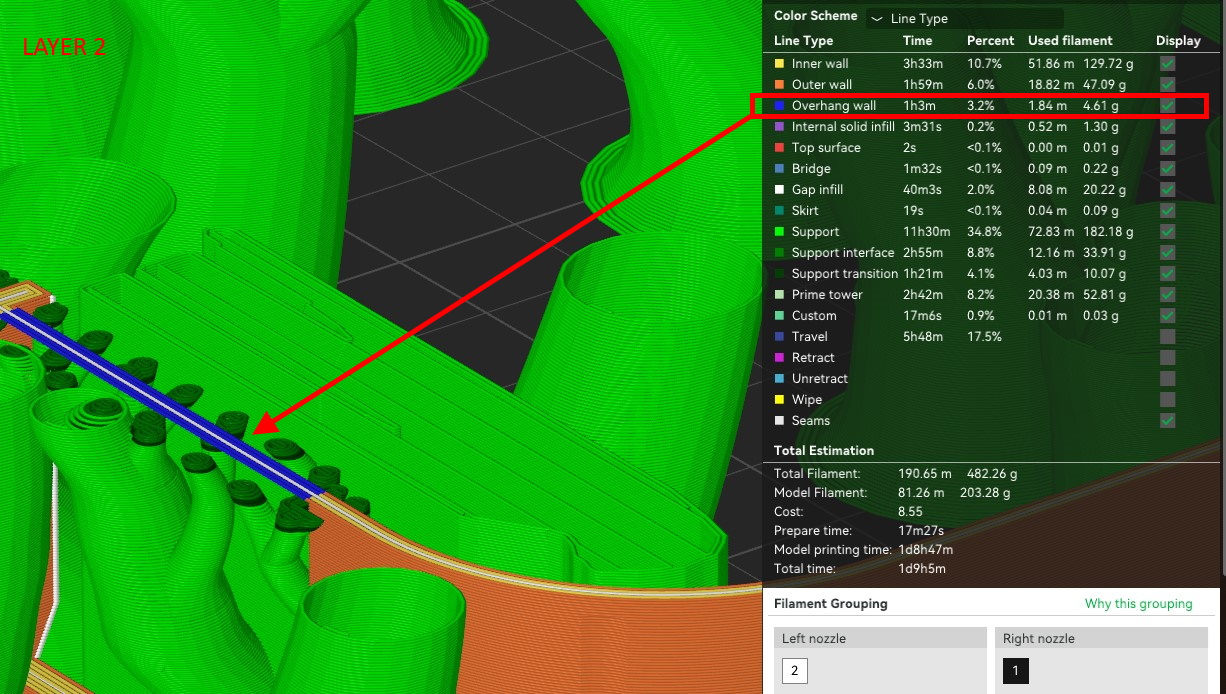
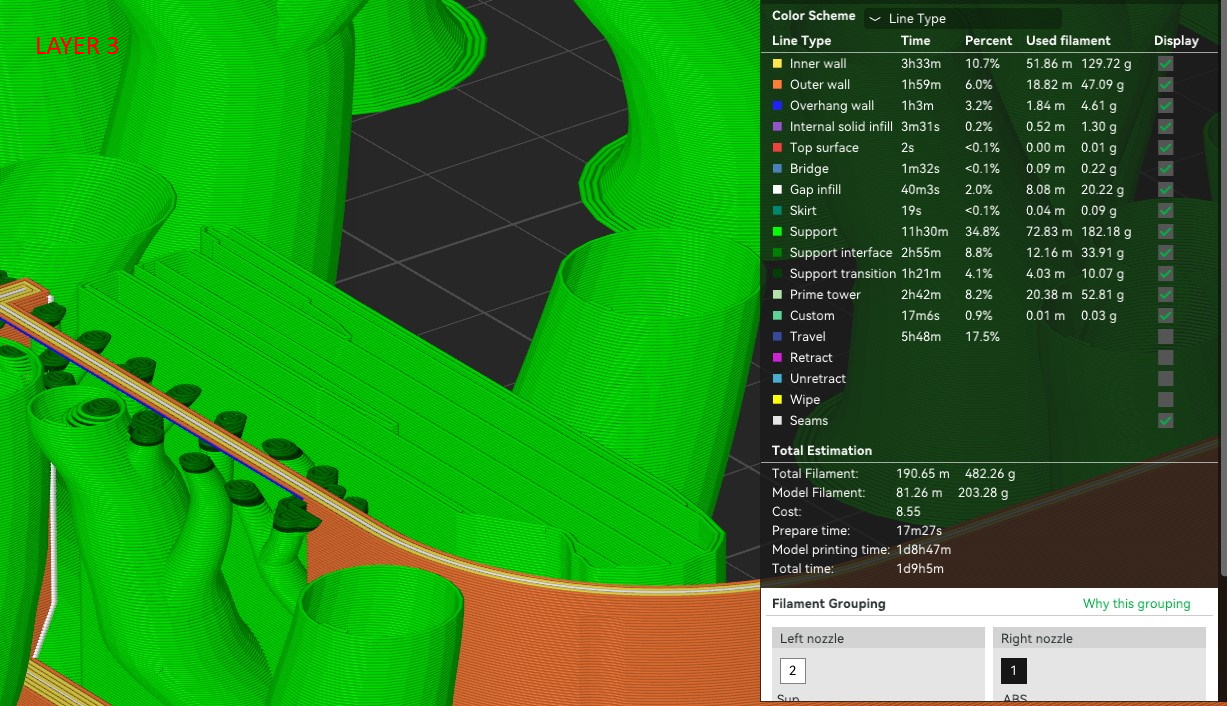
What’s I’ve noticed is that for every supported surface Studio inserts an empty (overhang wall?) layer between the top most interface layer and the model. The images attached show the uppermost support interface layer (Layer 1) then the next missing(?) layer with the overhang (Layer 2) then the next layer of the model (Layer 3).
This to me seems like setting a 0.2mm Z gap distance if you weren’t using interface filament. My top Z is definitely set to zero and the model surface is flat. Does anyone know why Studio does this and how to resolve it?