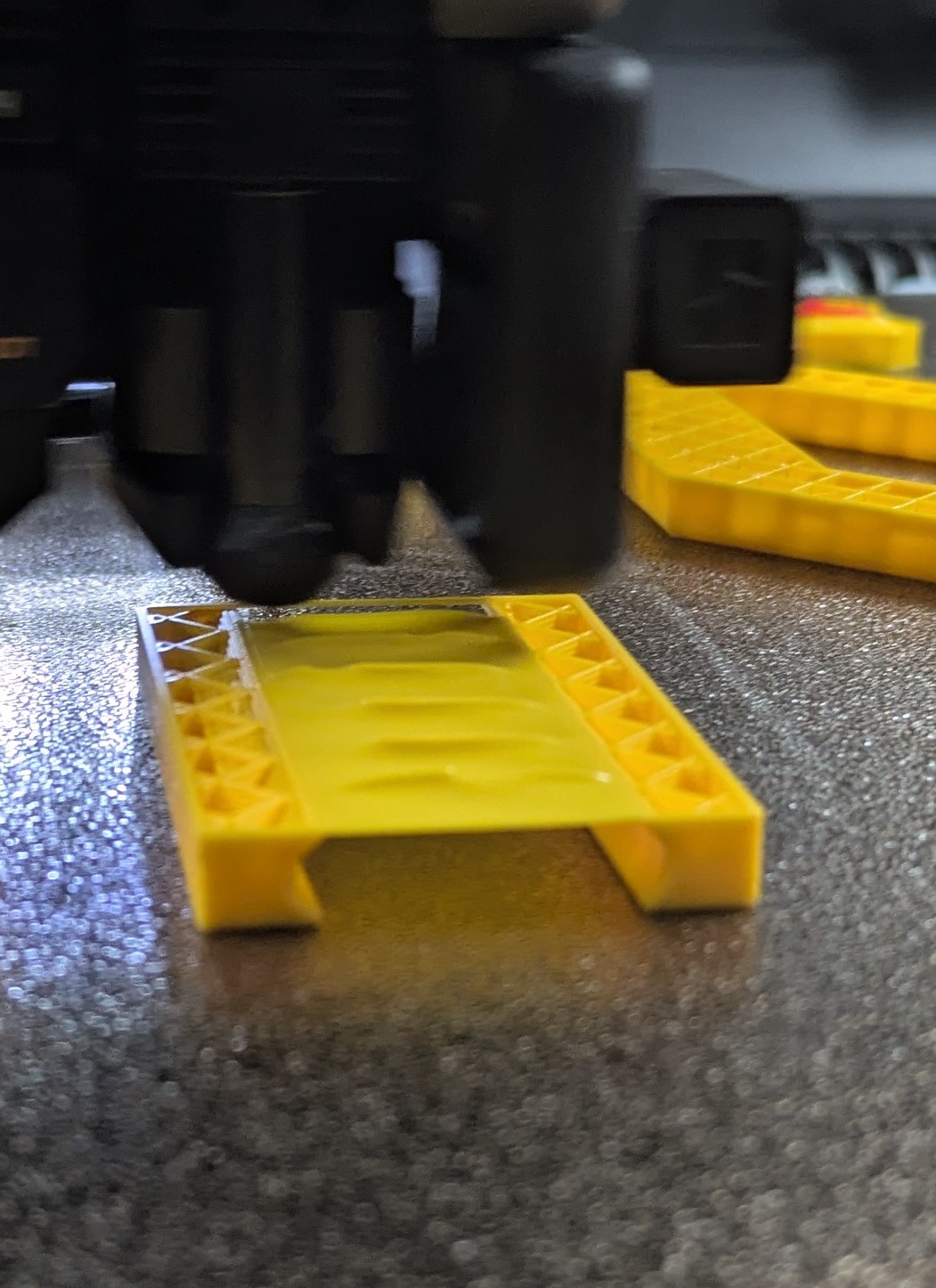
Hi There, I printed some overhangs today on my H2c and they produced this wrinkled surface. I’m new to 3d printing and I’m looking for some more information on this, and how can I avoid these wrinkles…. I noticed that they are less pronounced on smaller overhangs
I printed a maker world model for the FTS and didn’t change the settings
Thanks in advance!
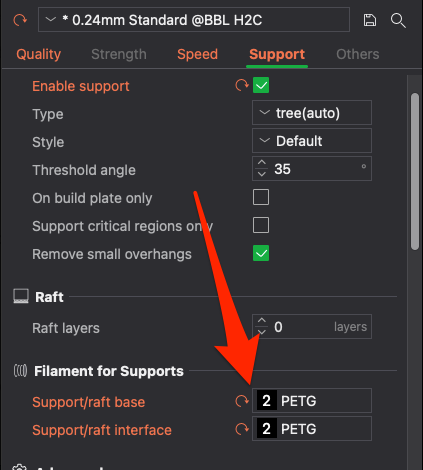
Enable supports and use PETG as the support base and interface
terminology: thats a bridge [likely] not an overhang. In the slicer preview, if you choose the “Line Type” visualizer it’ll tell you what the line type it thinks it is.
it looks pretty ok for a bridge that long, as hyiger suggested, support [with 0 distance, since youre using h2c] will probably be the best bet
You can tune bridge appearance with a whole lot of slicer settings [type bridge into settings]. If its important to get perfect, there are tests on makerworld and lots of blog posts, but try to follow ones that use your specific machine because they all are very dependant on cooling quality, extruder quality, etc.
Hi, thanks for the replies and the tips. The solution in my case was to slow down the speed for the bridge in the speed tab from 50mm/s to 10 mm/s. print looks much better now