Did someone downgraded a P1(P/S) from a version higher than 1.09.01.00 back to 1.08.01.00 (last version without authorization control)?
I think about trying version 1.10.00.00 because of the ‘External Spool Multi-Color Printing‘ feature. But in the release notes I read the following note:
Bridge Firmware Requirement: If your P1 series printer firmware is below 01.09.01.00, you must first perform an offline upgrade to the “Bridge Firmware” (01.09.01.00) before upgrading to any version higher than that.
So now I’m unsure, if it is possible to downgrade back to my current firmware version (1.08.01.00). I read from some people, that they can’t downgrade back to a lower version. I’m not sure, if it’s a limitation of the new firmware or because the device were delivered with the new version.
I think it is possible. My PS1 is still on fw 0.1.07.00.
Thinking is not knowing.  I want to be sure, that I can go back if I want. So I’m looking for someone, who has a P1 updated from versions like 1.07.x or 1.08.01.00 to the current 1.09.01.00 or 1.10.00.00 and can check, if downgrade to 1.08.01.00 is still possible or has done it already.
@print.in.3d Yes, you can downgrade from 1.10.x to V1.07.x and back.
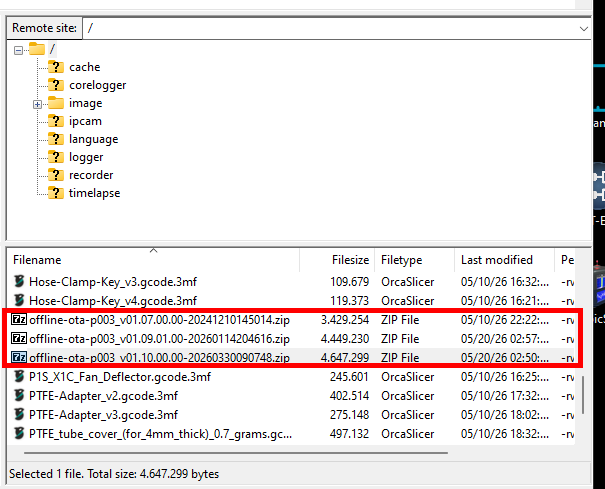
I was on V1.10.x and copied V1.07.x, v1.09.01 and V1.10.x on my SD card.
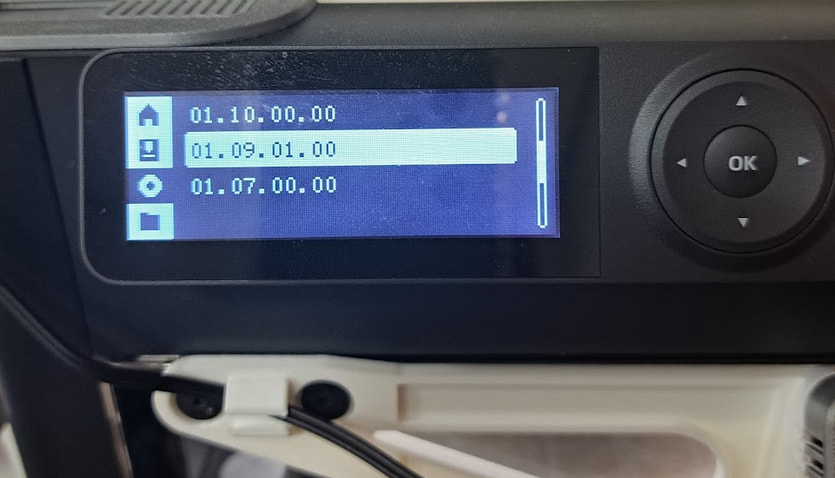
Device shows firmware versions on SD card:
Images from my screen taken with time stamp during the test:
V1.10.x at 6:37pm
V1.07.x at 6:49pm
back to V1.10.x requires to flash V1.09.01 first.
V1.09.01 at 7:01pm
finally back to V1.10.x at 7:04pm
Thank you! That is the information I looked for. 
hey, i am on mac and am trying to downgrade to 1.08.01.00. i go to the official download page and i get a folder and not a .zip. is there a way to fix that? or do i need to try on my windows computer. thanks
Take a look in your trash. On macOS the dowloaded zip file will be unzipped by default. The downloaded zip is automatically moved to trash after this.
Very interesting. I didn’t know that and I am surprised that isn’t a security issue.
I would find that feature very annoying, as I often use zip archives to keep multiple files together. Many of my print files are kept in .zip format because I can easily include the CAD and original ,STEP/STL files and let OrcaSLicer extract the .3mf as needed.
Does macOS have an option to turn off automatic unzipping?