P1P - Inconsistent first layer adhesion

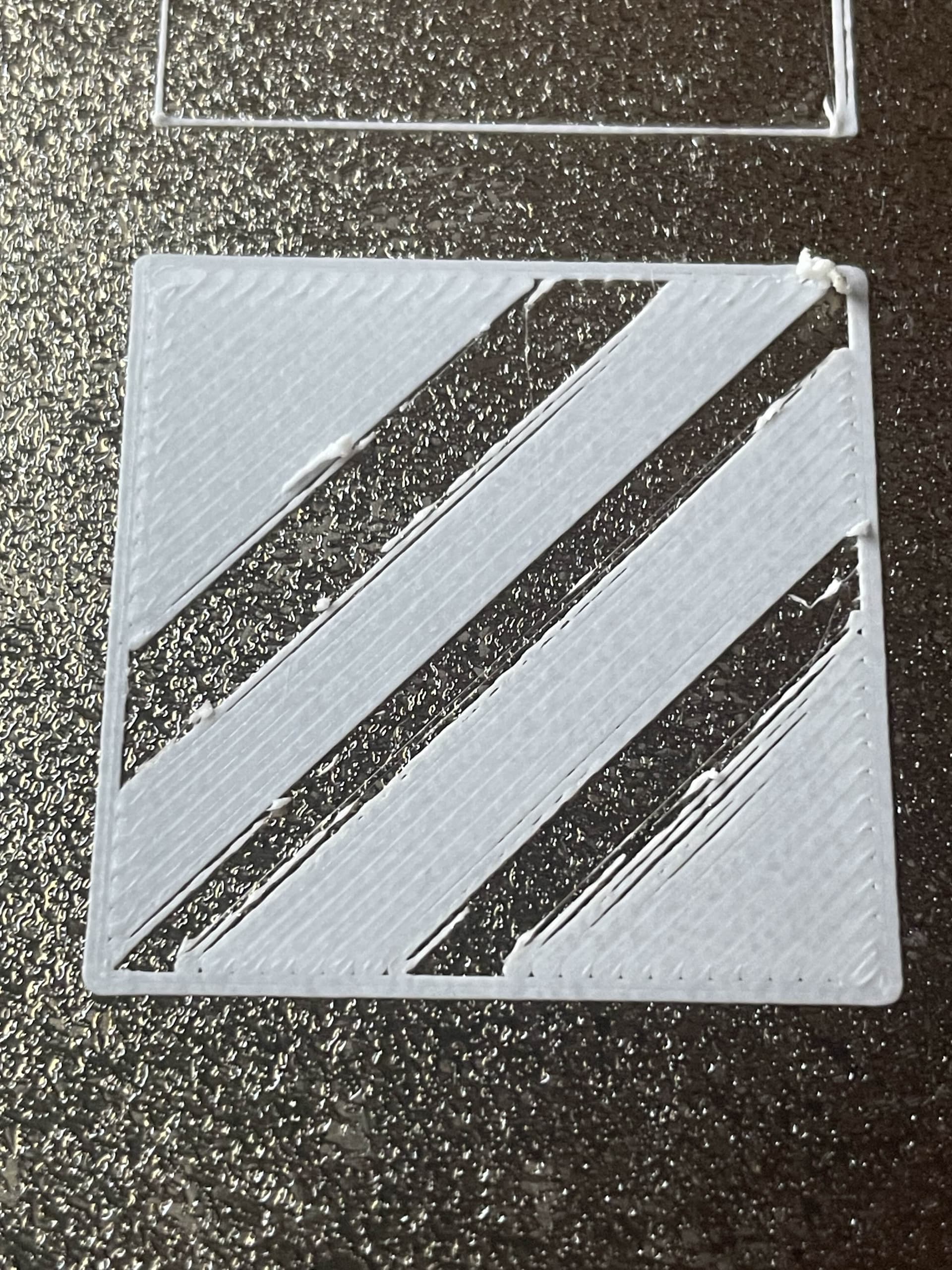
I’m having trouble printing with my Bambu Labs P1P printer. For the past week I’ve been having issues with the first layer where some lines stick to the plate well while others don’t stick and lump together in a weird pattern. Check the images I’ve attached to see what I mean.
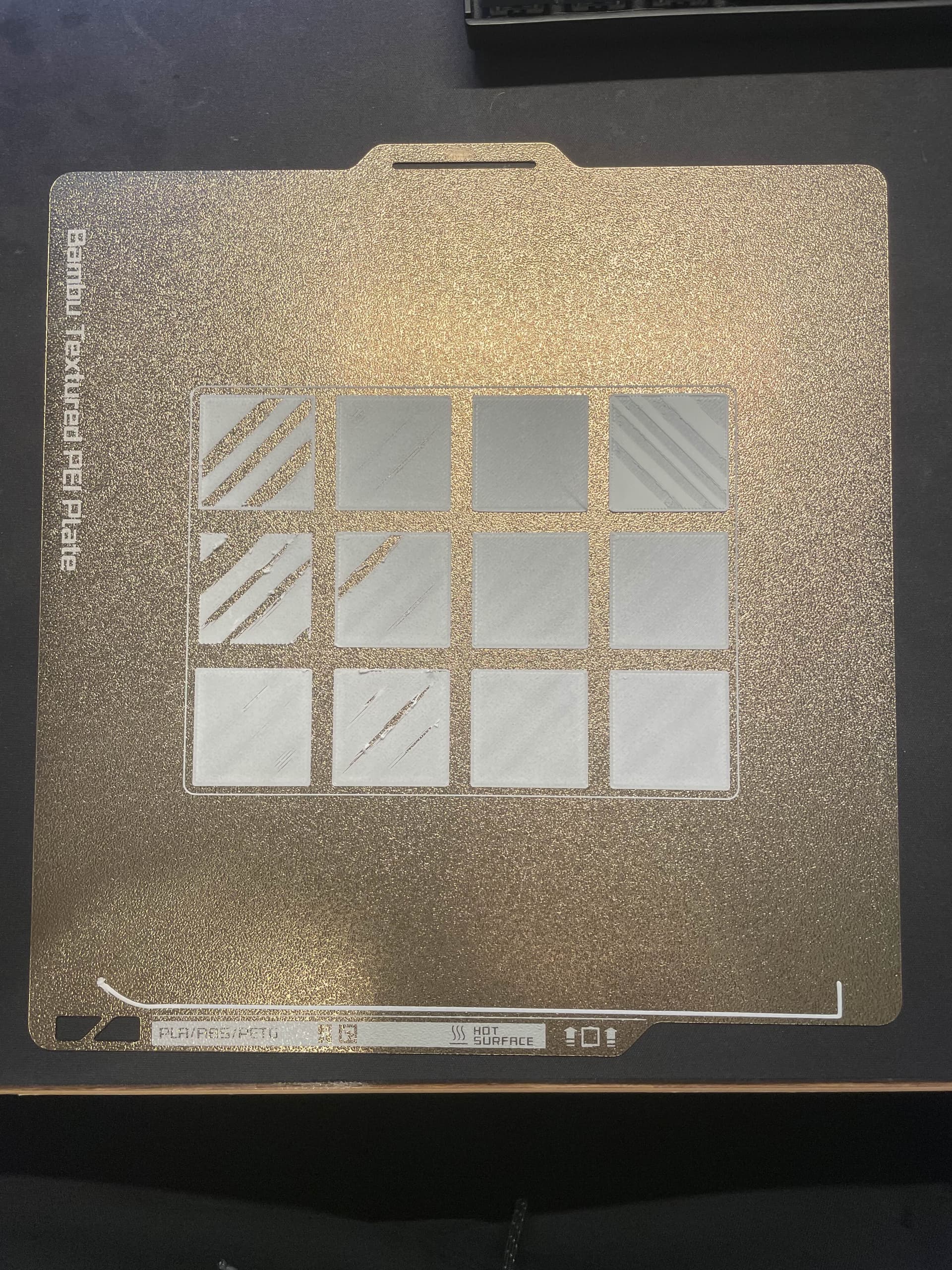
and a video of it printing: Imgur: The magic of the Internet

Printer & Settings:

  • Printer: Bambu Labs P1P
  • Slicer: Bambu Studio
  • First layer speed: 50mm/s
  • Layer height: 0.20mm standard
  • Nozzle temp: 220°C
  • Bed temp: 60°C (normal PLA settings)

Filaments tested (all same issue):

  • Bambu Labs matte PLA
  • Polymaker PLA
  • Overture PLA

What I’ve tried so far:

  1. Replaced hot end
  2. Replaced cutter
  3. Full calibration in the settings
  4. Cleaned plate thoroughly
  5. Auto bed-leveling multiple times
  6. Completely disassembled and cleaned extruder
  7. Tested with firmware versions 01.08.00.00 and 01.09.00.00
  8. Moved printer to different locations in house
  9. Tested with multiple new filament rolls

I suspect this might be related to Z-axis positioning - the nozzle distance from the bed seems inconsistent. It could also be something to do with the filament flowing out of the extruder? I’m not sure how to properly diagnose or fix this.
Any help would be greatly appreciated!

Welcome to the forum.

How are you cleaning the plate? The photo shows clear signs of a dirty/oily plate.

1 Like

Hey, thanks for having me :smile:

I’ve been cleaning my plates with Windex previously as was suggested when I first got the printer a year ago. I did try it again though with the guide you linked, using dish detergent and a sponge and was super careful to not touch anywhere with my fingers on the surface.

Unfortunately I got the same result. I don’t believe it is a plate issue.

try cleaning the gears of the extruder, and declogging the nozzle.

just from looking, to me the gears are slipping, but they could be slipping due to a partial clog in the nozzle or clogged extruder gears. If you have some canned air, unplug the printer, let it sit for a minute, and them blast it into the gears, and it can clean it without disassembling too much

Hi, thanks for your reply unloco,

I disassembled the extruder and there really wasn’t that much debris or anything in there. I then tried printing again and had the same result. I’m going to open up a support ticket with bambulabs and hopefully get this solved :sweat_smile:

1 Like

you’re on the right track, I think this would be a support issue, but just to throw some more little ideas that may or not be helpful:

I would check for impingement from the spool to print head. probably something you have already checked, but, it looks like something is stopping the filament from being smoothly pulled.

just take the filament straight thru the tube and slowly pull it thru and see if for some reason you feel any catches.

I like to just throw ideas out that hopefully will give you thoughts about what might be happening. Maybe something silly is sticking on the spool roller, but not bad enough that the printer thinks you ran out of filament.

The print looks repetitive in nature which is why I kinda feel like it might be extruder/filament routing/hanging.

You look like you know what you’re doing tho!

Good luck! Hope you get it solved soon!

1 Like