P1S+AMS Printhead Corners Constantly Mid Print (see video)

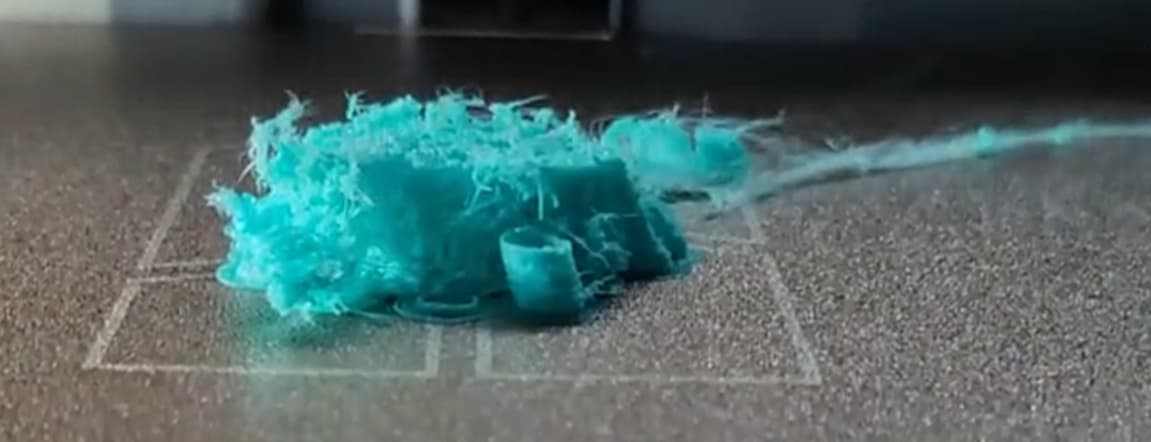
My P1S+AMS is having an unusual issue that I can’t find any solid answer for. It seems like some sensor is getting constantly triggered causing what you can see happening in the video below. It might be a bit loud if you have headphones. Tried to zoom in and out to give a better view of what’s happening when it’s piping filament, if you’d rather have a video of something else for longer/shorter just let me know:

For lack of the correct technical term, my Printhead is stopping mid print, lower the Z, and moving the X+Y to the front+right corner “randomly” (for now I’ll just call it “cornering” due to my ignorance of the issue).

!!This is NOT a wet filament issue PLEASE watch the video to see how the stringing only occurs when the print head lifts. I’ve tested the issue with MULTIPLE filaments, many new, many dried, many that worked just fine before (including the picture with the 4 minis).

What happened before there was a problem:

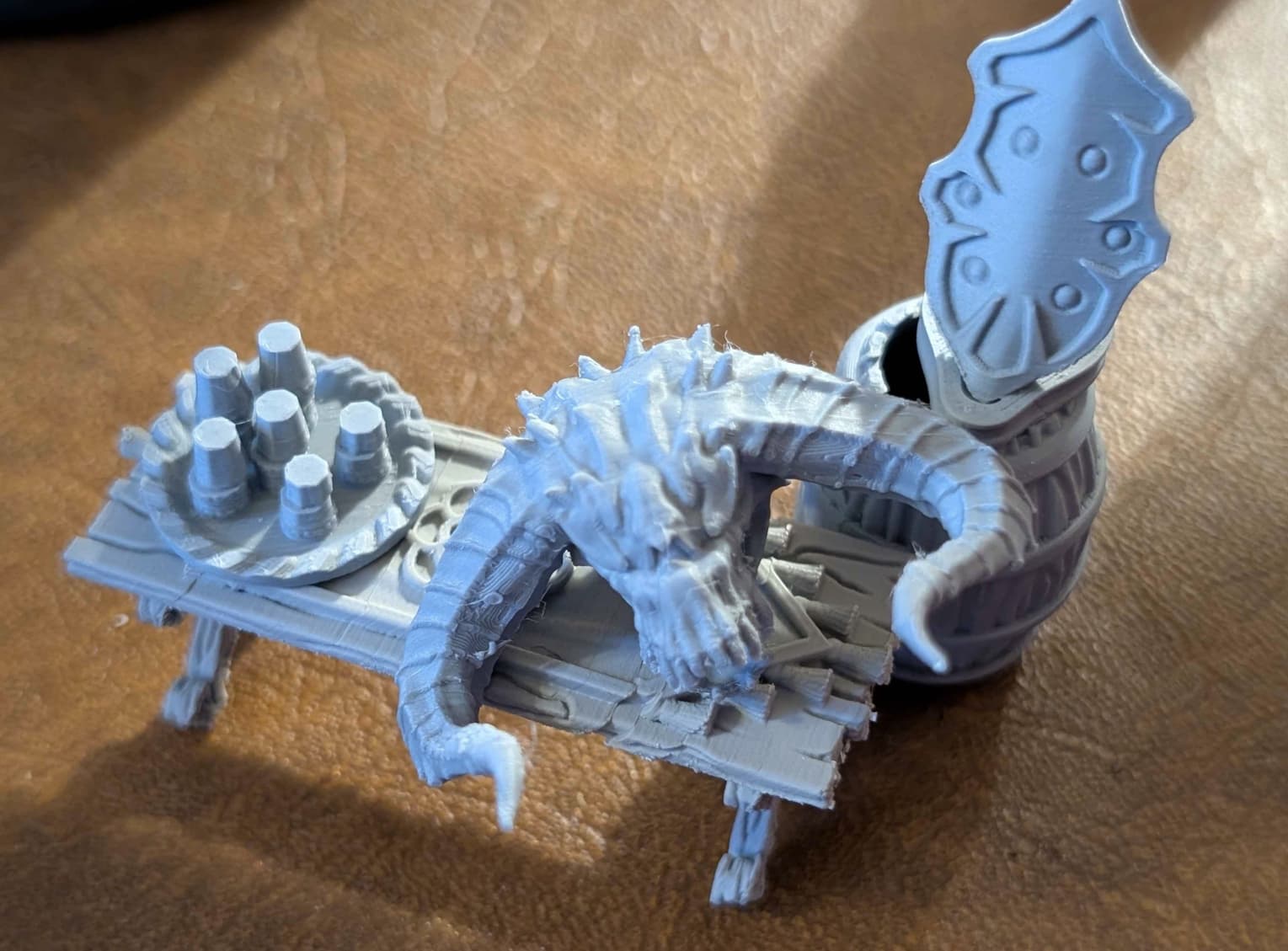
  • I originally printed this monster head that turned out pretty nice, along with other minis:
  • Decided I wanted to try Sunlu’s Meta (Mint Green) as it was touted as being great for Mini printing and wanted my prints to be a bit nicer and maybe a bit stronger.
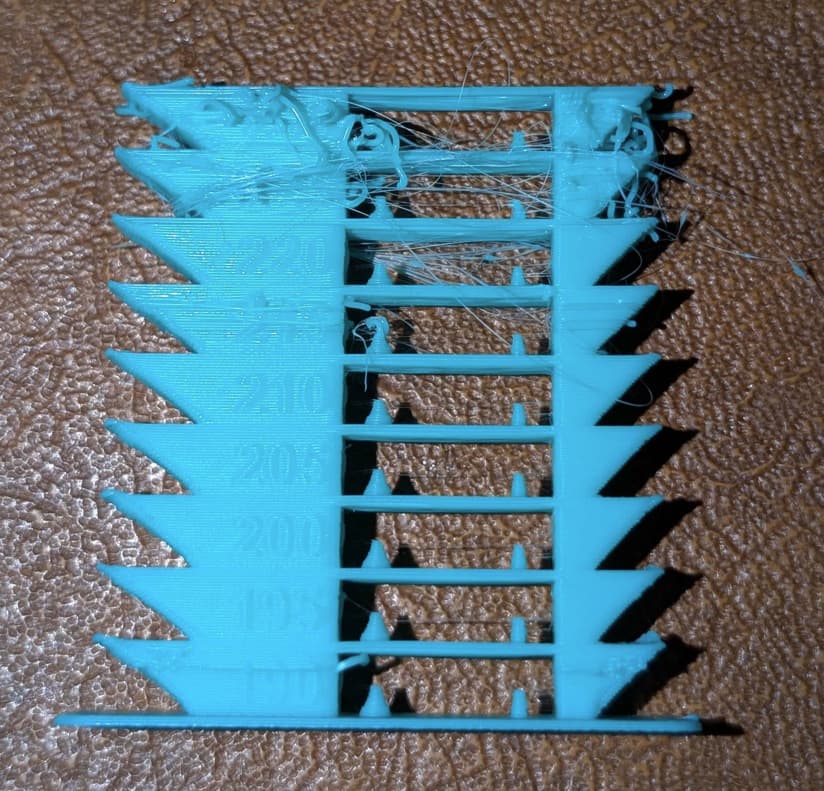
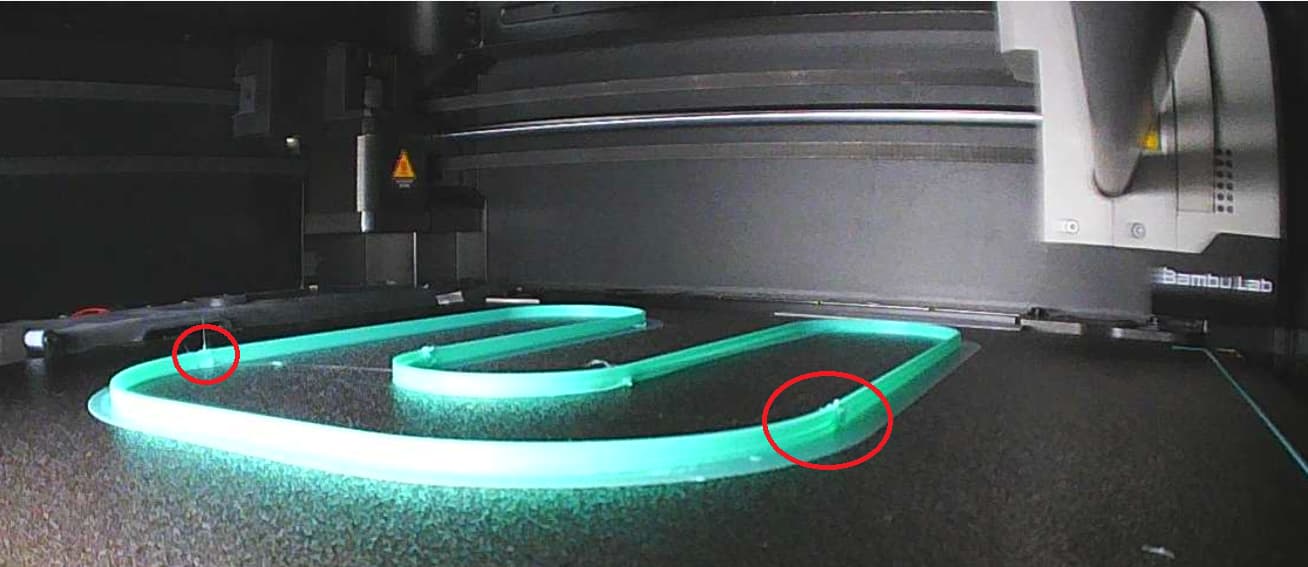
  • Ran a Temp test as I knew it printed at a lower temperature (I know it looks blue but this is the Mint Green just an odd trick of the camera):
    Note: Temp Test require altering the GCode but I reverted that.
  • THOUGHT I updated the print temp to be around 200-205 on a new copy of the Generic PLA profile.
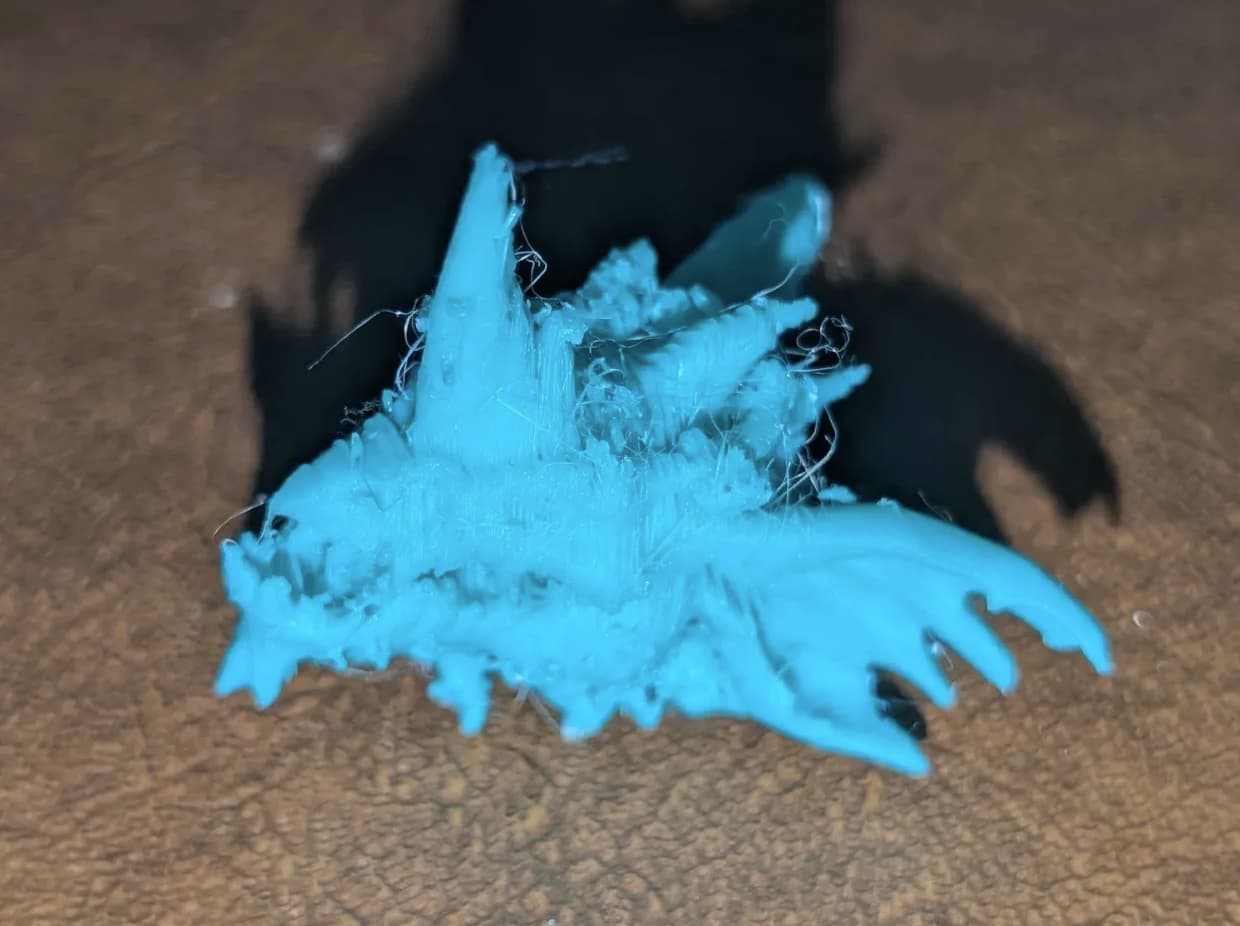
  • Tried printing the second head of the monster mini and it looked like this:
  • Updated the temps and it was better but still bad (post removing supports etc):
  • Decided to try a flow test as I realized the flow on the Generic might be too slow for the Sunlu Meta, but it was giving issues as well.
  • Now it happens for ALL prints and ALL filaments I’ve tested.
My observations:

  • Seems to happen consistently-inconsistently
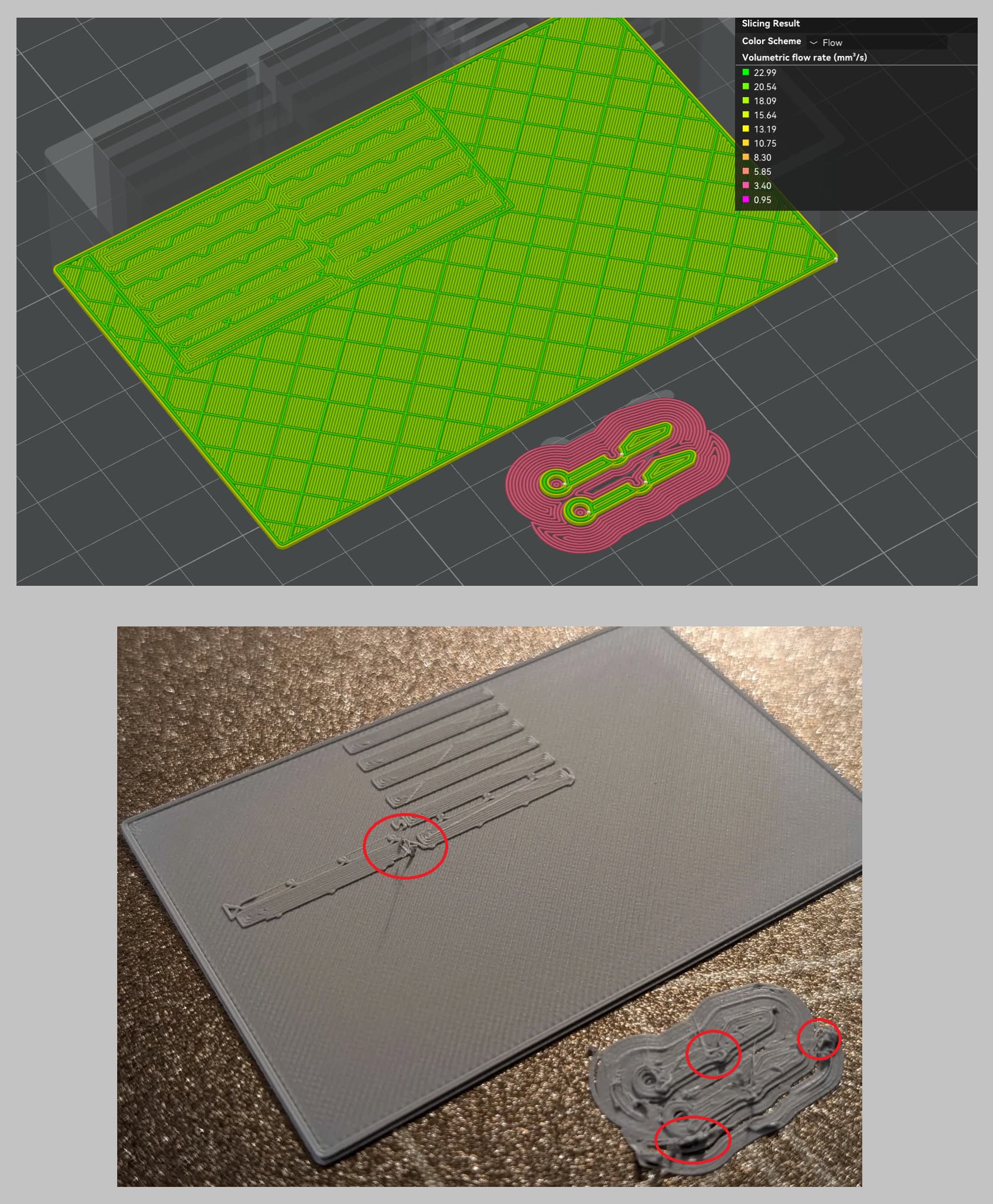
  • For instance, in the flow test I mentioned, you can see some blemishes where it started lifting up, but in consistent spots (circled 2 of the 4-6 spots that it would “corner” at), but then as the print would continue, those spots would no longer cause “cornering” and then later on it would again.
  • In this image you can see it tried to print the inside of an SD card holder and a couple of hinges. It had few/no issues printing the large base, but lots of trouble printing the hinges, and then when it went to start printing the slots on the base of the box, it started cornering again.
  • It’s not a wet filament issue since many filaments were tested, and the one that produced the fine looking minis was tested too, and only a few days apart.
  • Travel lines in the G Code seem to be fine.
  • It shouldn’t have anything to do with the timelapse feature, as I have the one one that doesn’t move the print head (Traditional, not Smooth).
  • The “cornering” can happen MULTIPLE times per layer, or none at all. A 4 hour print was stuck at the 50% mark 6-8 hours in as it was “cornering” and then immediately cornering again. But then sometimes it prints dozens of layers without cornering. Did that print again (the green/blue monster head) and it finally printed.

Things done to fix it are as follows:

  • Updated the temp and flow for Sunlu Meta, no luck
  • Downgraded the firmware from the latest.
  • Bought a brand new SD card in case the prior one was corrupted as suggested by others
  • Tried multiple STL files of various types (mini figures, flow tests, etc)
  • Tried multiple filaments (Bambu PLA, Bambu Matte, Bambu PLA, SUNLU Meta) in multiple AMS slots.
  • Checked printhead and rods for any obvious issues
  • Cleaned the printbed
  • Turned it on and off again
  • Reran calibration from the Bambu Program on PC
  • Was reminded that “Clump Detection” is a thing for A1’s, but don’t think it’s a P1S feature only A1? https://www.reddit.com/r/BambuLab/comments/1d4rt8q/why_does_it_go_to_the_corner_during_print/

I’m not sure if the settings I used with Sunlu meta screwed something up, or if it was complete coincidence. I also know there are a 1000 things I could try on top of the things I have. But I’ve been down the “spend lots of money and time and try literally everything” road on another machine, only to still have no machine, less money, and a hate for 3D printers.

I’d love if someone who has a great knowledge of these machines could help me pinpoint the issue and steps to fix it. Please let me know what else I can provide to make things clearer or things I can test. Also, if I said I did something, but you suspect I need to recheck it, I’m glad to do that as well. I assume anything I said can be contested.

The first part of the spool printed ok, but since then, its a ragged stringy mess?

Perhaps the outer wrap was dry and the inner bits did not get dry.

Dry it.

Measure to 0.1g, write that on the spool, put it in your dryer. Try to take it out a couple times over 8 hours to remeasure. Don’t stop drying, until it stops losing weight.

Thanks for the reply, but that should have nothing to do with my printer’s issue. Please watch the video to see the issue if you think you can help, otherwise no worries.

Further clarification: I used 4 different filaments, some that worked perfectly fine before the issues I described in detail above. Any stringing is caused by the printhead stopping, the Z lower, etc. It’s very clear if you watch the video.

I updated my post to make it clear that it is not a wet filament issue.

The new description sounds like a rogue “nozzle clump detection” feature, and/or timelapse photography movements [if it only happens at the end of a full layer]

I double checked my P1S and doesn’t have the nozzle clump detection feature toggle at all, the rest of my bambu machines do. So I dunno. I’m on old firmware and software.

You can do a derp check and check travel movements in the slicer preview, to ensure that it 100% is not the slicer commanding those movements.

Ah yeah, I forgot about clump detection, I saw something about that with A1’s on a reddit post: https://www.reddit.com/r/BambuLab/comments/1d4rt8q/why_does_it_go_to_the_corner_during_print/

But I never did find any settings, perhaps it’s a hidden feature. What’s your firmware #? Maybe I should go back several more.

Timelapse should only happen once per layer correct? If so, the above images show prints where a “cornering” happened multiple times per layer. And some layers have no “cornering” at all. That and the timelapse I have on doesn’t affect the printhead (or at least never did) and the other one puts the printhead by the chute iirc? Lastly, the below print mentioned earlier, went from cornering for the first, I dunno, 450-500 layers on/off, taking many more hours than it should have, and then for the horn, zipped up 40-60 layers in a matter of seconds/minutes like normal, meaning it if it was doing any timelapse photos, it should have moved every layer for the horn. All that said, I think I did a print without timelapse, but I’ll run it again, could be faulty code?

Good thought on the travel, but I never saw anything with the other prints, and here’s the above cube’s travel, seems completely normal to my untrained eyes.

Those travels seem ok to me too, timelapse will show in-slicer as a move to the side every layer. My p1s is on 1.07, the last firmware that supported direct from slicer cloudless connection. Not much more to add, sorry.

E: reread, if you have a spare nozzle to try, it might be of use to swap as a trial, or follow guides about partial clog removal (cold pull, needle, hot hex rammed down it, all of the above). That ragged appearance in the blue picture is real janky and the VERY small wispy lines are sus, like the nozzle was not able to send the amount of plastic the extruder is commanding. given the term minis, is this a 0.2mm or 0.4mm nozzle? And what is your volumetric flow rate if 0.2mm

Thanks for the reply! Actually, I was going to switch to .2mm but figured I’d try it out in .4 for some of the scatter (shields, etc) and felt that the quality was good enough to potentially stick with .4mm nozzle.

Yeah, it looks like that with the wisps, but it’s actually probably 6+ hours of the z lowering constantly, leaving a string of filament like you see here:

Then multiply that by 100 times, if not multiple hundreds of times.

That said, I should have .4mm spare nozzle + heatsink I believe. I’ll try swapping it to see if anything improves. Before that, I got a reply from Bambu’s support and they mentioned “Auto-recover from step loss” and that cleaning the rods and tightening the belt might fix it. I’ll try that as well, as when I looked it up, same user from reddit has another post with their A1 that looks VERY much like what mine is doing. I turned off the P1S feature, and we’ll see if it’ll print normally (even if it is shifting layers).

https://www.reddit.com/r/BambuLab/comments/1d4yr98/wtf_just_happened_during_my_print/

lol are you trying to say that the stop-and-move-to-home is happening 100 [or even, many] times within a single layer? That is super not right and agree, your nozzle will not be primed after spending so much time in the air.

Kek, well, within a print, but very possibly within a single or a few layers, depending! The one that looks like green wisps I went to bed with the 4 hour print a bit of the way in, woke up with it still having 1-2 hours to go (meaning in 8 hours, the print only finished 2 hours of the print).

Fortunately, Bambu support seems to be right and it was Step Loss Recovery. Here’s a print I just did with the feature turned off. Don’t see any layershifts or other issues, looks pretty normal and nice to me. So I’m going to try a few more prints but hopefully it stays fixed. They said I should try to retighten the belt and clean the rods (which I may do a surface level cleaning), but I’m thinking that I leave the feature off until it becomes a problem, living the by the “if it ain’t broke, don’t fix it” adage, as I feel I can only introduce more issues with my luck.

Thanks for the help and advice and help, I appreciate it!