During a filament change, the toolhead normally moves poop chute>cutter>poop chute but my current print is doing this. After cutting, it moves to the far right, then to the back before returning to the poop chute. It hasn’t done this for any other plate in this project file (or ever) and there’s no object specific settings along with the firmware version still being the same. I also can’t seem to find any documented cases online of this happening on any other device.
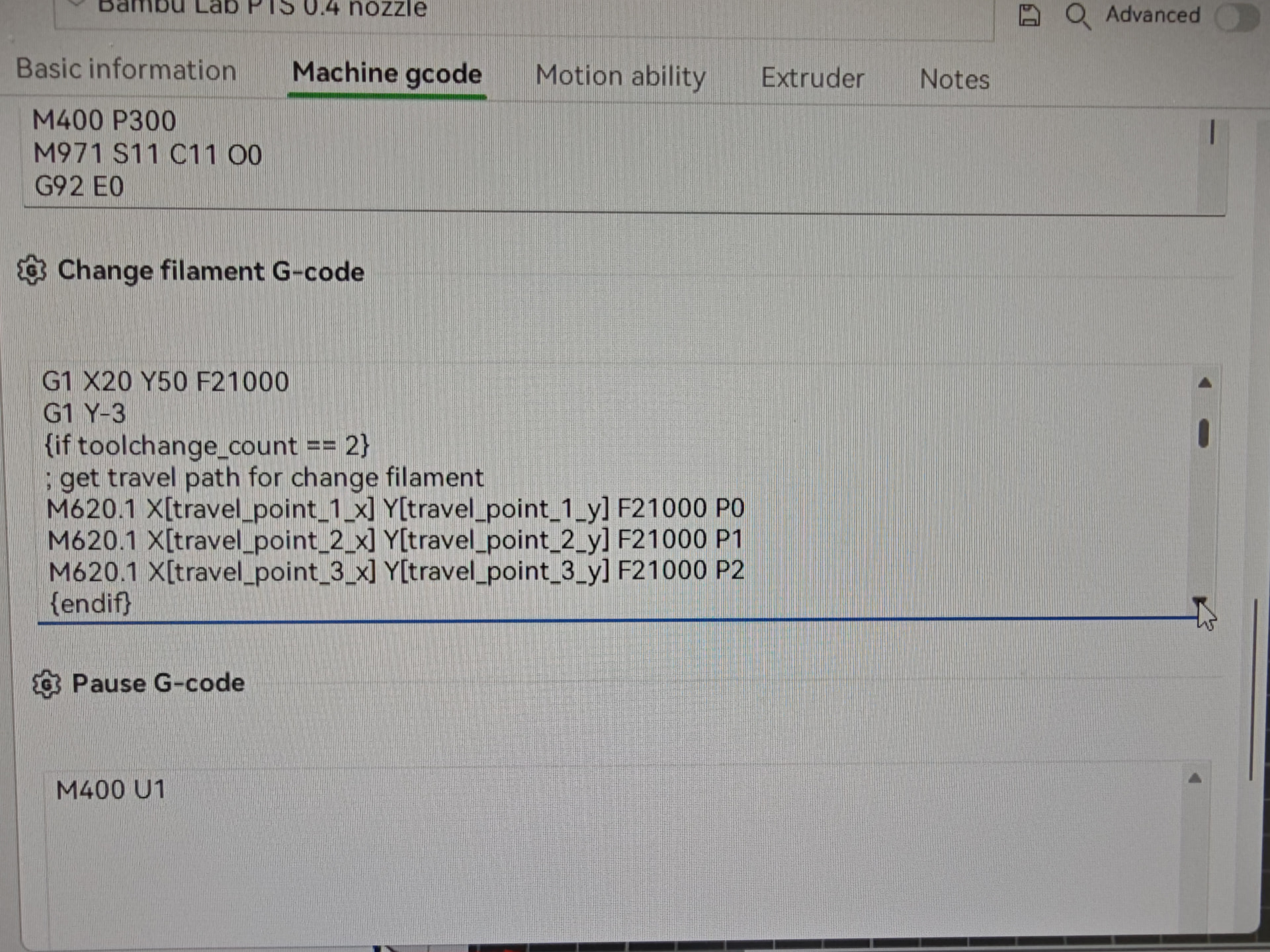
Here’s the specific script section that is causing the travel - google is telling me that the three points are defined based on your bed layout, in your case the location of your parts is such that it’s having to take the long way.
Funnily enough, I actually tracked down that exact g-code from the file sent to the printer which is causing the movements but still couldn’t figure out why it’s happening. It makes sense that it has an auto re-routing algorithm built in but I just couldn’t even find any evidence of that online. Also in all my huge prints, I guess i’ve just never had an object oriented like this before so it’s never happened for me personally
That move to the front right where it is almost up against front glass on right side is where it is cutting the filament. It has to push the cutter against the right side of housing to cut filament.
The front right facing the printer, not from the printers perspective. I also did specifically mention it moving to the cutter and THEN making the weird movements I was questioning
Just trying to help.
You try moving the toolhead around, front to back and side to side to see if you can feel it binding or dragging on something?
If the printer is idle it should move by hand with very little effort.
So what IS the issue?
If you have edited the gcode, put it back the way you found it. If you edited it and did not make notes of your edits, I’m pretty confident someone on the forum can point you to the stock “as built” gcode. Correct the edits and see what happens
If the gcode is the same as when you pulled it out of the box new, then you have a hardware problem. Two avenues to pursue.
The wiki is an invaluable tool for both.
It’s an auto re-routing feature built into the slicer when generating the g-code for large objects that take up a majority of the build plate. That’s the solution and correct answer. You’re going way too deep into it.
Not going in to deep.
You asked a question. Your final reply reads more like didn’t know what you did initially. Else why would you ask why your toolhead was essentially making moves that you were not used to/expecting. If you figured it out on your own, great. If not, you want to be careful when dumping random gcode off the internet into your machine. Malicious actors abound on the internet and there are people who would take pleasure in damaging your machine. BL gcode pretty niche corner of the internet so unlikely but not zero either.
Especially since BL Gcode is a mix of standard gcode and their own custom gcode
Click the box for Solution. to close out the question.