For such delicate prints, I would strongly recommend switching to a smooth plate, as it has significantly better adhesion. The textured plate is more jack-of-all-trades and not really ideal for this purpose.
What infill do you use? I hope it’s not rectilinear, because the paths cross each other, and that always results in little bumps against the object. Unfortunately, I can’t really tell from the photos, but it looks like a crossing pattern - not good.
Perhaps you should reconsider your approach. You might want to consider whether tree support is the right choice. An alternative would be to turn the object through 90° so that it is lying on its back, and then use normal support, provided that the back of the object is not particularly important.
In general, it can be said that 0.2 nozzles - including miniatures and decorative figures - place high demands on the printer. This must be viewed as part of an overall concept: from the print plate, to the print settings, to the orientation.
A 0.2 nozzle almost always requires a smooth plate. Not across the board, but often in the context of such miniatures.
As I said, here’s what you can do right away: Use infill that doesn’t cross nor collide with the object, and, if necessary, reorient the object and try using normal supports.
Otherwise, you can also upload the 3MF file to the forum or post the link if you got it from MakerWorld.
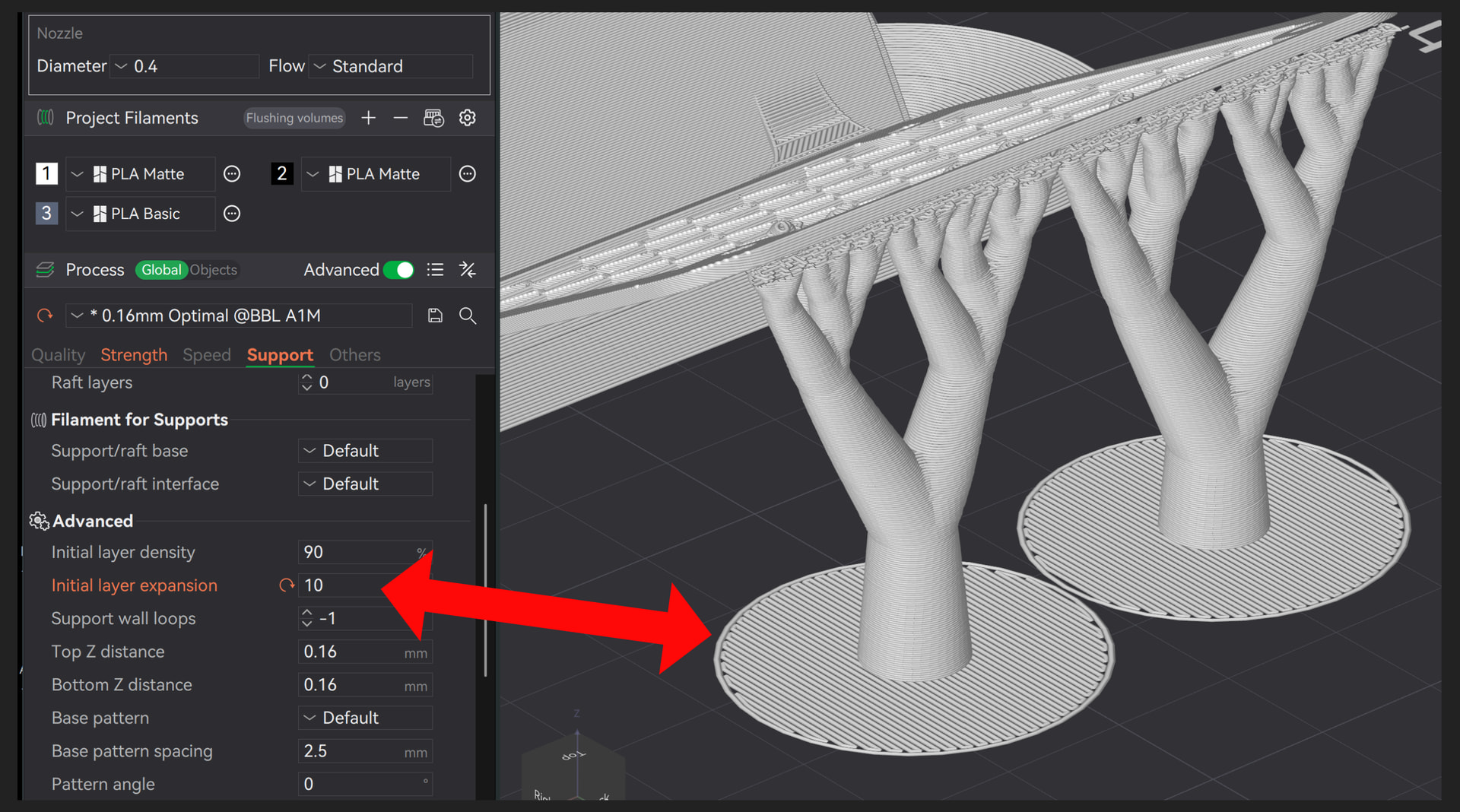
By the way, here’s something else that helps - I completely forgot to mention it - if you increase the initial layer of the support. But that only helps if the first layer of the support doesn’t hold. It doesn’t help if the support breaks off or the nozzle hits it with full force.
However, it’s actually always a good idea to do this with such delicate objects / supports.
I was wasting filament left and right till I figured out how to use Brim in my P2S. Now I set the Brim to bottom, 10mm, as a rule unless the object is pretty darn flat.
I rather waste material on a nice sturdy Brim, than have my prints break free nearly done.
Retro Sharky is saying the same thing, I just found Brims in mine (under Others) and I almost always adjust it.) Works for me. Before that, it was Sooo frustrating for things to fail!
Why Brims? The name beats me. Brim of a cowboy hat? This hobby has some weird terminology.
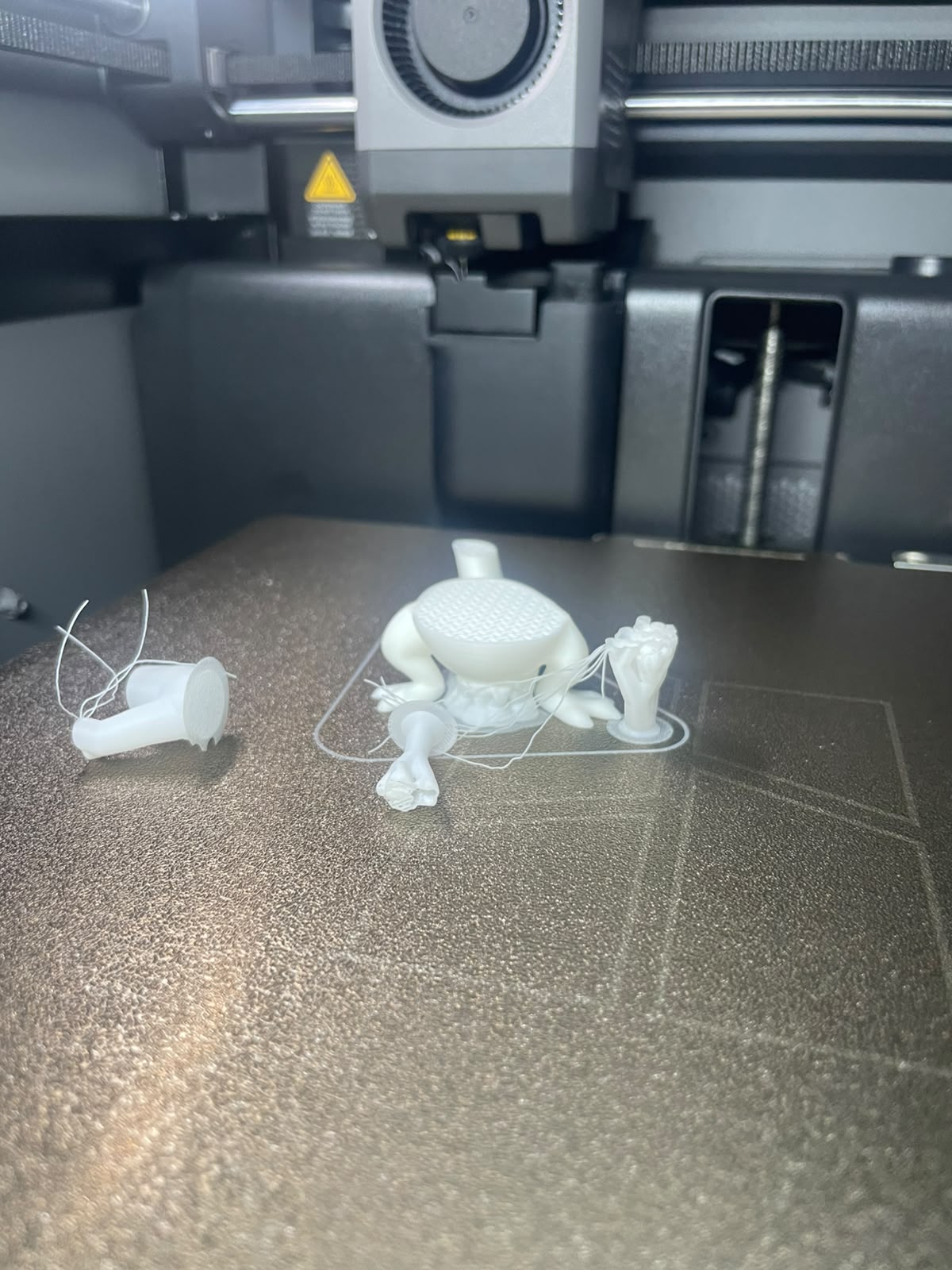
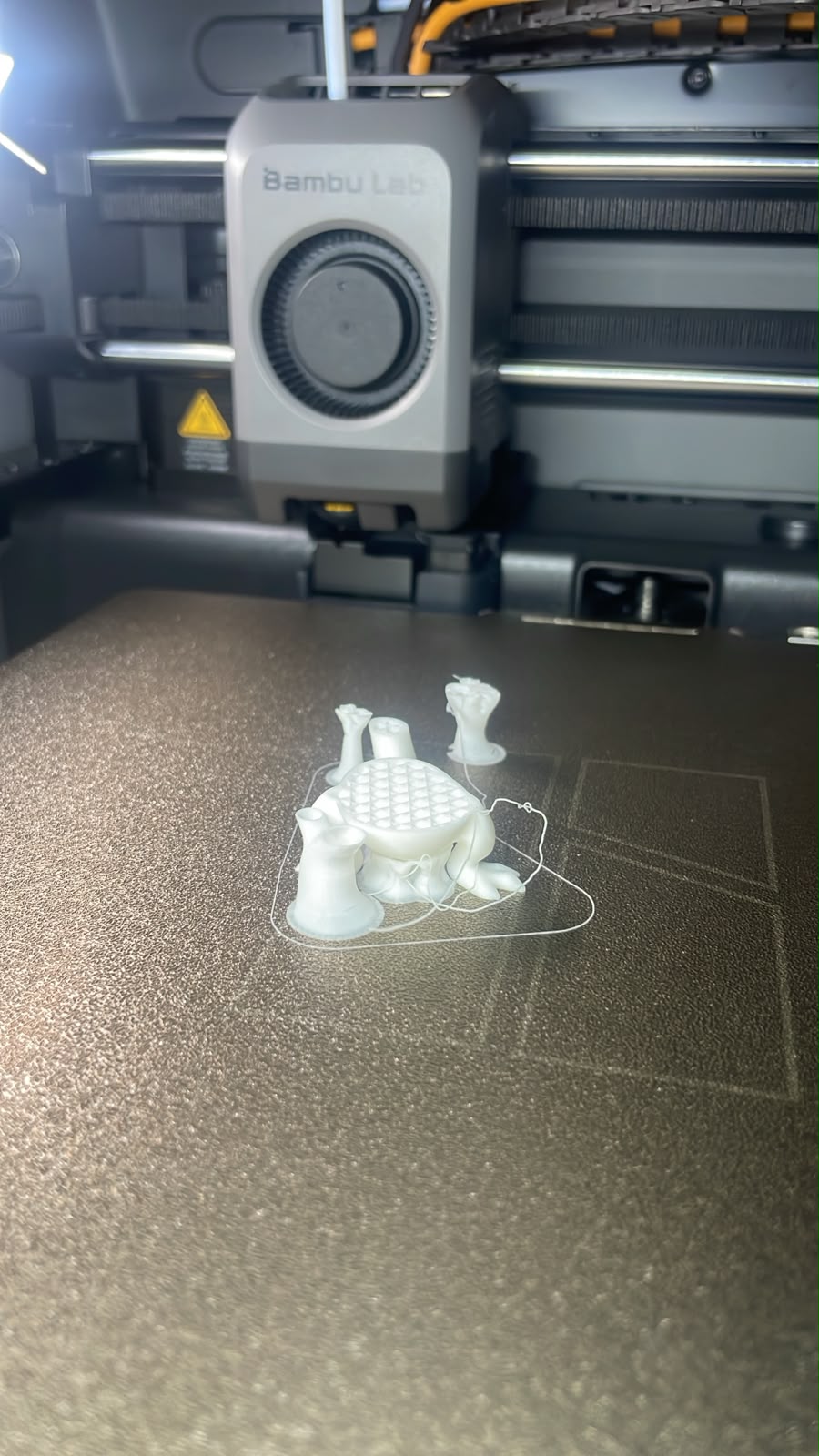
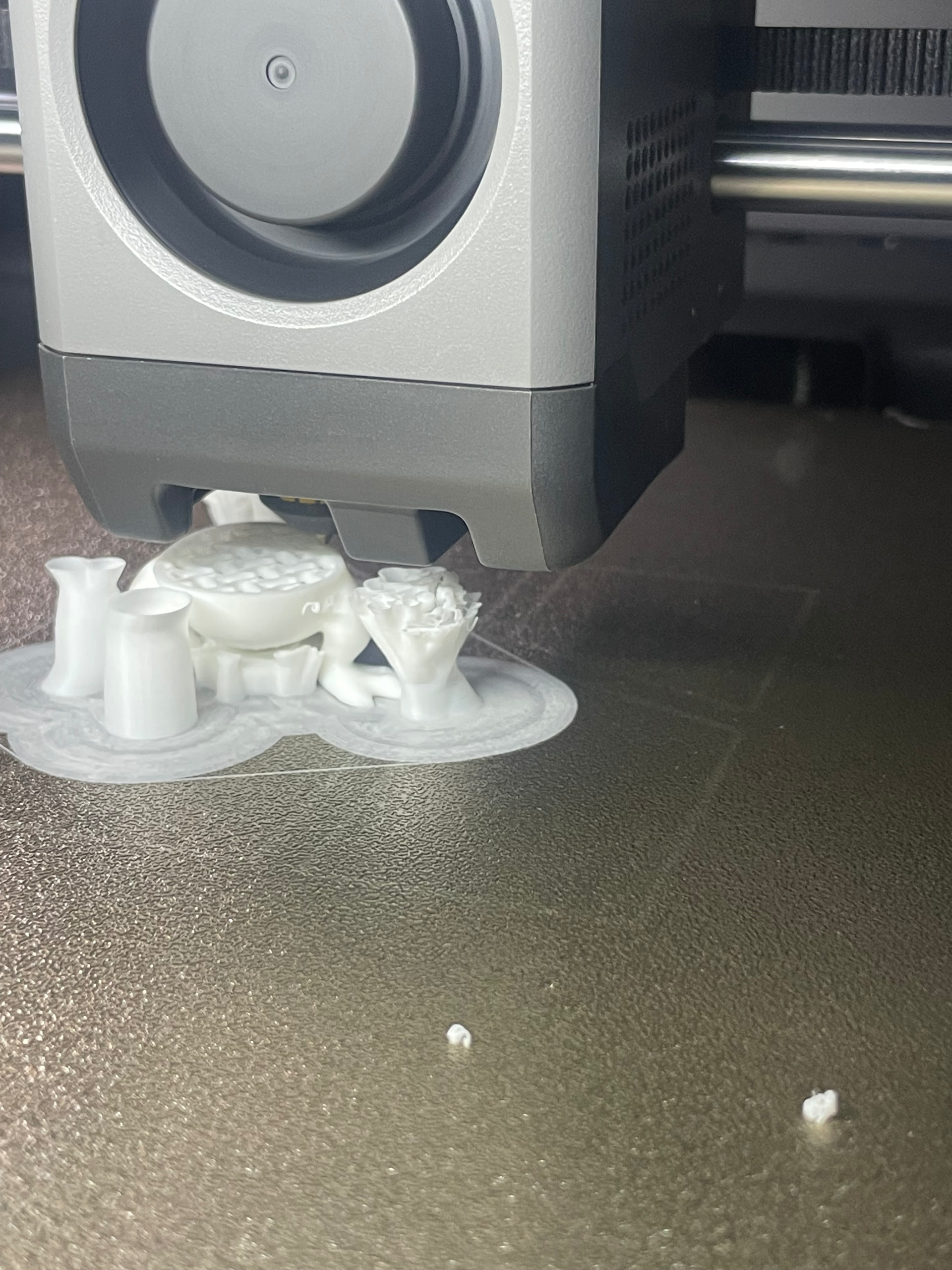
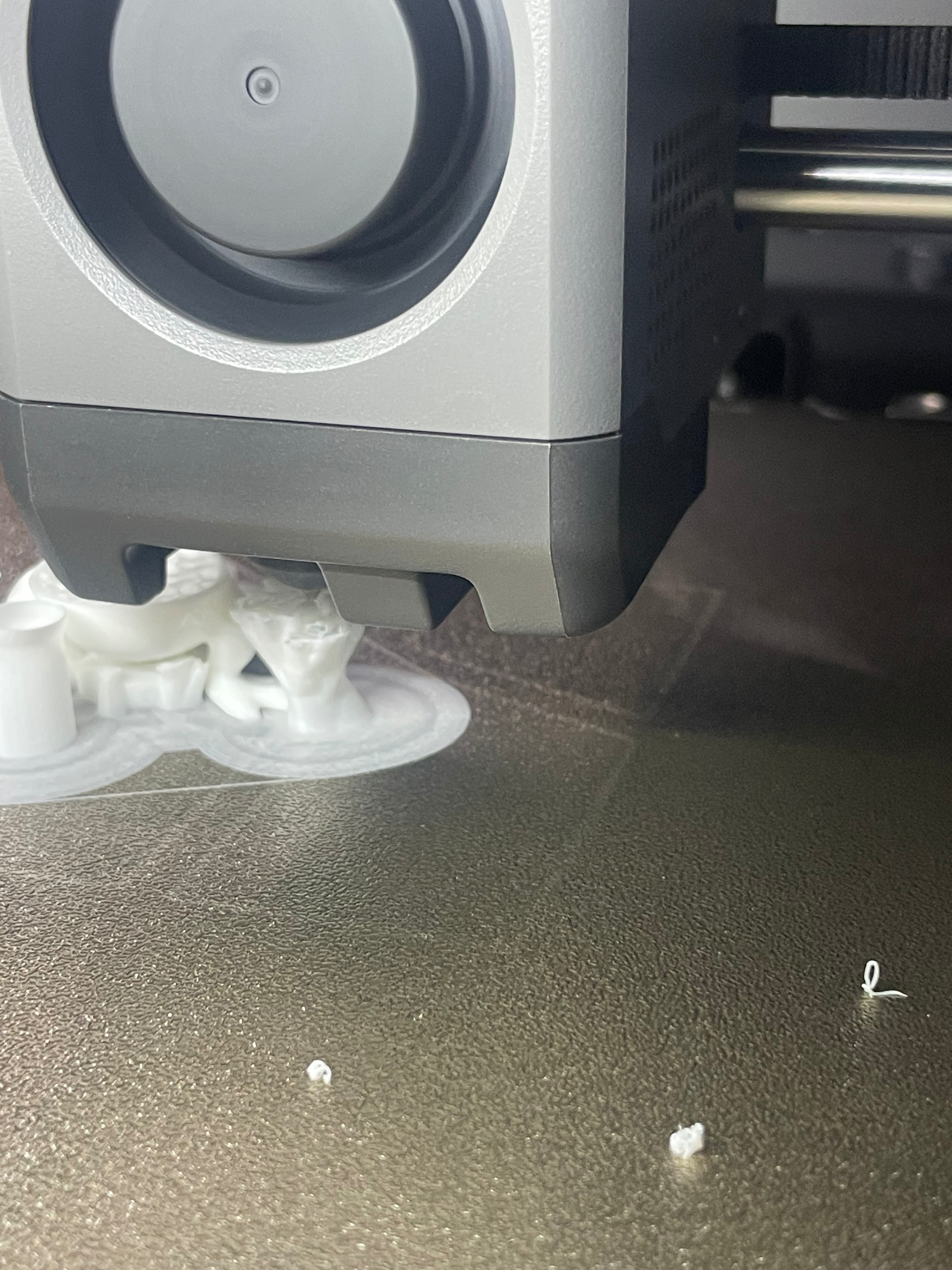
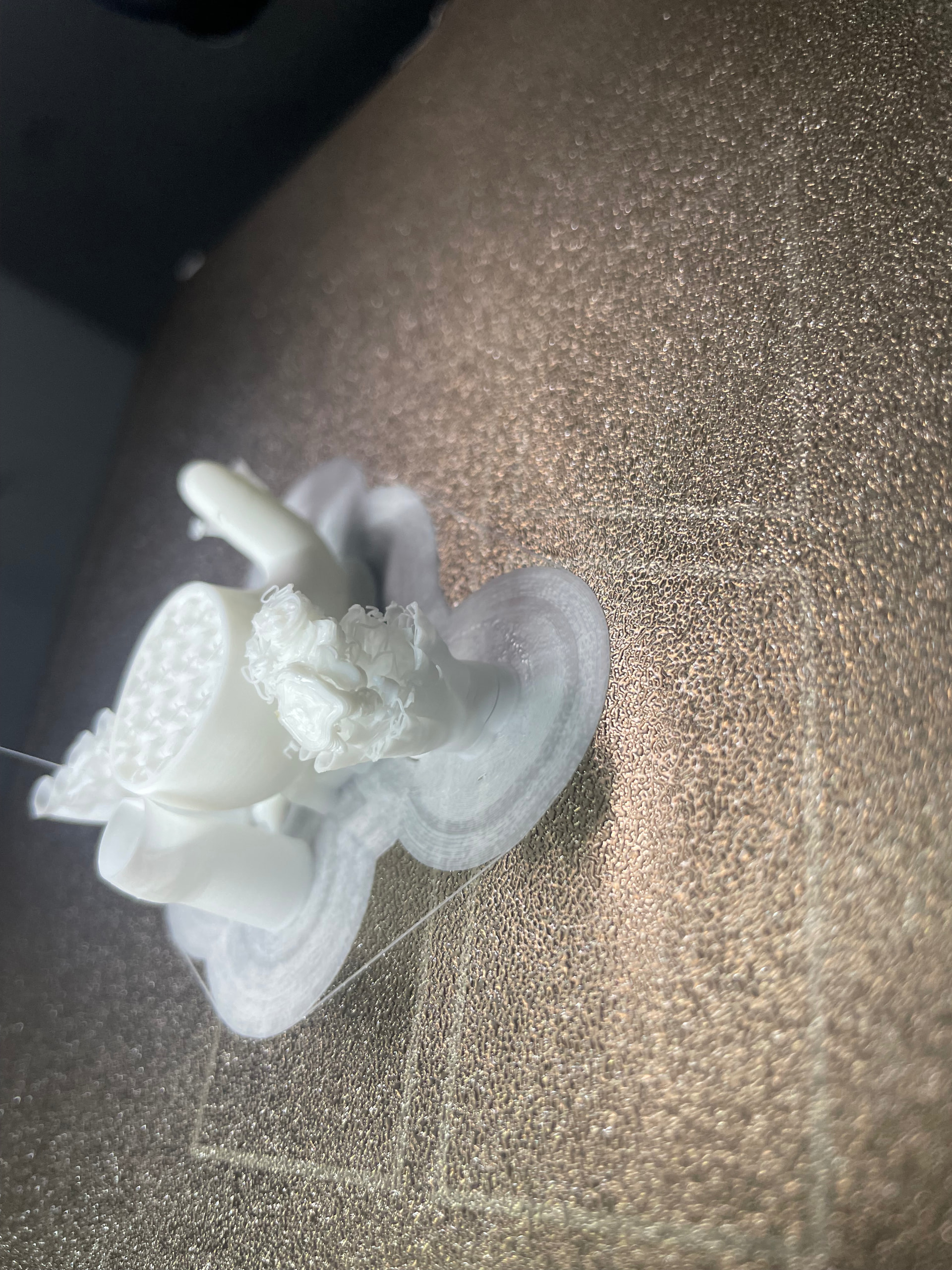
The extrusion totally failed in one of the supports resulting in bumping with the nozzle and failing my prints, any ideas to solve the extrusion problem?
I will run those again tomorrow.. and will upload the file, but this happens on other prints aswell, mainly when i have a lot of supports and few surface area.
The chamber (closed) is 38*C could it be heatcreep?
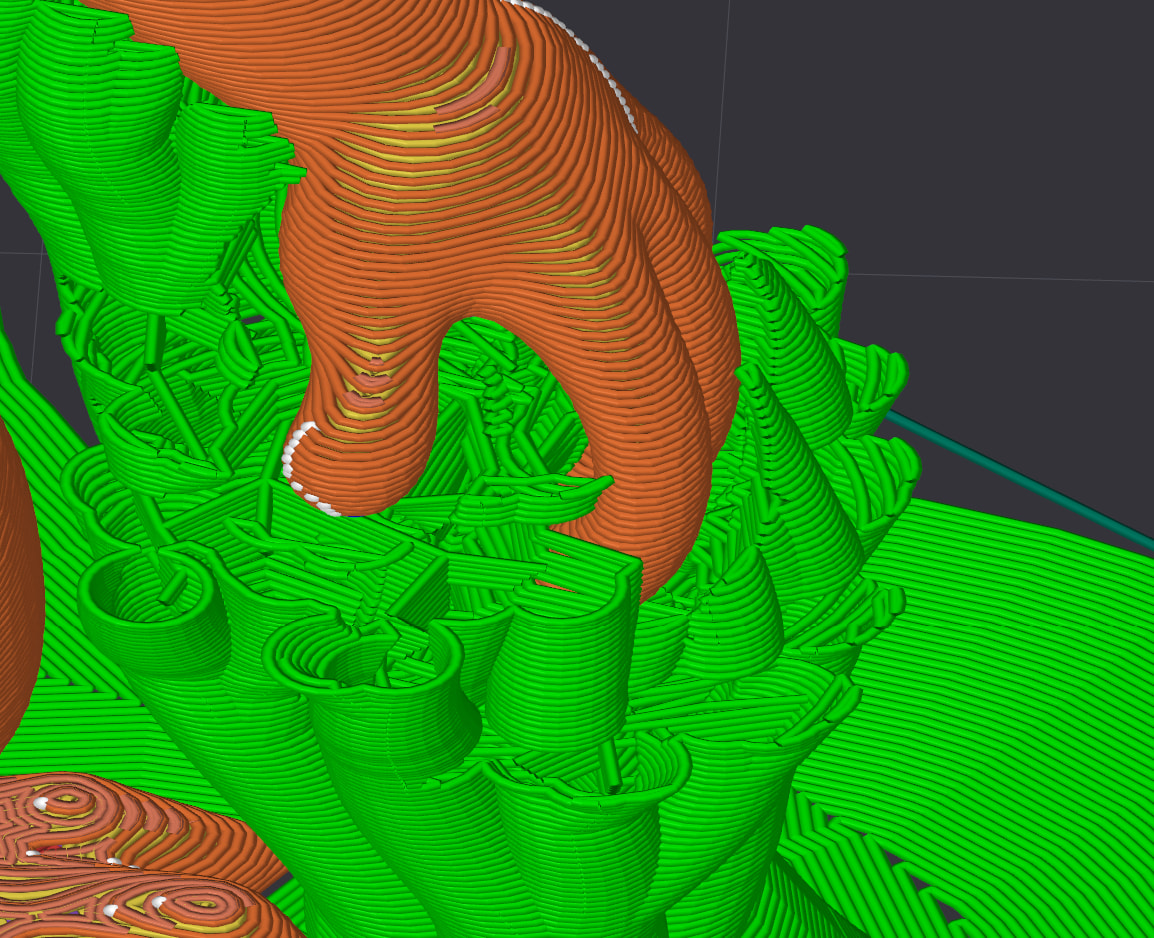
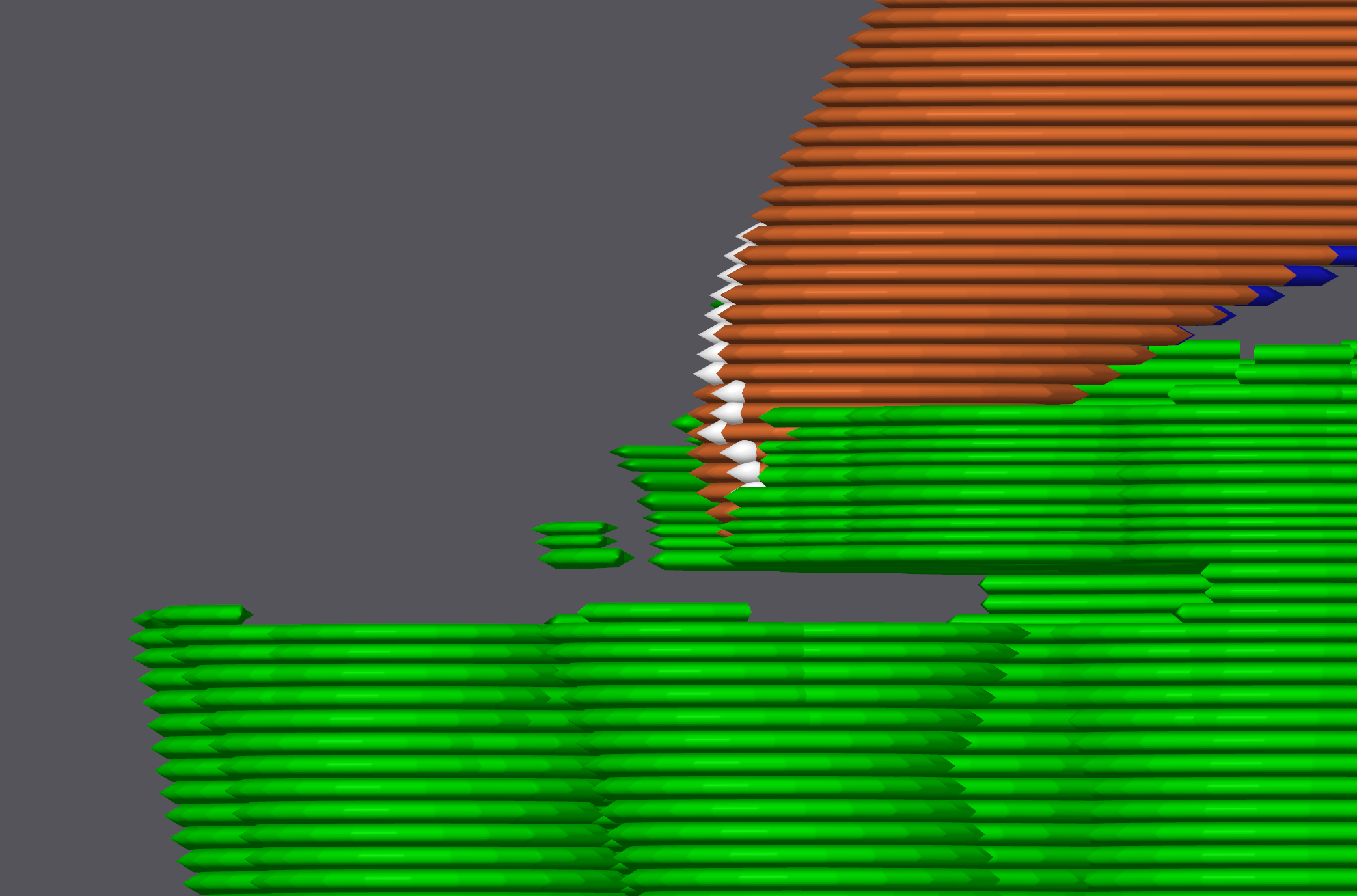
The following problem was found: For some reason, your support structure is incorrect. It not only goes to the fingers as it should, but also goes all around them and into thin air.
Now the big question is, what did you do differently?
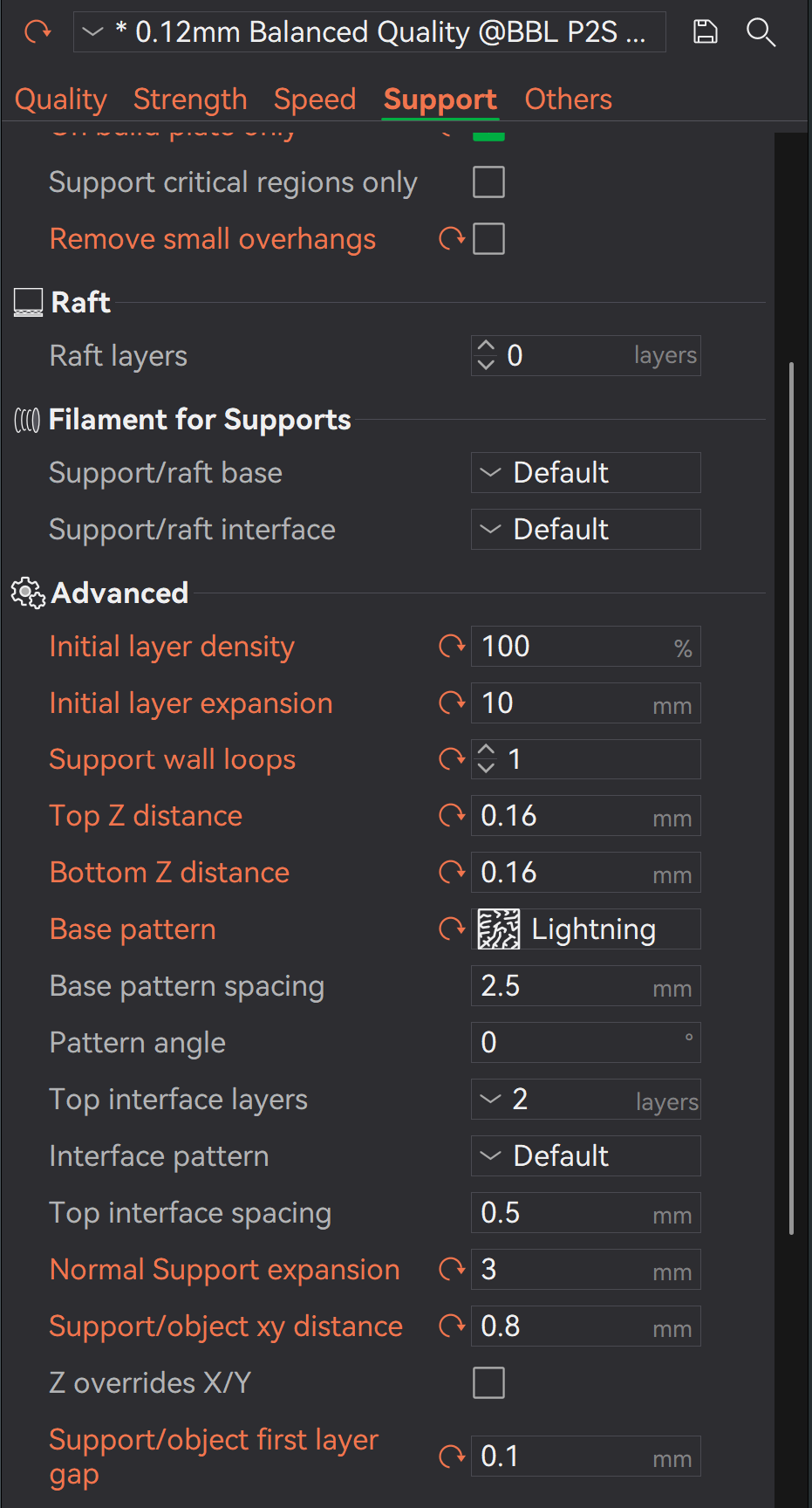
Okay, you’ve somehow tweaked every single parameter there could possibly be on your model. How did you come up with the idea of adjusting every single parameter?
Simply adjusting the initial layer height doesn’t make any sense.
Used as a Wall Generator classic - I don’t think the designer intended Arachne Mode, nor do I think it’s necessary; it just creates new problems in this case
Ironing won’t do you any good on an object like this - there are hardly any flat surfaces. What matters most for you is the layer height.
Then there are so many other settings you’ve adjusted under advanced settings - I can’t even list them all.
So you really did adjust every single speed parameter… without me being able to make any sense of it.
Support - every parameter has been changed, too, for no apparent reason.
In a nutshell: You just clicked on every parameter and changed it.
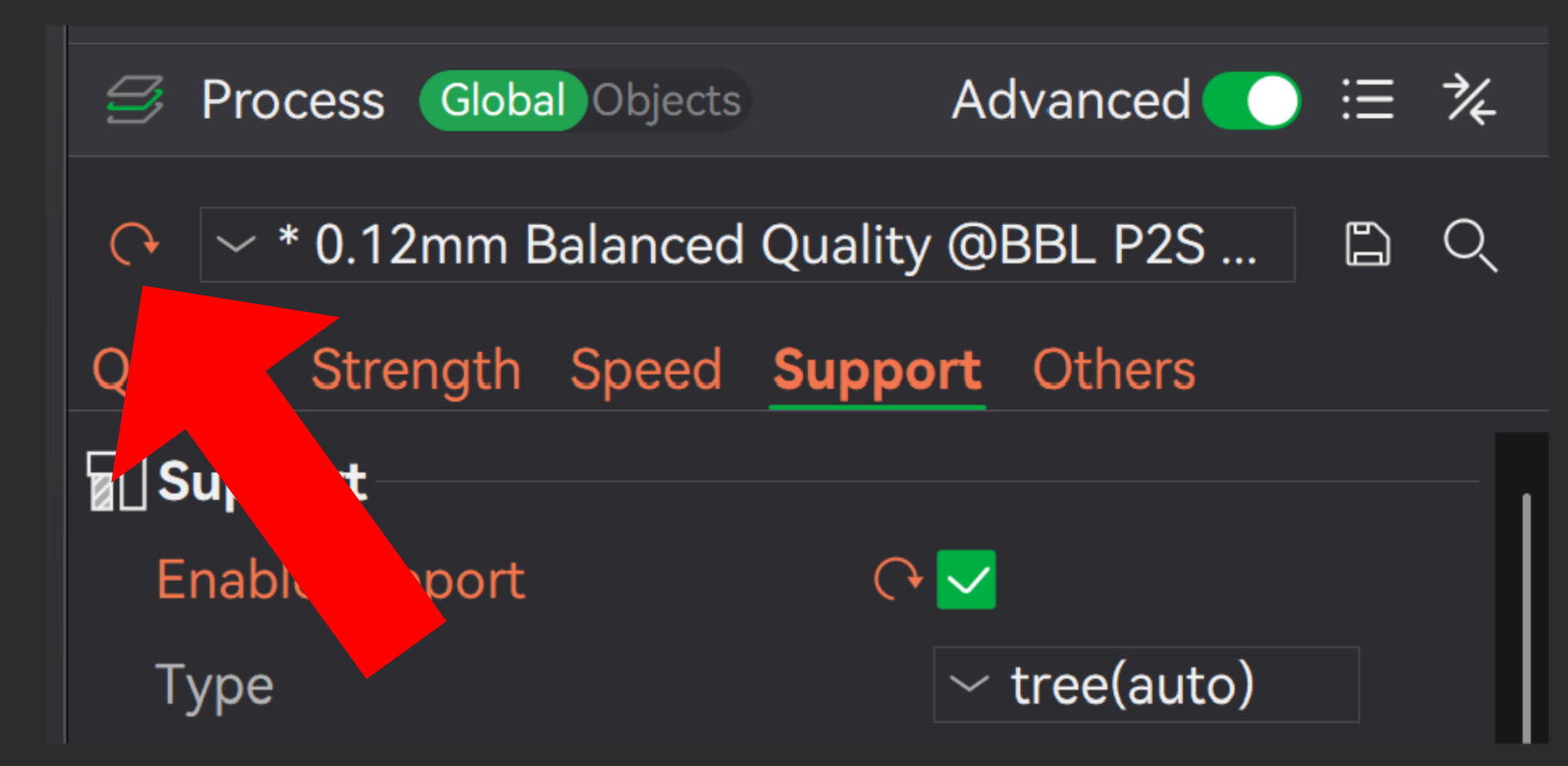
The only thing you actually need to change is: After you’ve reset the profile
I would recommend wall thickness of three
Infill gyroid, if it’s not already specified.
Seam position: back - if desired
support initlal layer expansion: ~10mm
That’s it - no other wall generator, no brim, no speed adjustments, no ironing, no advanced settings. Keep it simple - all your settings were the problem.
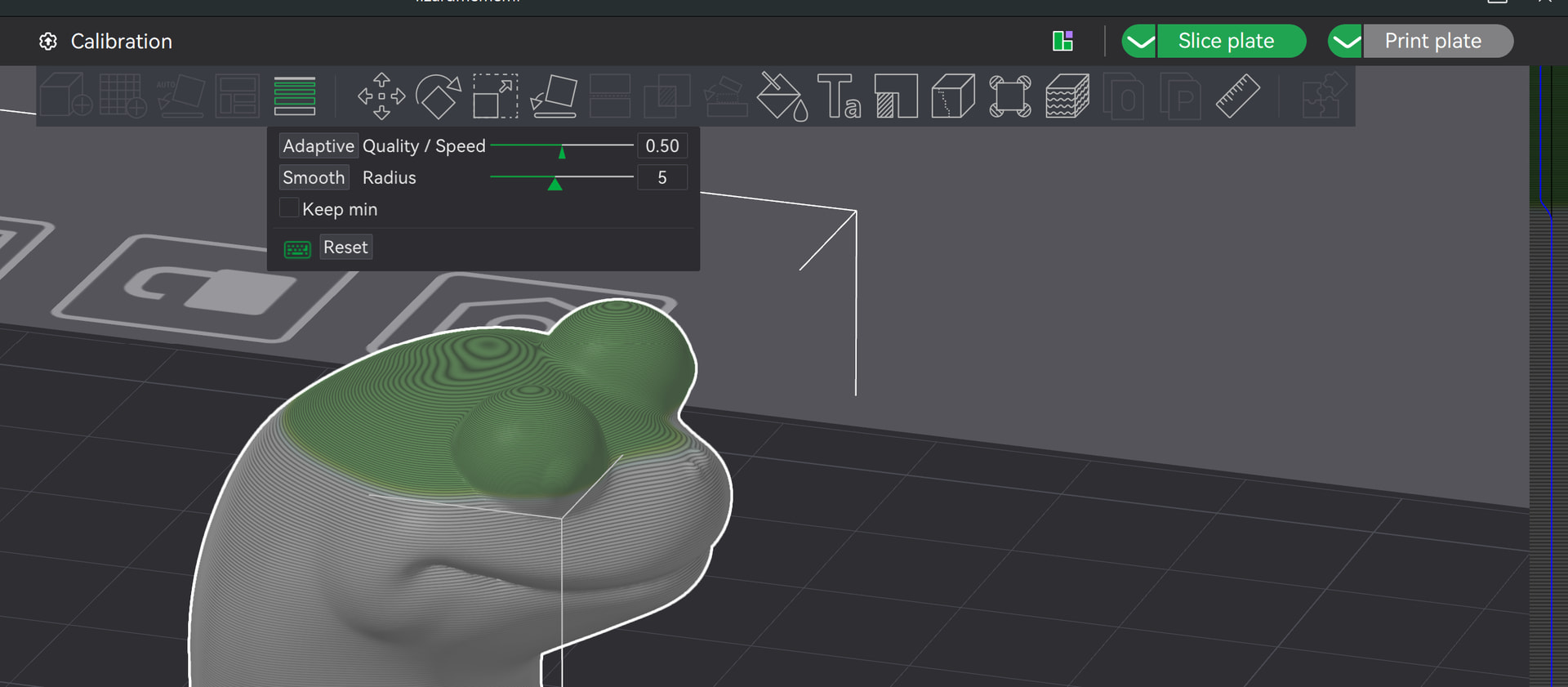
If you really want to improve the quality even further, you can select adaptive layer height - but only at top of the head of this lizard. I would, though, at least try one without it first.
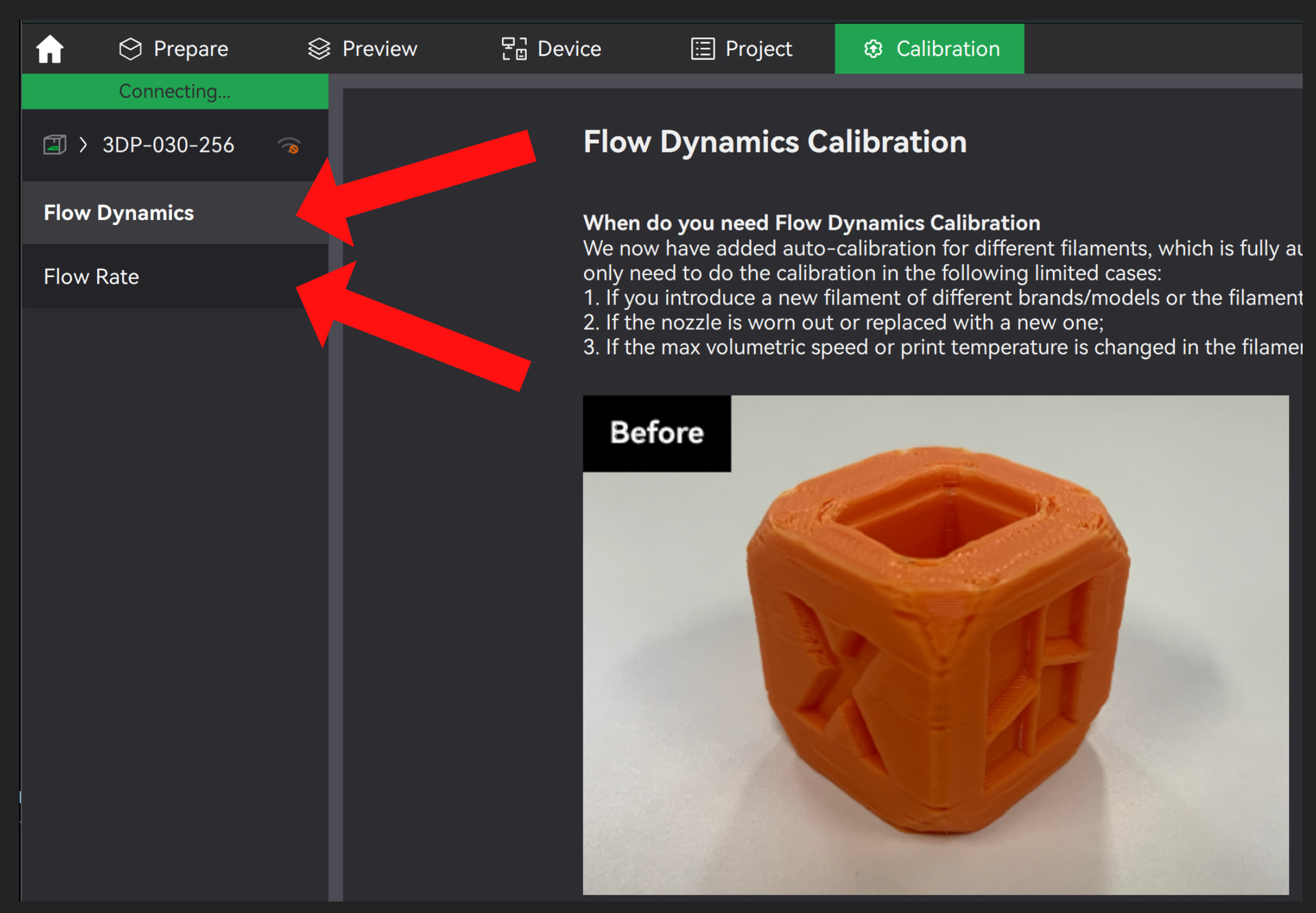
I reset all the parameters back to normal, did run a new flow dynamics calibration and adjusted the settings to the best results.
I also bought another build plate (Biqu Glacier)
I first had to do some prints which required no supports and those turned out fine, as usual…
I ran another print today with supports again (auto tree) and my print failed again, not on the print itself but my supports breaking halfway (not from the plate) just snap in the middle resulting in spaghetti failure.
I’m pretty convinced it’s not an adhesion problem, it seems like i generate faulty supports.
I will try the print again tomorrow but instead of auto tree supports i’m going to try the classic supports and see if that makes a diffirence
inspect your support structures after you slice, and send us some screenshots. Having tree supports fail like that seems extremely unusual, considering that they are basically just hollow tubes.
Also, yes, keeping your chamber closed and allowing it to reach 38C while printing PLA could definitely be causing some issues with heat creep. Even on my P1S, for example, I have to leave the door open when printing larger PLA prints, or quality definitely starts to degrade towards the top.