Hello,
I’m experiencing a very high print failure rate after only 20–30 hours of successful printing on my new P2S.
The main issue is that the first layer doesn’t adhere properly, which causes the prints to fail.
I’ve already followed the troubleshooting steps in the wiki: bed calibration, the recommended checks, cleaning the build plate with both IPA and dish soap, etc.
I’ve also tried printing from both Bambu Handy and Bambu Studio, but the results are exactly the same.
To be honest, I bought this printer expecting a much more reliable experience. I didn’t think I’d run into these kinds of problems so quickly.
Seeing other users having issues with high-end or engineering filaments is one thing, but I’m having the same problems with basic PLA and PETG, which is really disappointing.
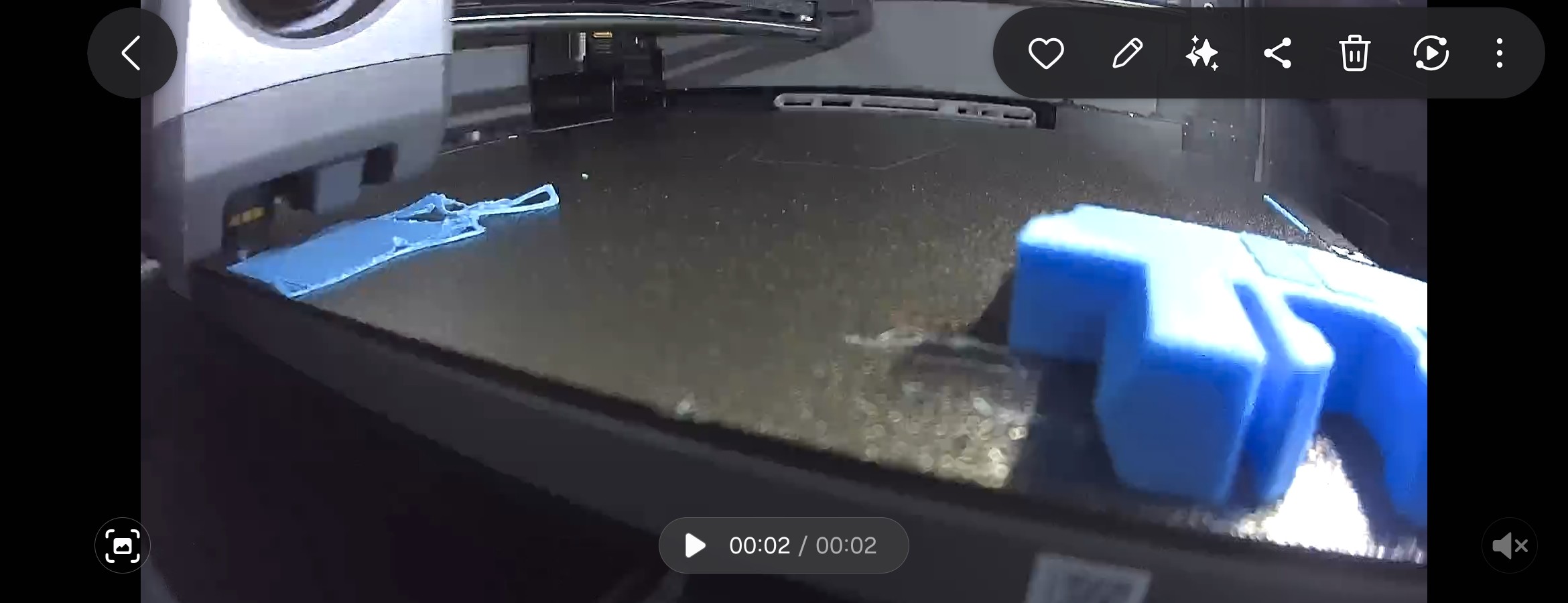
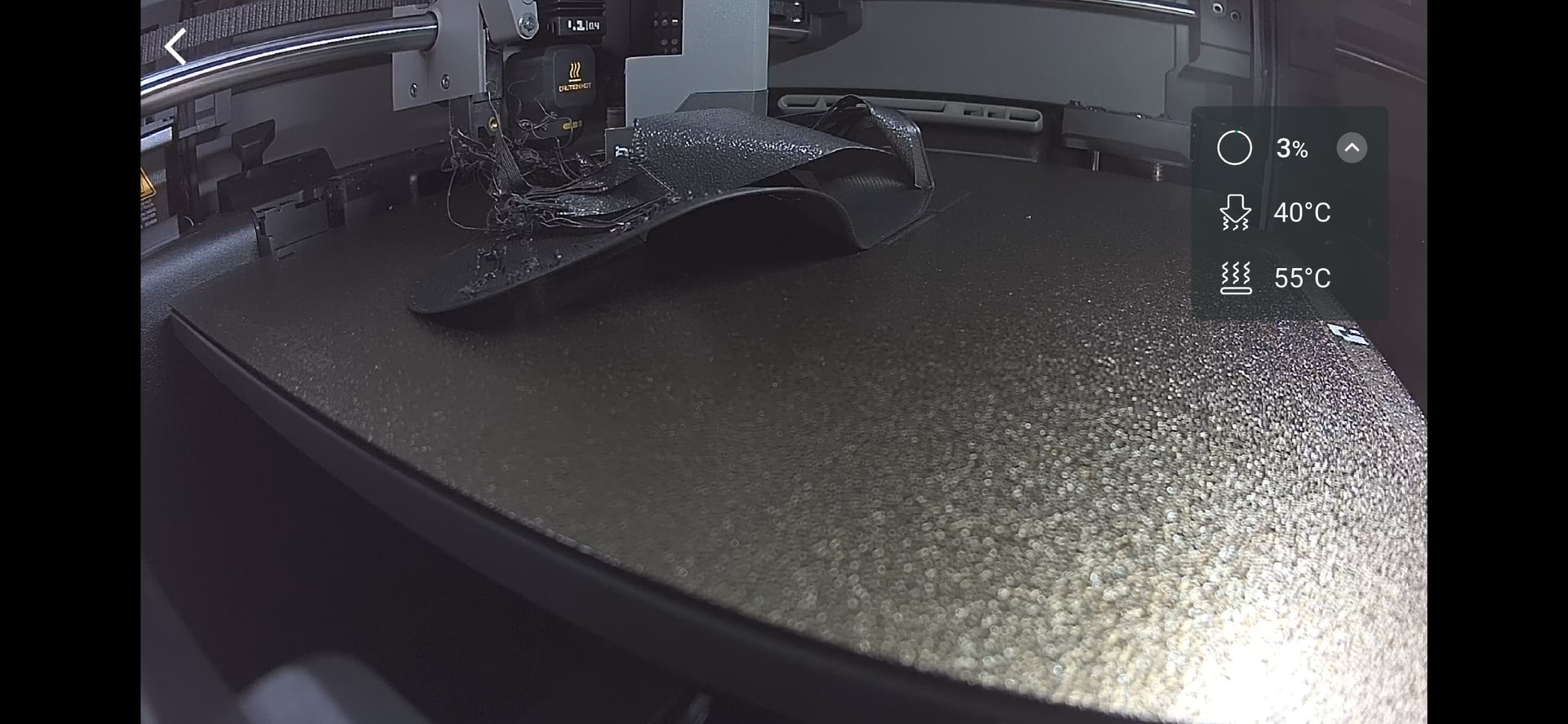
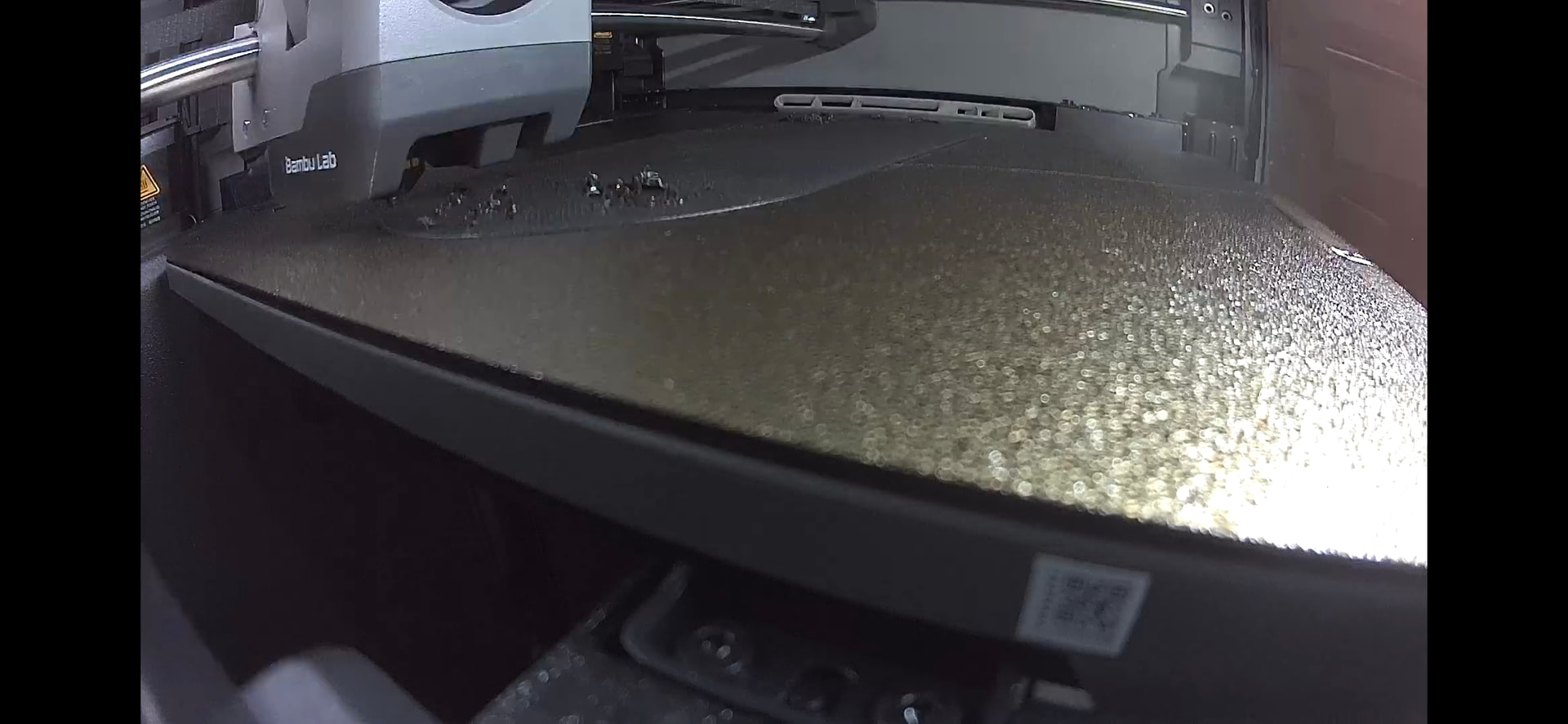
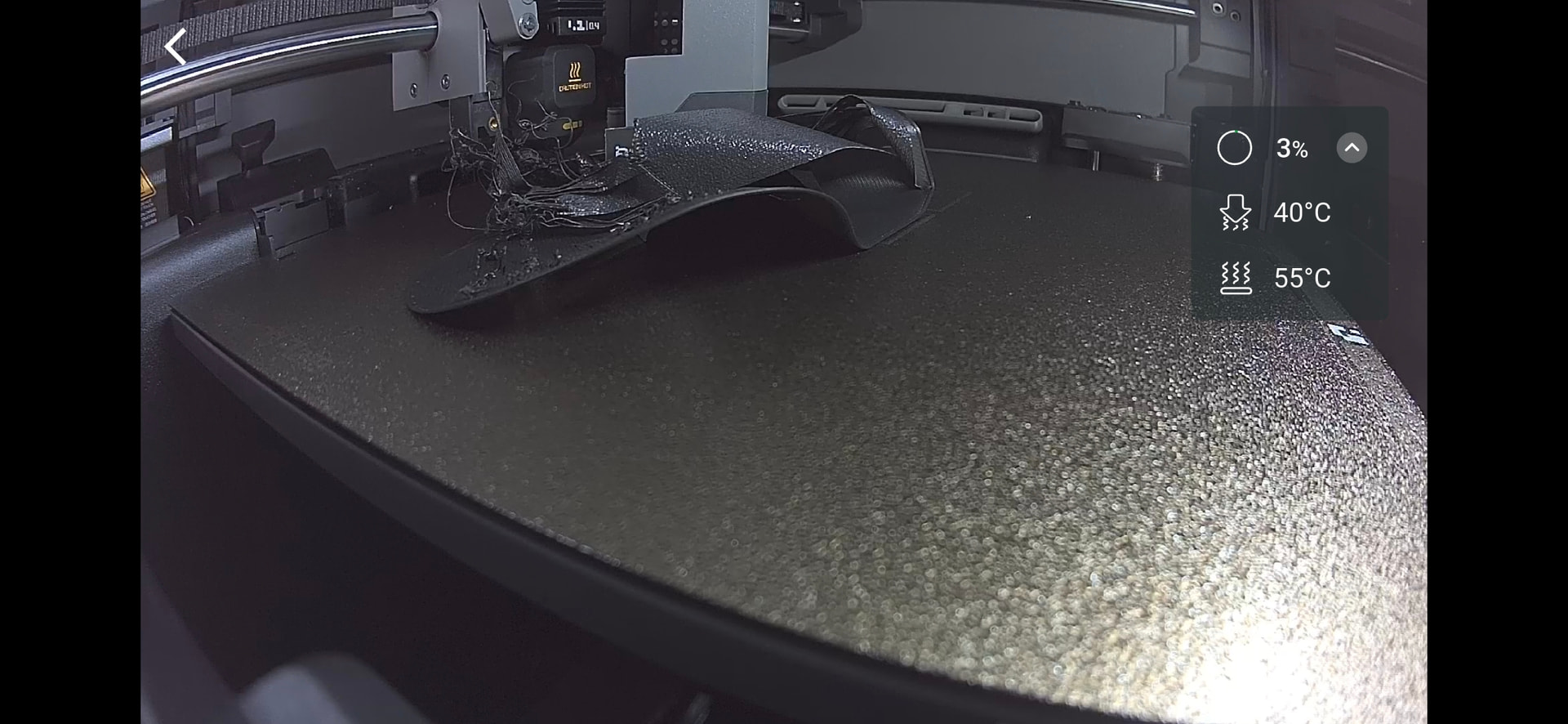
Possible causes:
- Your print bed heater is broken. Check to see if it gets hot.
- It’s possible that your IPA hasn’t completely evaporated, and you clicked ‘Print’ too quickly. It’s unlikely, but just in case.
- It’s possible that your filament has become moist, but since you’ve tried different ones, it’s unlikely. It depends on your environment, though. And yes: Even filament that’s just been unpacked can be moist.
- Since it’s a new printer: The screws on the tool head might be loose; that tends to happen during shipping.
It’s difficult to say what the problem is, of course. I’d suggest checking whether the print plate is reaching the correct temperature. Check the screws, too - that’s something you can do quickly. If it’s a new printer, there’s at least a higher chance that the problem is caused by screws that came loose during shipping. In fact, we’ve already had quite a few cases on the forum where the screws were simply loose.
I’ve seen this a few times for a few different reasons.
Some things to try:
- Try turning on auto bed leveling, if you haven’t already..
- Make sure your print plate is correctly centered, I’ve actually had them interfere with the z-axis at the edge before.
- Try gluestick. If nothing else, you’ll find out if it’s a genuine adhesion problem instead of the printer printing in the air above the plate.
- Last ditch unusual: Apply gluestick, then clean it under hot water leaving behind a thin white sheen. The trick is to not clean it off completely, leaving a thin layer behind. I realize this is not a common thing to do, but it does work, especially with the textured plates.
Good luck
Bed temp may be the issue. I print mainly with PETG which needs the bed at 70 degrees C. The latter images show the bed temp at 55, which I think is fine for PLA, though to be honest, I have not printed PLA in a long time. it also shows the textured bed, which I have had almost zero issues with.
some other things I can think of is that ‘junk’ melted to the nozzle may be grabbing the print as it goes by. from the last pics, it looks like specific spots are ‘bad’. run your fingernail along those areas. I have had times were bits of print material were still stuck on the plate after pulling off the print (ya, I often have the other issue, things stick too well, and I often spend minutes scraping the surface with my fingernail to pull up those pesky bits).
I use my fingernail so as not to scratch the surface, as that could compound the issue of stuff sticking too much. I have never had to use gluestick, and any print that large never had issues with sticking to the bed. anything larger than my pinky fingernail (15x15 mm) usually sticks fine without a brim.
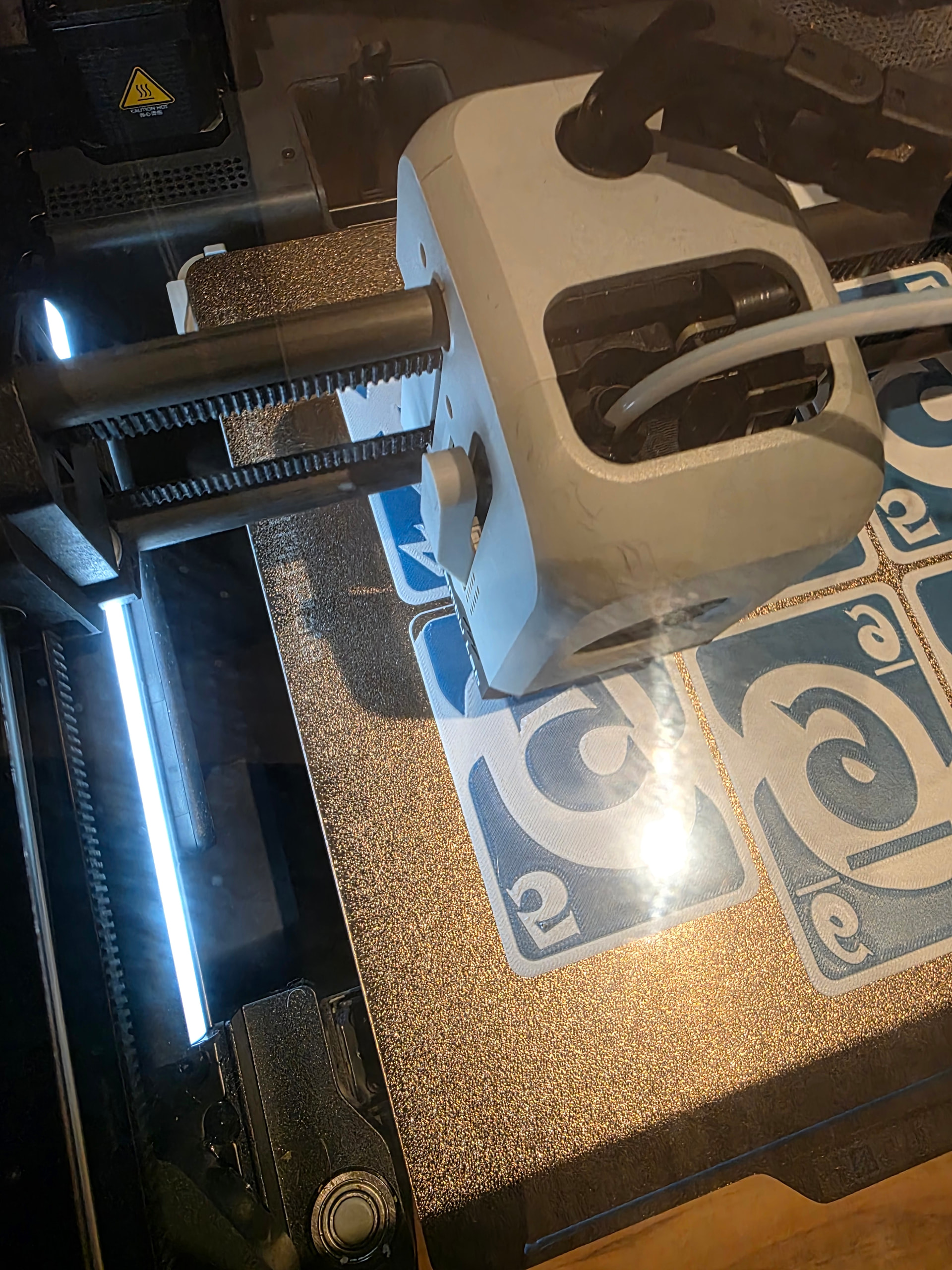
Here is a pick of something I am printing right now in PETG-HF. Also, one last note, I mainly use Bambu filament. I actually find the colors and easy of print to be the best. after that would be Polymaker stuff.
I also have first-layer adhesion trouble if the chamber becomes too warm. Even with the door of my X1C open and the glass top removed, the chamber can become too hot after the first print or two. A recent heat wave was giving me fits until I remembered this and used the shop A/C to drop the ambient temperature from 27°C to 25°C (80°F to 77°F). My problems started when the chamber temperature reached 39°C; the chamber temperature peaked at 36°C after cooling the shop.
it also shows the textured bed, which I have had almost zero issues with.
I also had zero issues with the textured bed, until I did. It’s weird, the plate looks clean, but things just stop sticking to it. Oil maybe? Plastic residue?
I have used glue stick, and while it does work, I hate the texture and trash it leaves on the bottom surface. I have gotten into the habit of applying glue to the hot plate, clean with extremely hot water and sponge, but not completely. I don’t have to do this often, but it quickly makes an iffy textured PEI plate into a solid performer.
Letting the plate cool first seems to make a difference too, with separating the current print from the plate and with the next print as well.
How often are you cleaning the build plate?
I use an industrial degreaser in a spray bottle and every second or third print I wash the buildplate with a plastic bristled scrub brush. I think that the prints themselves leave a residue that isn’t as obvious as a finger smudge. I print most everything using ABS and a smooth buildplate. My personal experience with the buildplate I use is that it is generally good for 3 prints. Studio puts the model at the calculated center of the model and the center of the bed. So that zone is going to leave filament residue behind the worst.
I used an IR camera to look at the bed temperature uniformity front to back and left to right and the temperature is not uniform.
Troubleshoot from the easiest thing to the hardest thing and scrubbing the buildplate is always the first thing I do
I’m not sure. It’s a lot of prints though (>20-30). I draw up things for myself and others, so I tend to print the same thing in the same place a bunch of times. I use ABS, ASA, PETG, and the various versions of PLA pretty evenly depending on how the piece is to be used.
I agree. I have a number of plates and I swap them out until I can’t, then I clean them all.
I do think concentric on the bottom surface is nonsense though. More linear patterns (monotonic, rectilinear) are much more forgiving.
I use the off-the-shelf bambulabs gluestick.
I use regular dish soap (Meyer’s Clean Day), extremely hot water, and a greenie sponge.
I think it’s not just what you get off the plate, it’s also what you leave behind.
Myself, I think I get the best result with a light white sheen.
The texture on the prints still looks mostly the same as a completely clean plate.
The following was printed on a plate prepared using this method. You can see some places where the texture is a little flattened, but it is mostly as one would expect:
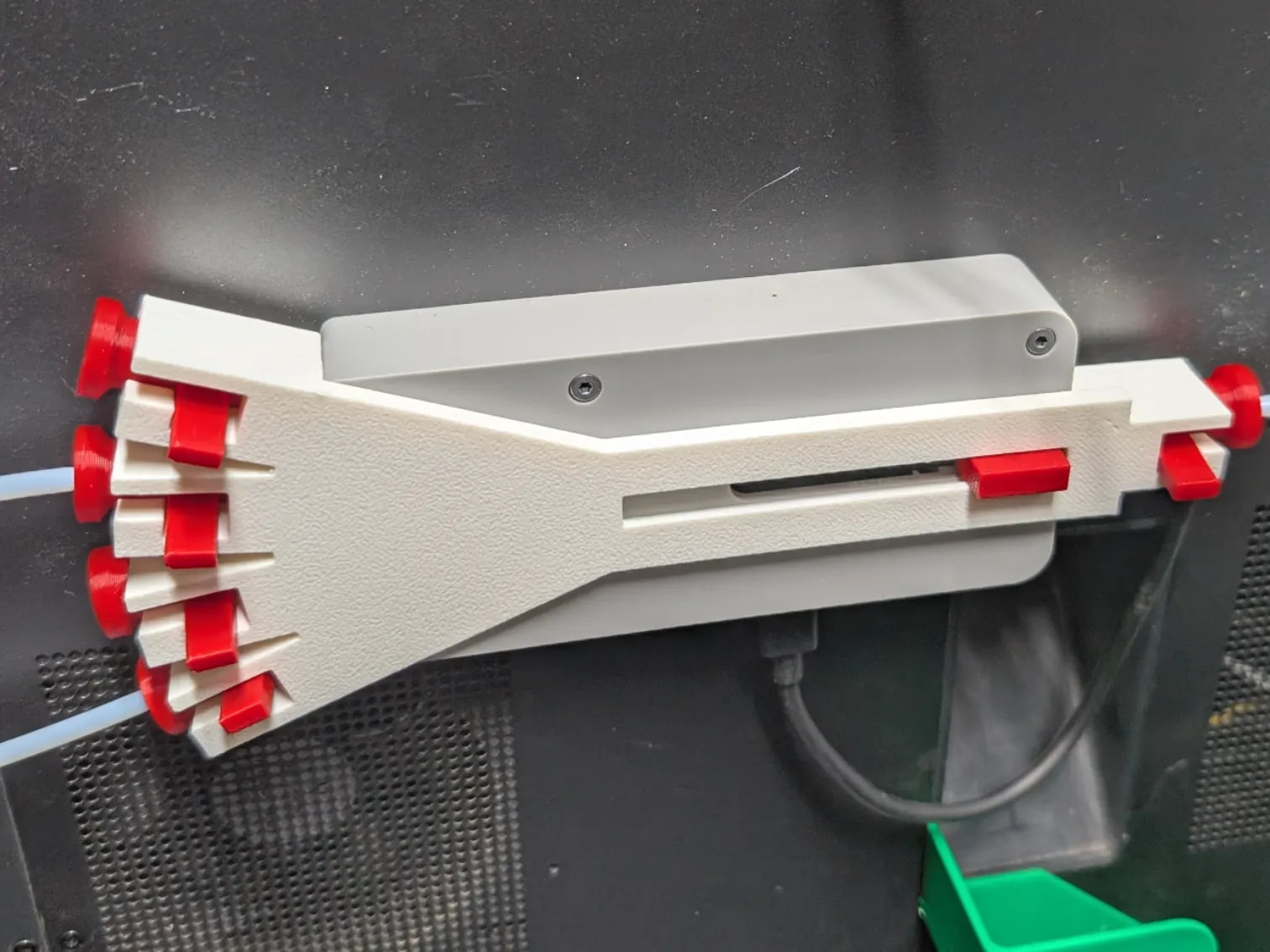
https://makerworld.com/en/models/3009283-ams-hub-tube-guide-release-bahubguide#profileId-3379497
Also, I wait until the plate is cold to separate the part from the plate, otherwise the glue tends to go with the part. If I’m impatient I use the freezer.
I print in my basement, and with the AC going in the house, the room ambient temp is probably around 20 degrees C. As to letting the bed cool, yes, but I have found to an extent. if I let it cool for too long, then it is much harder to remove the print. In the above cards I was printing last night I left it on the bed for an hour, and ended up ripping 2 cards while removing. with other prints I have found that brims stick too much when cooled for too long. for me, I remove the plate, leave it on the cold floor for a minute, then bend and pull off the print.
I’m amazed you can get 20 - 30 prints from a plate between cleanings of the plate before models start failing to adhere. I use a flat smooth plate, never use glue, and if I position part after part after part in the center of the build plate, models are going to fail to stick well before that.
Since I know that my issue is a dirty plate, just dirty with filament residue, cleaning is the solution. Takes all of 5 minutes from start to finish to clean my build plate.
It kind of evolved into that.
- Used textured PEI for the first time - Amazed with the results, worked perfectly until it didn’t.
- Cleaned plate with brush and soap - Worked again, but never as well as when Polyetherimide was new.
- Used glue stick - Worked great but trashed the prints’ surface, especially after glue became thick and uneven
- Attempted to clean glue(when I ran out of plates) with scalding hot water and dish soap - Ended up at step 2 again.
- Attempted step 4 again but stopped when the remaining glue on the plate melted(?) into a thin flat sheen - Again amazed with the results, and eventually stopped putting a lot of thought into it.
Honestly, I’m not even sure why this works. I understand the PEI (Polyetherimide) surface is a chemical layer on the plate that will eventually wear out. The thin sheen of glue either replaces the PEI function or the attempt to get that sheen just results in a cleaning with a more optimal outcome.
No doubt that the textured build plate does a great job of hiding the the pattern of the print head on the first layer of a print. I quit using the textured plate not to hide the printhead’s first pass but to have a smooth bottom.
My impression of glue stick is that it is not the help the model stick to the bed but rather help release the model from the build plate after the model is complete.
If you have ever seen video of the process of building a fiberglass boat it is same principle. Called a release agent. The builder will spray the hull mold with release agent, Then they paint essentially the release agent coating and then they lay down the fiberglass. When it has cured, they flip the boat mold upside down and the hull pops out of the mold
I think that is definitely also true, I think anyone who’s tried to remove a print before the glue is ready to release has regretted it. I’ve had other prints I’d forgotten about that were no longer even slightly adhering after several hours in a room temperature printer.
I have a P2S. I only have a Textured PEI Plate, and whilst I occasionally have issues, they are rarely serious or ongoing.
If prints start sticking or I am running off around 6 or more, I wash the plate with washing up liquid and very hot water, using a clean cloth and a tea towel to dry, followed by paper. If it continues to stick and especially in one place, I do apply a thin layer of glue. Washing and glueing due to problems is only around once in three months, washing due to slight sticking after leaving until cooling to 32 °C is about once per month, washing after several prints is as often as I run off 6 or more in one session.
I have also created my own filament printing values based on Bambu, and I always use those regardless of any other values the designer may set
The plate temperature for PLA is 55 °C, PETG 70 °C, ABS 105 °C, and ASA 100 °C.
I never try to take a print off until the plate is down to 32 °C minimum and often below 30 °C.
Unless I am using ABS or ASA, I do not have the printer’s glass top on.
Agreed, I think temperature deserves emphasis. The hotter the better, just don’t get burned.
@Morphystation Has your situation improved? I"m at about the same spot you are. Well - more accurately I got about 50 hours in great. Then around 60 I had intermittent failures. Now at a 100 hours I’ve just realised I haven’t had a succesfful print at all in the last 20 or so. All failures.
This is stock P2S with AMS Combo. So .4mm nozzle, textured plate, bambu PLA pure.
I’ve tried:
- Washing the plate with very hot water and soap
- Giving it a wipe down with isopropyl
- Glue stick method
- Glue stick + hot rinse
- I’ve dried the filament
- Cleaned the nozzle
- Done flow calibration
- Done bed height calibration
- Done a cold pull
- Checked the bed temp
- Tried printing at higher bed temps
- checked the screws
- Fiddled with brim, ears etc
- Tried slowing first layer right down
- Tried doing the first layer even thinner
- tried doing the first layer a bit thicker
At this point - even taking all the “physical” precautions (checking humidity, ensuring the plate is super clean etc) - i cannot even print the factory installed benchy that lives on the machine itself. It just an immediate spaghetti failure.
I’m just soo tired. I haven’t even used a full reel of PLA yet and I’m spending this much time mucking about with a mahcine that’s marketed as supposedly way less fiddly than it’s much cheaper cousins.
I have a feeling that it got worse immedately post the 1.02.00.00 update so the next thing I’m going to try is rolling it back. But just wanting to hear if maybe you’ve had some success with something /anything?
Oh should add - in case this is relevant - weirdly: the little calibration line it does up front work every single time. THat has never been anything other than perfect. But the second it moves to any other part of the heat bed it doesn’t stick.
PLA should not be problematic to print… at all!!! confirm your bed is at 55 degrees (standard pla printbed temperature)
few things to add:
textured pei sheets are temperamental, and the guidelines about cleaning miss a few important bits of information:
- some dish liquids contain hand moisturizers (i.e. oils - for your skin) that immediately destroy any adhesion on any pei sheet
- IPA just spreads oils around, it doesnt remove anything (though i am wondering if there are IPAs out there that also contain oily residues/impurities) The IPA i have only gets used for the releasing of TPU prints, NOT for cleaning (because it makes bed adhesion worse)
- some glue sticks actually make adhesion worse. I suspect that they have additives that also have a negative effect. Generally i like to avoid glues
- acetone is your friend. That stuff actually removes oils. Been using the stuff on pei sheets from when they started to become a thing, years ago. never ruined one with it, and if i ever did… there are better build plates out there nowadays, for cheap, its a consumable after all … make sure the sheet is cold (otherwise the acetone evaporates too quickly) and only wipe the sheet with a towel with some on it. dont soak it.
So to sum up how I get to get the textured pei to work/stick:
- wash with warm (no need to burn your hands) water and dish soap without any perfumes/additives/hand moisturizers
- use a clean and brand new scrubber/sponge, make plenty of foam, let it sit for a minute or two and then rinse it off…
- after that let the build plate dry, or wipe dry with a clean dry paper towel
- soak paper towel with acetone. give the build plate a good wipe with it. dont soak the plate
- never ever touch the plate with your bare hands after that. dont even think about touching it or your pei sheet will lose adhesion on that spot…
- print.
alternatively: get a cool plate.
I will be following this thread, as I was having the SAME EXACT issues with my P2S. My printer ended up being replaced, but I would still like to know what the root cause was.