I’ve just discovered a Problem when printing a file.
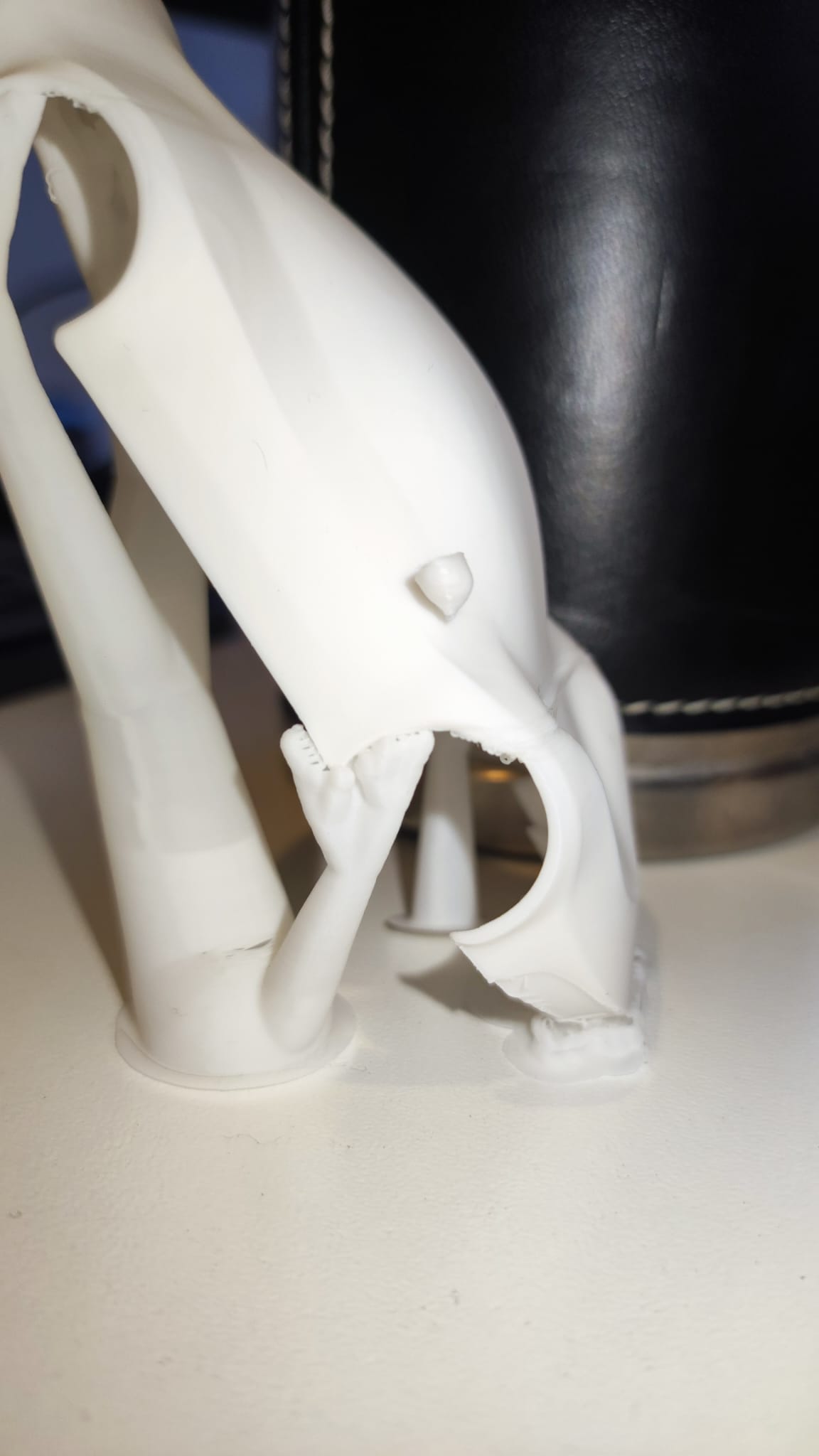
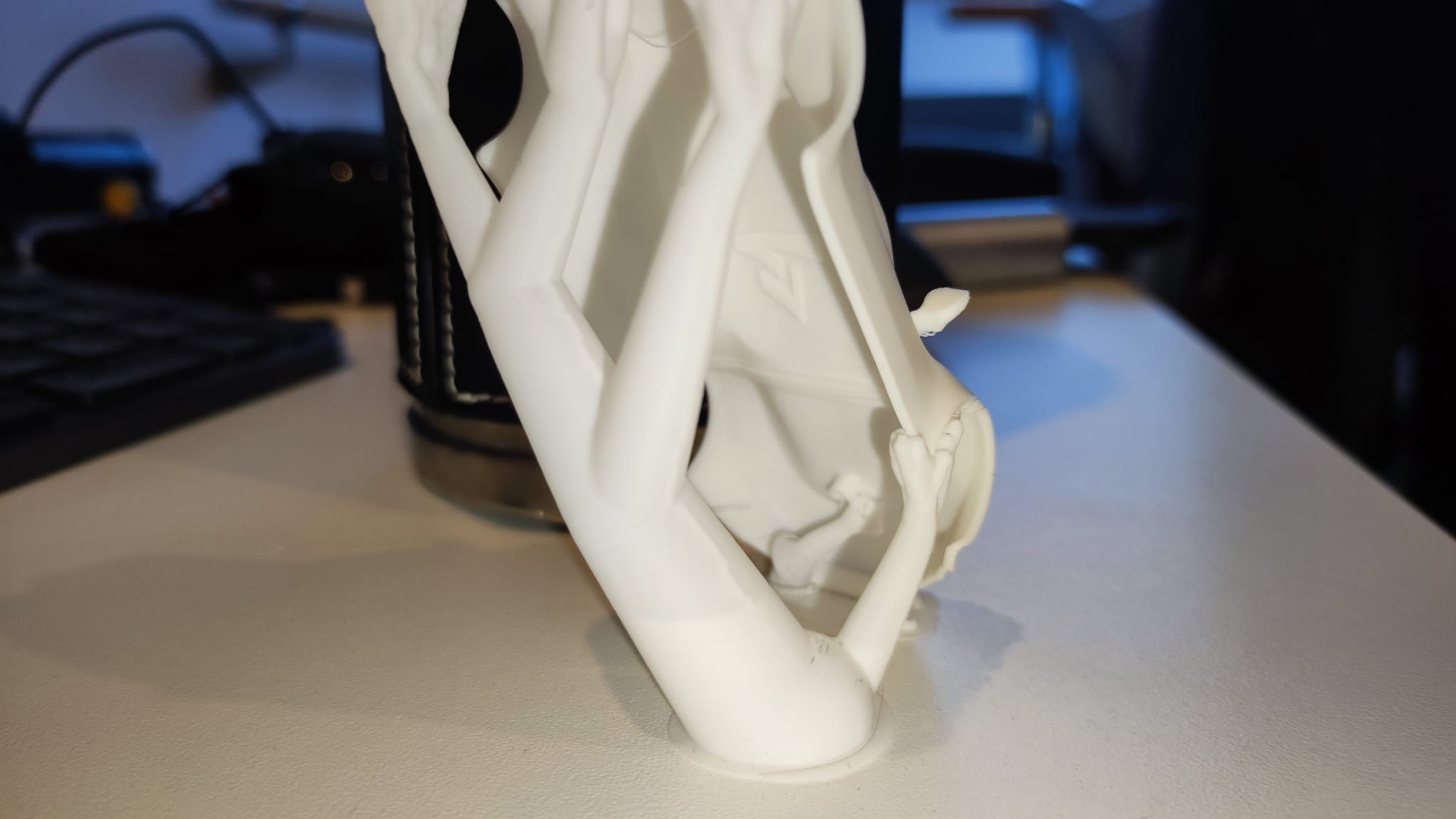
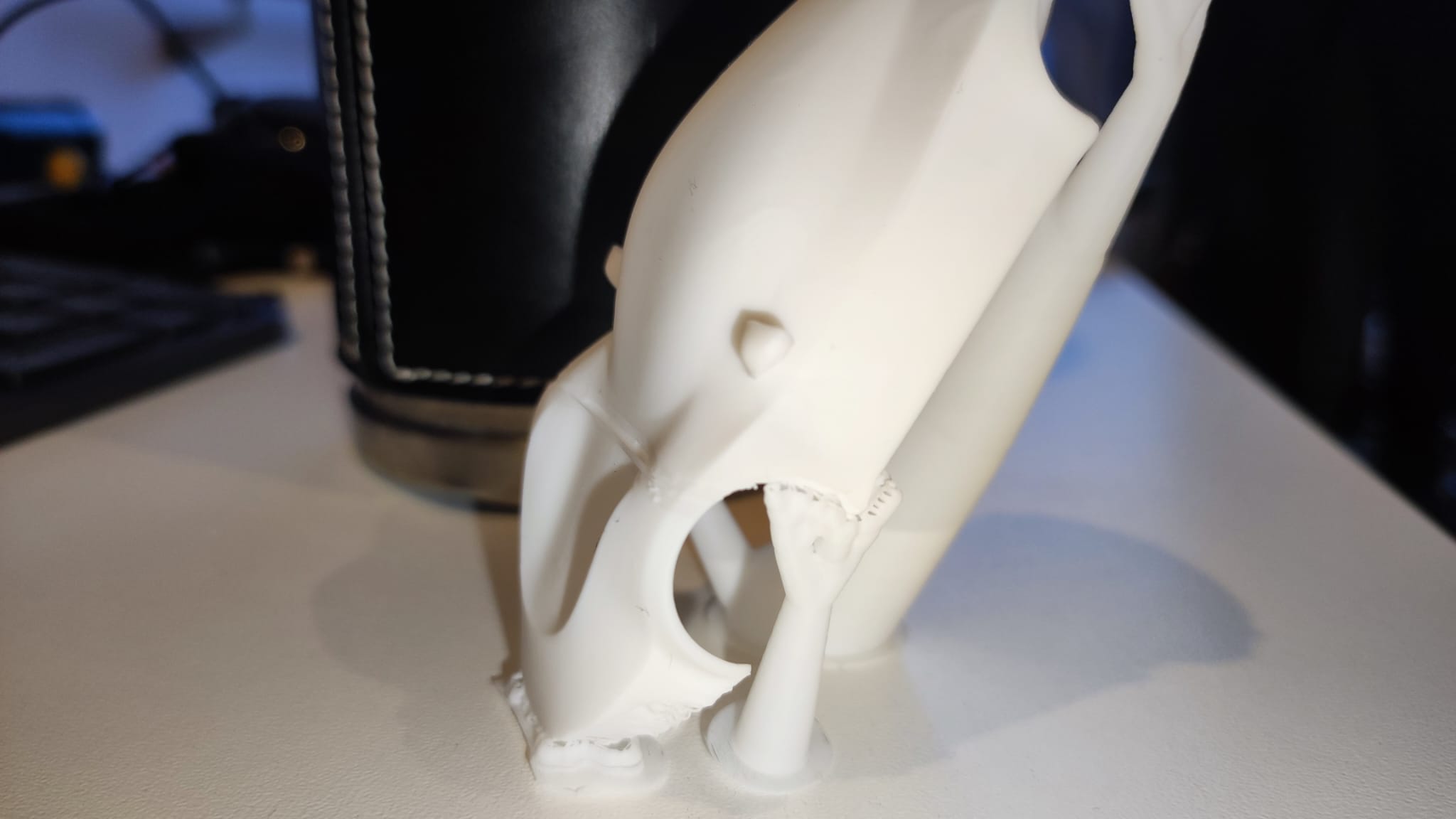
Please see the pictures attached. At some point there is a gap line or so. it appears everytime i print at the same point.
Bambulab P2S (only few days old, printed everything till now without problems, printer is calibrated)
Filament: original Bambulab PLA White with standard settings.
Plate: Textured PEI Plate
I tried Nozzle 0.4 and Nozzle 0.2 with different layer hights (0.2, 0.12 @ 0.4 nozzle | 0.10 and 0.08 @ 0.2 nozzle). With 0.08 the print fails → it broke while printing.
With 0.4 nozzle first print has a layergap at the rear (see photo).
With 0.2 nozzle @0.10 layerhight you can see at the front a big gap and a small gap at the back.
other settings are normal.
I printed this model (orentation change version):
and left the other settings untouched.
I have not found a problem online which looks similar.
Do you have any Idea what the problem coud be and how to solve that?
Do you know how this problem is called so I can search more on my own online?
(if there are more information needed, please ask).
A full side view would be helpful. This almost seems to appear where the supports attach to corner of fender. I suspect your getting some layer adhesion issue in that location that are bleeding into the full layers in that body. The rest looks good from what I can see.
2 potential fixes:
May need tweak the angle of the body to allow better layering at the fender corners.
Adjust supports for more surface coverage and Z distance.
1 Like
Hi, If you are not getting the same issue on another Print at the same height 90% of the problem is coming from the Slicing of the Object.
Mathematically the Slicer does not have the capacity to solve it.
From My experience is either the model or the position on the Plate.
Try to change the Angle of the Model on the Plate or use free available software to repair the STL file. Good luck!
1 Like
Thanks for your response. Here are some more pictures as asked. Thank you for your ideas and help.
first try to add supports failed because of that the tire box warped upwards and the printhead crashed into it.
The user provided the file printed it at a Bambulab A1 without problems…
Thx for the additional photos - It’s definitely due to that wheel well/fender area. There is a lot trying to be printed horizontally causing the issue. A different angle may be the best approach and stand by my initial suggestions.
Getting the angle just right for car body or similar prints can be tricky. We want a nice smooth body but with so many angles its tricky to find a position that works across the board.
i’m curious to see what others suggest and what ends up working. I can’t help but think it’s a variation of what I suggested. It’s what has worked for me. (BMW and semi bodies)
1 Like
more supports worked for it. thanks. i had the fear that it is a layershift, but its not 
1 Like
Glad you got it resolved simply! Enjoy!