Checked on my printer near the end of a 5 hour print, and found the dreaded “blob” clogging up the print head. After cleaning it out the best I could, had to buy and install a new heating assembly. After installing it and putting on a new .4 nozzle, nothing has been sticking to the build plate. I have cleaned the plate with dish soap (Dawn), soft sponge and microfiber cloths, still no go. I have auto leveling turned on for all my builds, to no avail. Being new to the P2S ( previously owned a Creality Ender 3 V3 SE) not sure where to go from here. Any suggestions/solutions would be greatly appreciated…
6 Answers
6Try a little glue and / or turning the plate over

Try cleaning your build plate with soap and warm water.
I did a thorough maintenance (cleaned/lubed rods and screws). Clean and scrubbed build plate. Did a complete Calibration. Changed to a red eSun PLA+. Humidity reading AMS was 20%. Bed temp was 55, head temp was 220, cabinet temp was 34. Tried to print a simple keychain. Here is the result. Seemed to put a good line down at the front, the rest of the print (before I stopped it) didn’t seem to stick at all…
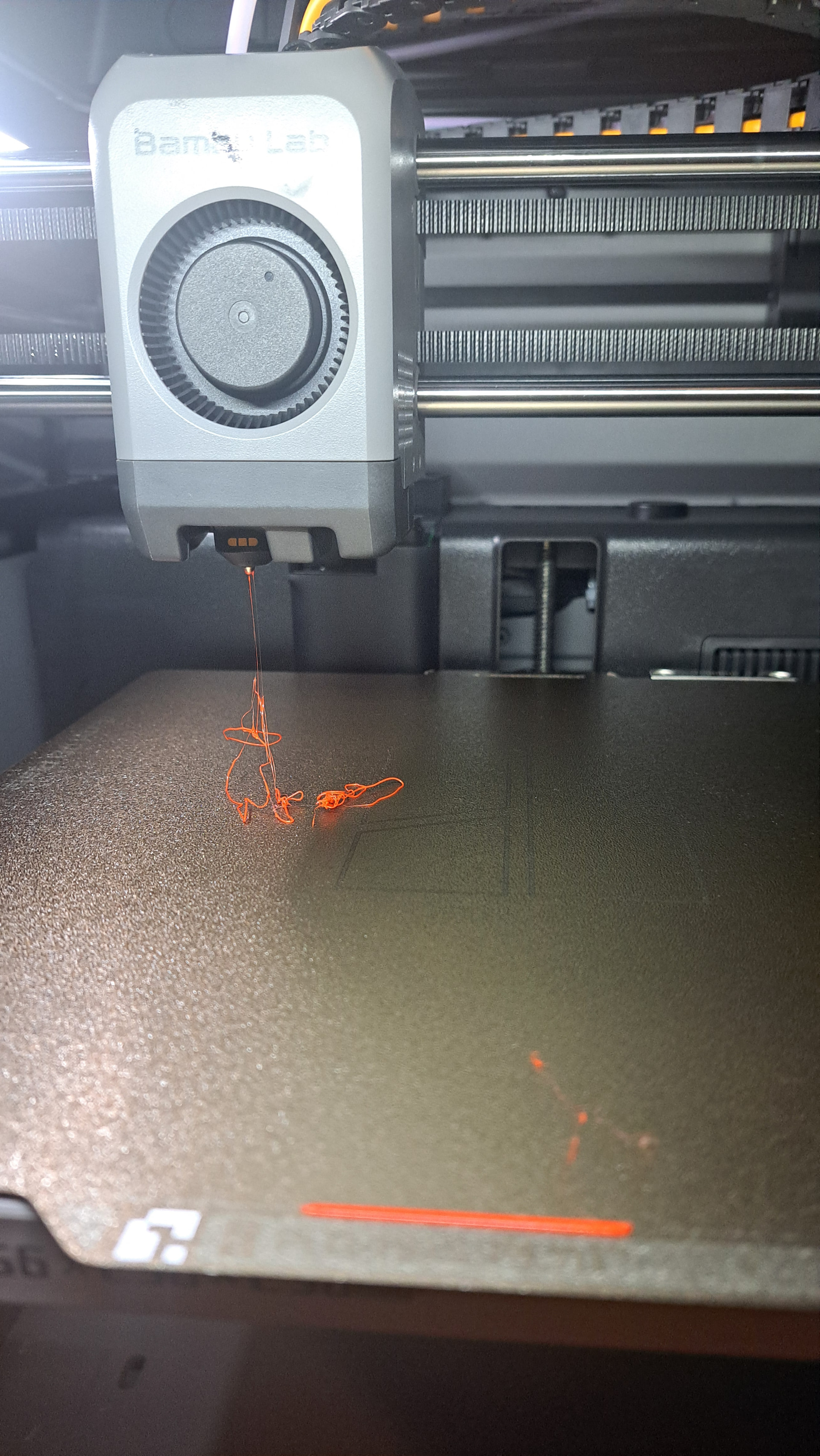
Have you tried a cold pull? I know it's a new nozzle but worth a try. My new nozzle had filament in it which didn't purge well and I had to cold pull to clear it out completely. Is your new nozzle the same as the one you replaced? So no need to change settings at the printer and in BS? I had to replace my hotend assembly as well due to the dreaded blob. It lasted about 3 hours before the temperature sensor wires detached for some reason. Had to revert back to the compromised assembly and working with support now. Only a jeweler could reattach those wires. Hope you resolve soon, frustrating.
– Trappist99Sorry to hear of your woes. I would suggest you get all the way back to basics. Do a reset to get rid of any oops you might have accidentally cranked in. Do it for me.
Why are you using an off-brand filament? Your printer is very new to you, so stick to some basics. Get a new spool of Bambu Labs PLA and dry it so you are assured it is dry. Just in case. Establish a solid baseline to work from.
My P2S always lays down a calibration line, too. But sometimes the file is carp. I’d recommend you simply use some of the test demo files for troubleshooting (like the Benchy Boat). That way you know the file isn’t some Brand-X pita. Nor some half-baked file.
If you would like too, make sure your P2S is reset, then try a Benchy with the filament you have, just to see how it goes. I can’t tell you how many cockeyed files I’ve run across running my P2S up into the 1,xyz teens of hours of use. So I try different files to see if a different file will print better (more trouble-free) than the one giving me grief. Your Demo files are there for a reference.
So there appears to be some basics to get back to, to make sure your displeasures are for real and not something half-baked. Back to filament you can be reasonably assured is to your printers spec’s, Settings that are factory fresh, and a truly clean plate. I like to wipe mine with a microfiber towel sprits with 70% Isopropyl Alcohol. The Ouchmehol combines with water to carry it away. As well as to remove any finger oils.
I sit right here near my P2S so I watch it for any malfunctions while playing on my computer. Not 5 hours after the fact. Because I am genuinely interested in what is going on inside these magical machines. Mine is quite fascinating to me. I once had a blob start but because I was right near, I caught it fairly early. Did a different file and all was fine. No arbitrary parts changing.
It sounds like you are trying, but you need to really focus while getting things working. If your Benchy is bad, I’d be really suspect of that filament. The demo files are there to help you learn and get used to your new printer with reliable files. Use them.
I like my filament as dry as I can practically get it. That way I’ve done my best to avoid the constantly spit out, “Your filament it wet!” I don’t think 20% is quite dry enough, but I know when starting out it did work OK when staring up the learning curve and wondering. Now I strive for a drier storage. Like the low teens or the best my AMS2 Pro’s can manage.
I hope you can get things sorted out and find happiness with your P2S.
Have you confirmed bed and nozzle temps are correct? If temperature is incorrect printer will key off of bad values (low or high) and start printing off bad data.
I have tried both sides of the plate, cleaned both sides, still not sticking. I'm a little hesitant to use a glue stick, keep seeing comments saying either glue sticks are good or they mess up the build plate. Not sure which advice to believe, but might give it a try. Thanks!
– user_1478558372I generally wash the side that does not stick , flip it over in the printer and use the other side non washed , the glues should not damage the plate
– Neiljt