When asking for help, please provide as much information as possible about your inquiry.
This will help everyone to better understand your problem, and provide you with the best solution.
Detailed description of the problem
Printer model used
Slicer settings used
Type of filament used
Photos that clearly show the problem
.3mf file (if the file can be shared)
Any potentially useful information that is related to the problem
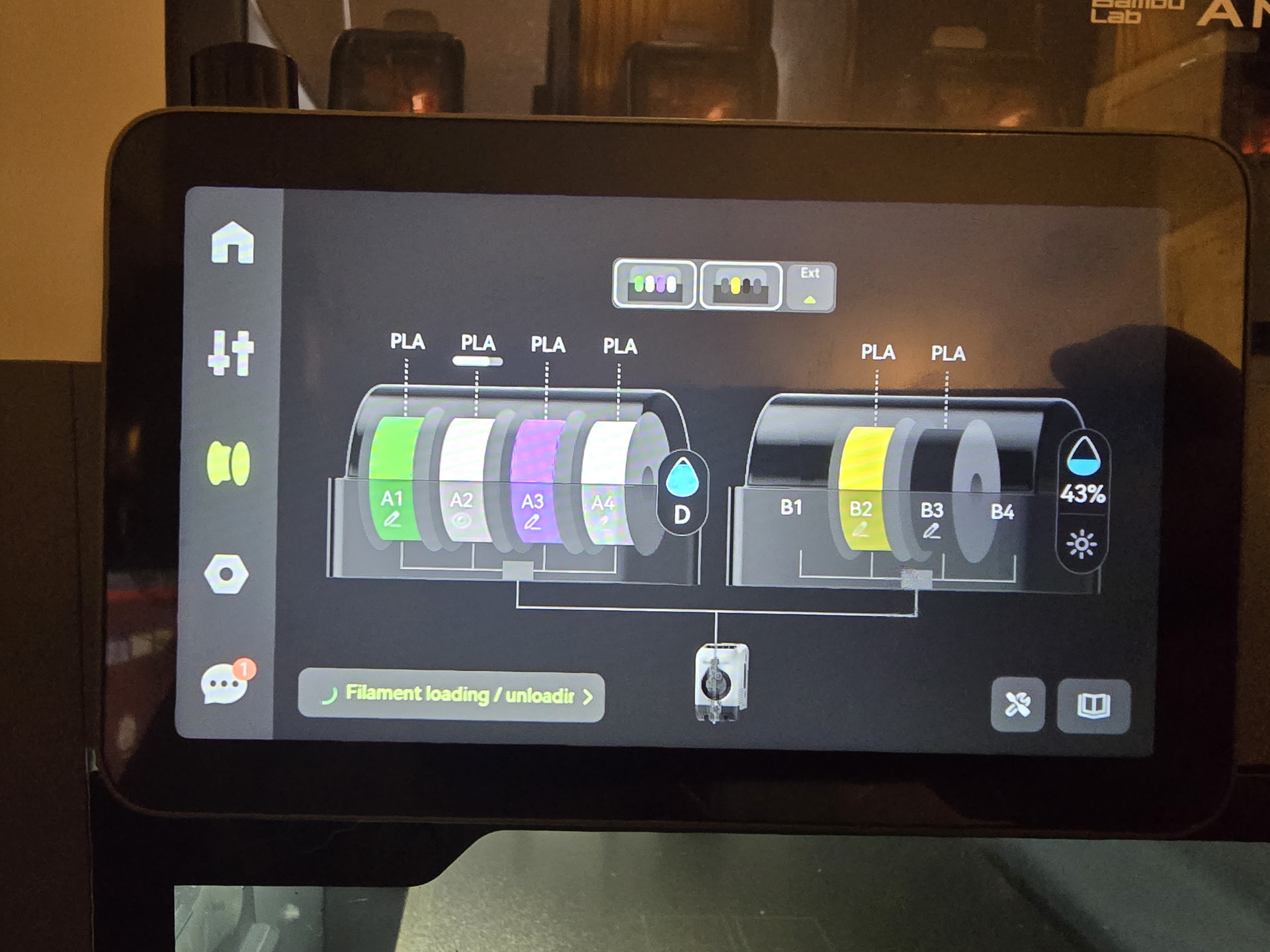
I recently had a problem in my extruder. I cleared the nozzle and now it thinks there is external filament in the extruder. I read the wiki. The hall sensor magnet didnt seem to go back the way it needed to, so I bought a new sensor. I went ahead and got a new nozzle as well.
I pulled the extruder out and opened it up. There is not filament stuck in it or the gears. I put the new sensor and nozzle on. I used the app to load the roll from the AMS and it still says there is still filament from the external spool in there.
The screen keeps scrolling “Filament Unloading / Loading…”
Yeah, I tried that too. I pulled the sensor out when I cleaned the extruder and put it back. When I put the new one in, I worked hard to get it in the right place. Now, I could have still screwed it up.
I replaced the hall sensor for the filament. I took the extruder apart twice. Nothing in there. I put in a new nozzle. Changed out the PTFE tube going to the extruder. I have no clue.
I had a problem with my a1 mini where it glitched and couldn’t complete a calibration, I replaced the mainboard and it worked like new, this was caused by a clog so not the same but i also replaced extruder and toolhead. If all fails maybe try this
I removed all of the AMS and the filament buffer. I then fed filament in through the tube manually to the extruder. This worked. It extruded it. I hooked it all back up and loaded from the AMS. Purged just fine. Started a print and the AMS stopped getting filament to it and the printing was “printing” without filament.
I went to get it started again and I got the same frickin external filament error again! After some reading, I saw it could be the filament buffer. I removed it and tried to open the board as it shows on the wiki, but two of the hex bolts stripped.
I just ordered a new filament buffer. We will see what happens.
Have you tried the Big Reset? I once had my P2S act up and a simple act of shutting off the power caused my printer to do a complete reboot, and it has been fine since.
Often folks overlook a big reset.
Rather than assume you did, I thought I’d ask directly.
Power cycling can occasionally help with some problems, but to my mind, the “Big Reset” is Restore factory settings from the General (⬢) settings menu. I recommend it after every firmware update, but be aware that it erases any calibrations saved on the printer.
I’m not one to meddle with the things I do not understand yet. But find a Big Reset can get rid of any sins entered on purpose or accidentally during the frustrations.
And for an example, I occasionally have removed programs that i could not get to operate properly, then reinstall the original, to get that particular app to function correctly again. But it the case of my P2S, the “Big Reset” can get me back to out-of-the-box. Thus removing any buggers I may have gathered or incurred. Getting back to a “factory reset”. A couple of hackers I knew of accused me of “If all you have is a hammer, everything looks like a nail.” A real pair of dofusses who broke more programs trying to make them work for Mac computers, when they were written for PC platforms. The original programmer finally stepped in and brough the original back to its working PC state. Then separated the Mac Daddy’s into a separate download and blocked the dofusses from accessing the PC file.
If somebody has strayed so far off the regular path with 57 different customizations, it would be prudent to have some back up files to fall back on. I’m more of a “Don’t reinvent the wheel” type. Hence, simply do a big reset and go from there. For me it worked.