Hi everyone,
this is my first post here, so thanks in advance for any help.
I’m using a Bambu Lab P2S with original Bambu PLA Matte 11401, and I’m struggling with adhesion—especially on the support layer. The filament sometimes doesn’t stick properly to the build plate.
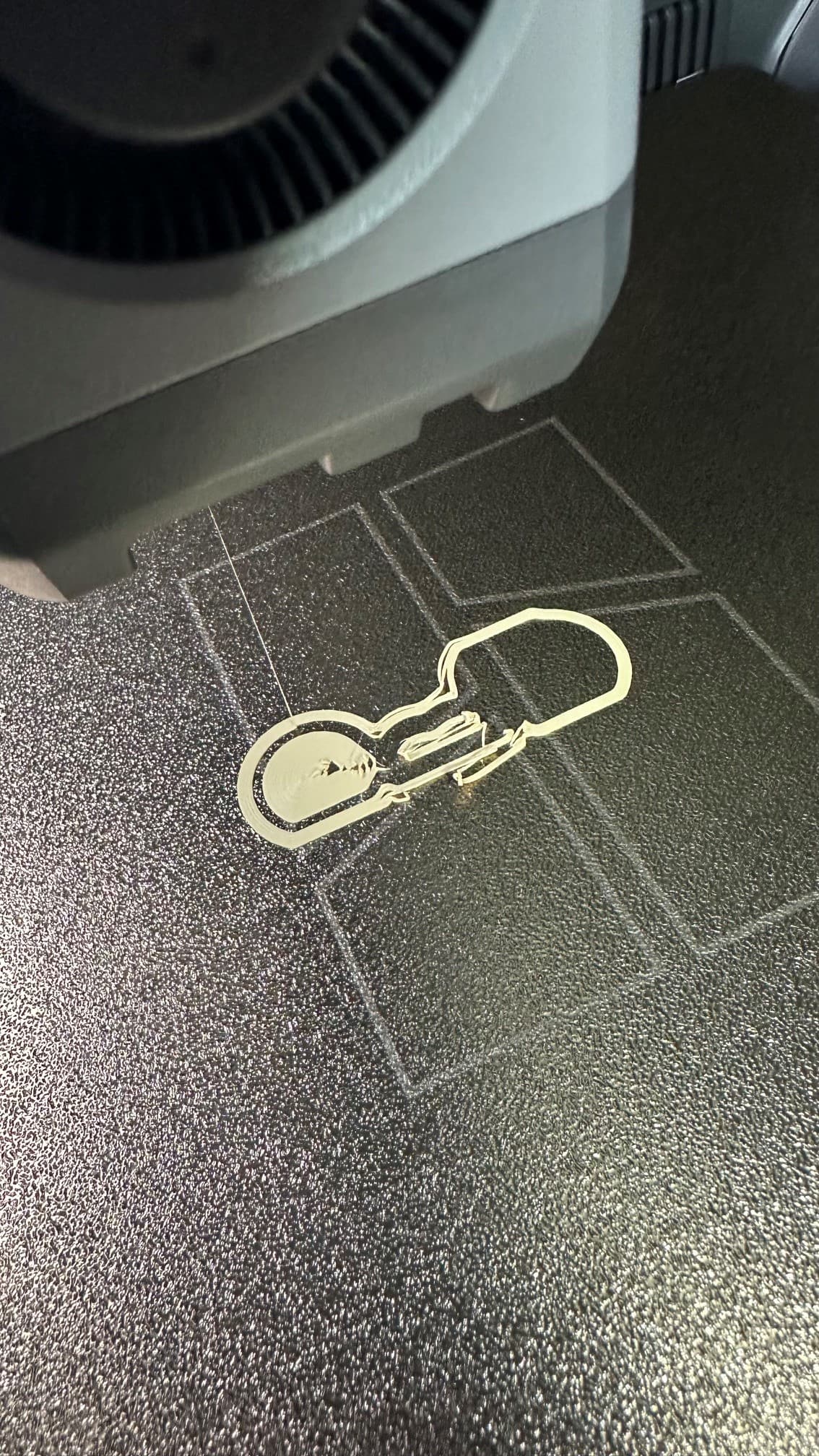
Here’s what I’ve already tried:
-
Thoroughly cleaned the build plate with isopropanol, dish soap, and plenty of water, then dried it lint-free
-
PLA Humidity is around 22%
-
Increased bed temperature from 55 → 58°C (in different steps)
-
Increased nozzle temperature from 220 → 225°C (in different steps)
-
Reduced first layer speed to 15 mm/s (in different steps)
-
Reduced first layer infill speed to 55 mm/s (in different steps)
-
Increased first layer height from 0.22 → 0.25 mm (to avoid the nozzle being too close) (in different steps)
-
Increased support brim width to 15 mm (in different steps)
-
Using the standard 0.4 mm nozzle (stock part)
-
All firmware updates are installed and I have performed all calibrations
Despite all this, the print is only partially successful. It works sometimes, but the result is not clean or reliable.
Does anyone have experience with this issue or additional ideas on how to improve adhesion—especially for supports?
Also, independent of other solutions, I would like to understand how to set a Z-offset (e.g. 0.02 mm) in the Bambu Desktop App. Is this even possible there, or on another way?
P.S. I’m a beginner 
Best regards
Saschius
 &
& 
 I also dried the filament again - now 12 hours at 45°C. And I will follow
  Thanks for your help