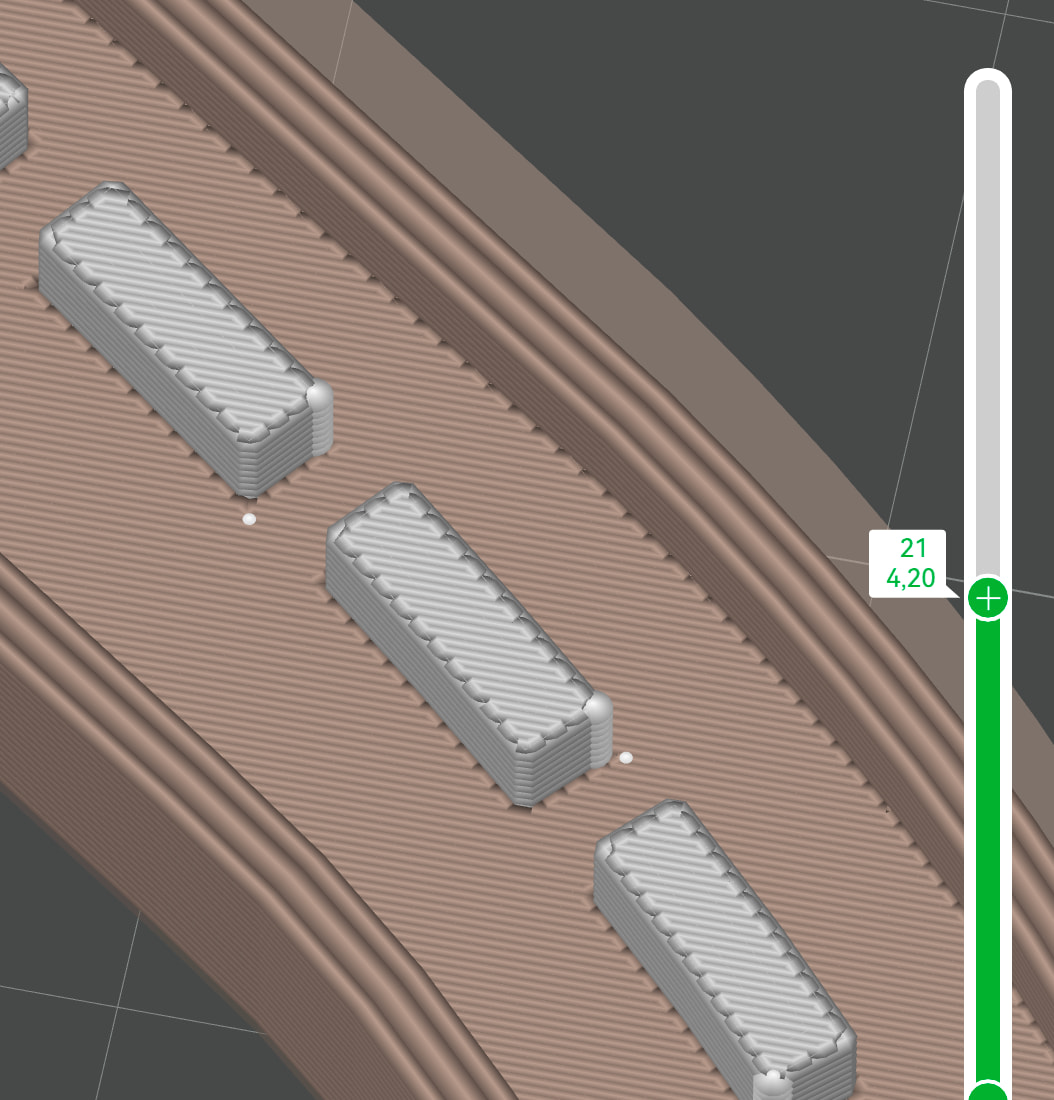
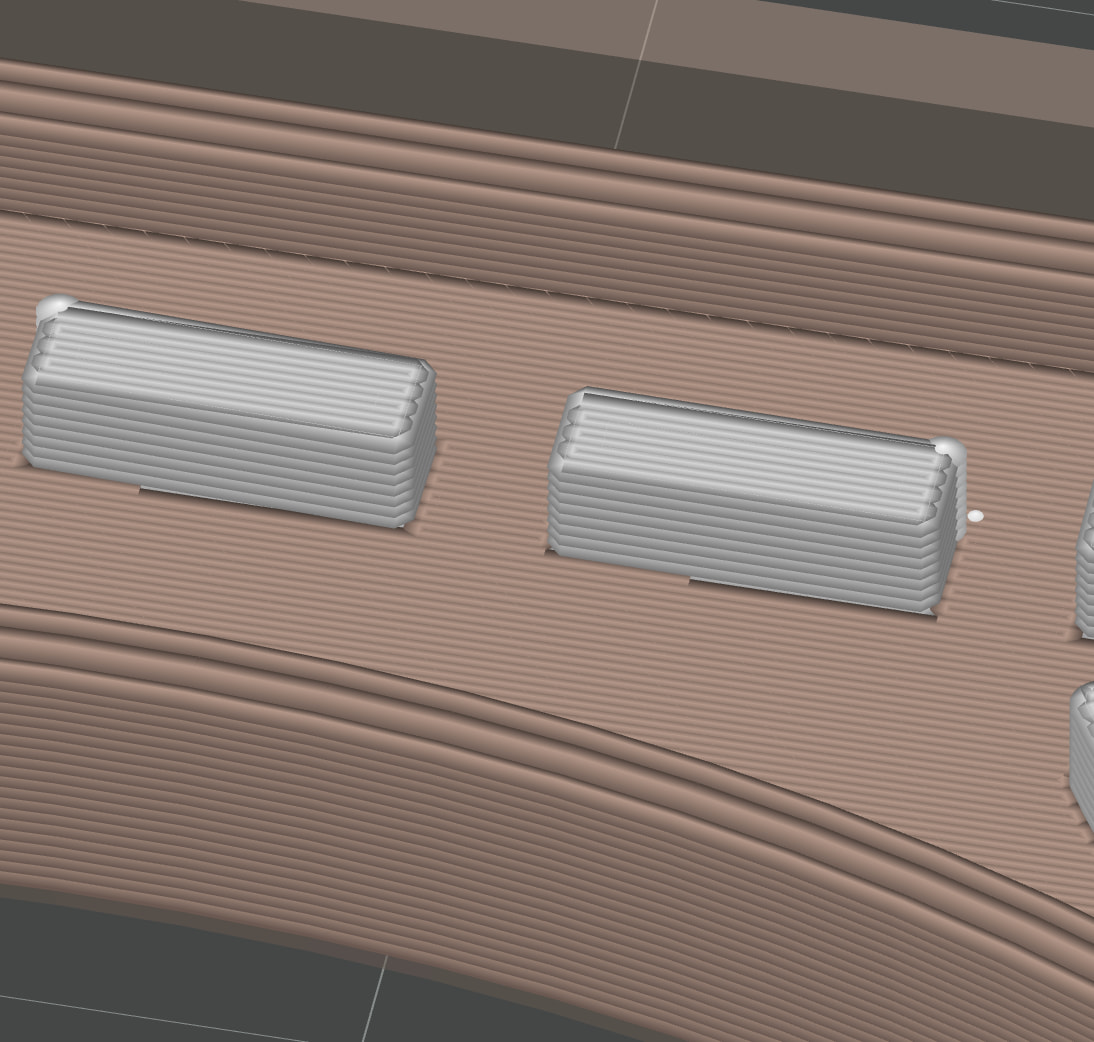
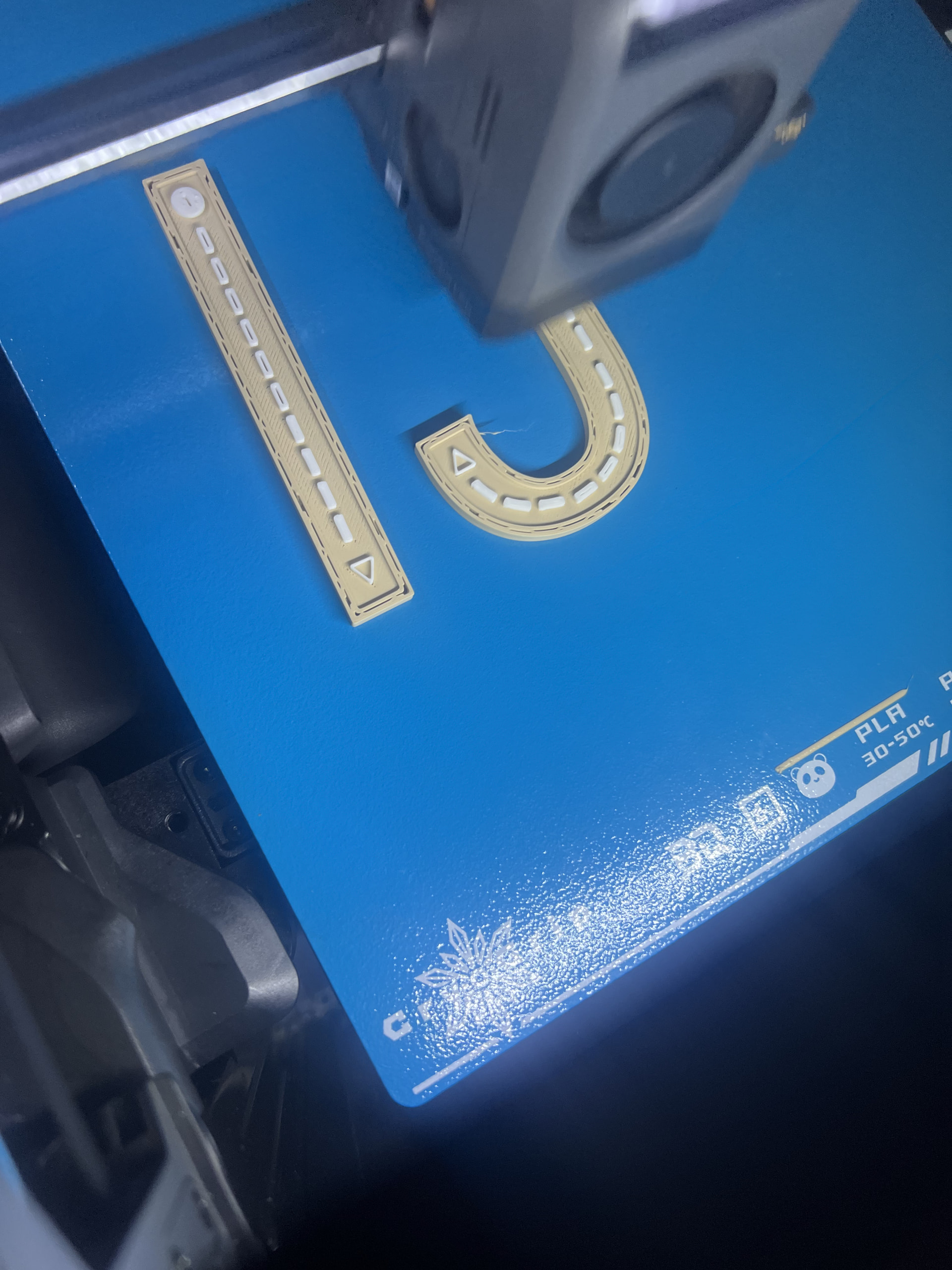
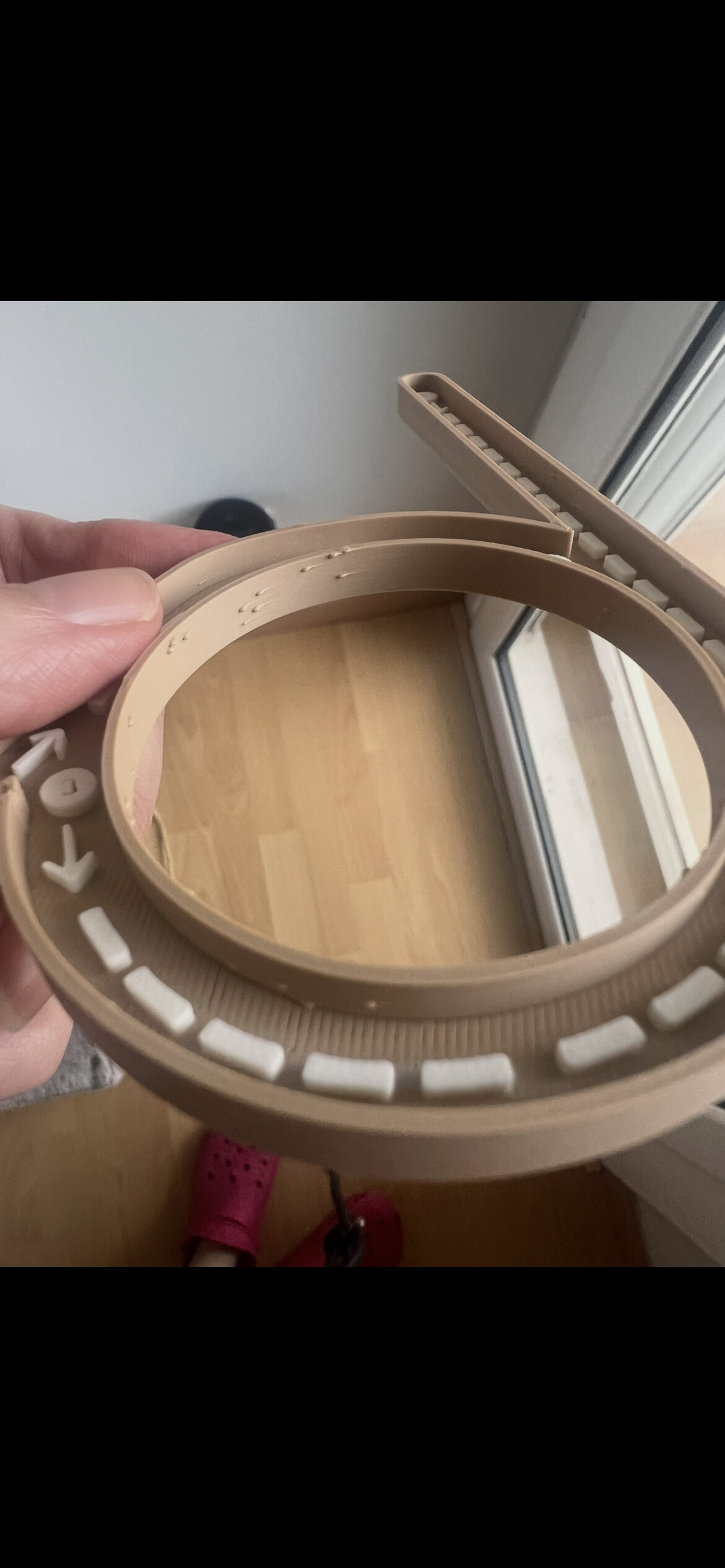
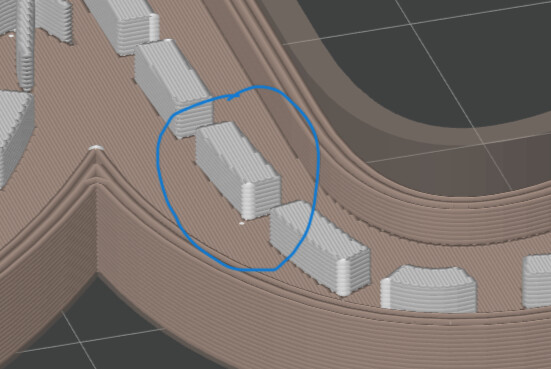
The white rectangles are recessed into the main beige body. Most of them print perfectly, but some have a rough and incomplete top surface, as if the top layers are not fully closing. The strange thing is that it only happens on some of the rectangles, while others in the same print look fine.
Printer: Bambu Lab X2D Nozzle: 0.4 mm Layer height: 0.20 mm Filament: Bambu PLA Matte (printed in the aux noozle) Flow Ratio: 1,006 Profile: 0.20 mm Standard Quality
Additional information:
The issue appears in both straight sections and curved sections.
The affected areas are very small color inlays.
It is not the final top layer of the whole model, only the top surface of these white features.
I’ve already tried reducing speed and adjusting flow, but the problem remains.
I originally had visible gaps and unfilled areas on these white inlays.
To improve this, I enabled ironing, which reduced the gaps significantly.
However, some of the white rectangles still have rough or incomplete top surfaces, while others look perfect.
The issue was already present before enabling ironing.
Thank you very much for your answer but I sell these objects. I prefer not to share the file, I hope you understand. Is there any other way you can look at the settings of the document? I can attach the necessary screenshots but I don’t know which settings do you need. Thanks in advance and sorry for any inconvenience.
If you can attach screen shots of the each of the tabs and an image of the sliced file at a layer height before the top of the small parts and at the top of the small parts I can see if I find anything.
First of all, thank you very much for taking your time to have a look at the screenshots. Since they were a lot, I put them in a drive folder, which I share with you. I have done screenshots of the sliced file without and with ironing activated. Without the ironing the lines can be seen in the final piece and with the ironing they are rough, as you can see in the first image.
I doubt you did anything ”wrong”. What’s wrong are the instructions around drying provided by Bambu and filament dryer companies. Some filament dryers are very poor at drying.
What I was saying was if drying is making your prints worse, then there probably is something wrong with how you are drying — and I’m not in any way saying it’s your fault. Just that it’s a bad sign.
Drying, if it’s working properly, should either make things better or not change things at all (if the issue isn’t water). That it’s making things worse implies it’s adding water instead of removing it.
Think of a wet shirt on a dry vs humid day. On a dry day it will dry back out fairly quick. On a humid day it may take a long time to dry. Your ambient humidity affects how well most dryers work but that’s not all that affects them.
Plus the directions for drying generally stink. Dry for X hours in a blast oven or similar. That’s special hardware few have and ignores things like ambient humidity and variability between dryers that most have.
So how are people supposed to dry? That’s a longer answer. First stop is to see if there might be door props for your dryer on Makerworld. The way they help is by greatly increasing air exchange with the air outside the dryer.
As a spool heats in the dryer water starts coming off. For the first half of my drys I use a door prop to help get rid of water. When the humidity in my dryer starts coming back down that means the water isn’t coming off as fast and that rate will just decrease. That’s when I remove the door prop. Something like that will possibly help.
But not saying you did anything wrong at all. It’s the instructions and complexity of getting well-dried filament that could be at fault.
I don’t know if your print issues are water or not. All of this is from you saying drying made the problem worse which implies drying is marginal and subject to variability. Like I said, drying filament should either make things better if there was water or not cause any changes if it wasn’t water.
Sorry, but my Spanish is very poor so it was difficult for me to translate the settings. The one thing that caught my eye was the ironing settings.
First, do you really need ironing on the small features? This is concentrating a lot of heat in a very small feature and may be melting the part.
Second, 5% flow for ironing is quite low. When using ironing, everything must be in perfect condition specifically on small features.If your nozzle is worn you will have a very difficult time getting good results.
Third, I noticed that in the images of the top layer with slicing “on” there were small steps in the top layer of the small features. They do not appear in the images of the top layer with ironing “off”.
Thank you very much for your recommendations. I used ironing because if not, on the top part of the piece I can see the lines. I do not understand what you mean with the small steps… the final piece has more layers but they are not white. So do you recommend to disable ironing? Or change the settings of the current ironing? I just want the white pieces to look smooth on the top, no lines or rough surface.
Thank you very much for taking your time to look at the screenshots. I didn’t notice that they were in Spanish. I can do them again in English if you want but for me it’s easier in Spanish as it is one of my mother tongues.
Hello! Thank you for explaining it! I totally understand what you mean. I live next to the beach so humidity is very high always. I have dried again the filaments this night (12 hours at 45°). But I am very new at this so I haven’t understood what you meant with the water… I have an AMS 2 pro. I do not know if I need door props but I haven’t had issues with water until I dried them for the first time. I didn’t think I left the filament 12 hours though… today I am doing it as the manufacturer says, let’s see. My filaments have always a lot of humidity (50% or so) because of the humidity in the environment and I have never had issues with the quality of my prints until this one that I showed you. I will try to maintain it around 20% but that means I will have to dry them quite often. Any tips? I don’t have an hydrometer
To not cause confusion, I think you need to follow a defined troubleshooting plan. I think @MZip has a very good point regarding moisture in the filament and that it should be your very first issue to address.
Once you have your filament properly dried, I suggest performing a filament calibration for Pressure Advance (K-value) and flow ratio. I do not know if you have made any changes to the filament settings so I would start with a default filament profile to perform the calibration.
Last, reset the ironing settings to the default values and try to adjust them in small increments. I would recommend creating a test version of your part by just having a smaller section to print for testing and tuning parameters to not waste filament.
You may find that with the dry and calibrated filament the top surfaces of the small features are acceptable in appearance. If so, you could set the ‘Ironing Type’ to ‘Topmost Surfaces’.
This is what I meant by ‘steps’ in the top surface. It may be an optical illusion from the screen capture.
Yeah I have dried the filament up to 28% but within an hour (and not opening the AMS) it increased to 40% I don’t know how to maintain a stable humidity with so much humidity in the environment. Any tips? Also I will try to perform what you suggest. But since I am very new to all of this, can you guide me on how to do the “filament calibration for Pressure Advance (K-value) and flow ratio”?
I didn’t know if I said that the white filament goes in the secondary noozle, I don’t know if that has anything to do with precision but in this way I do not waste filament with the change of colours. Can I perform that pressure advance and flow ratio with the secondary noozle?
Oh and the steps I think it’s and optical illusion. However, I am noticing that they have two different finished styles on the top layer, right? How is that possible? I have the ironing activated. Do you recommend to disable it to do the tests you propose?
Do you have dessicant in your AMS to help keep the filament dry while printing? There are many dessicant holders you can print that for inside the AMS. The dessicant needs to be “recharged” (dried) periodically to keep it effective. FYI, many printing issues are caused by wet filament.
Here is a link to the Wiki for calibrating filament.
I think the direction difference of the lines are due to the position of the small features relative to the direction of the ironing. The slicer does not adjust the direction for each feature for ironing. You may want to try setting the ironing pattern to ‘concentric’ so it will follow the shape of the feature.
Thanks I will try to do the flow dynamics calibration. I also tried to change the ironing to concentric and in the sliced it look worse. I have thought to share a part of the file with you so you can look at it. I share 3 files. In the lowercase file, I do not have the same problems in the white pieces, at least not so evident. In the uppercase file i have the rough surface in some parts and in the “lligada” file, I have the rough surface in a great part of the white pieces.
I have noticed that it leaves a hole in the white piece from the beginning but the last layer it has been ok (I have changed to the primary noozle both colours). I really think it has something to do with humidity too. I will print the dessicant holders and buy reusable silica bags, maybe that helps… the humidity has increased to 50% in two days without opening the AMS. However if I plan to use the white filament in the auxiliar noozle outside, that filament will be wet too because of the environment. I’ve actually had worse results when I dried the filament and then left it outside the dryer, mounted on the external spool holder, than when I took it straight out of the box and started using it without drying it at all. Does that make sense?
I looked at your .3mf files. Since I have a P1S I cannot duplicate exactly what you have. I did see some very small features in the “lowercase” file that appear to be fragments of something. Those probably won’t print well.
Also there are some small features such as the arrows that look better sliced using ‘Classic’ walls than when using ‘Arachne’.
Hello! The lowercase file is the one that gave me no problems haha. I don’t know what you mean by those fragments. I can’t see any.
I have done a flow dynamics calibration on both the principal (automatic mode) and the auxiliar (manual mode). I have a question for you, the experts hehe. When I print then, do i have to disable the calibration process, put it in auto or on?
My pieces have improved significantly using both filaments in the AMS, however there are a lot of filament waste doing it like this. Is it possible that the aux noozle is less precise?
Thanks in advance! I will print today dry pots to put silica. Let’s hope I can maintain the humidity…
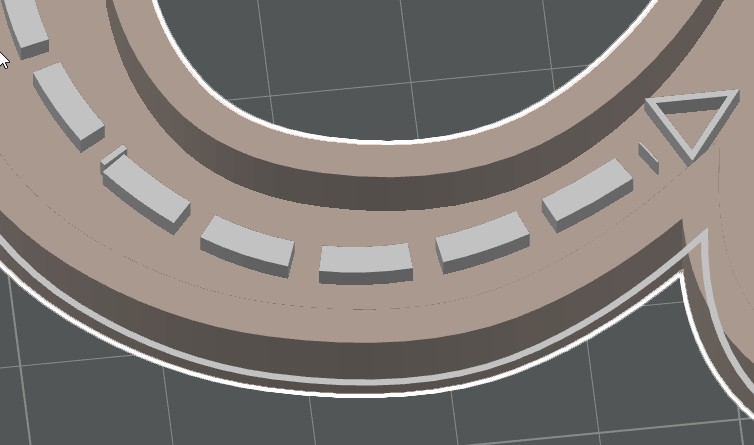
One of he fragments is just behind the triangle on the right side of the picture I posted. The other one is on the left side of the 5th block behind the the triangle.
I cannot advise about shutting of auto calibration on your printer since I am not familiar with that model.
It sounds like wet filament is the most of your problem based on your improvements. Is the area where you have your printer air conditioned? The heat could also contribute to the issue and make it more difficult to dry your filament. I cannot print much this time of the year because my printer is not in an air conditioned space.
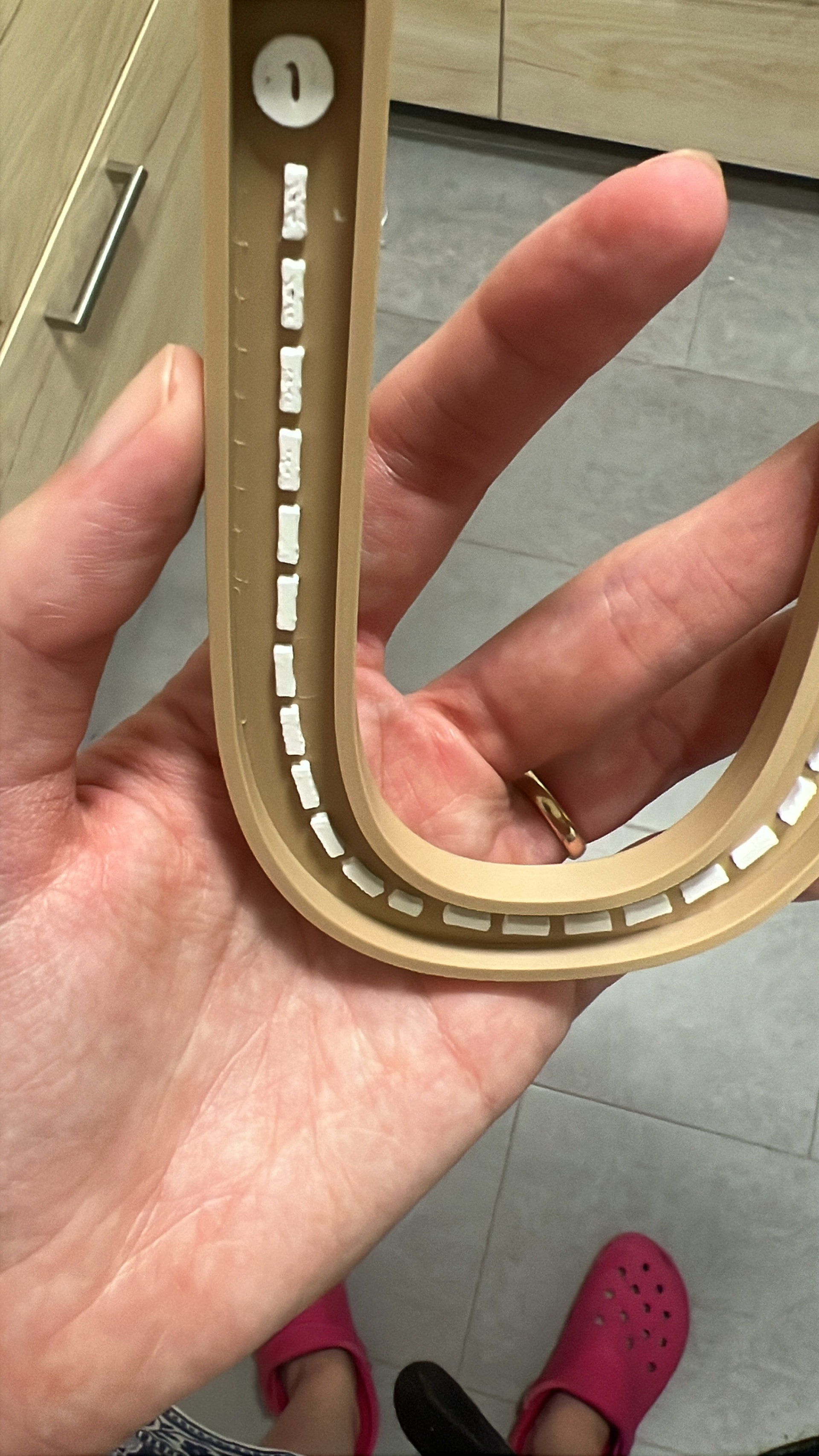
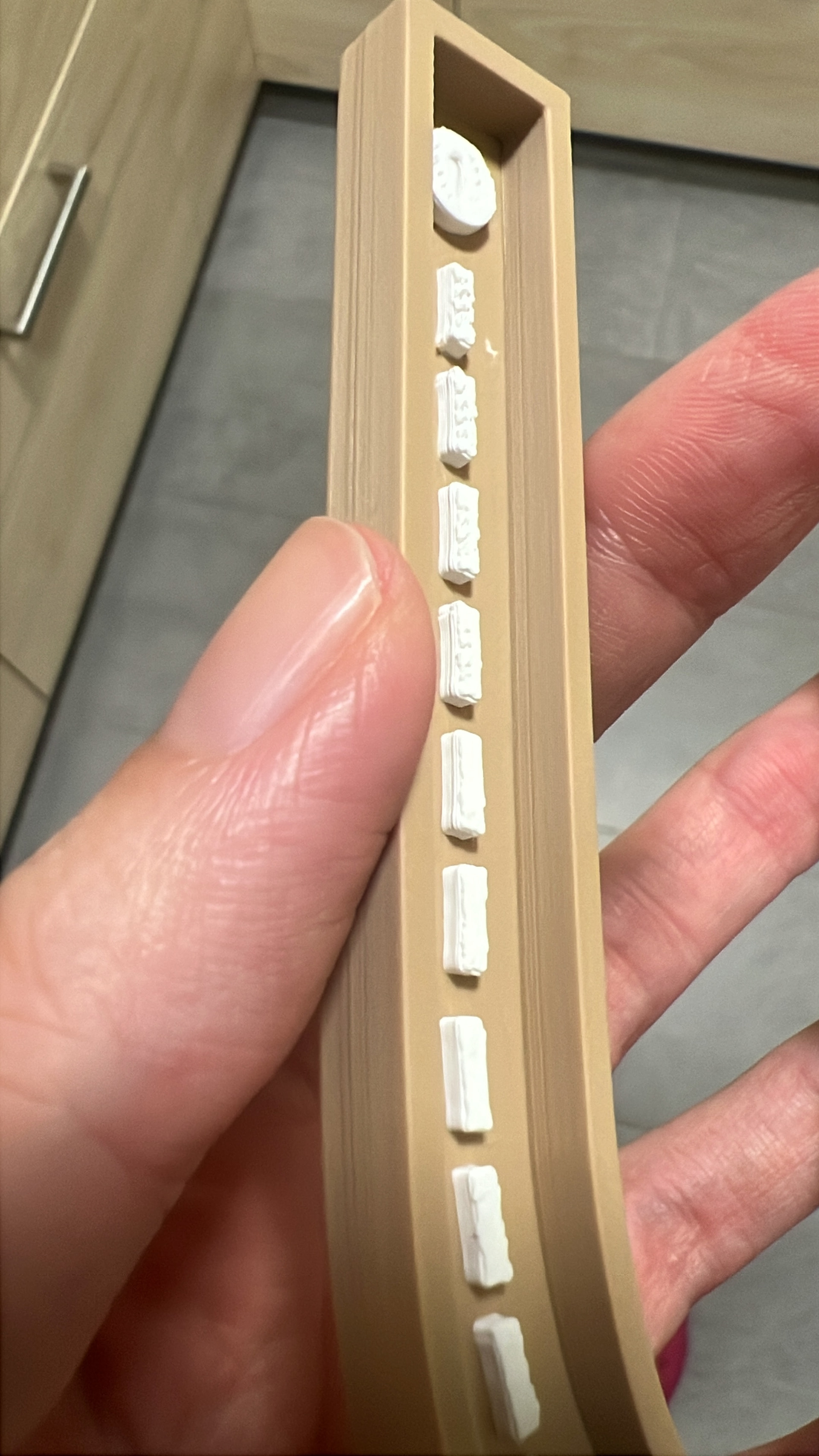
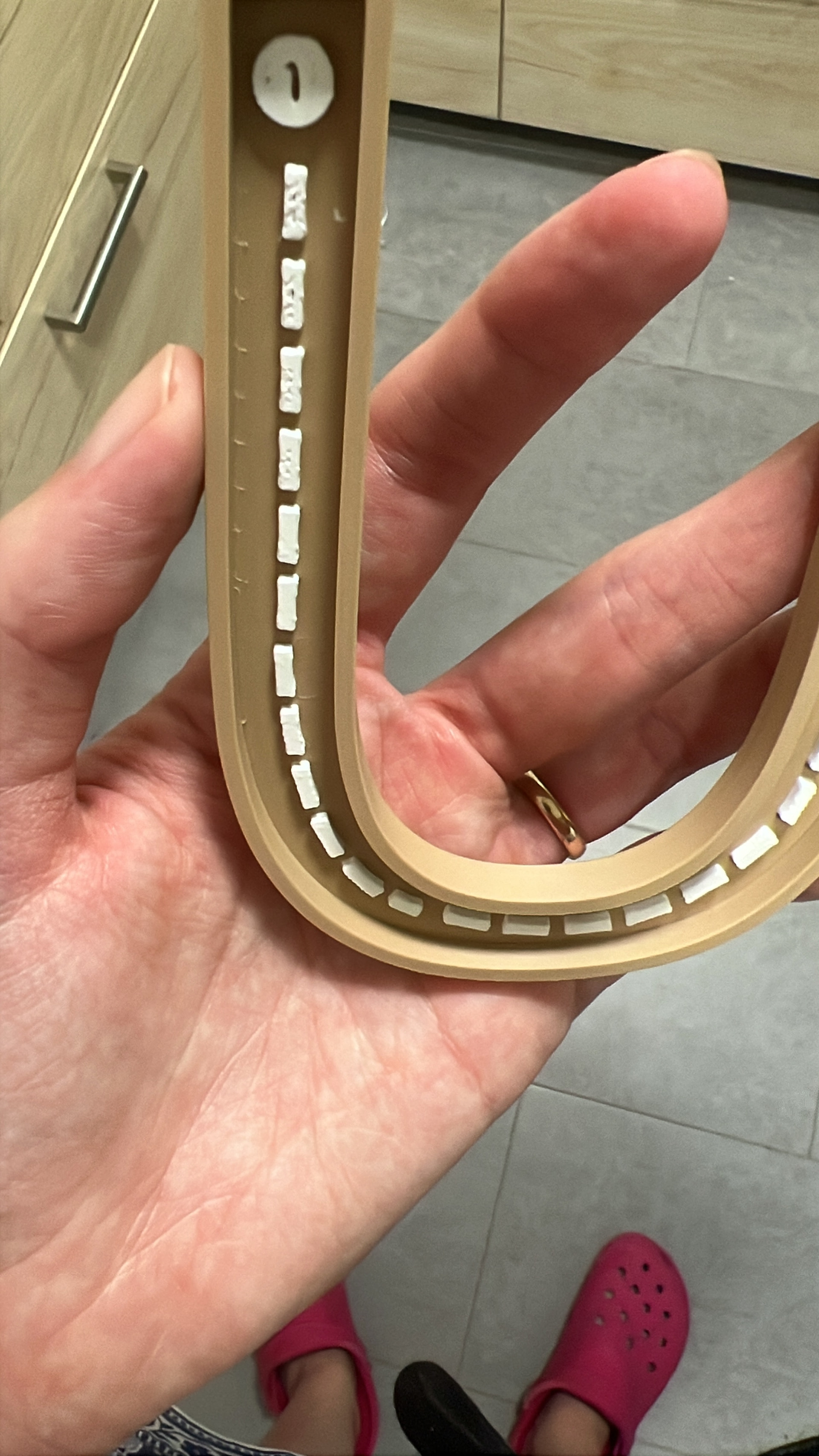
Thanks again for your answers. It seems it was the humidity. I changed the filament and put it inside the Ams (before it was in the exterior and I printed with the auxiliar noozle). I think I waste more filament like this but the quality of the printing is significantly better. I also printed some dry containers to put silica inside the ams and the level of humidity dropped. However I have now another issue related to the sewing. I attach a photo. I tried aligned and random sewing and the results were not satisfactory. Any guidelines on how to improve this? You can take a look at the file on previous posts, it’s the “ligada” one.
 but for me it’s easier in Spanish as it is one of my mother tongues.
 I don’t know how to maintain a stable humidity with so much humidity in the environment. Any tips? Also I will try to perform what you suggest. But since I am very new to all of this, can you guide me on how to do the “filament calibration for Pressure Advance (K-value) and flow ratio”?