Hello,
H2D, SUNLU PLA+ 2.0, dried about 6 hours, 0.4 and 0.6 nozzles
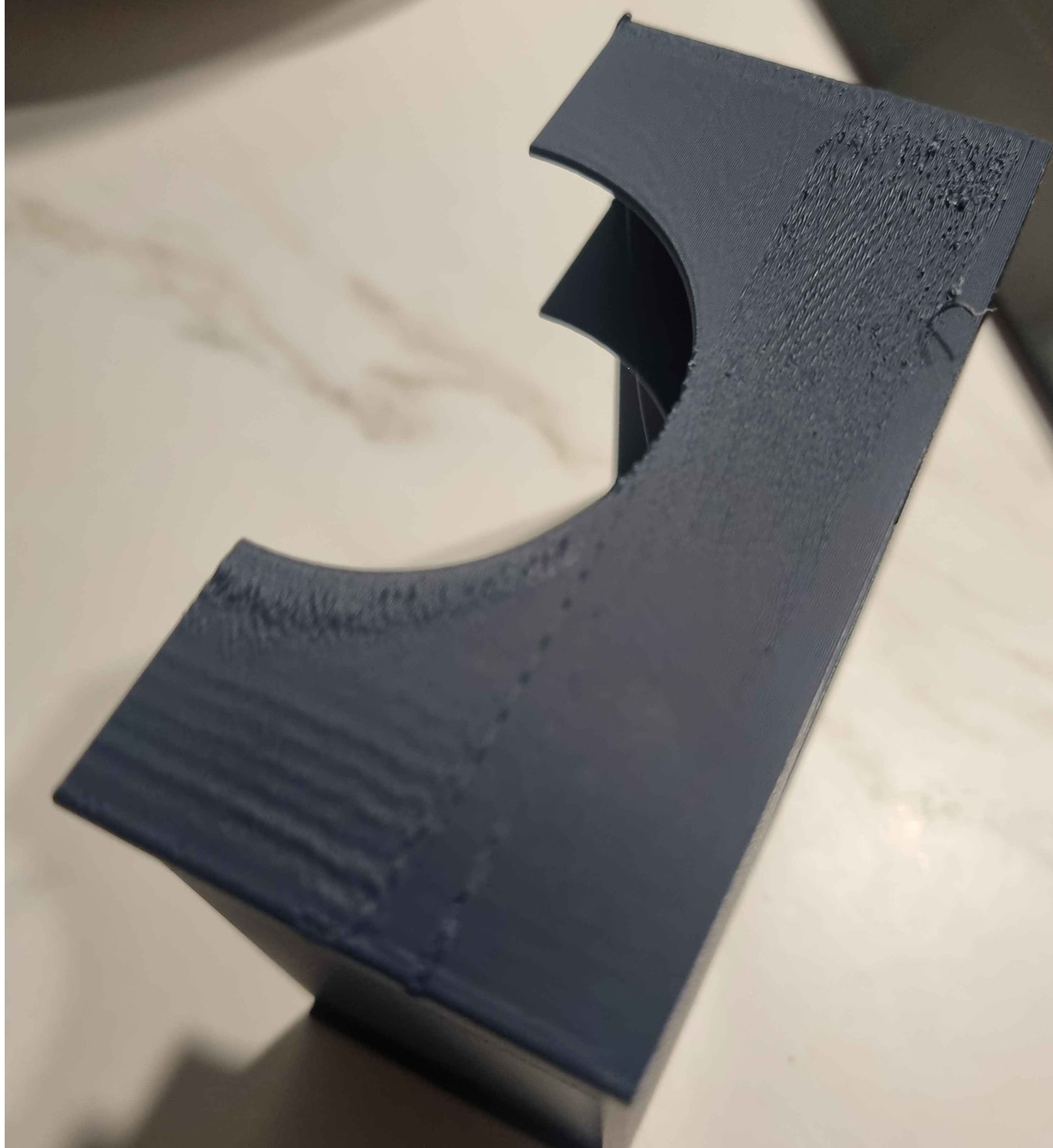
I have problem printing a part with decent quality. The bad print quality is always on the same places on the print. Filament was dried. What I can check?
Hello,
H2D, SUNLU PLA+ 2.0, dried about 6 hours, 0.4 and 0.6 nozzles
I have problem printing a part with decent quality. The bad print quality is always on the same places on the print. Filament was dried. What I can check?
Is that side of the print by any chance have cool air blowing directly on it during the print?
@TurboManELou chamber is closed in h2d as you probably know, but top vent is opened during the print. I dont know how exactly air circulates in h2d.
Right now Im trying H2D Belt Tensioning Procedure | Bambu Lab Wiki
The Aux fan may be enabled in filament profile, which can cause issues on that side of prints (left side when looking at the printer). I’d try disabling it in that case.
Overall for wall quality on my H2C I typically need to slow things down, and especially the speed transitions.
The speed and fan colored views in the slicer can help highlight problem areas, especially compared to an actual print.
Speed and fan could account for the wavy bits, but I don’t really understand the rough patches though. Looks like nozzle scraping on a top surface due to warp.
-Max
its on the right side when you look at chamber. Belt tensioning didnt help. I moved an object to the left to see if that will help. Also I hear some weird sounds when its printing. I will try to record it