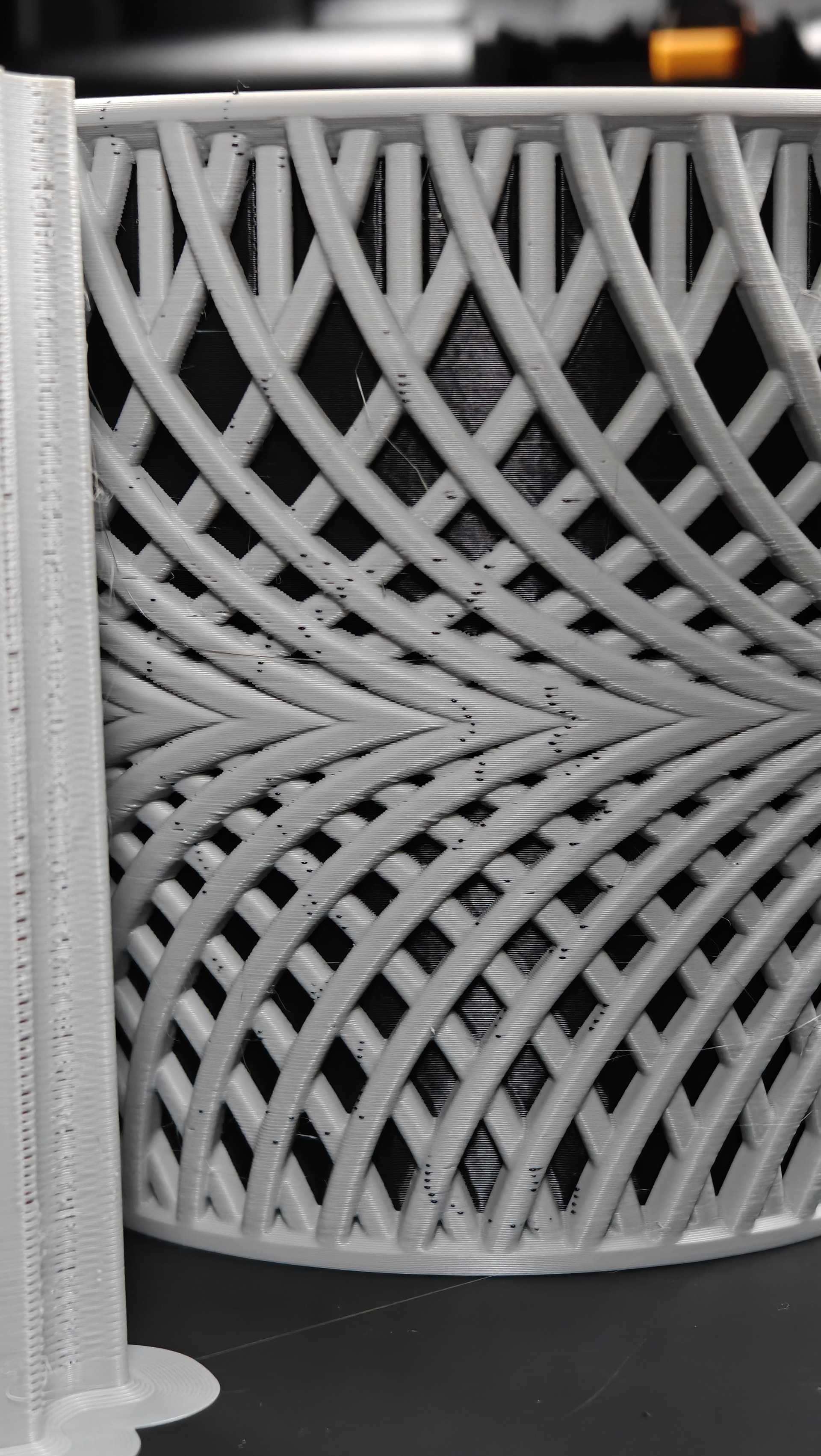
Hi all, printed this planter in PETG-HF after drying it for 12 hours at 65c. Black on left nozzle AMS HT and grey on right nozzle AMS 2 Pro. 0.4mm nozzle size. 0.20mm layer. Default bambu filament profile.

What causes the little dots of black filament in the patterned grey area? My best guess is contamination occurring at prime tower. All the black dots are located on side of model facing the tower. Remainder of model is clean.
If it’s contamination - what prime tower settings need adjusted?
NOTE: this has occurred on multiple models and multiple filaments (PETG-HF and PLA Basic)
I’ve tried changing tower infill from 150% to 250% to avoid contamination. (250% was used in this example)
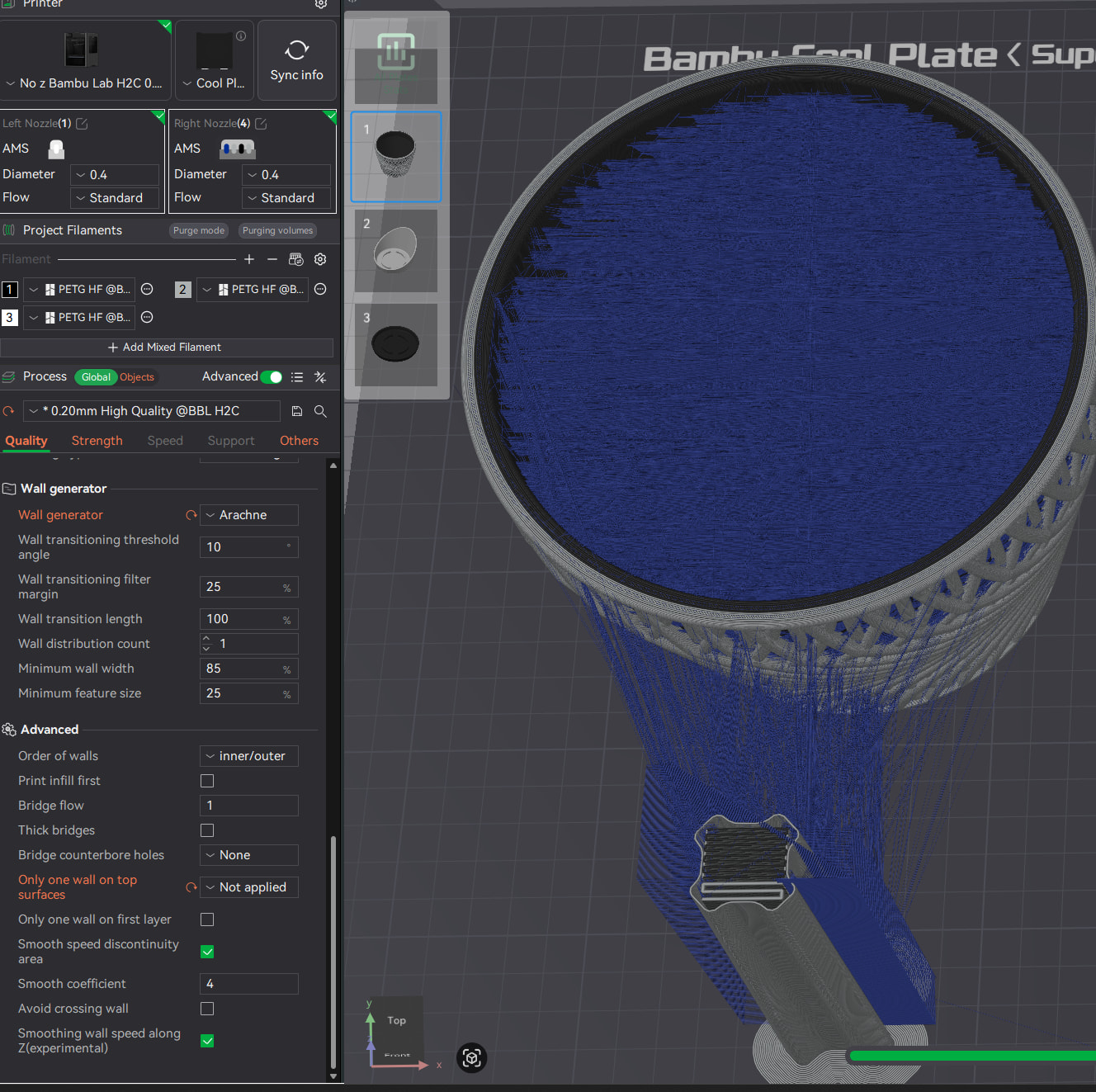
I normally print with z-hop disabled (especially with PETG) unless absolutely necessary. I also enable avoid crossing walls. If no z-hop is the cause, are there prime tower settings I can adjust to accommodate? Thanks
If you’re saying this is just contamination picked up while priming I don’t agree - this is a distinct blob of filament that is extruded in that location.
It almost looks like you’re using the black filament for your infill on the grey parts. What’s your slicer preview look like?
It would be helpful to post your 3mf file if you’re able. Thanks!
Good point. The dots of black filament look a little too ‘neat’ to be mere contamination. I added the 3mf to original post. Nothing sticks out in slicer preview besides many of the grey pattern seams being in similar location. I’d greatly appreciate another look. Thanks!
Plate 1 is using both a black and a grey. Black inner solid body, grey exterior body. Changing between filaments is likely the cause. What printer are you running?
Odd then if running 2 nozzles. Not really sure what would cause this. The patterns are to regular to be a fluke imo. I looked through the slice and it looks alight to inexperienced eyes. I’m wondering it is the seams due to the “regular” pattern I can see some similar locations in the slice, but it doesnt make sense why it would show like that.
No doubt this is happening during left nozzle (black) travel. There has to be a prime tower setting I’m missing. A model this small and simple should print fine with no z-hop (right??). Interesting that not ALL left nozzle (black) travel moves leave a mark (2nd pic).
Enabling z-hop results in no artifacts, as expected.
Still hunting for a solution. I managed to capture the issue on video. Forgive the low quality from mobile phone camera. See black filament dot created when left nozzle (black PETG-HF) passes over white PETG-HF portion.
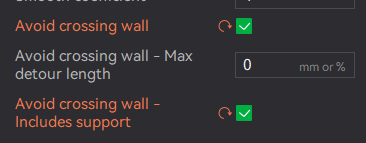
Good question. Below are my settings for that 3mf panda (this model had tree supports). I always use these settings when z-hop is disabled. I believe a value of 0 disables this measurement and results ‘most aggressive’ version of avoid crossing walls. That said, there are obviously times where walls MUST be crossed as is the case in the gif where tool is moving from prime tower to model.
There is some sort of contamination happening at prime tower - or oozing during the brief travel period. I would also consider it being specific to PETG-HF black had I not already encountered this phenomenon with other colors of PETG-HF as well as PLA Basic. The tower and model were only a few cm apart so I don’t think it’s a z-offset issue (yet).
Well, allowing only 0mm detours essentially switches avoid crossing walls off. You’d need to allow it some detours.
But saying that, it’ll indeed need to cross somewhere. It may just drop that black spec at the latest at the seam.
I too have the suspicion that the fine pigmentation of black tends to slightly increase ooziness.
But I do not like to play with temps so I tend to then look at retraction settings like “wipe on retract” and increasing the retraction length and speed.
Hi, thank you. I will try increasing retraction speed/length. This makes sense.
“Wipe on retract” looks to be an on/off setting. Do you have a recommendation here in context of my printing issue?
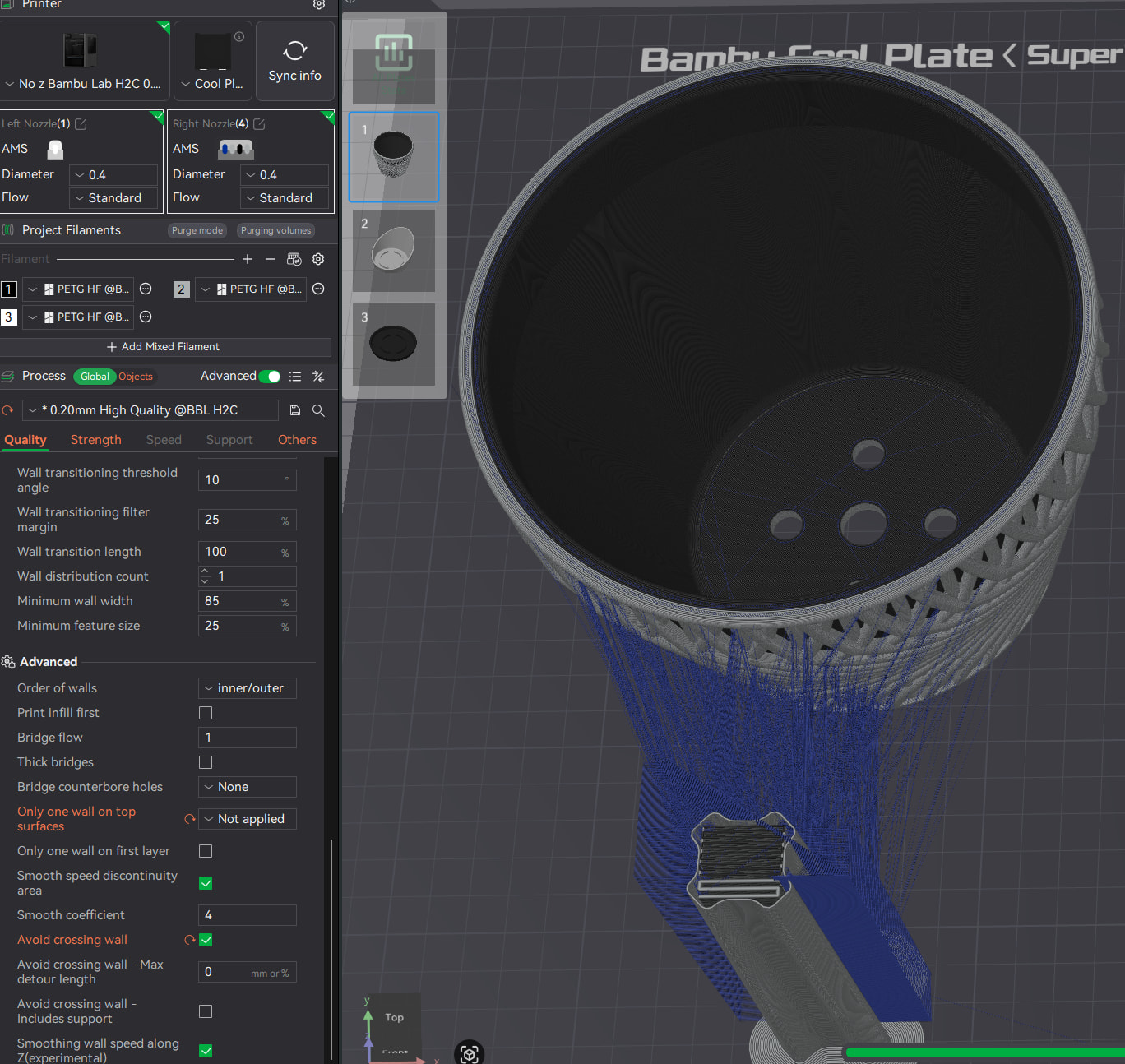
Regarding detour length - admittedly I have trouble understanding the wiki on this function. What I know for sure is enabling avoid crossing wall with a Max detour length of 0 results in a much longer (but expected) print time. Per the slicer preview using a vase example it is indeed moving along the contour of the vase instead of across it.
I thought logic was “avoid wall cross unless detour length would be greater than x”. So if length is 0 then it always “detours”.
I tried a few other detour lengths for this example model and they all look the same as 0. Maybe there’s a better example model.
For retraction speed, I frequently go to 40mm/s. In terms of distance, I usually leave PLA as is but up PETG occasionally to 1.2mm.
With this paint job, it is clear that every color change to black needs to cross the white wall. So even allowing long detours of say 100mm will still need a crossing. So unless the nozzle is lifted by a “z-hop on layer change” or oozing is completely eliminated, it’ll still deposit a small spot on the outer wall.
Looking closer at the slicer preview, the paths to and from the tower start off perpendicular to the tower. I am concerned it may still be extruding a tiny amount. That can happen if the “adhesiveness category” in the filament settings is not identical.
Of course, the oozing may also be explainable by a slightly worn nozzle or a lower viscosity of the black filament due to increased temps or residual moisture.
Addendum: Forgot to comment on wipe-on-retract. With PETG, I usually enable it (both checkmarks) but do not play with the default wipe distance (1mm).
With PLA, I do not need it as those profiles are usually pretty good and I dry all my rolls after unpacking.
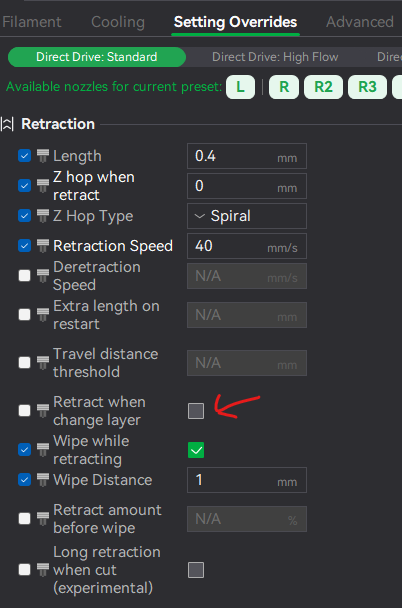
Thanks for this. Is there a "z-hop on new layer setting in bambu studio? I wish “z-hop after priming” existed. That’d be the best of both worlds in my case.
Got it. You could be referring to “Retract when change layer”. I think when the next nozzle is primed (and where problem occurs for me) a new layer has already started. Regardless, I will give it a try, thanks!
You first need to enable the toggle on the left. That means that you intend to override the setting. After that the setting on the right can be changed.
 . Using both nozzles.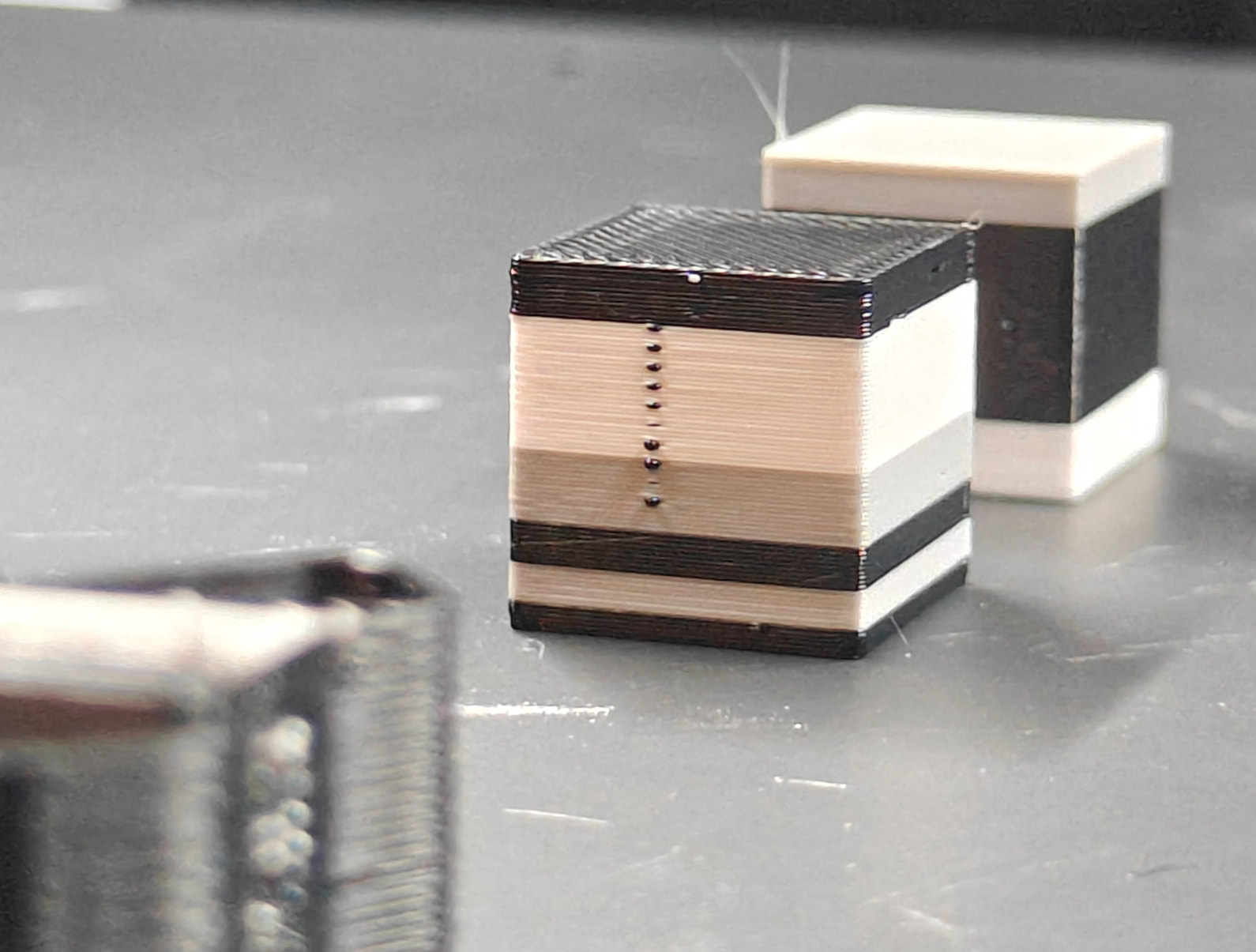
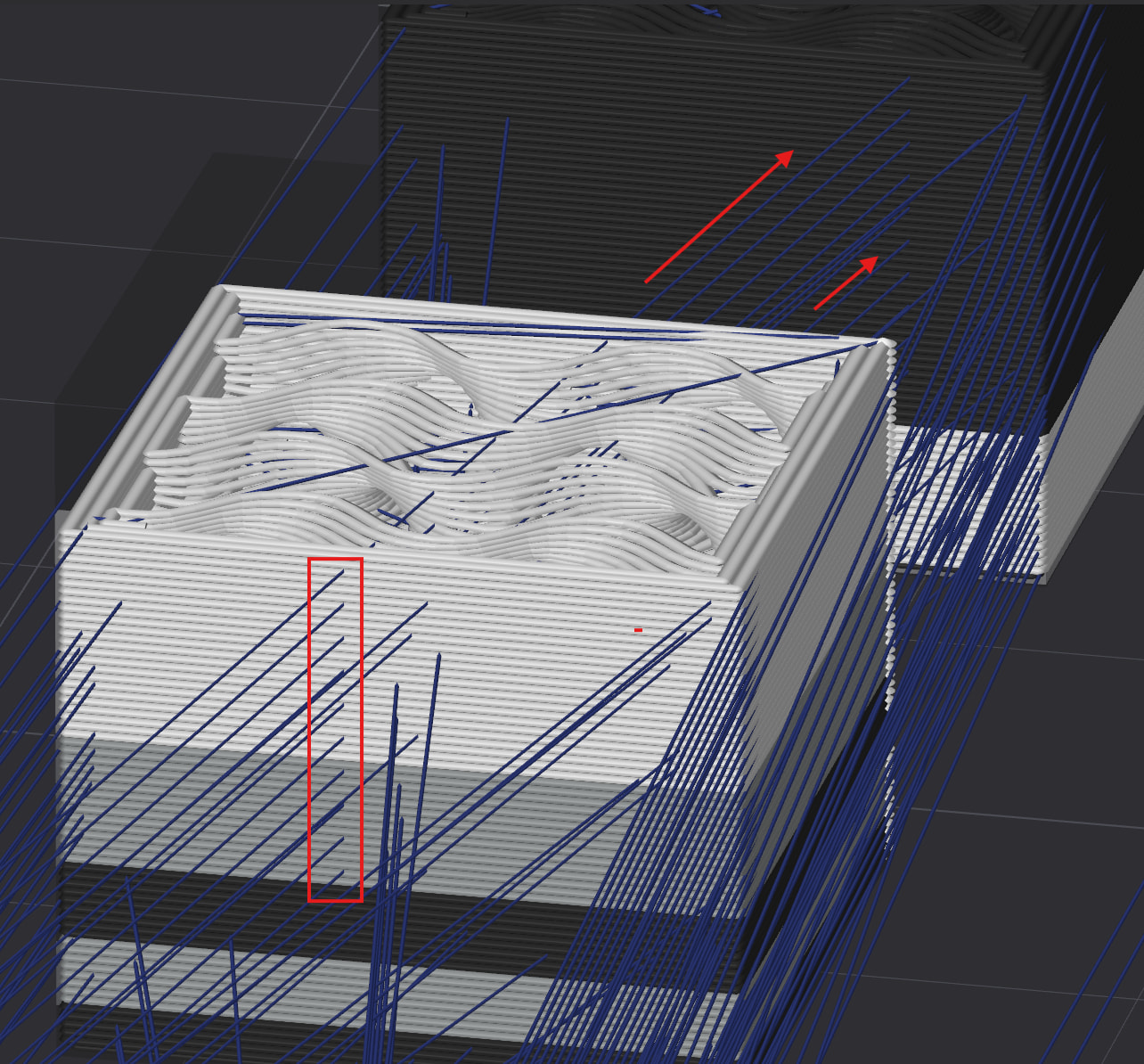
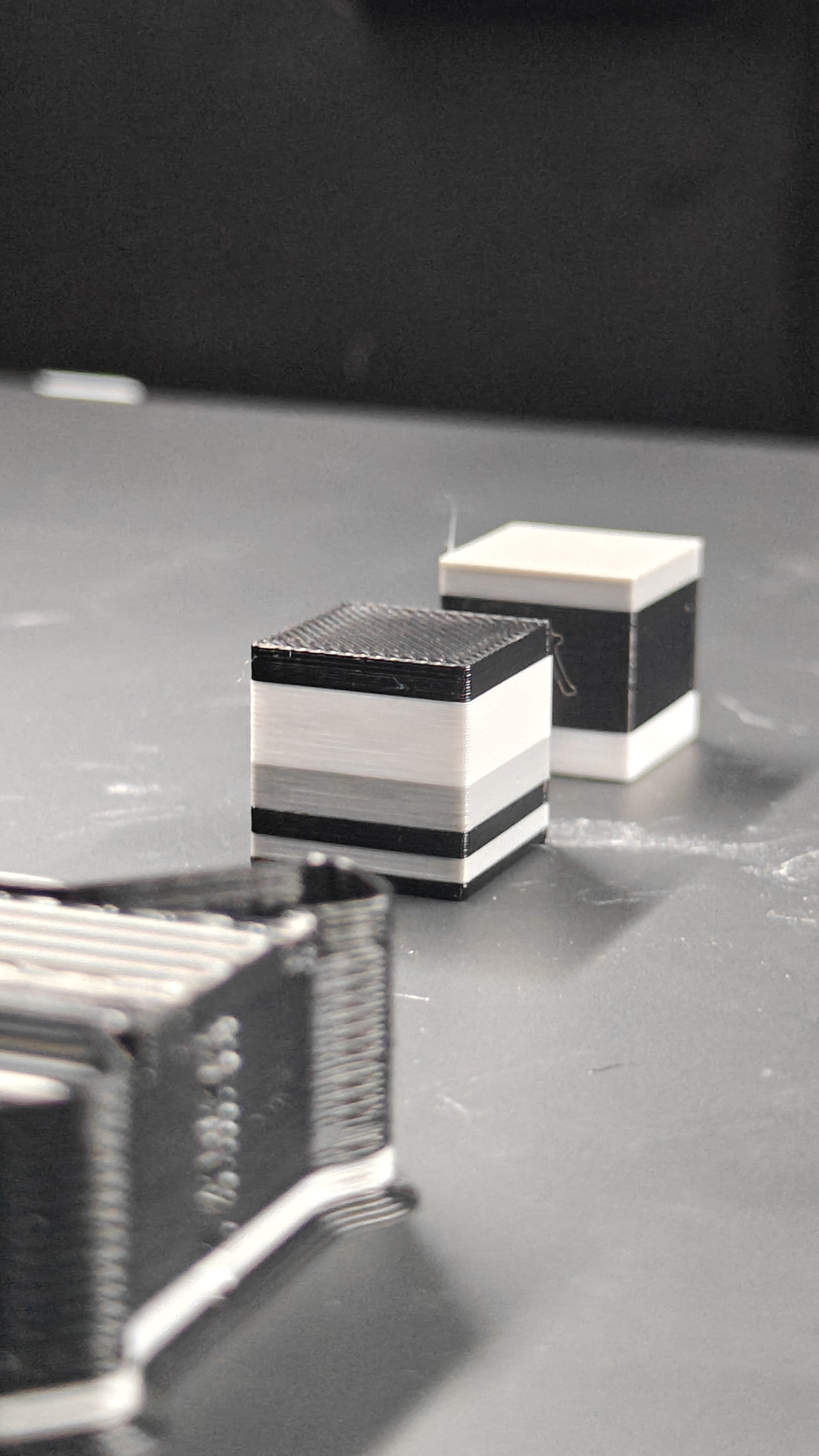

 &
&