After returning to school from summer break and installing the latest update, 2.8.2.61, I am experiencing a very strange problem. I have downloaded a file from MakerWorld, the first time I print the file, it is perfect. Any attempts after that it fails. I have good bed adhesion, the problem is about half way through the print, the extruder will go ‘home’ extrude a layer or 2 of filiment, then return to the print. Or it just thinks it is finished printing and stops mid print. This has happened on 2 or 3 different files. Downloading the file again does not seem to fix the problem
I am using a P1S that we purchased in March 2026
Normally this kind of behaviour points to an SD card issue. It is either full or starting to fail. Use the printer display to format the card and see if that clears up the issue.
I formatted the SD card and tried the print again. It stopped working even sooner.
In the pictures, Zephyr was thei first print, perfect, Sawyer was the second batch, not so good. The purple thing is after formating the SD card. It messed up after about 10 layers.
Sorry, it said I can’t upload pictures?
Because you are a new user. I’ve upgraded your trust level so you can post pictures now and moved your post to it’s own thread.
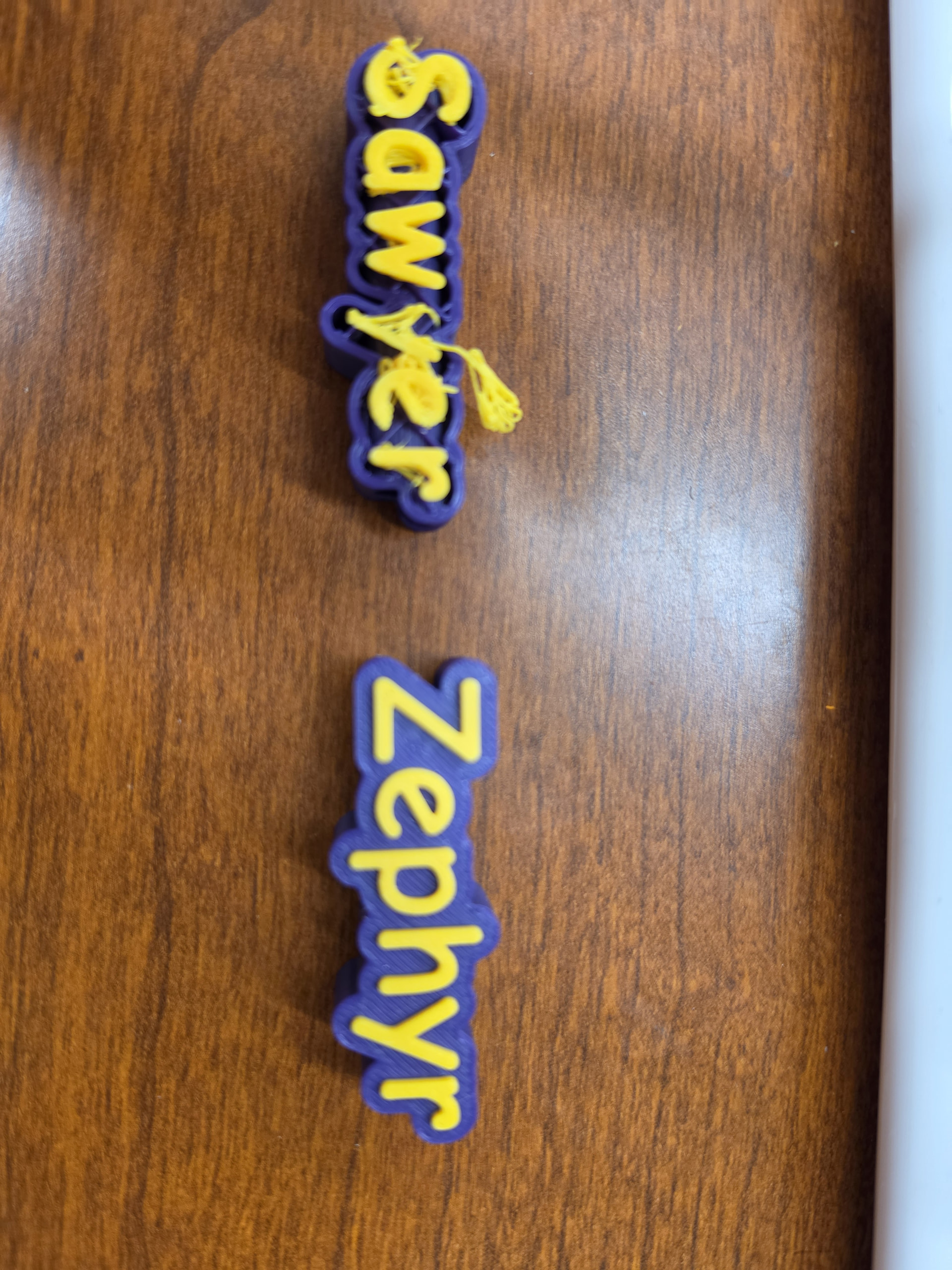
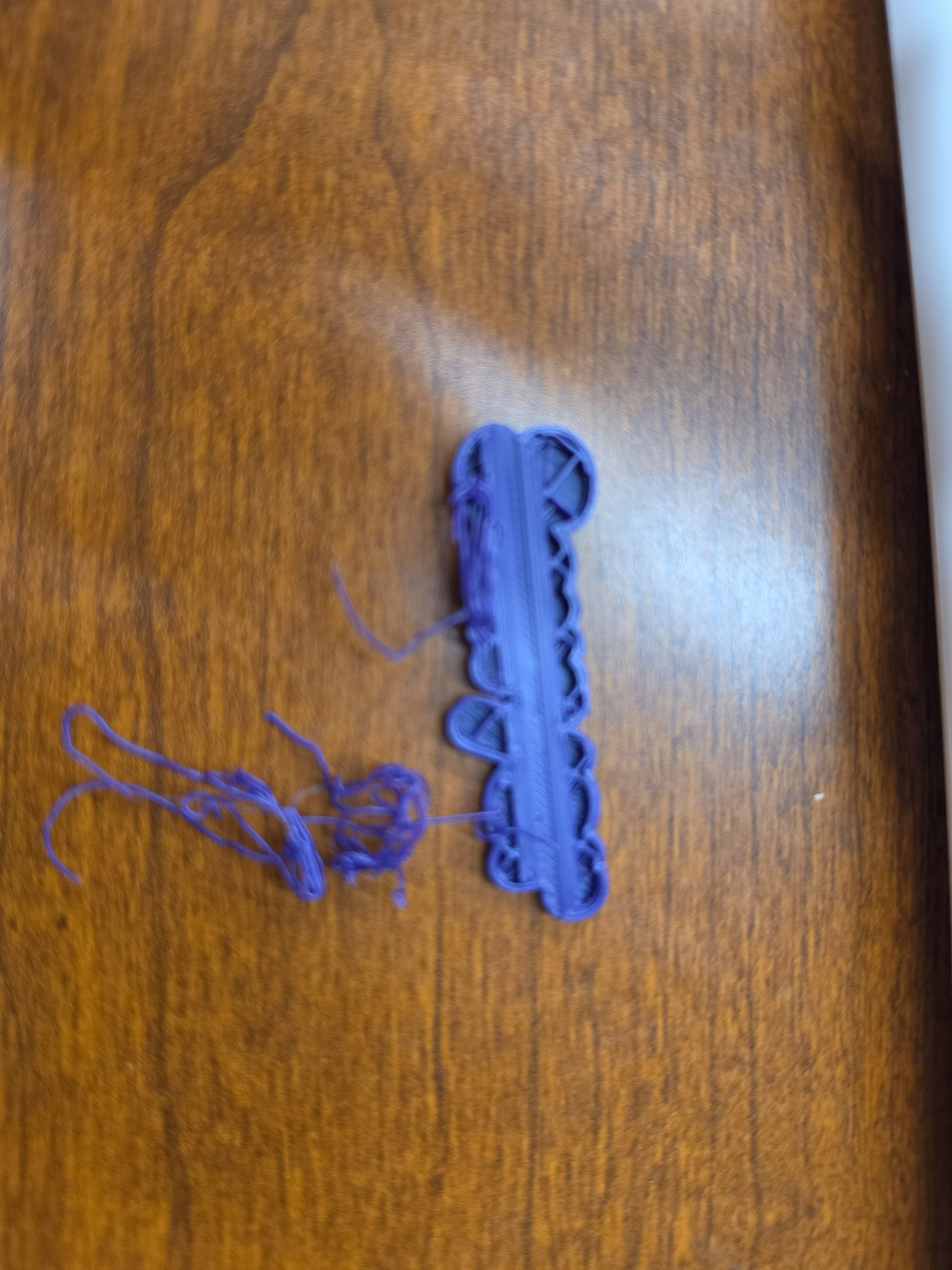
Any thoughts on what to do?
SD cards may have issues beyond what formatting can fix. Can you try a different card?
From the explanation and image it appears the nozzle may be hitting a ridge in the print , meaning it will home first then continue (flush), the ridge itself prevents fluid motion for the toolhead / nozzle, instead of using force to barge through and cause damage, the printer will reset itself at the flush / purge position and continue
(nozzle meets iremovable object)
I tried a different SC card and created the file from scratch. It still won’t print correctly.
Thanks for the suggestion. I do not see anything in the print that it is hitting on.
You said that it prints correctly the first time. If you power cycle the printer then print the file again, does it print correctly? If you print a completely different file, then print the suspect file, does it print correctly? Just trying to see what is different between the first and second prints.
If by power cycle, you mean to power it off, wait a couple of minutes and turn it back on. Yes, it was off all weekend and still had the same printing results.
Trying a different print and then the problem child is a great idea. I will try that in the morning.
Thanks for the suggestion.
I found it can be knocked off the print , if there is enough movement, when it doesnt get removed the printer stops the print after three / four attempts to continue, which will leave the toolhead parked in the stopped position .