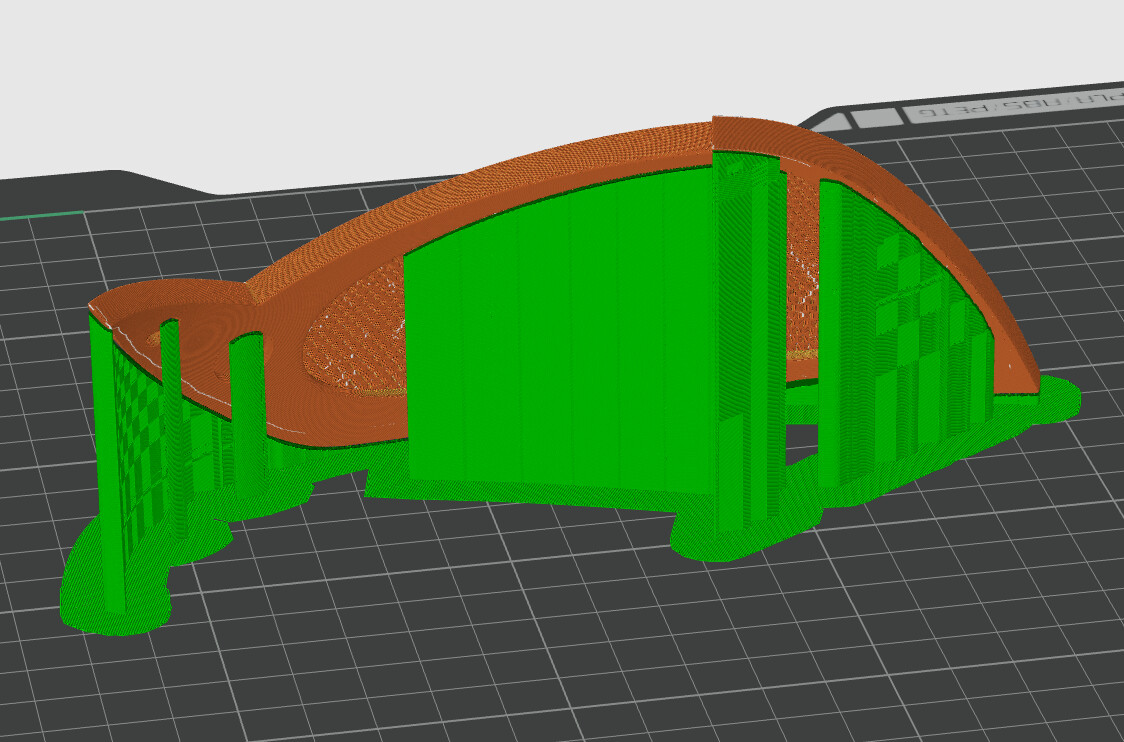
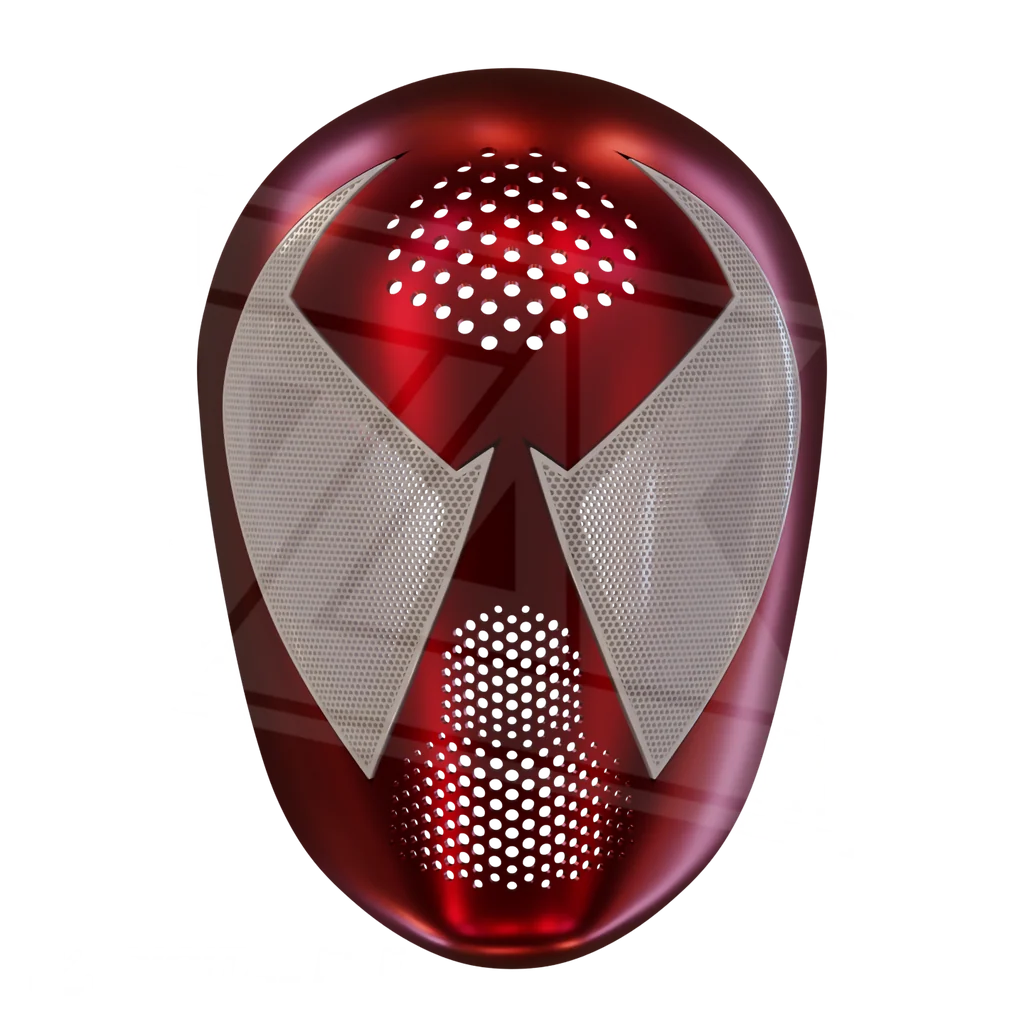
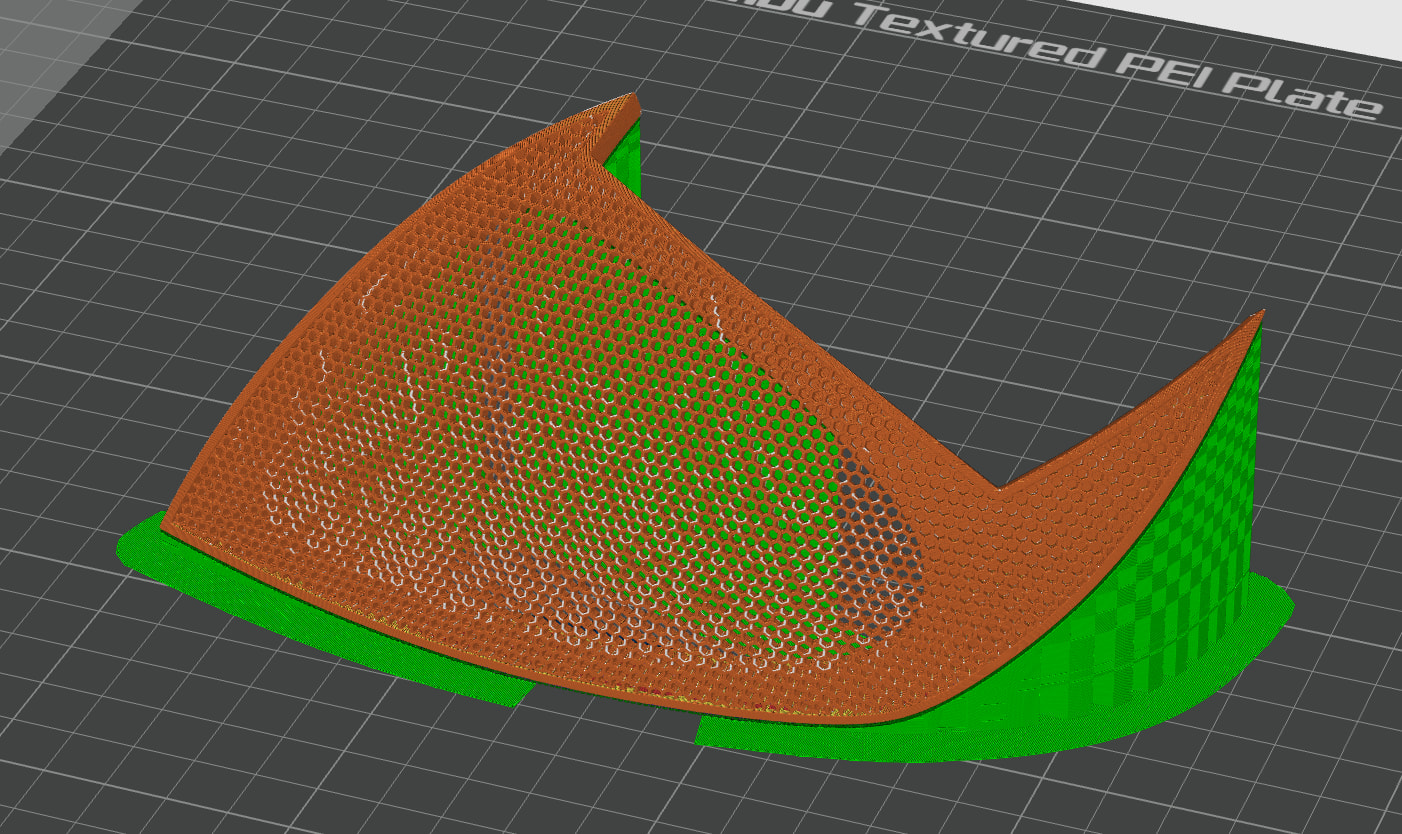
I’m trying to print lenses for a Spider-Man faceshell on a Bambu H2D with 0.2mm nozzles. I know a lot of others use resin-printed lenses or a woven mesh for this because it can be so thin, but this particular design has a much thicker lens and so I’m hoping it can be done on my FDM printer
Faceshell: Scarlet Faceshell 3D Model – Wireframe
The mesh itself seems to print well and is very sturdy. The problem is that at around ~55% the LEFT side of the frame consistently starts to peel off the plate and detaches.
Current setup:
- Bambu H2D Printer
- Bambu PLA Basic; 220°C nozzle / 60°C plate (bumped up from 55°C after couple failed prints)
- 25mm/s first layer, 30mm/s outer walls, 20mm/s small perimeters; default on other settings
- Bambu Studio
- Other relevant settings include 0.08mm layers, 5 walls, 10% gyroid, Normal Auto + Snug supports using same material basic PLA, painted support blocks on all mesh, 0.16mm Top Z, 0.30mm interface spacing, 12mm brim with 0 gap, 0.4mm Z-hop
I attached some pictures of the print preview to show my orientation and supports, and here’s a video of it failing Imgur: The magic of the Internet
At this point I don’t know if I just need to put it into a different orientation, add more supports, or if this model is not a good candidate for FDM. Any ideas?
Some usual things to try/check…
- Wash the plate (plain dish soap, brush, towel dry, etc).
- Increase the initial layer size of the supports (Support → Advanced - Initial layer expansion).
- Turn off AUX fan (in filament profile) which is on that left side *.
- Add a brim or some mouse ears (painted) to the small section which doesn’t have supports.
- Could try initial layer bed temperature @ 65C *. Though 60 initial → 55 rest “should” already stick well on the (clean) textured plate.
* Keep an eye on chamber temperatures, open the top if necessary to stay < 35-40C ambient.
HTH,
-Max
all plastic warps, even pla. I am having very good results and reduced warping when setting chamber temperature to 41 deg c on the h2d with bambu pla basic. Reduces warping (and thus lift off from print bed) without heat creep issues.
and yes, aux fan off!! always.
I’ll start with the most obvious suggestion:
Think about getting a print plate with better adhesion. Textured plates are nice, but they’re more of a jack-of-all-trades. They can do everything, but nothing perfectly.
Get a smooth plate or something similar, and you’ll probably never have any problems again.
Looking at the video, though, it seems another factor may have come into play: The nozzle - especially the 0.2-er nozzle - is likely hitting the 3D model due to tolerances and perhaps incorrect settings.
A 0.2 nozzle and a textured plate? Combined with a demanding print? That’s a really bad combination. You might want to consider buying a suitable print plate for demanding tasks.
I watched your vid, very little adhesion. The entire left half broke free from what looked like a very very small displacement. Clean your plate, enlarge the brim more, use glue. Or all 3. IMO the plate is dirty.