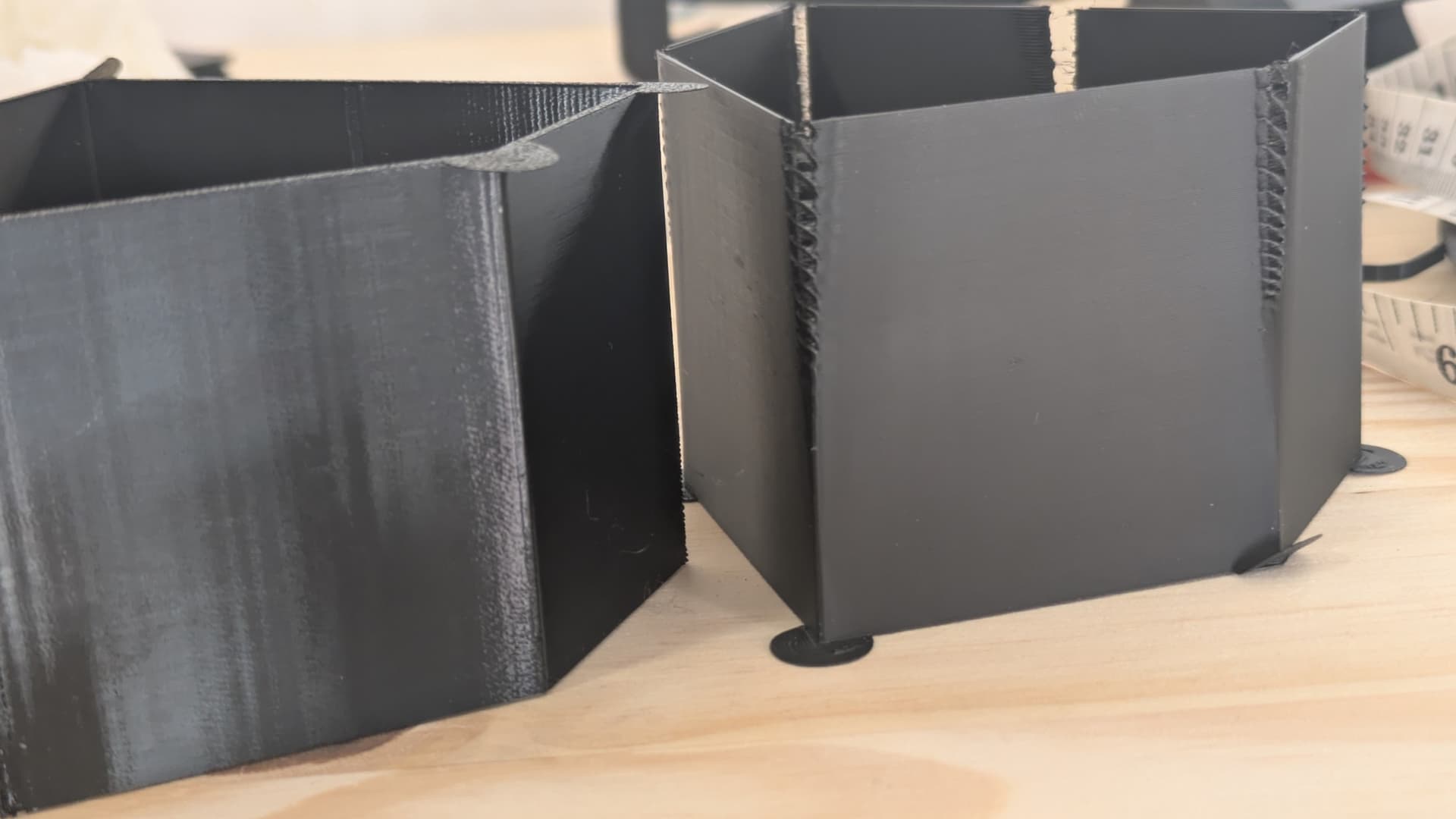
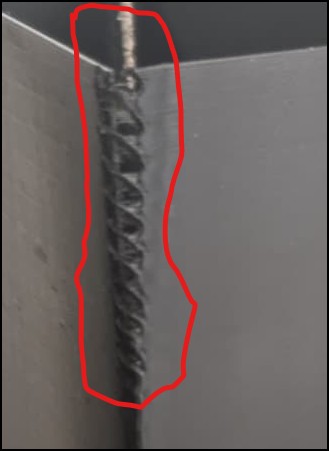
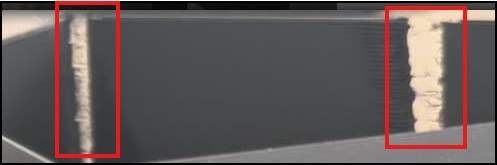
also you can see PLA (matte).
I’m just curious, is it as good as it get get? or is there a space for improvement ?
Those ‘ripples’ are not perceptible, and are visible only cuz PETG is shiny, as you can see, matte tower looks super smooth.
A glossy finish is going to show imperfections much more than a matte finish. You could try slowing down to see if that helps. PETG usually likes slower speeds.
it was just PA tower test, so don’t focus on corners or upper parts
(in fact PETG shiny tower is upside down )
so as I said, surface is smooth under fingers - perfect.
My question is, is this a limit of 3d printing? (or P1S), Can I expect even better surface? (I guess with very slow speed). Or is it as good as it gets - which still blows my mind
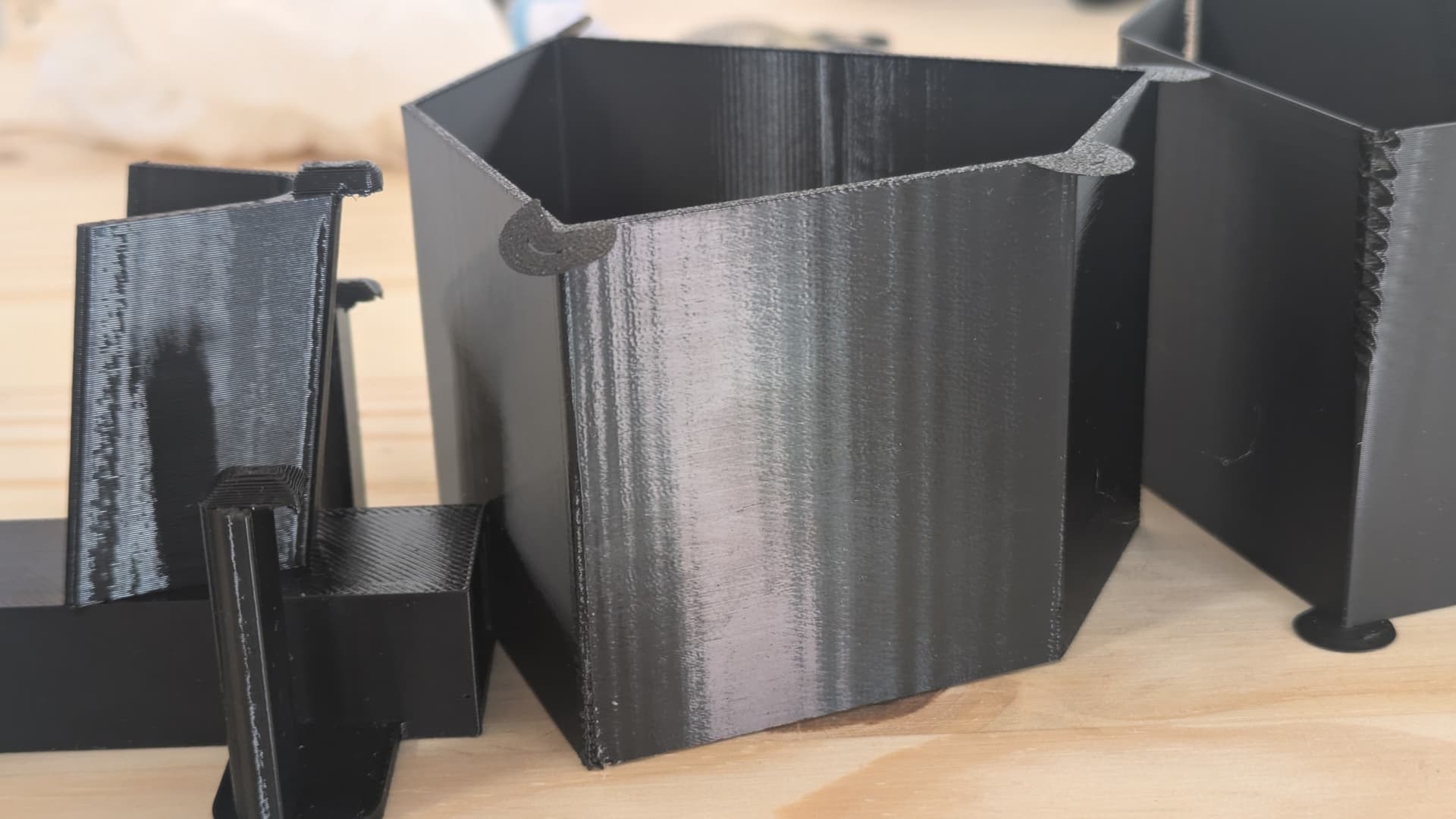
I don’t know… i’ve been fighting with super deep, rippling VFAs on petg for what feels like months. Some areas its outer wall speeds. some areas its seam width. Some areas its temperature. I have no idea what the real cause of it is. The corners of your VFA test there are WAY severe, what i’m dealing with is this:
It shows up on prints in random places. I’ll do a temp tower and the first 4 temps are fine, fith one is covered in it. I’ll do a calibration cube and its OK, then do another square similar object later and its covered in them.
The only things I have found that help is: seam gap percentage = 1
Out wall speeds accelerations and travels as low as possible.
This never happens on PLA or TPU. I love PETG but I also hate it.
I did a post on this related mainly to PETG. Made an odd discover.
The faster your speeds the less of this I see… I mean don’t go insanely fast but use the stock presets, travels and accelerations should stay high. I think the faster brushless motors move the smoother they feel. If you slowly push your extruder you feel every notch, if you move it fast its a lot smoother.
Not sure this makes scientific sense but it has mostly solved my issue. I’m not slowing down travel and acceleration anymore, and keep my speeds as high as possible. For my A1 they get bad between 50 and 80mms. kinda sucks is thats the range a lot of people want to be at.
Studio(in Develop mode) and OrcaSlicer both have calibration tests on the top line. The VFA test helps you discover the resonance speeds that produce VFAs so that you can avoid them.
You then need to adjust outer wall speeds manually in Studio.
OrcaSlicer has a printer profile setting for speed avoidance that adjusts the outer wall speed automatically.
The problem is these VFAs are so deep that it actually disturbs the outer wall. I have certainly played with the vfa test and I thank you for the info.