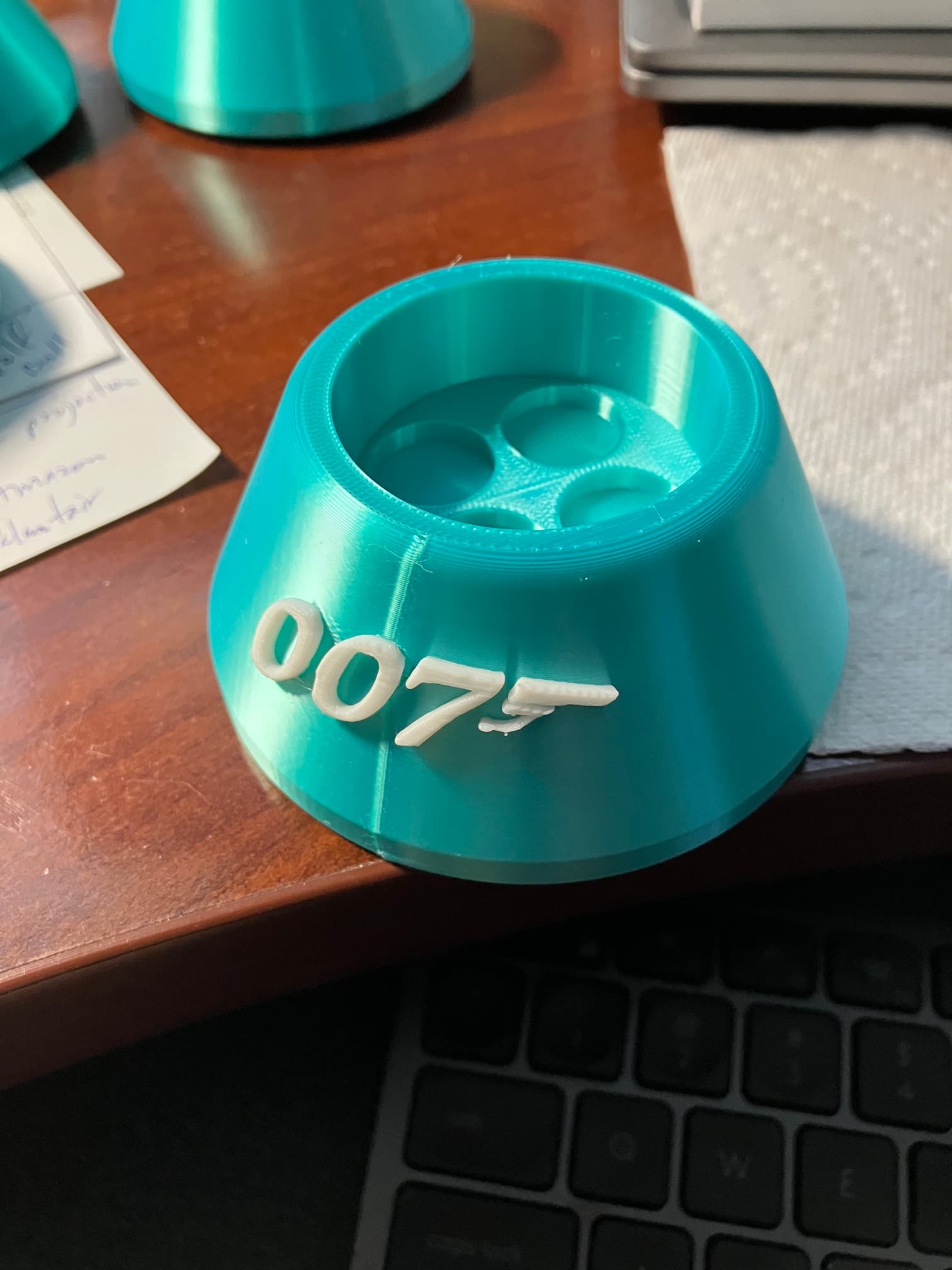
Recently I’ve noticed my prints which have a curved vertical surface now have a seam (see attached pic). Any ideas on how to prevent the seam from showing?
1 Like
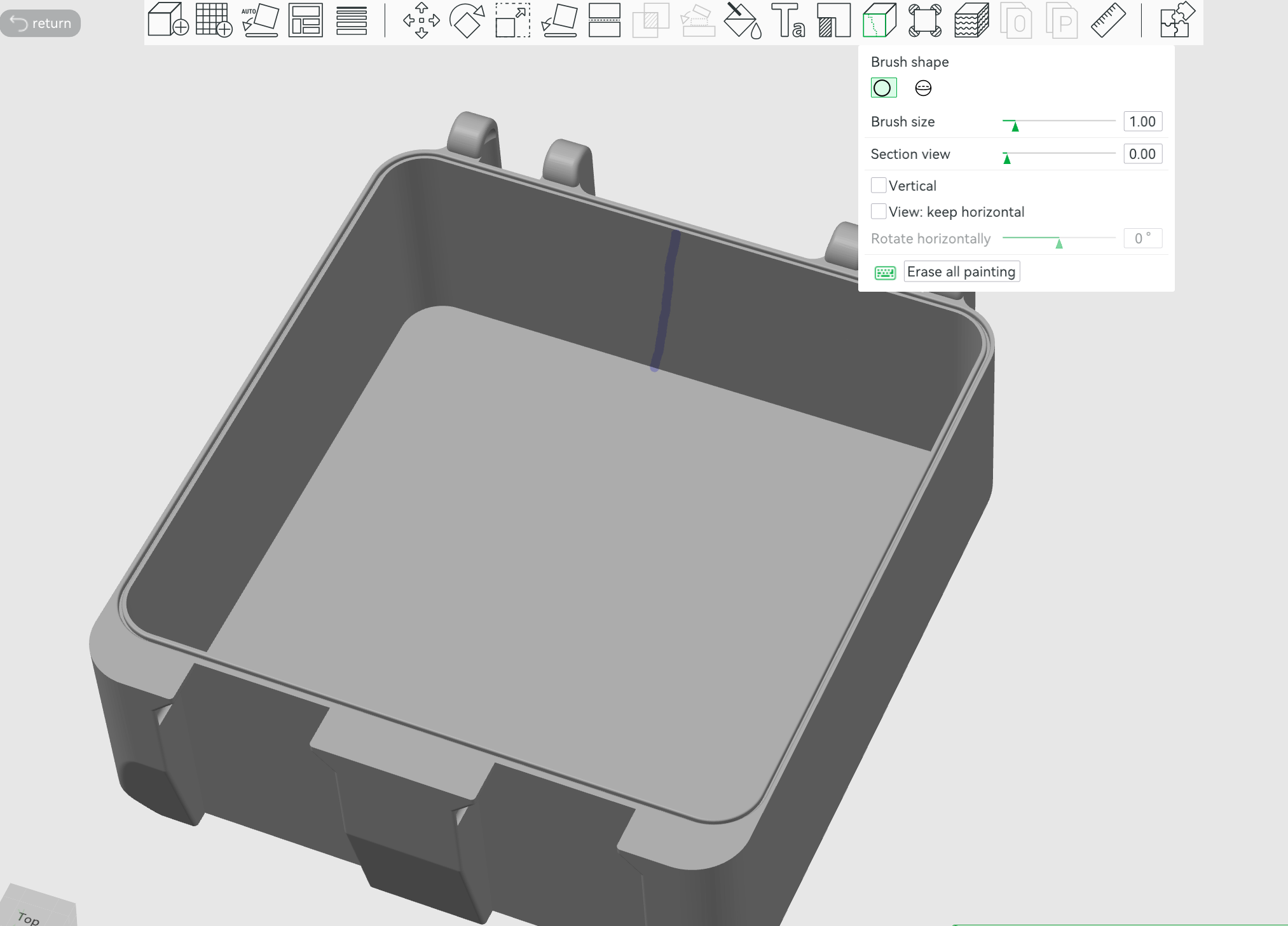
Paint the seam on the inside instead of having it right where the text is
Thats why there is a seam painting tool
1 Like
I never assigned or asked it to print a seam. Where do I make this change in Bambu Studio?
Ignore my previous post… I now see that I am unable to avoid the seam but now can control where it is located.
Forgot to mention, the only options I had for the location of the seam was Nearest, Aligned, Back and Random. Did not see an option for Inside.
Ahhh ok, wasn’t aware of that, thanks!
1 Like
You can also play with scarf seams which have a less defined line.
You can place the seam elsewhere, but you can’t not have a seam on the outer surface: the line goes around that surface and will necessarily have to start and stop somewhere..
Your point?
Why so agressive?
You told OP he should put the seam on the inside. You just can’t do that; I’m pointing it out in a normal and polite manner..
Maybe you ment the back; but you said the inside.
Understood… I plan to move the seam to the back, so it is out of sight.
1 Like
Not aggressive, just needed clarification.
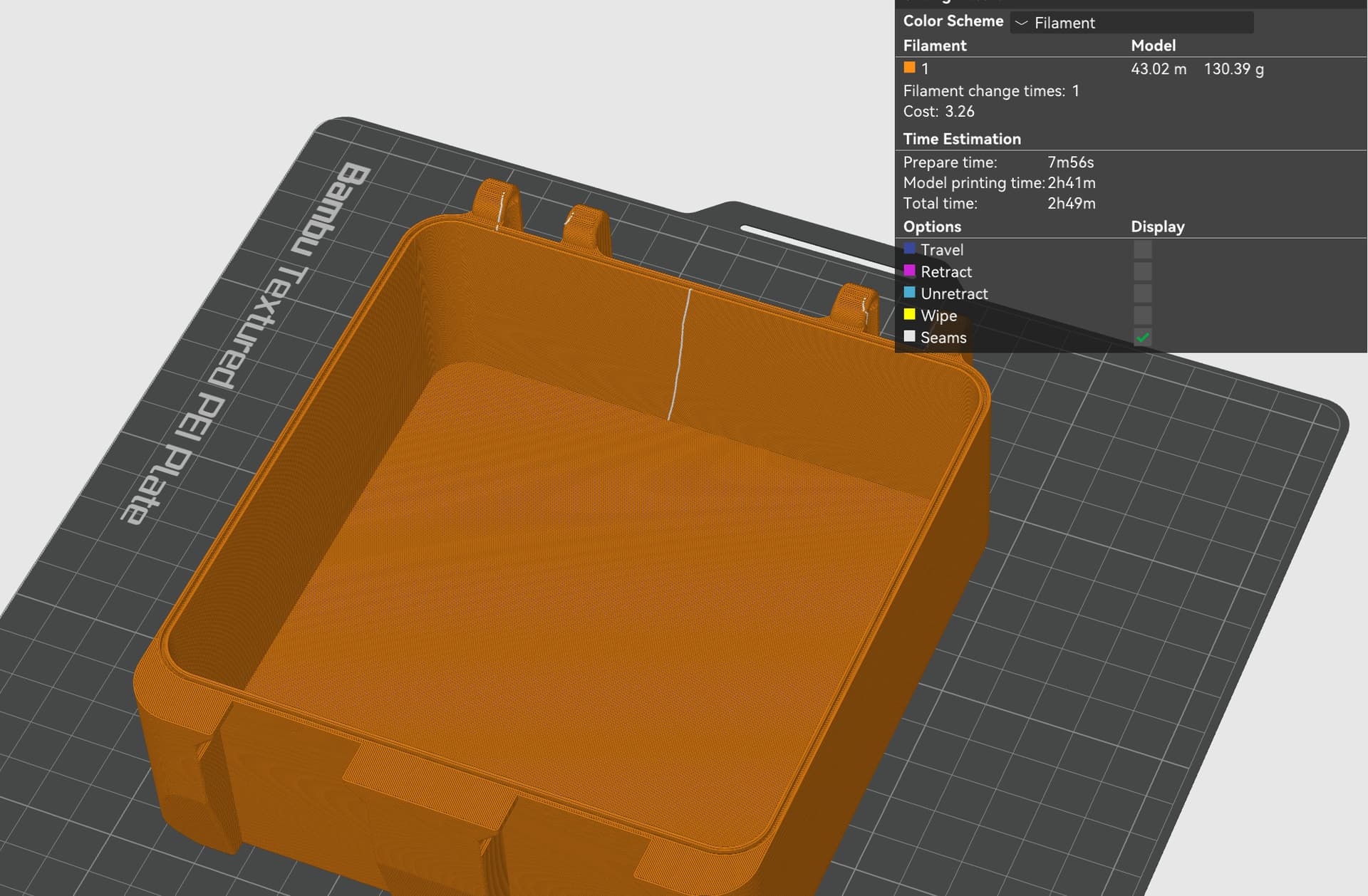
You can put the seam on the inside. Hence I added pictures from studio.
Have you gone through Bambu Academy Studio course? This section discusses seams: Sign In | Bambu Lab US
It also refers to the Wiki which goes more in depth. Seam settings | Bambu Lab Wiki
1 Like
I have not but that’s a great idea…
I keep trying to figure this out thinking Im missing something. your pic shows the seam on the outside. Its inside the box, but not inside the last wall, that only works with a hollow object ? you cant put the seam on the inside of the outside wall on a solid object can you?
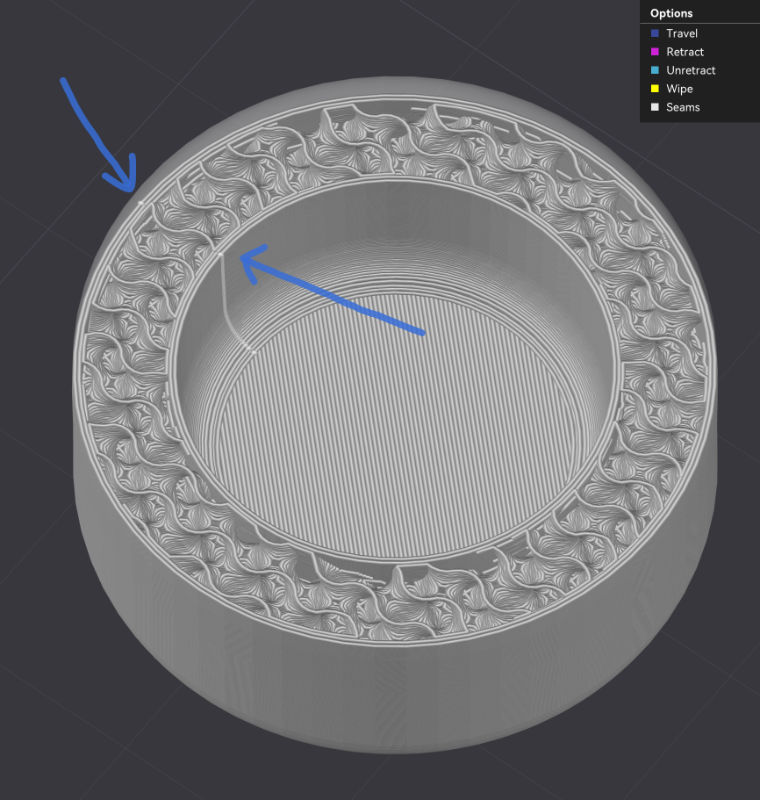
As I’m not sure everyone is on the same page here: An object like a bowl with some thickness have an outer and an inner wall (print sequence wise). Both of these will have a seam as the print head have to start and stop somewhere..
(We’ll try to have these at the least visible place)
2 Likes
It has a lot of information. Plus, if you complete all the courses, you get 100 points to use on Maker World.
1 Like
This is a great post as I was going to post the same. Even though I’m new to the 3-D printing arena, I’ve completed the courses through bambu Academy and I found each of them to be extremely helpful. Therefore, I believe I’ve had three good months of printing without any issues and yes, it does have a section on the seams and I’ve used it and it’s been very helpful. I share this experience every time.
Bambu recently posted this video which explains (in simple terms) your options with seams:
Bambu Studio Seam Control - Hide Seam Lines in your 3D Prints