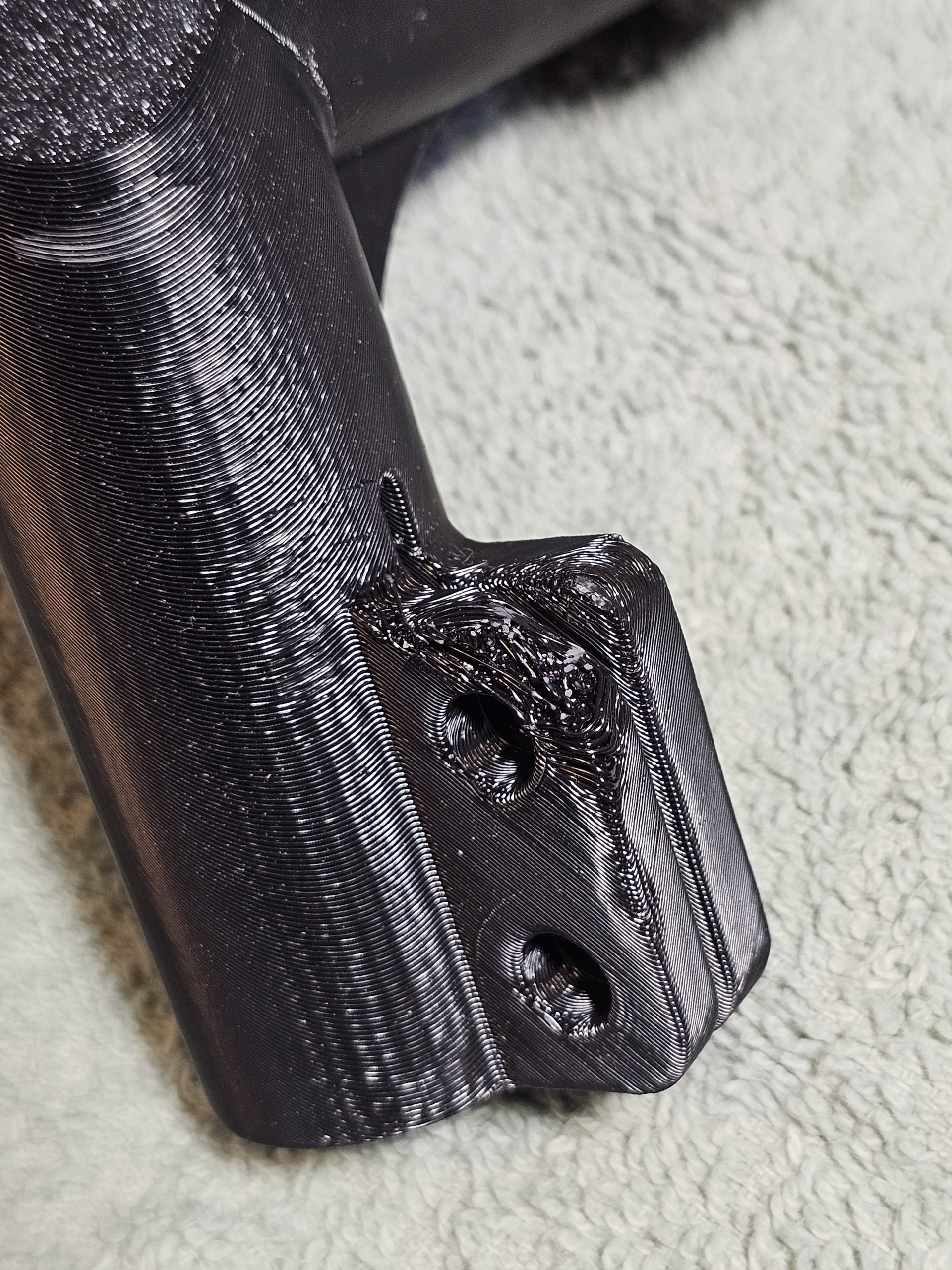
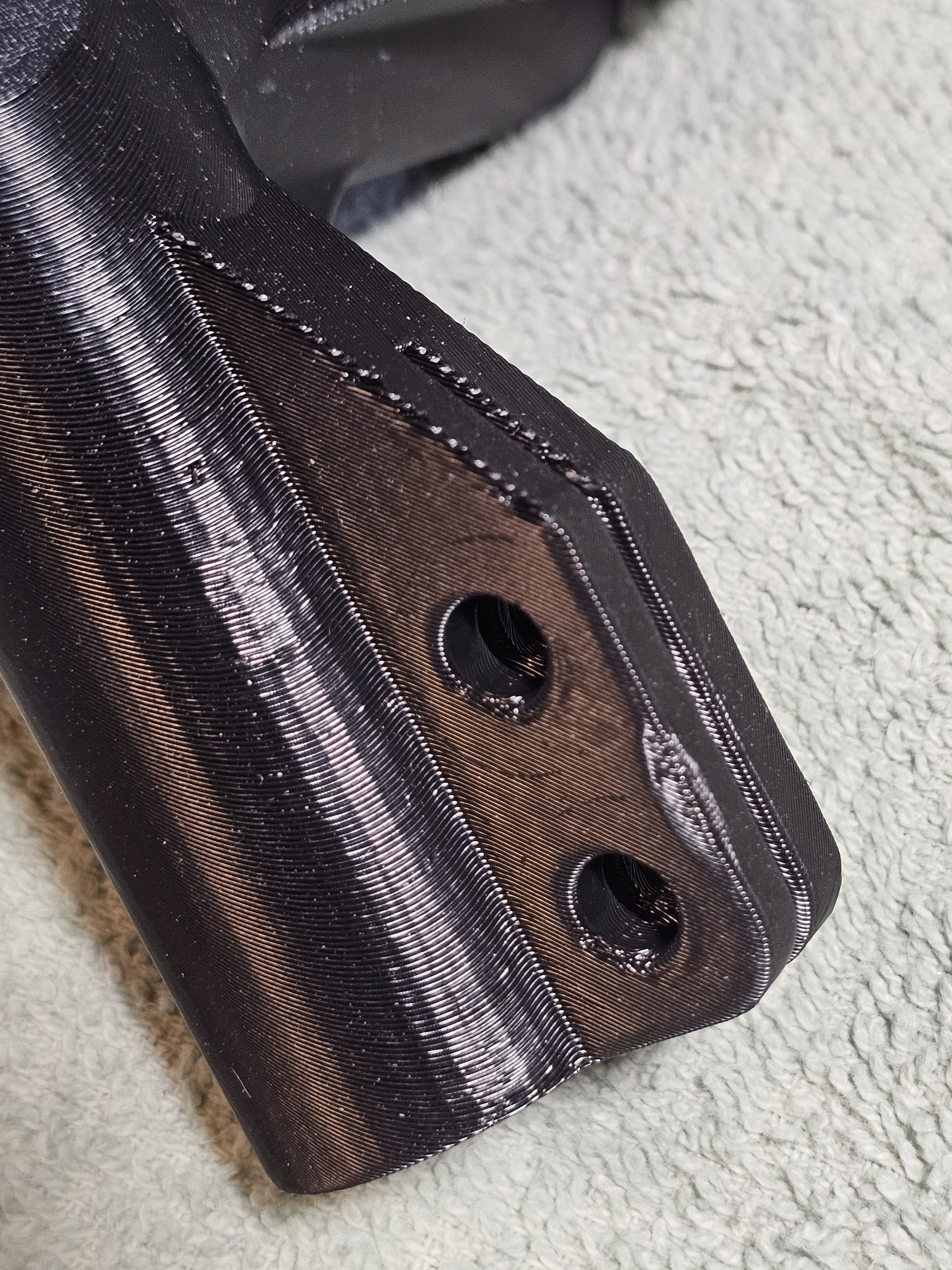
First off, does it make sense to post questions about issues with prints here? I’m using an X2D, but I don’t know that it’s a problem specific to that machine.
I’m printing a design I created in Fusion 360, trying to print in ASA, and trying to use modifiers to print 100% infill in 3 specific locations for “clamps”. I’m new to Bambu Studio, and new to the ASA material. In the past, I printed several functional parts on a CR-10S, using the Cura slicer with “infill blocks”, and this worked well (these were all with PLA).
Here’s the print in ASA. Briefly, this is a fitting to connect EMT tubing, and the tabs with the holes are to clamp the tubing tight. The corners of the “clamp tabs” are getting messed up. By the way, this is oriented on the build plate with the flat part, where the 3 legs meet, down on the plate.
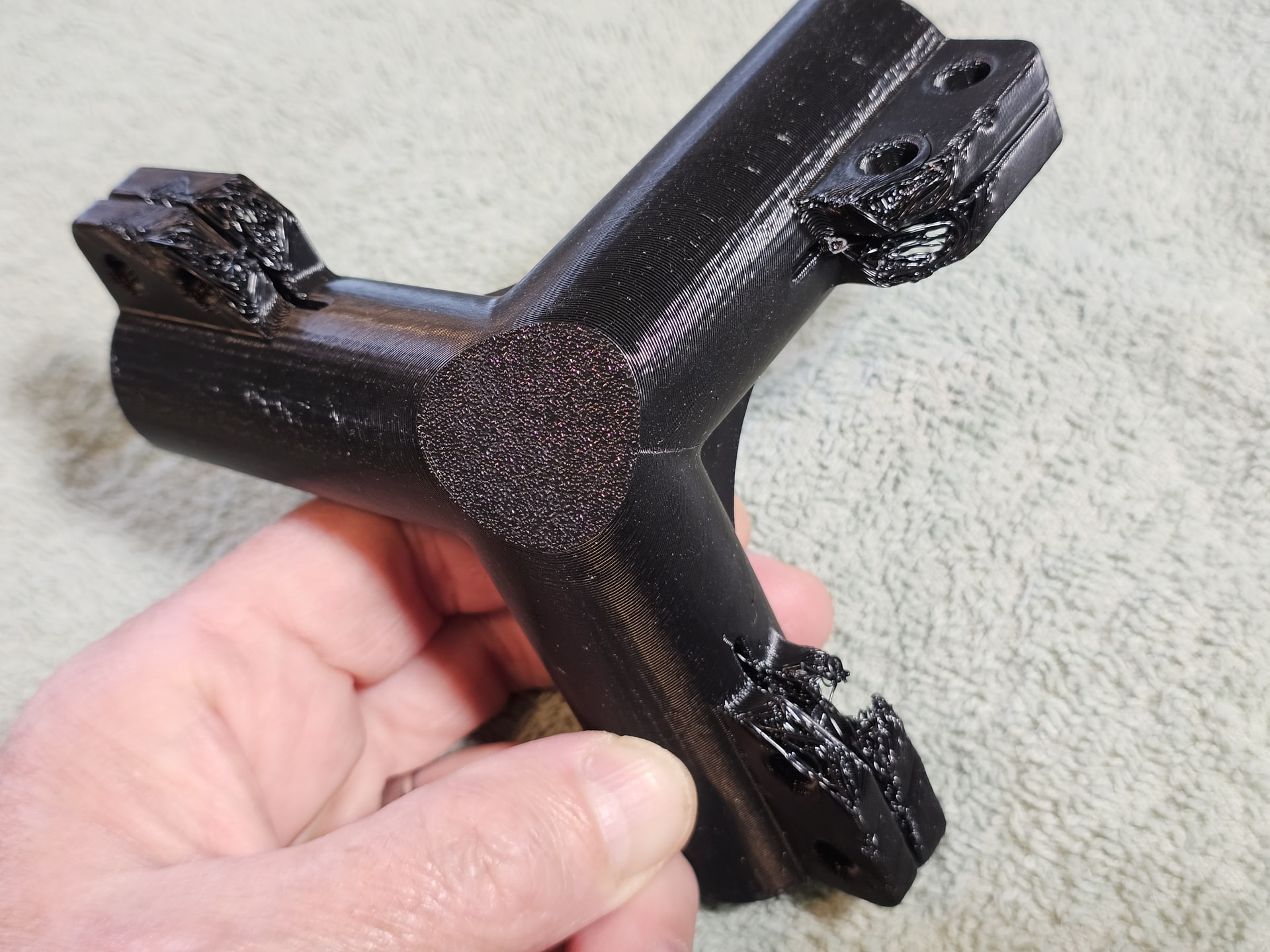
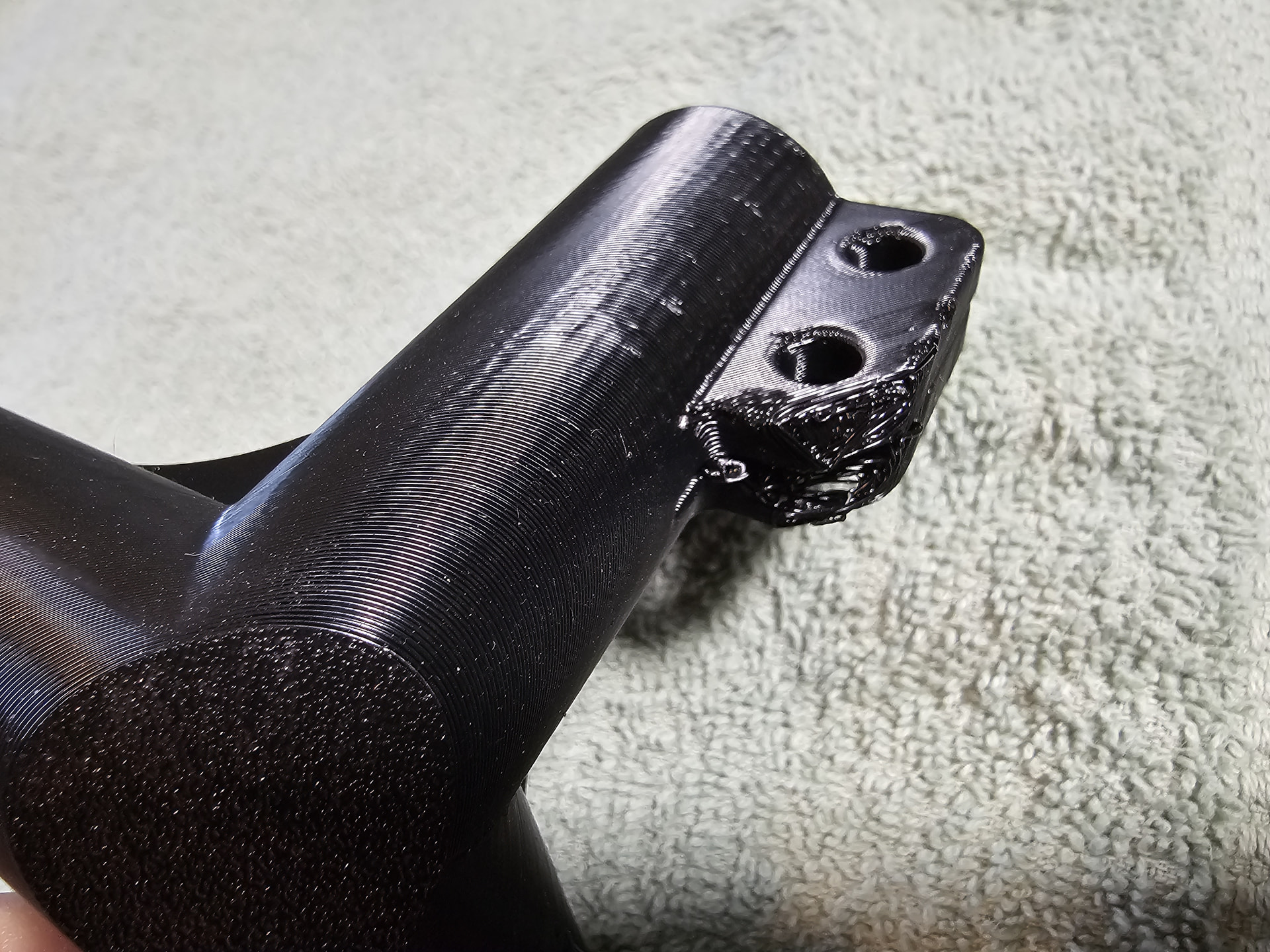
Here’s the same model, same 3MF file, the only difference being I selected black PLA from the AMS instead of the ASA. The problem is much less severe, but still there.
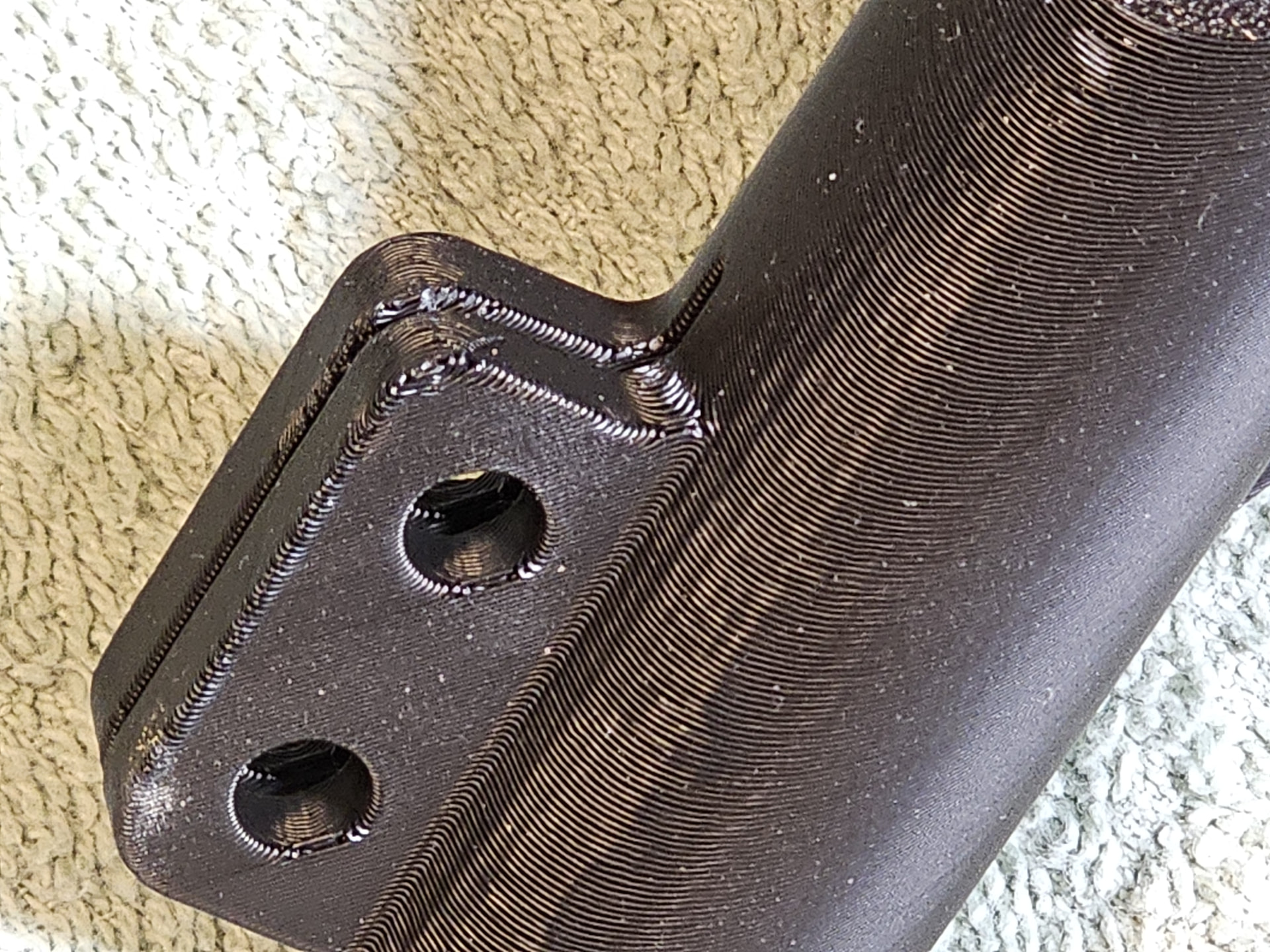
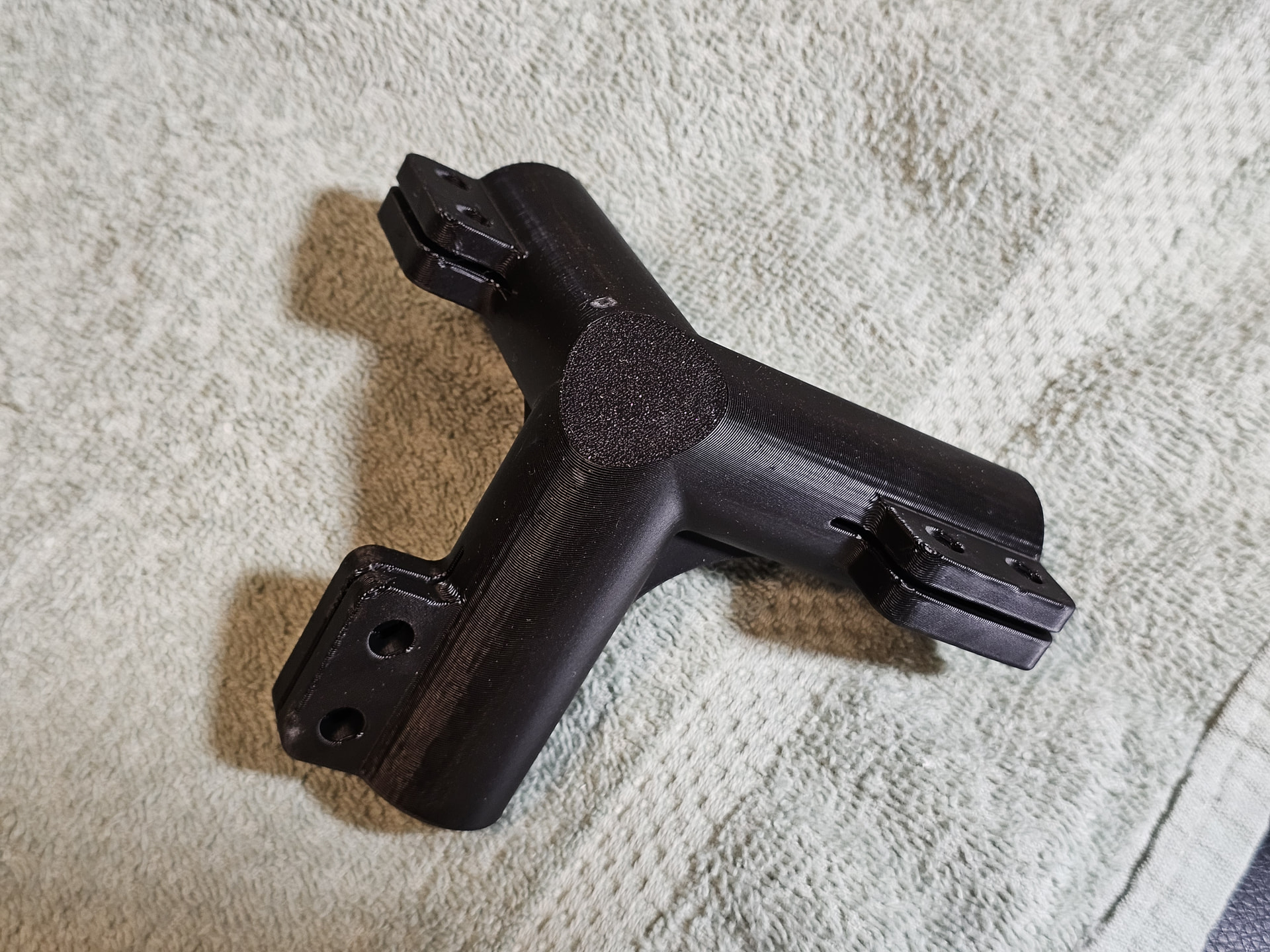
Before I printed the above in the photos, I got one perfect prototype print in PLA. That was done before I added modifier blocks in BS. So I think it may be related to that, but I’m clueless how it’s related, or what I can or should change about the modifiers to get it to print cleanly.
For troubleshooting prints, do you all usually include the 3mf model file? I can include that in a reply if that’s okay. I did not change much from the default profile - set to random seams; set “only one wall on top” to Not Applied; enabled support and set to “on build plate only” (although one of my attempts was without the On build plate only" setting); remove small overhangs = No.
Hoping I can get some ideas here on what’s happening.