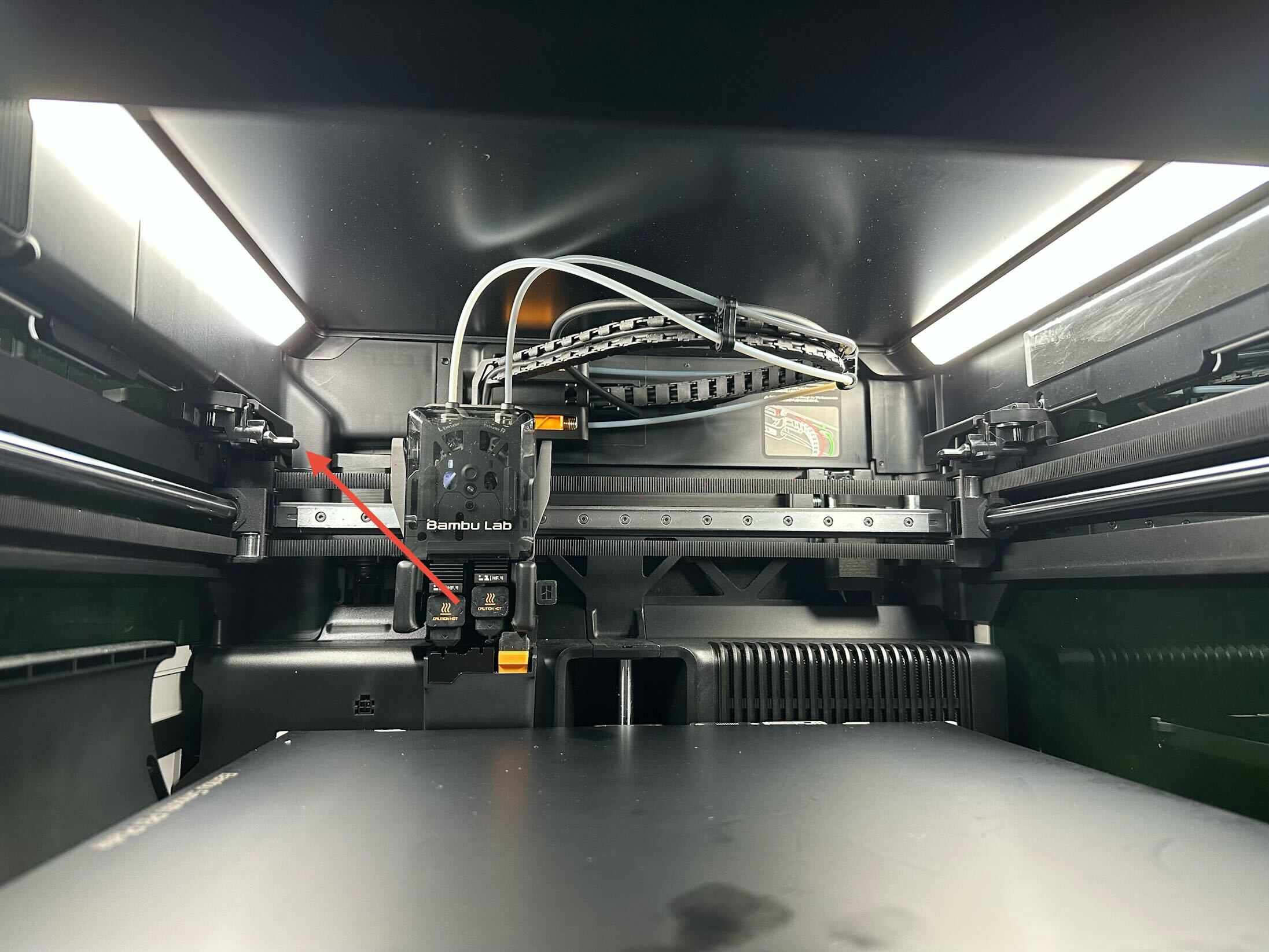
I don’t know if any of you experienced something similar, but somewhere around the last time I did a firmware update, my printhead isn’t aligning correctly with the purge bucket when using the left extruder and it creates weird chunk of plastic that sticks on the top of the purge bucket. Is there a way to adjust that?
Anyone knows if there’s a way to either calibrate that or reset the purge position for the left toolhead? The right toolhead doesn’t seem to have the same issue.
So, turns out that the right nozzle does the same thing, it’s wrongly offset to the left and extrudes on the top part of the purge bucket. I’ve been going through a multitude of steps trying to resolve this with tech support, but so far, nothing has worked.
I’ve seen people have this problem before but it was because they had something in the way of the print head so when the print head would home it would hit something and home at the wrong location. Are you sure the print head isn’t hitting something or there isn’t a plastic piece in the belts or something? Have you tried recalibrating the machine or reseting it? I’m guessing since you talked to support you probably already tried these things? I have definitely seen multiple people have this exact issue. For some they had the poop chute installed incorrectly and the print head was hitting wrong.
I can’t see it hit anything. I even sent a video of the whole homing process to their tech support and nobody reported that. I’ll definitely take a look though. They did make me check if the purge bucket is installed correctly (and it is) and if my hotends are installed correctly as well (both are installed correctly).
This started happening after I installed the laser upgrade. Everything else seems to be working correctly. Once it starts printing, everything is aligned correctly, even when it changes nozzles for a second color.
This is not a fault specific to your machine; it is an issue originating from Bambu Lab’s design. While the design could certainly be improved, it is a difficult problem to eliminate completely with the current architecture. Although I only own two Bambu Lab printers, neither of them is immune to occasionally dragging waste material onto the build plate, and both exhibit this behaviour from time to time.
False. While I can tell that you think I am relatively new to printing, I also own an X1C with 3,000ish hours on it. This wasn’t an issue with the X1C, and it wasn’t an issue with the H2C (125 hrs) prior to the update earlier today. Previous to this I had maybe 10 poops on my plate in 3,125 hours (zero on this machine). Today I have 6 and counting. The print is still going. I’ll continue to keep count for you.
Before I installed the laser upgrade, this was working perfectly. I have the impression that either something changed in the firmware, since I had to update the firmware after I installed the laser, or something skipped when the laser was installed, like the belt might have skipped a few teeth or something.
I got some 2.4.09.blah.blah.blah earlier today which is their second attempt at not destroying build plates and heat beds. It may have fixed that, but it’s shooting snot rockets all over my bed.
I love my H2C, but I’m annoyed. They have also broken the LIDAR ion my X1.
Nice that you seem to be the only person on the planet with a stock wiper that never drags purge waste onto the build plate – that is almost magical given how notoriously bad the X1C wiper design is.
I have not been that fortunate, so I had to modify the wiper myself to eliminate the problem in at least 99.98% of cases.
On my H2D, purge waste only ends up on the build plate with certain materials, typically lighter “Aero‑type” filaments.
I have been printing since the RepRap era, so I also have quite a few hours of hands‑on printing experience – although of course you must have far more expertise, given that your X1C’s stock wiper apparently works flawlessly.
I think I found the problem! When I installed the laser upgrade, I must have bumped something in there. One of the 2 plastic pins on each side of the printer that seem to lock in place when the printhead goes all the way to the back, like to park or to purge, was a bit offset compared to the other one.
There’s a gear in the back of that thing and it looked like it had skipped a tooth. I popped it back into its correct position and now the heads align correctly.