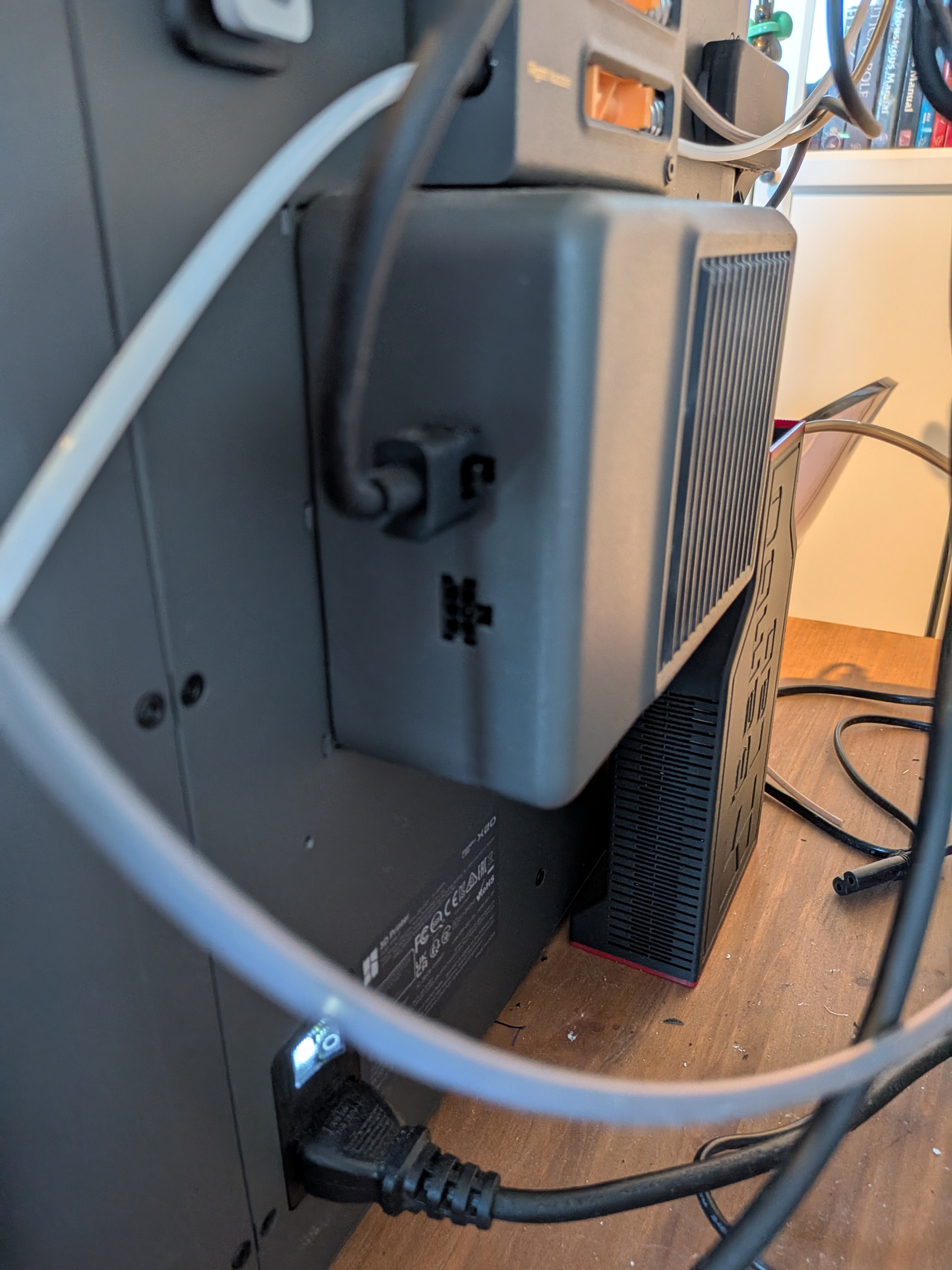
Well, I can’t find anything specific on the Auxillary fans extra port either. But if you want to add a second AMS, that is NOT the place to connect it.
From your picture, you aren’t set up to add a second AMS yet. Watch this YouTube vidio, then plan on changing the feeder to the appropriate model. If you bought your Z2D with an AMS 2 Pro, you might not have to do much at all. But I don’t see a dual infeed on yours.
My P2S came with a AMS 2 Pro, so it has the external spool holder and dual infeed. For me, I simply Poke the PTFE tube in the external spool position, and plug the cable into the feeder. No external fan on mine.
But to the best of my knowledge (which wouldn’t fill a thimble), no, you can’t connect an AMS to the aux port on the fan. It is probably there to plug in some other powered accessory.
No, I am not looking to add a second, I am looking to add a third, in addition to the already there TPU assist module, so there is a lot of cables that need daisy chaining.
AMs Pro 2 to the left nozzle, in addtion to an AMS HT to each nozzle.
And as google is giving conflicting answers, I was looking for someone that has a definite answer if the fan unit has functionality similar to AMS units in that regard.
My setup already have 4-1 adapter for AMS set up and all that jazz done.
My question is not how to add a second AMS, thats not hard.
Its wether or not I can use the port on the exhaust fan for daisy-chaining to make cable management tidier, as everything else with two ports can be used.
Well, since you already have so many AMS’s, why not just try one plugged into it?
And your first picture did not show the devider.
Good luck! Hopefully someone knows.
On the back of my AMS there is an open port (because my fan is internal) so when my second AMS arrives tomorrow it will only need to be connected there. I would think you could daisy chain from AMS #2 to feed AMS #3. I’ve seen setups with up to 4 AMS’s. So somebody has done it already.
Yes, you can go from AMS to AMS without issue, that’s no problem.
(The pic don’t show the feed ports it since it was irrelevant to what I was asking, I am only concerned with the data ports, hence the picture of those)
On the X2D (or a P2S with the exhaust add-on for that matter) one of those two ports are taken by the exhaust module that is in addition to the internal fan.
In addition the TPU module takes up one slot without being able to daisy chain.
That means that cable organisation is not as good as it could be, and some long stretches that could be better if one could simply connect to a daisy -chainable exhaust.
As for why I don’t just connect it?
I am not on the habit of connecting stuff where its not supposed to go, and that’s why I am asking here if anyone knows, I don’t know the pinout of the ports.
The odds are small it would damage anything, Bambu is fairly good at that, but I still prefer to ask the community before I go connecting things with no documentation.
It’s just a simple message bus. You can’t break anything by plugging stuff into the “wrong” port; the occasional note about having to plug certain things into certain ports is mostly related to resulting total cable (and thus bus) lengths.
I’ve been running an AMS HT off the exhaust fan, with an additional AMS 2 Pro connected to the AMS HT. Works just fine.