If you haven’t come across it, BLLED is DutchDevelop’s ESP32 controller that drives an LED strip in your printer’s chamber and changes color with the printer’s status — printing, paused, error, finished, that sort of thing.
I’ve been running one on my X1C for ages but wanted it to work a bit differently in a few places. I ended up reworking the firmware pretty heavily, so I’m putting it out there in case it’s useful to anyone else. It’s called ReBLLED (“rebelled”), it runs on the same BLLED hardware, and it’s built on DutchDevelop’s BLLEDController 2.3.0 — same license, credit where it’s due.
What’s different:
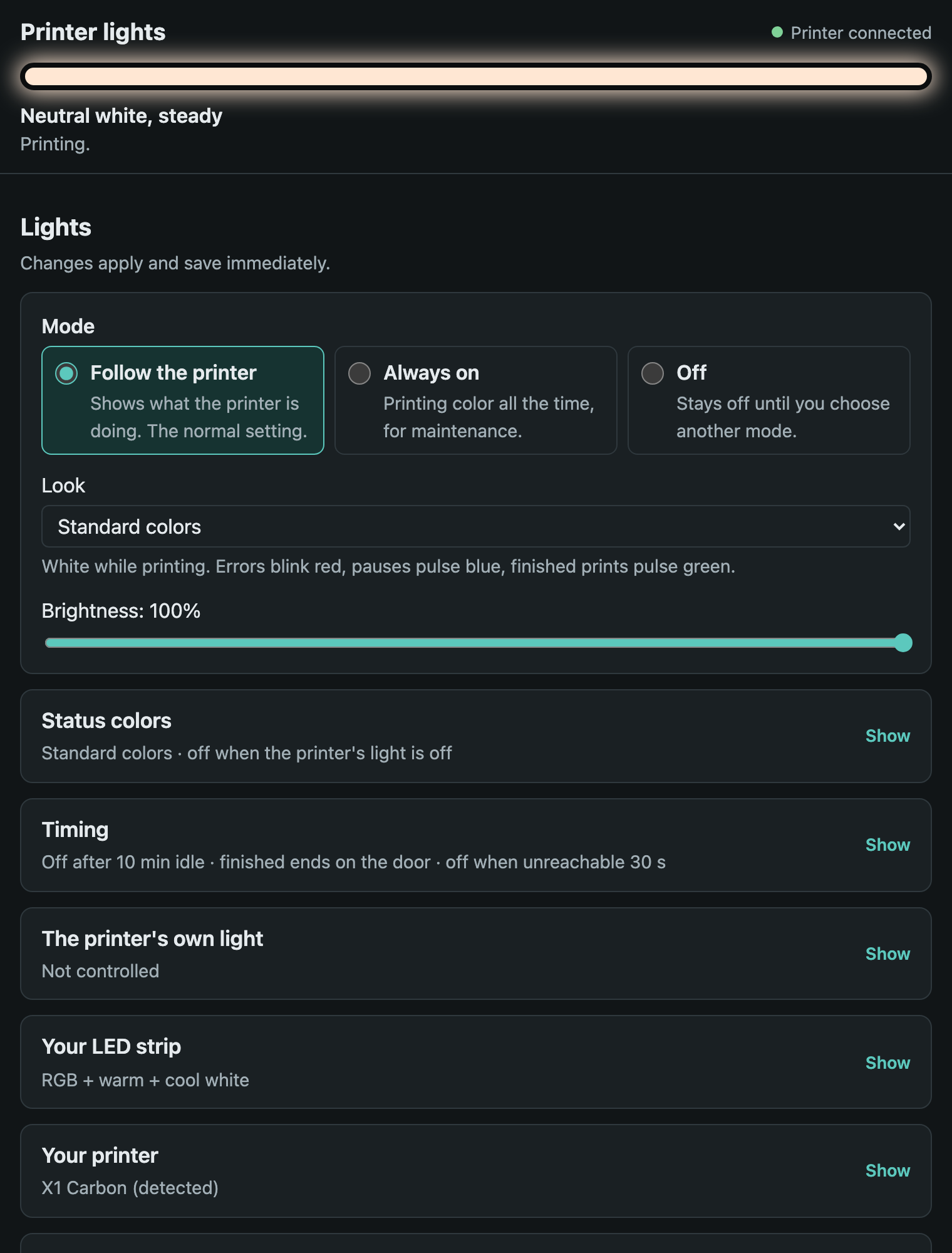
- New setup page — essentials first, autosave, a short first-run setup, and a status line that tells you why the strip is showing what it’s showing. Works on a phone, in dark mode, and with a keyboard/screen reader.
- Simpler LED logic — one set of rules, per-step and per-error colors with previews, and the strip stays lit for nozzle cleaning and bed leveling (so the camera doesn’t set its exposure in the dark) but goes off for the lidar steps.
- No hidden gestures — the door quick-toggle is gone; each thing that touches the printer’s own light is its own setting.
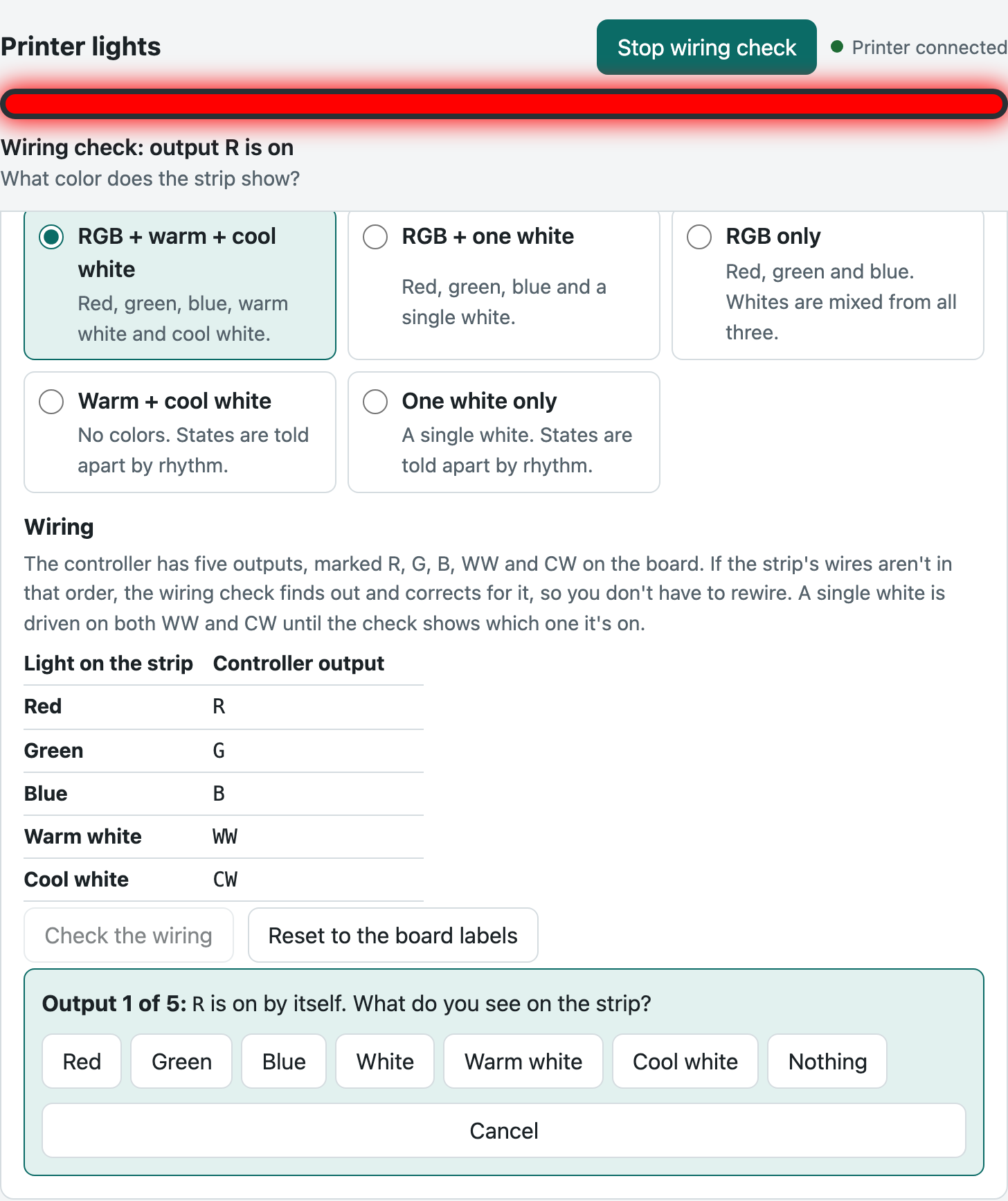
- Strip types + wiring check — RGB+WW+CW, RGB+W, RGB, WW+CW, W, and swapped wires can be fixed in software.
- Security — while working on this I found some holes in 2.3.0’s web UI (the login didn’t actually protect everything). I reported them and the fixes are already merged into BLLEDController’s main branch. ReBLLED also only sends your access code to a printer with a genuine Bambu certificate for its serial.
What it looks like (examples from a test setup — the page follows your device’s light or dark mode; more in the README):
Installing over BLLED: Download a config backup first, then upload ReBLLED_V1.0.0.bin.ota on the firmware update page. Wi-Fi, printer and login carry over, and LED settings are converted. Going back is just uploading a BLLED .ota and restoring your backup.
Hubitat folks: There’s a companion driver that shows what the strip is doing and why, printer status, door and chamber light on your hub, and lets you switch the strip and set brightness — handy for “strip on with the shop lights” or “announce when a print finishes” rules. Install it through Hubitat Package Manager (search “ReBLLED”) or import the driver code from GitHub; details in the Hubitat community thread.
I’ve only tested it on an X1C, so if you try it on another model I’d love to hear how it goes, good or bad. Issues on GitHub are the best place.
(Not made or endorsed by DutchDevelop or Bambu Lab.)