I keep seeing posts about under extrusion where people spend hours tweaking settings, checking hardware, replacing nozzles, or looking for slicer issues. Sometimes the problem really is that complicated. But a lot of the time, the filament simply hasn’t been calibrated.
Under extrusion is easy to spot on top surfaces because it leaves visible gaps. On taller prints it’s even worse, because every slightly under extruded layer stacks on top of the previous one. The print may still finish, but surface quality and layer adhesion can both suffer.
When people say they have already tried “lots of settings”, I often wonder whether they actually calibrated the filament they’re using. Trying different settings is one thing, but creating a proper filament profile is another.
I learned this myself when I first started printing with PETG HF:
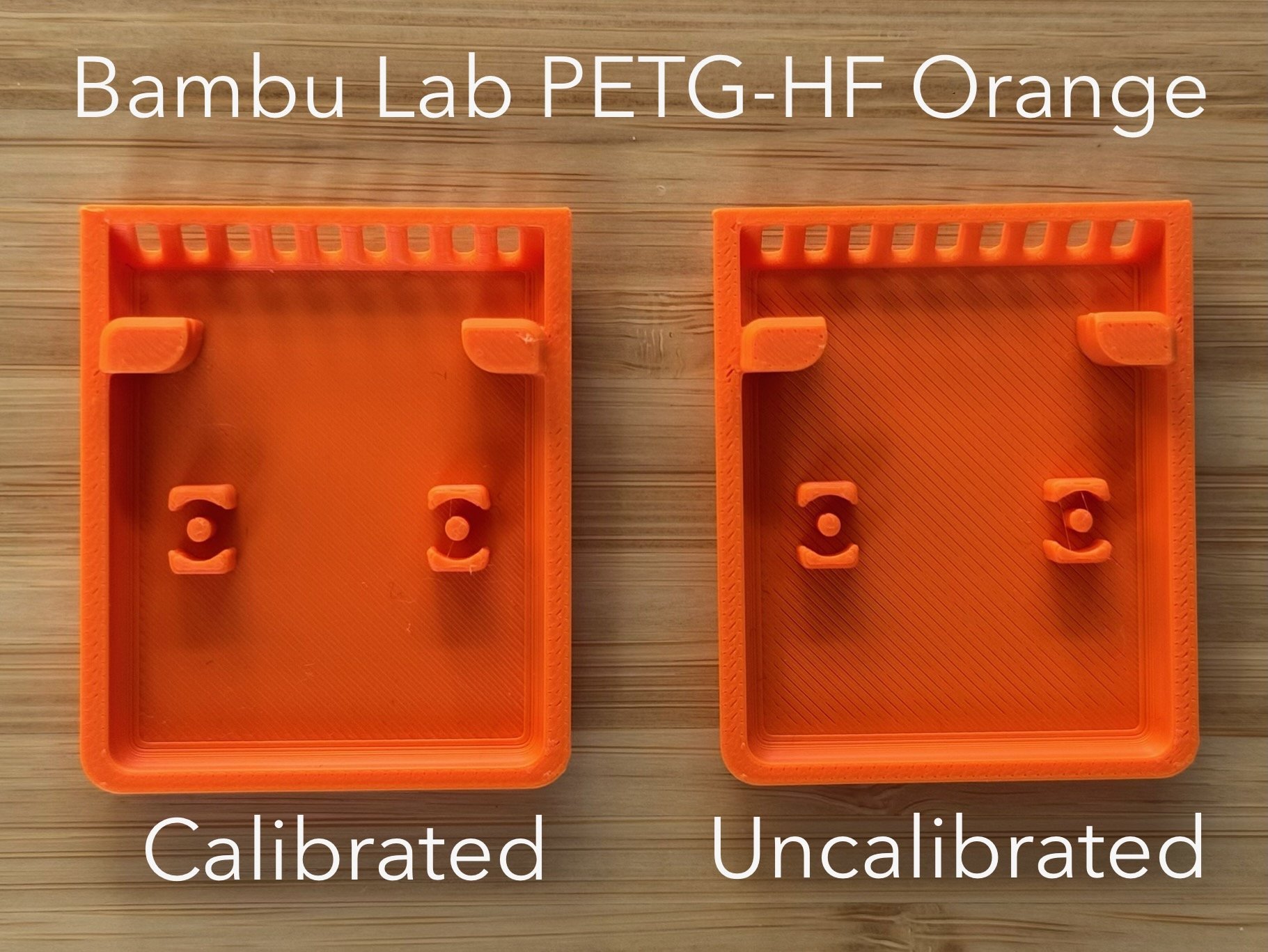

Both prints were the exact same model made with the same material. The only difference was that one profile had been calibrated and the other had not. The difference was noticeable right away.
For anyone troubleshooting gaps, rough top surfaces, inconsistent walls, or other signs of under extrusion, I would start with these two calibrations before going down any rabbit holes.
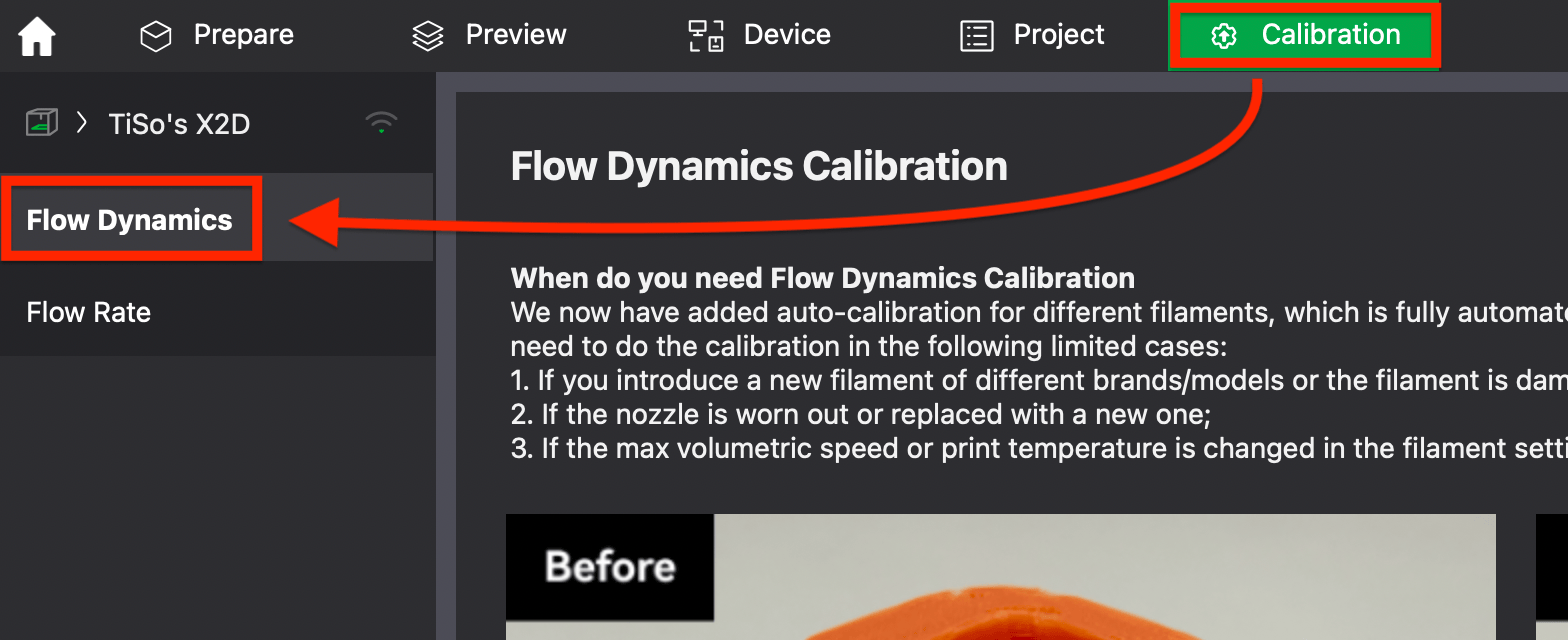
Flow Dynamics Calibration - official Wiki guide here.
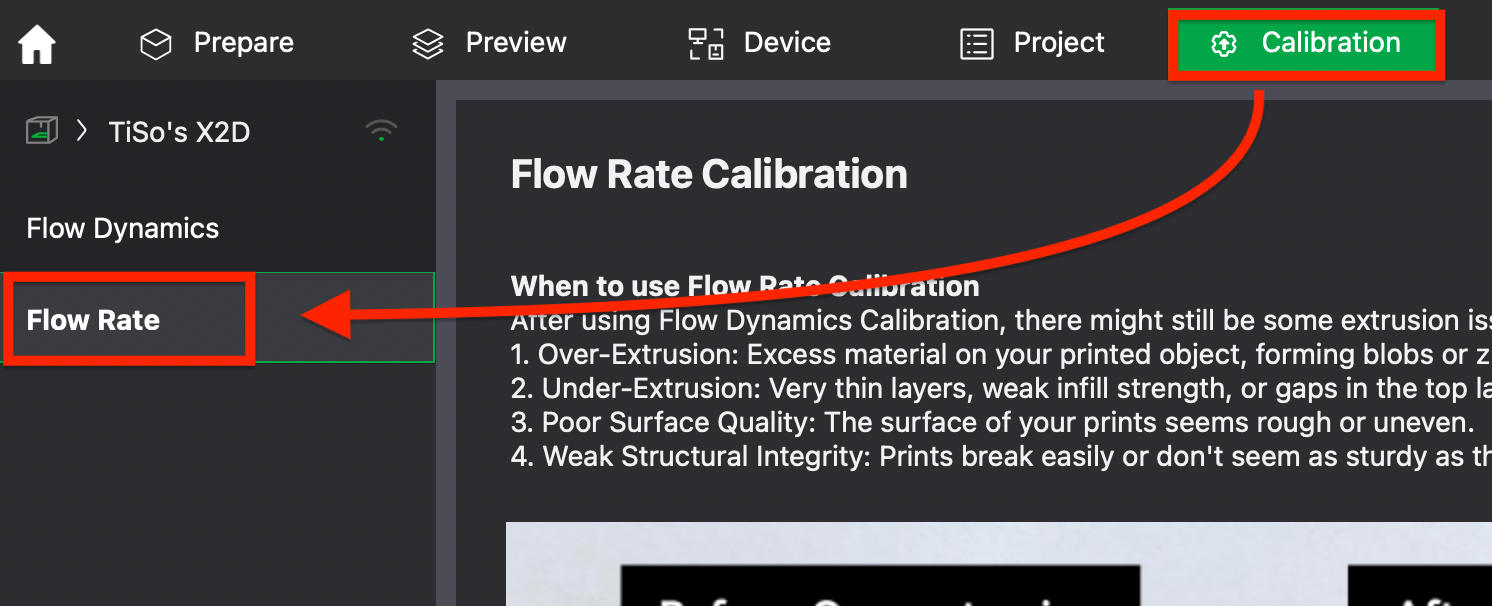
Flow Rate Calibration - official Wiki guide here.
These two are obviously just the tip of the iceberg when it comes to calibration, but they only take a few minutes and can make a much bigger difference than most people expect.
Believe me, I know calibration isn’t the most exciting part of 3D printing. Most of us would rather load a spool and start printing. But whenever I try a new filament type or brand, spending those few minutes up front usually saves me a lot more time later.
If you want to go even further, you can enable the Developer Options in Bambu Studio’s settings and unlock additional tools and tests for calibration:

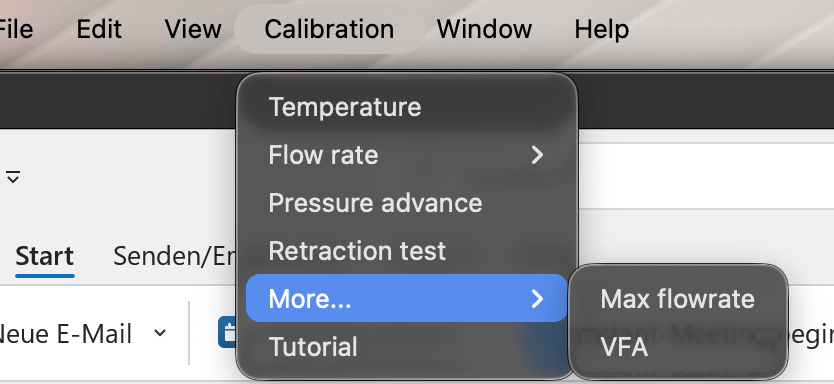
I’ll admit that I haven’t really explored those myself yet. Maybe that should be my next rabbit hole. In my experience, a surprising number of print quality issues disappear once the filament profile is actually dialed in.
