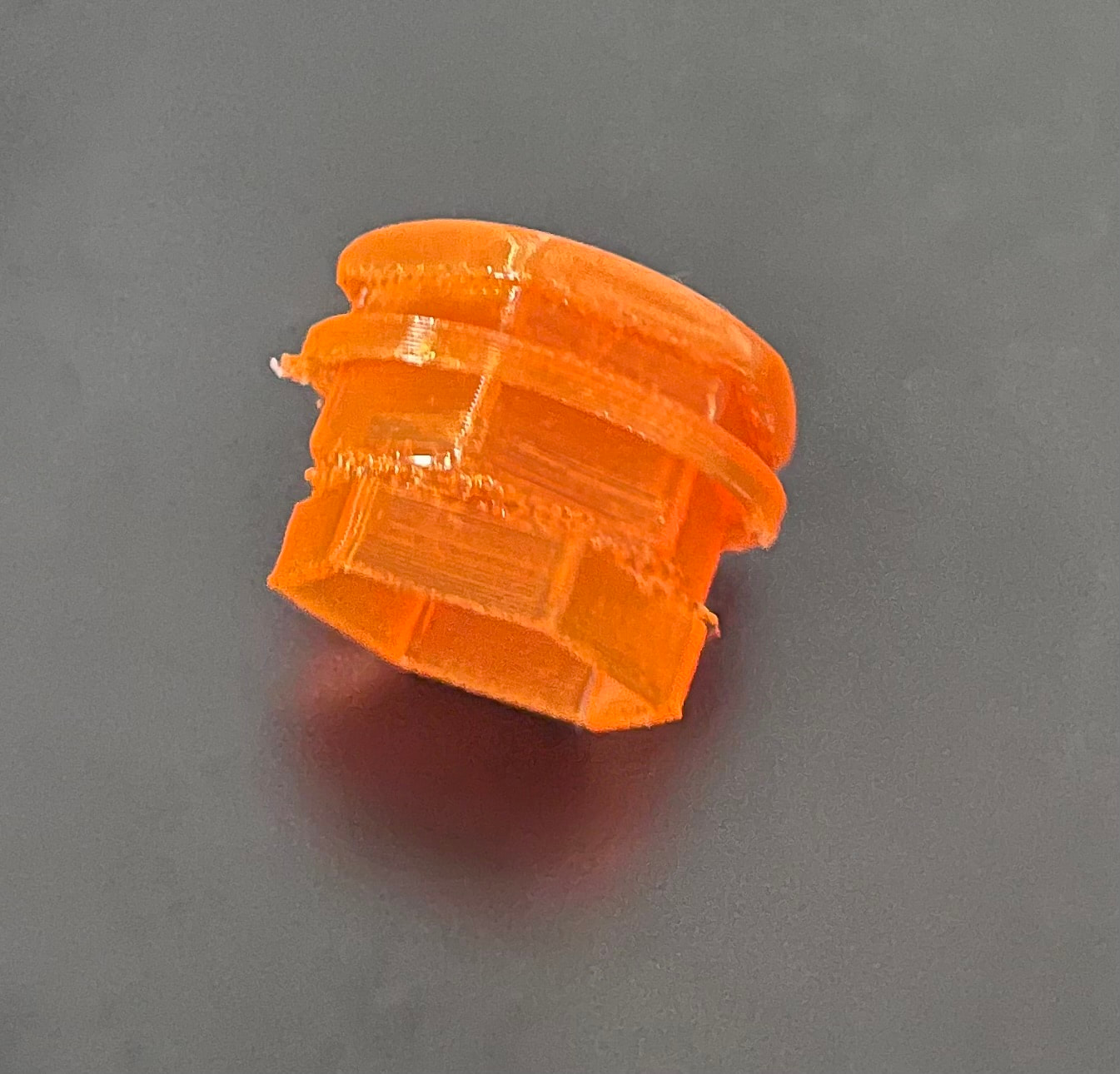
Does anyone have any idea what might be causing this sort of layer rotation issue?
The print is meant to be a hollow hexagon with a cap on it, but for some reason it reaches a height and the layer rotates by approx 30degrees and prints the rest of the item with that new orientation. I’ve tried three prints and its happened at three different heights.
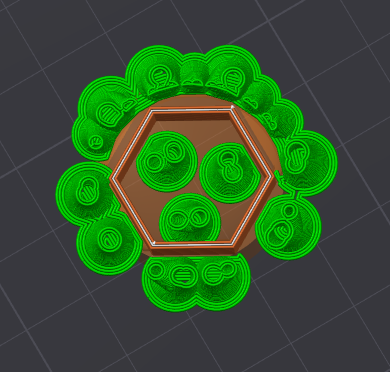
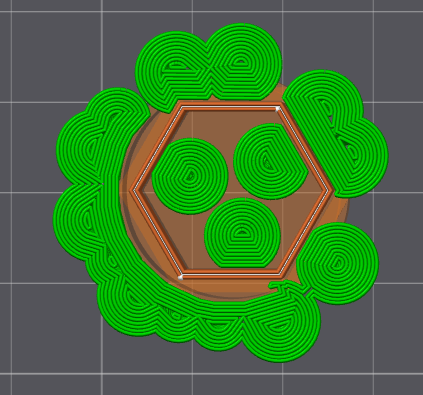
The tree supports the model prints with to support the cap don’t seem affected.
The model doesn’t have a rotation in it, nor does one appear in the slicer preview.
This is pretty cool. What’s the print orientation and is there support inside? I wonder if it’s just coming loose from the print bed and rotating a little as the extruder drags the melt around then maybe catches on the support and stops turning for the rest of the print?
Without support, if it comes loose it would be an obvious fail but if there is support inside it may spin some around it?
If that’s right, maybe glue, or brim, or higher bed temp or a combination of those?
It prints with the hexagon section attached to the plate and builds up to the cap.
The supports are inside and out, and in many cases are up against the flat edges - which is much the same a brim would achieve. Images show what they look like around the height in the previous pic, and from below the bedplate.
Good shout that it could be coming loose, rotating, and then being pinned inplace again - guess I’ll be watching a bit closer next time. At least it’s not a long print.
It’s the only scenario I could come up with since it slices ok but then the print seems rotated part way through. Please let us know what you find. It’s a puzzle.