Hey all!
I’ve been trying to print with some PLA Silk on my A1 and for some reason, I keep getting rough top layers/surfaces and artifacts start to appear. At first I thought it was too little support underneath the top layer or too little layers, but I’ve tried configuring the number of top layers as well as top layer thickness and that has not helped at all. The result is below, which you can see it starting to form along the edges
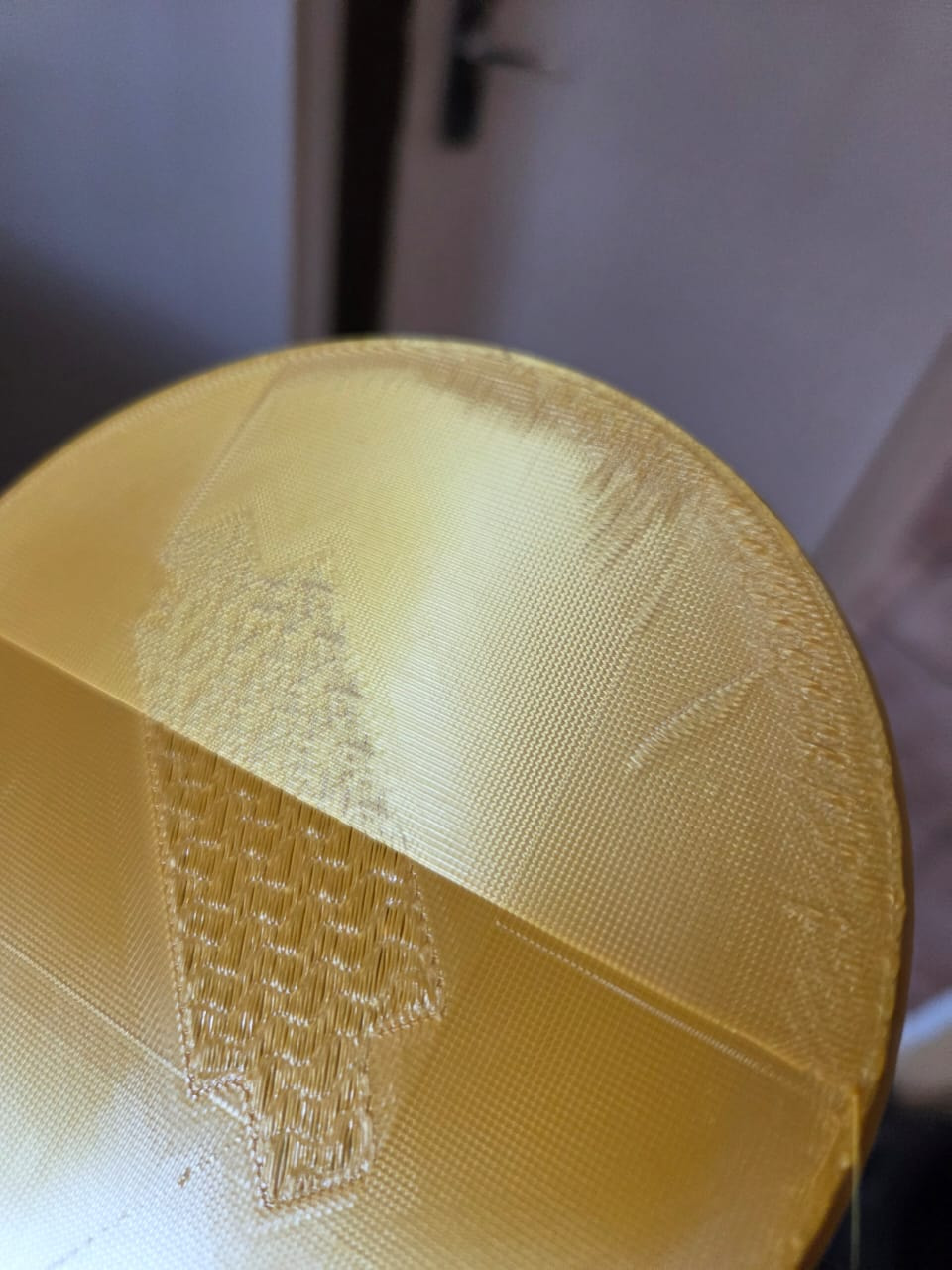
However, what I did do is slice the print so that I only print the top layer and a couple layers before that and what I did notice is that if I do that, I get the following result
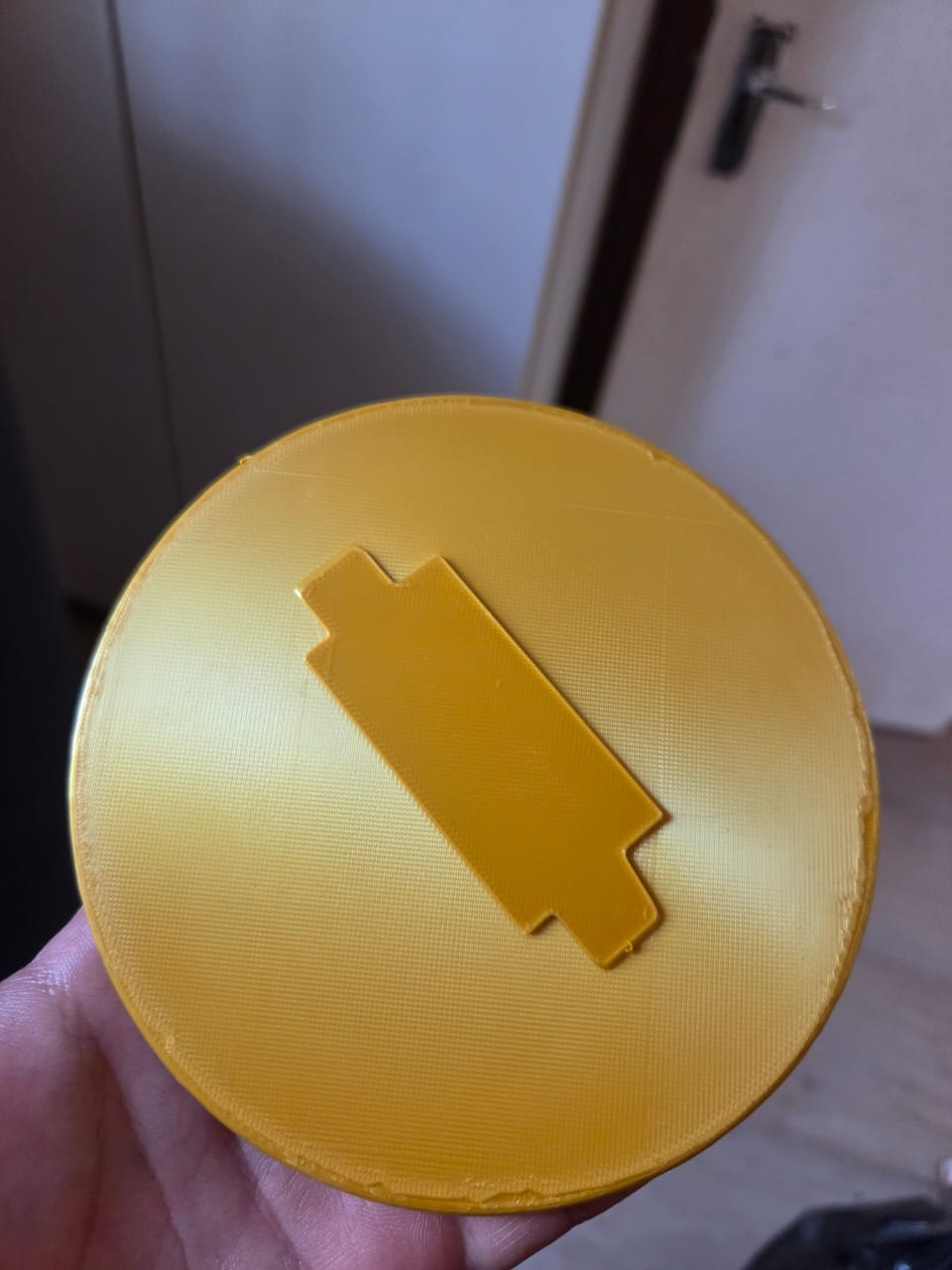
Which looks to be a lot cleaner and more slick. The only difference I can see between the two is that the first had sparse infill (gyroid 15%) and the second one had no sparse infill due to how thin it was and was essentially 100%, but I can’t now print the part with 100% infill, else it’ll use way too much filament. I have also tried to see if fan speed/cooling was causing this too happen (in that the fan speed was too low and that the filament was still too hot), but this didn’t help either.
P.S. I tried this exact print on a Creality Ender 5 Max and it get’s the top layer right, however, I need it printed on the A1 for other reasons, as I find it tends to not string as much.
Not too sure if anyone else has any tips or advice? I know there are other forums, but figured I could start up something new as the others looked to be very old and outdated.
