Very frustrating try to only search for a particular artist/creators models. Online information is a couple of years old and outdated because the software has changed and does not apply any longer.
Is there a way and I just haven’t found it yet? For instance if I find a genre I like, and within that genre I find a couple of artist or creators I like, how can I isolate them to find only what they have to offer w/o going down through the whole section?
Not real sure i understand, but you can click on a creators name and go to their page, and if you know their name you can search for it.
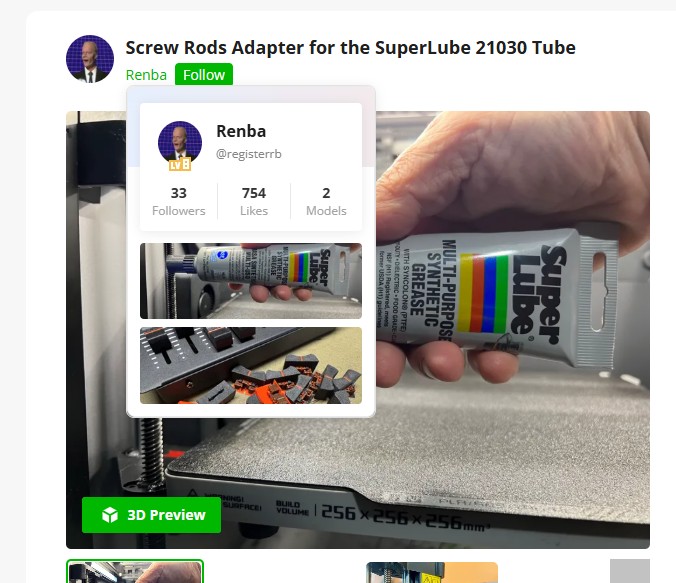
I assume that’s what the “Follow” button is for under the artists name when you’re looking at a particular model page. The artist then shows up on the page you get when you click on the “Following” menu item.
Ok I figured out how to add and follow/access a particular creator I like on my phone. You have go to the “ME” icon and there it shows you anyone you have saved. Great. You click on them hit 3d and you have access to Their whole library of work. So far so good
However I do my printing from my desktop computer and in Bambu Studio I do not see a way to access the creator’s library.
There doesn’t seem to be any link to access that from a computer. When I click on any of a creators prints I can’t seem to find any link. There is not an option labeled “Me” through the app on my computer.
How do I get the same option on my computer that I get on my phone?
Mouse over their name and you get a pop up either click on the Green name or the name in the pop up