I’m not really a NOOB, but I must be doing something wrong, because I always end up in a fix when printing from Bambu Studio (Note: I don’t have an AMS).
I made custom filament profiles for all my filaments, as can be seen here:
I have green ABS, blue and white PETG, etc. –and I thought I could click on them to select them!
Now, how do I tell Bambu Studio that I want my model to be printed with filiment #3 White PETG?
Because you see here it’s still trying to do it in green ABS even though I keep selecting it in the Prepare tab…
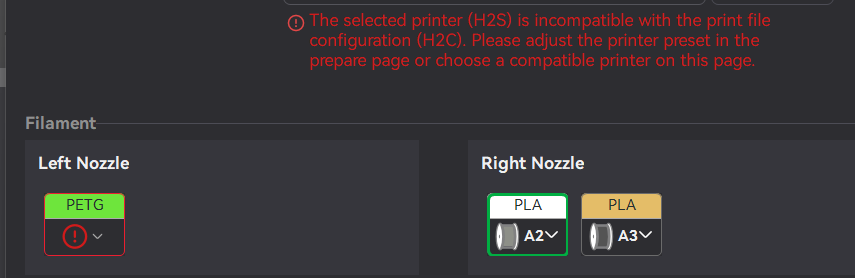
Furthermore often when I go to print, it tells me I have the wrong filament in my printer and says I must “select from the following filament” – and only one is available! Green ABS on EXT…
That’s helpful, thanks. I have minused all the other ones, so there is only one now.
I feel like Bambu Lab has forgotten about people who don’t use an AMS.
The thing I don’t understand is, why do I then have to select the filament again on the Device tab? Why does the Device tab even care? I am using the External spool - I have no AMS, why does the program assume it knows what is on my spool holder?? It has no way of detecting what is on the external spool so it should just say External spool and be done with it.
And, on the Device tab, it only gives me the original filament choices –I cannot see any of my profiles that I calibrated. So I select CustomCalibratedPETG on the Prepare tab and then, on the Device tab, I just have to select PETG Basic anyway. –What is the point?
Yes the external spool thing can get ya last second. Also sometimes when you change a filament color, the model won’t change color on the bed… had that issue a few times.
If you want to select the custom filament on your device tab instead of seeing “generic pla” etcetera, you need to create a full custom filament, then you can select the custom filament on the device screen. If you make a custom filament on the home page, that won’t show in the device menu.
Essentially there is only two , the printer and bambu studio , wait till you get a model with more than one ams set of colours , (16) then you can use either of the options above, which ever you are most comfortable with .
The Prepare and Device tabs are independent and might as well be in separate programs.
In Prepare, you are only telling the slicer what to put in the G-code. You could easily prepare a 16-color print for an H2D while your P1S is printing a monochrome Benchy.
The Device tab has the printer controls and displays the current status.
You specify the filament you wish to use in Prepare so that the correct G-code is generated.
You manually specify the filament actually loaded from the printer display or on the Device tab. When a print starts, the G-code is compared to the loaded filament type to verify that the material matches. Executing PLA G-code when the printer is loaded with ABS is a very bad idea, so that would generate an error.
An AMS can automate this a bit by reading the RFIDs on Bambu filament spools and syncing with the Prepare tab. Non-Bambu filament lacks an RFID identifier, and the external spool holder does not have an RFID reader, so you must manually update the filament type on the printer or Device tab. Inputting color is not required.
Yeah but that’s so it can chop and change colours. But if I don’t have an AMS then, it doesn’t need to know what filament is loaded -we’ve already put all the settings into prepare and library and the G-code is written upon slicing. No need to ask me which filament is in the external spool - it’s just confusing. But anyway, thanks for clearing it up a bit.
Hi. Im new to printing and I delete all , so I have one filament but I have them saved as Custom and named so I can select from the drop down. Not sure if its correct but it works.
Id like to change the filament on the spool holder , the name, I have changed the filament but I cant see how to change it in studio. It works fine but Id like to assign correct name. The spool is added in filaments tab. I have no AMS. Thanks



 if were all on the same page .