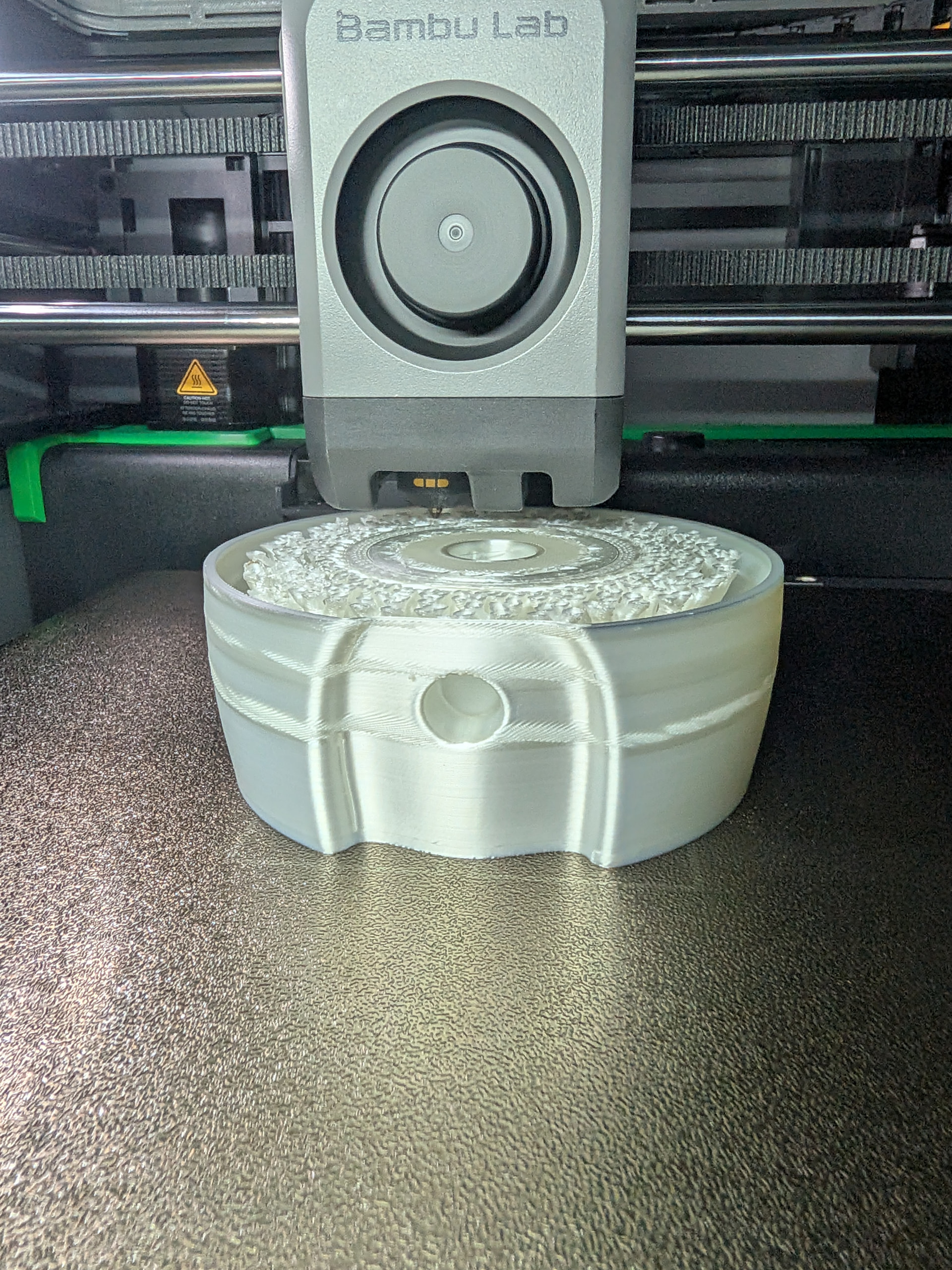
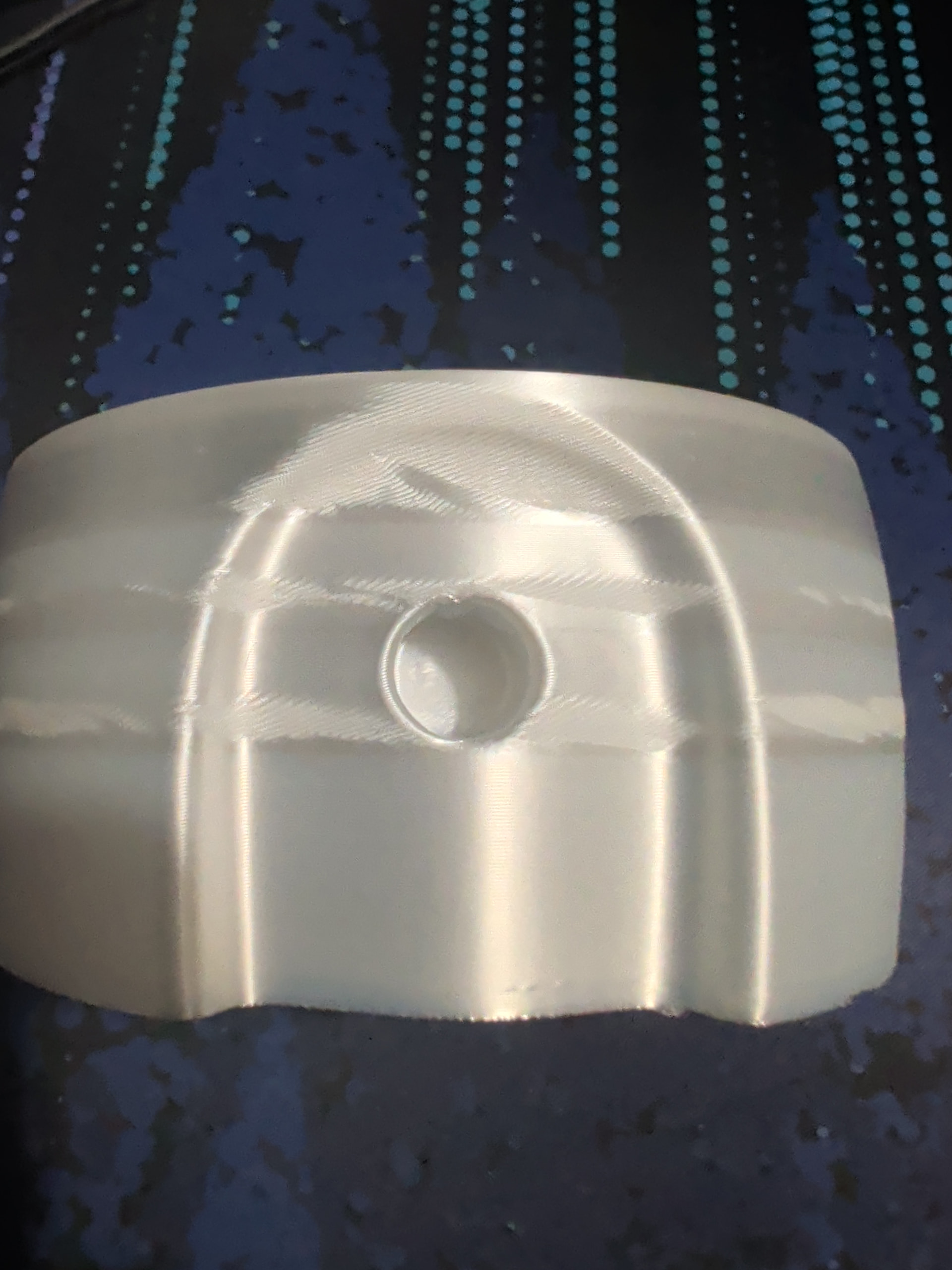
I’ve tried to print the objects on plate 2 of THIS Maker world model a couple of times, and on both attempts I get these strange layers/patches where the surface of the model becomes rough or has a different kind of sheen to it.
I am printing in BambuLab PLA Silk+, and I know the model was meant for normal PLA, so wonder if there are some settings I would need to tweak to accommodate the silk filament?
I had read one possibility was varying cooling rates, and I do have a fan deflector installed in my P2S, so wrote that off as a cause.
Any recommendations of possible cause are greatly appreciated.
I could be wrong (and haven’t done the research to prove myself one way or another) but if I recall correctly temperature affects the lustre of silk filament. Perhaps the speed difference in the overhangs and such are made even more evident due to the use of silk?
That pattern is typical for silk: the gloss depends on how hot and how fast the plastic is laid down, so every speed change shows up as a band with a different sheen. A model sliced for regular PLA slows down on overhangs and small features, and exactly those layers look rough or matte.
What helps:
Set the outer wall to one fixed, moderate speed (somewhere around 60 to 100 mm/s) and reduce acceleration, so the outer wall is printed at a constant pace.
Print a bit hotter than regular PLA and with less part cooling, so the layers fuse and stay glossy. A small temperature tower is worth it with silk, 5 °C makes a visible difference.
Finer layers (0.12 to 0.16 mm) hide the remaining differences.
Put the seam at the back or on an edge, a random seam looks like pimples on silk.
Flat slopes will always show steps on silk, vertical and curved walls are much more forgiving.