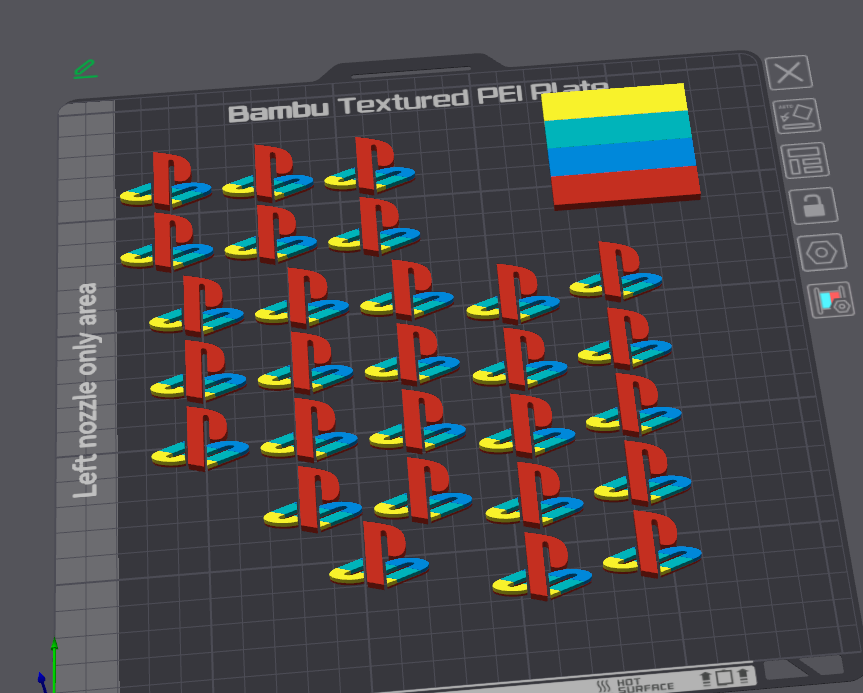
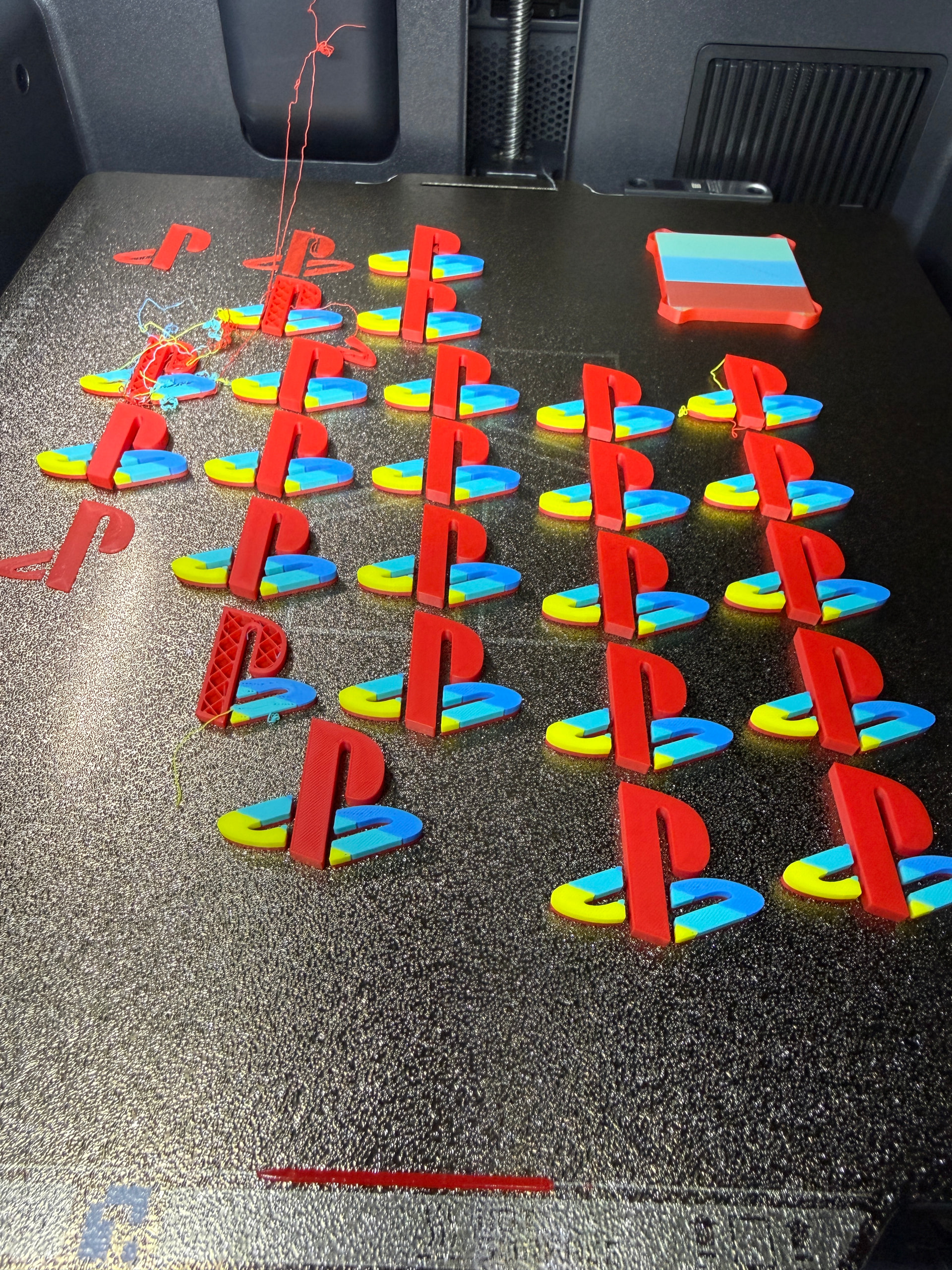
The geometry of these prints is very basic and so I presume the cause of these failures is due to small amounts of filament from the nozzle colliding with the printed parts, dislodging them from the print bed and causing a domino effect of failures. Thankfully, on this occasion, I was nearby to skip any prints that had failed.
My first instinct was to invest in a new print plate as the default textured PEI plate is not ideal for these kinds of prints, however Bambu Lab seem to have discontinued the smooth plate for the X2D and replaced it with an engineering plate, which seems overkill for my simple PLA prints and requires considerably more maintenance than most other plates, in the form of repeated liquid glue application.
Therefore I’m hoping that there is an alternative solution, perhaps some speed or filament retraction settings I can change to minimize failures and I was wondering if anyone had any advice please or a slicer preset they would recommend for this kind of print job?
I normally run these prints overnight so I’m more than happy to sacrifice time in order to minimize print failures.
Hi Jake, some thoughts on the matter, in no particular order…
If that’s grid style infill, it is known to cause nozzle scraping/catching at times due to the crossings on every layer, as noted for example in the wiki docs, and with many posts/opinions on the subject by searching Internets for something like “3d printing grid infill collisions”. With so many objects at once, the infill is probably pretty solid by the time the nozzle comes back around for the next layer, which won’t help.
If overall things are sticking better in the center of the plate than on the sides it could be due to some uneven bed heating… sometimes pre-heating the bed for eg. 15 minutes before starting a print can be beneficial (in theory this lets the heat disperse more evenly). And/or arranging the objects to avoid the edges, of course.
In general for adhesion issues raising the bed temperature a little (5-10°C) sometimes helps (before resorting to glues). Adding a brim can help, especially if the first layer doesn’t have much footprint.
Speaking of footprint, is each logo 3 separate pieces? Or are they joined together at some point? My thinking is that having them joined starting at the first layer would yield a larger first layer area.
For smooth and sticky PLA/PETG prints, Bambu’s “Cool Plate SuperTack Pro” is great (in my experience, on H2C, generally my “go-to” smooth plate for those materials). Possibly sold out for now, depending on your location. If there’s a BIQU Frostbite available for the X2D by now, that might be a good alternative. I used the Engineering plate for high-temperature materials, with success but yucky glue, until DarkMoon and BIQU came out with other options.
Thank you so much Max for such an excellent answer - as luck would have it, I bought a CoolPlate SuperTack Pro for my X1C a long time ago and forgot about it (I mainly printed large prints at that time so didn’t stick with it - excuse the pun).
I think I’ll try that, in combination with an alternative infill pattern and, hopefully there will be some improvements, and I’ll try implementing your other tips if I’m still experiencing issues.
Thanks again for all of the fabulous advice, and for curing my Monday morning stress!