hi, i have this model that has a speed and flow change happening near the top that i dont understand. Does anyone know what is happening here?
I wouldnt care except i’m printing in a transparent pla and its showing this as banding on the print. Any Ideas?
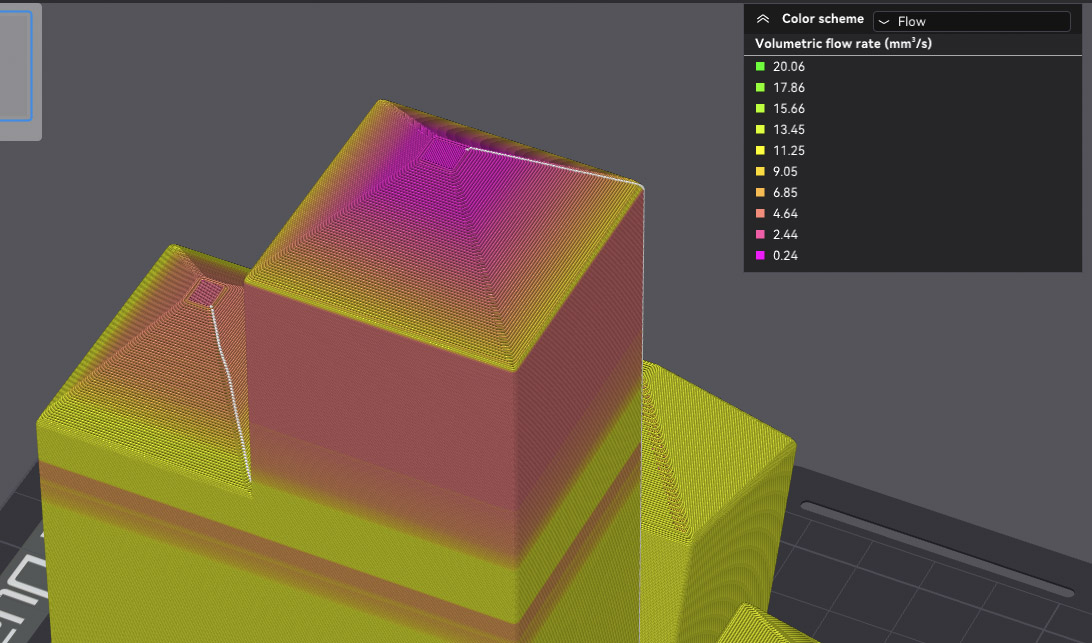

Take a look at the layer times. To get rid of the different speeds you can
- limit the speed of the outer wall
- change the Cooling settings of the filament:

For example if you disable “Slow printing for better layer cooling” it gives you higher speed on your top. But I would suggest to use it only in combination with an slower outer wall speed, because the quality depends on it.