Automatically Split Large Designs for Cutting
I would like to suggest a new feature for the H2D cutting workflow.
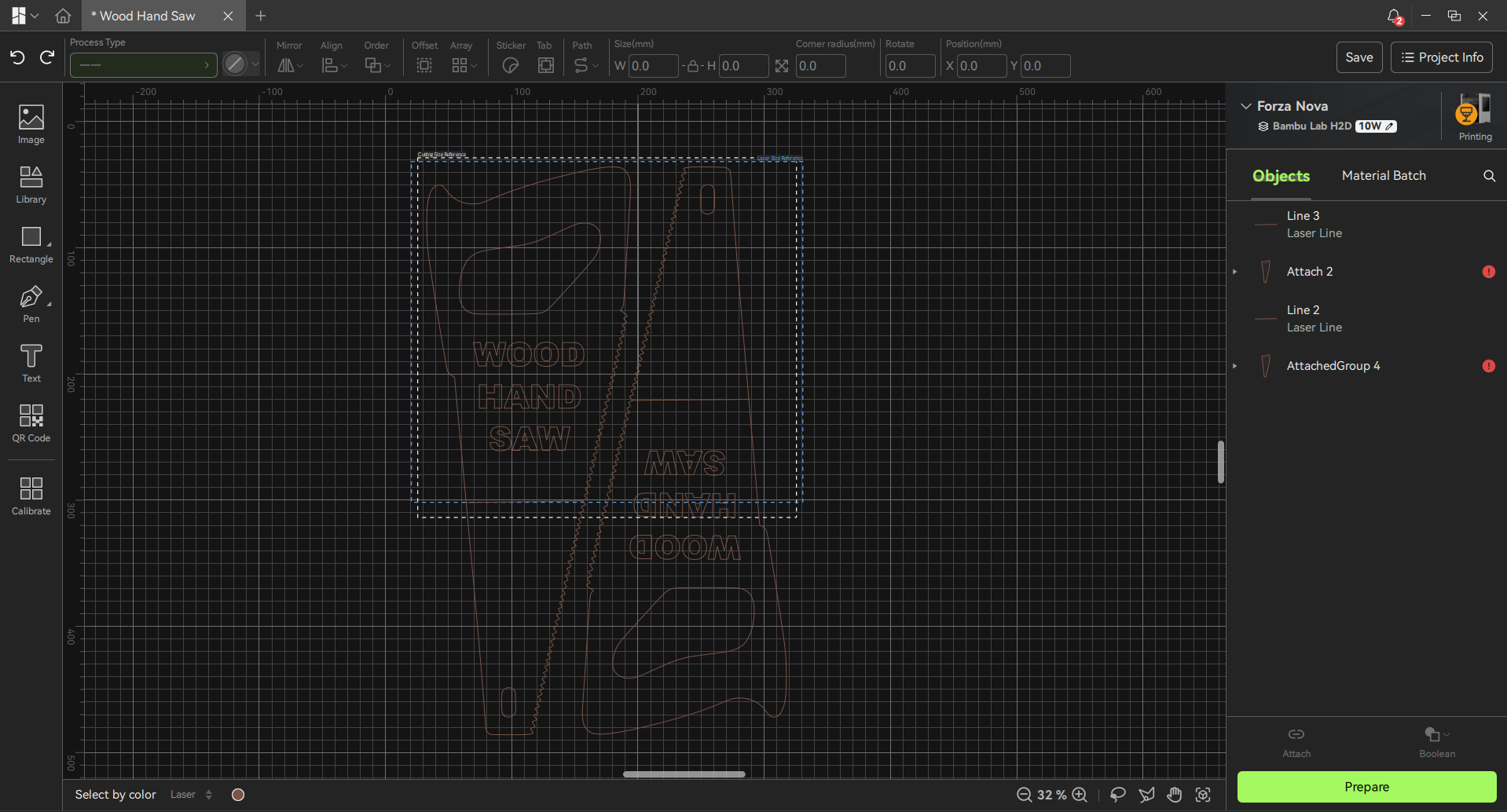
I am currently using the H2D for a large project, where I am creating shadow boards and cutting vinyl stickers around the exact shape of the tools.
The main limitation I have encountered is the limited working area of the cutting plate. When I want to create a vinyl design larger than the available cutting area, there is currently no easy way to automatically divide the design into smaller sections.
It would be very useful to have a feature similar to the existing functionality for large 3D models.
For example:
Large vinyl design
↓
Automatically split into smaller sections
↓
Each section fits within the H2D cutting area
↓
Cut each section separately
↓
Use alignment marks and/or overlap to join the sections
↓
Create one large final sticker
Ideally, I would like to create the complete design in Bambu Suite first, regardless of its overall size, and then select an option such as:
“Split for Cutting”
or
“Tile Large Design”
The software could automatically divide the design into sections that fit the cutting area and optionally add alignment marks, registration marks, or overlapping edges to make assembly accurate and easy.
This would be especially useful for:
-
Large shadow boards
-
Large signs
-
Labels
-
Tool identification
-
Vehicle graphics
-
Other large vinyl projects
I really like having the CAD/CAM workflow integrated into Bambu Suite. Adding this feature would allow users to complete the entire workflow inside Bambu Suite without needing external CAD/CAM software just to split a large design into manageable cutting sections.
I have attached an example of what I am currently working on.
Would other users find this feature useful?