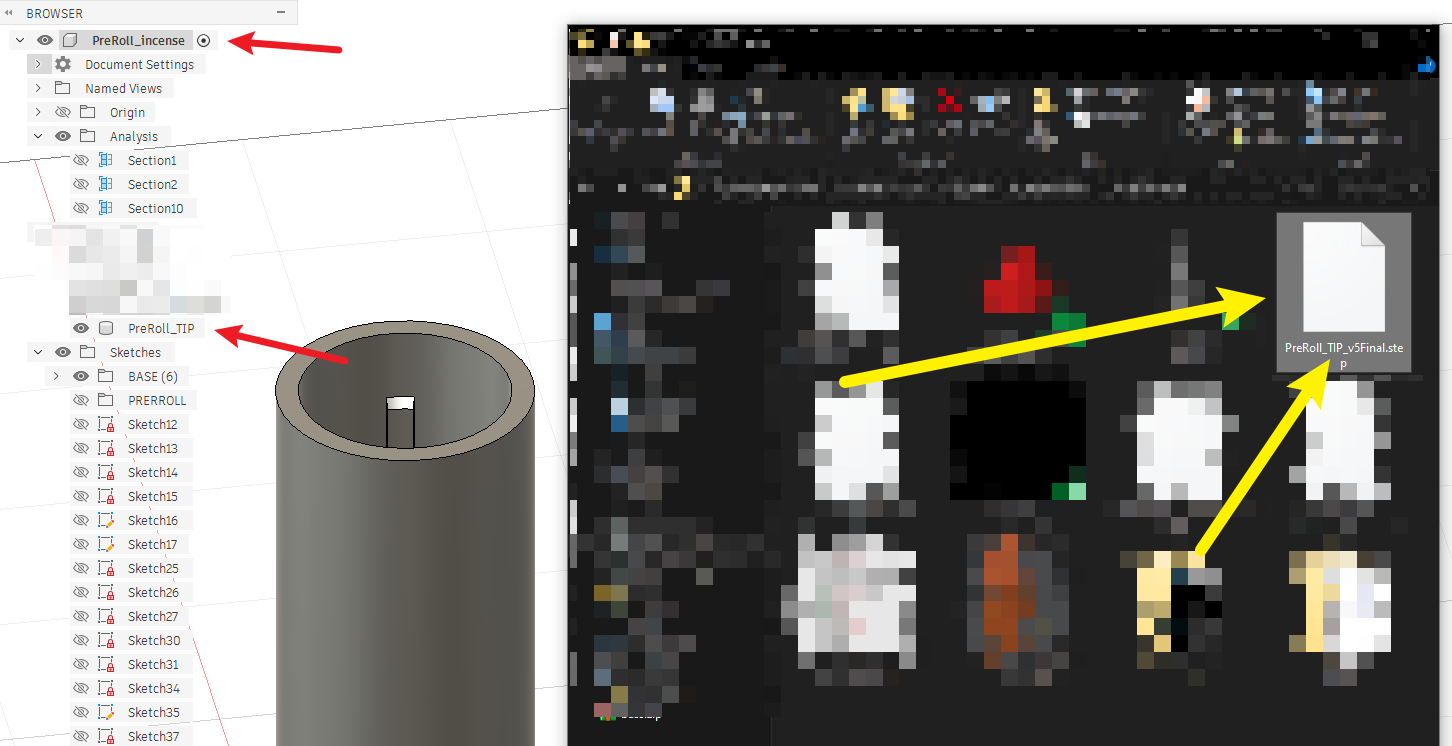
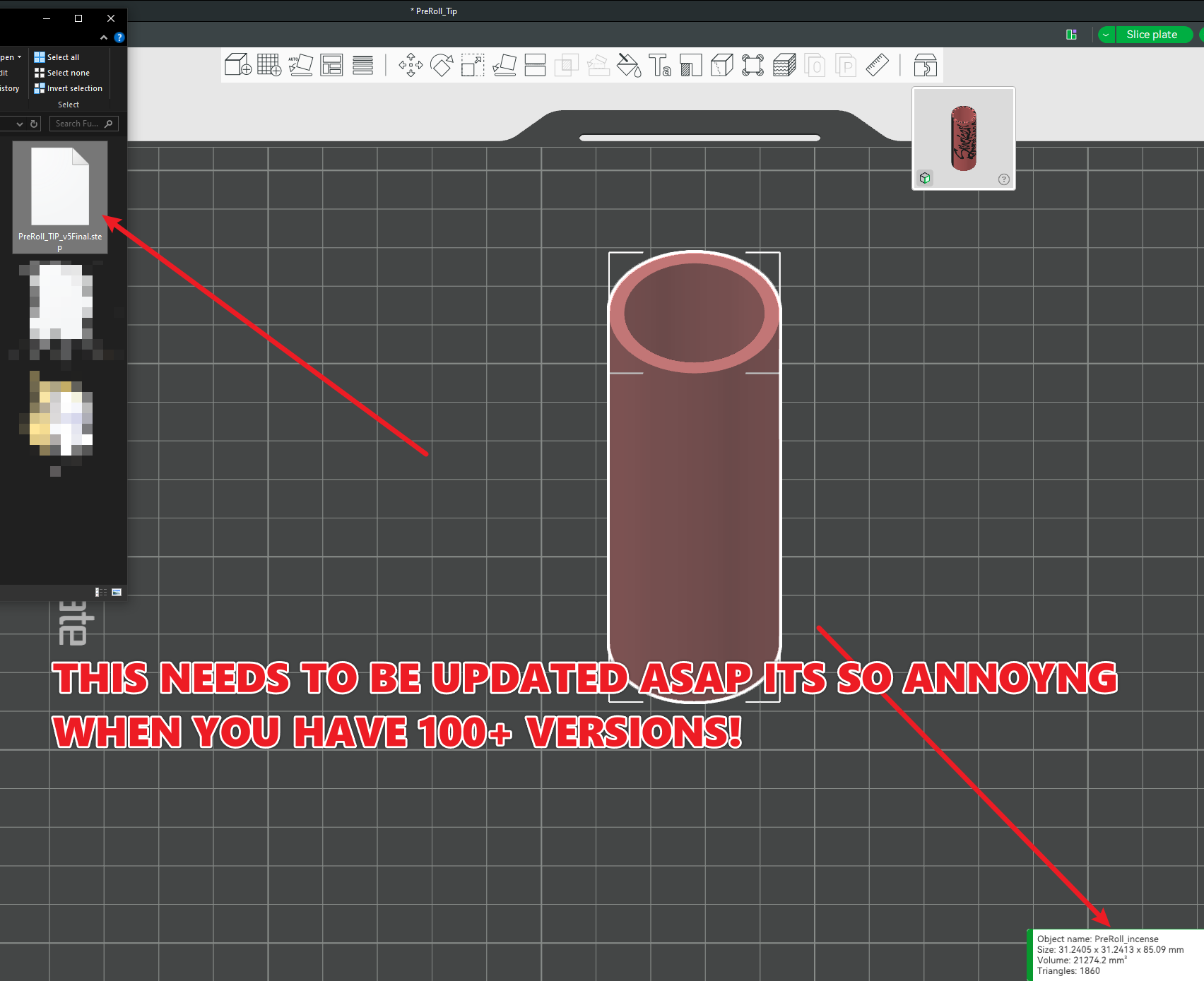
When I export step file from Fusion 360 it does not show the exact exported name in the slicer. It instead shows the name of the save design in fusion 360
This is annoying because when I have multiple revisions and want to test multiple versions on a bed it gets confusion as to which part is which.
No I will not just delete all other versions to use the latest version sometimes I want to go back.
It makes it easier to stay organized when I see the name of the part and version I SAVED IT AS to confirm that plate 1 is version 3 and plate 2 is versoin 4.
PLEASE UPDATE THIS BS. WHOEVER APPROVED THIS SHOULD QUIT
Before the update it was working and I cant go back to the older versions of sliver because it was causing issues with the updated printers I HAVE 15 so no I will not go and downgrade all of them and do all ths BS waste of time.
You’re right that it changed. Older versions of Bambu Studio named the object after the STEP file. When the STEP import was reworked this year (the change that added the assembly tree), Studio started using the part name stored inside the STEP instead, and it only falls back to the file name when the STEP doesn’t have one. Fusion puts the design name in there, which is why every revision comes in with the same name.
Two ways around it for now:
After import, right-click the object in the object list and rename it.
If you export a lot of revisions, change the name inside the STEP. It’s a plain text file, and the name sits near the top in a line that starts with PRODUCT(. Many exporters write it twice in that line, so change every copy. A small find-and-replace script can do a whole folder, for example setting each part’s name to its file name.
It’s also worth opening a feature request on the Bambu Studio GitHub for an option to name objects after the file. The old behaviour was useful for exactly this.