So I just had a weird error. Unit was 72% done on a print and it stopped extruding material out while running otherwise normally. I unloaded the filament without issue and began a new print without issue so I do not believe it to be a clog at this time. I have had major issues lately with having to pull the extruder and hotend on average every 3 to 4 prints. Door open door closed it, multi color print or simple it doesn’t seem to matter. This is my second extruder. No idea why this would just stop extruding and why this unit is incapable of knowing there is no filament coming out and then giving an error so I could have seen this earlier and not at least 30 minutes of it running.
Please clarify so that the community can help you.
Is this happening on all prints or just certain models?
Are you running this with an AMS and does this happen during filament changes or within the span of a spool running?
Can you reproduce this problem or is it random?
When the print stopped at 72% do you mean that the printhead movements stopped or did the printhead continue to move but shooting blanks?
This term needs clarity:
[quote=“RRubrig, post:1, topic:90991”]
why this unit is incapable of knowing there is no filament coming out and then giving an error so I could have seen this earlier
[/quote] What behavior were you expecting?
Although it may be a long shot, one malfunction your description might match and that has often been posted about here is the SD card itself.
Bambu’s design uses the SD card as a cache. SD cards don’t like frequent writes. The blocks on the card typically have a maximum lifespan of less than 10,000 writes. The one’s that shipped with the printer were the cheapest Bambu could source, I replaced mine within the first six months.
But before replacing the SD card with a more robust one, you might try simply reformatting the card from the printer menu. This quick troubleshooting test will do two things: first, any bad blocks will be moved to a bad block table and taken out of the equation; second, it will create a clean slate. If the capacity after formatting reduces, that’s a strong indicator that the card had many errors. Either way, it’s a simple, quick troubleshooting step. If the problem goes away for a time and then starts to reappear, you’ll know it’s likely a suspect SD card.
If the SD card is in fact identified as the culprit, one option is to replace it with a high-endurance SD card, which is typically designed for applications like surveillance cameras that do many writes. Just search for “SD card high endurance,” and you’ll find many options. High endurance cards are advertised to allow over 1,000,000 writes which is why they are often found in Dashcams and surveillance cameras that are constantly over writing the same blocks.
It appears random, it has happened with the same file twice but in different spots
With an AMS
It appears random. I’ve had it happen I believe 5 times but never twice in a row
Continued to move and no filament coming out
I was not expecting different behavior, I am surprised that the unit does not have some type of sensor to tell when there is no filament being extruded.
I am using my own SD card but I will look into this. I had not considered that this is a possibility.
I’m having the same problem. Completely Random. Nothing clogged. I can select a different print and it prints fine. I can even restart that print and it can print fine. just randomly now and then, stops extruding mid print. continues on blissfully like nothing has bad is occurring .
Did this ever get resolved? Mine is doing the same thing and its causing be to waste big money. Had a print bed full one time and a single print another and both stopped around 1.5" off the bed.
Was it the sd card or some other thing that fixed it?
With one exception (clogged nozzle with PLA-CF), all my extrusion failures have been caused by tangled filament on the spool. Usually the end of the filament slipped under another wrap while I was handling the spool. That is another description for an overhand knot. The extruder eventually pulls the filament tight and it stops unspooling, the extruder gear slips but the filament sensor still sees filament and the print head continues…
Did this ever get resolved? Mine is doing the same thing and its causing be to waste big money. Had a print bed full one time and a single print another and both stopped around 1.5" off the bed.
Was it the sd card or some other thing that fixed it?
@calhoub did you ever find a solution? Mine is also doing the exact same thing. It just started very randomly and prints fine for hours until it decides to stop extruding.
HI, I have the same issue, but i noticed that in many cases it happens after the printer detect an issue and stopped for some time, when I resume printing it happen, it happen also random but majority of cases after a stop, so I wounder if I could retract the filament before resuming, am just assuming that the filament was over heated and heat creep to the extruder so the filament get soft in that area . so once I resume printing extruder could not push the filament, just a theory which I will check today and share with you the results.
Hey, Just experienced this with an over night print. Woke up to a quarter of my project on the build plate. No indication of a failure. My issue turned out to be a stuck reel in the AMS. Gave the reel a little turn and it freed up… Restarted print. All seems good so far. I’ll monitor the prints from that reel/AMS slot more closely for the next few days.
Same problem here, two print, the first stopped after about 8cm heigh, the second one, same file, stopped after 12,5cm heigh. How is it possible that the printer continues to move as if nothing was happening without realizing that the wire is no longer coming out?
I came back to a print that was perfect until a certain later (at ~50%), and then nothing, but the printhead continuing to run the gcode, without extruding
It happened once and then I could not get the printer to extrude again (I’m a novice)
After I did get it to extrude again, the same thing happened again (and now it also doesn’t extrude)
When I did get it to extrude, it was by taking out the nozzle/hotend, trying to declog it with the needle. I also made it extrude some filament without the hotend installed and it looked well, filament was coming through, which made it seem like there is no clogging at least before the hotend
I haven’t tried another SD yet, but I’m planning to. I have one called Lexar 633x 32GB.
It’s a new printer, I ran maybe 6-7 plates before the failure. Only ever used Bambu PLA (I think), no AMS.
If anyone else has any tips or the same problem, I would appreciate any info!
Can you post they type of filament, temp settings and speed settings? The reason I am asking is in the past I had an issue like that and actually I was printing to hot and it wouldn’t extrude.
I had a similar issue - would stop extruding at random points in the print. Would unload and load OK, then the same issue.
Tried a new Toolhead board, new extruder, new extruder motor - very odd. Then filament would not load.
Found that it was a simple intermittent nozzle clog! Did a couple of Hot/cold filament pulls & used the nozzle pin a couple of times to clear clog until filament extruded in a straight line (nit curling-up) and never looked back since.
Bambu Wiki - explains how to unclog nozzle very well.
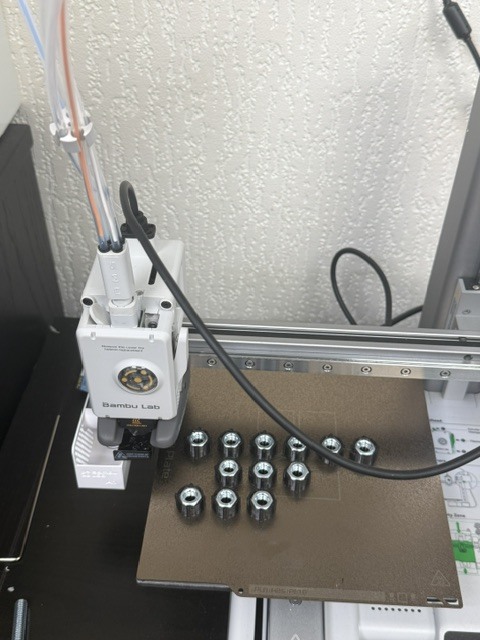
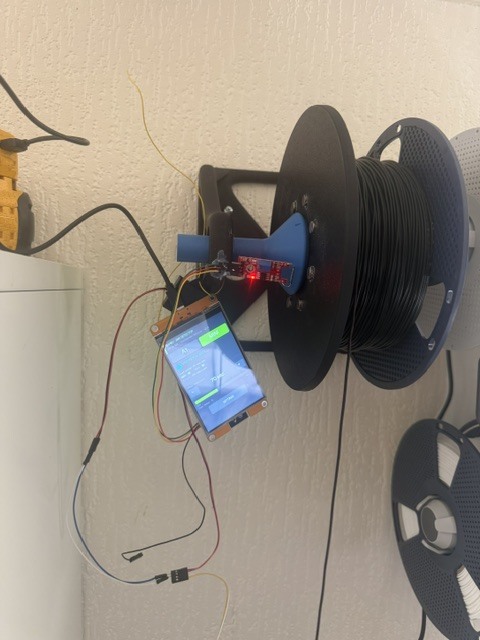
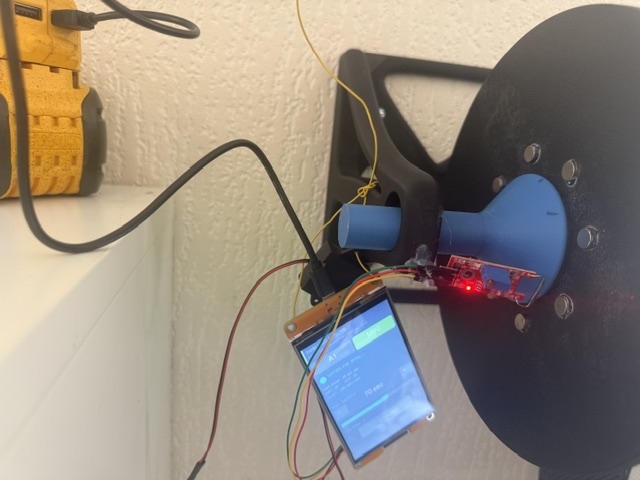
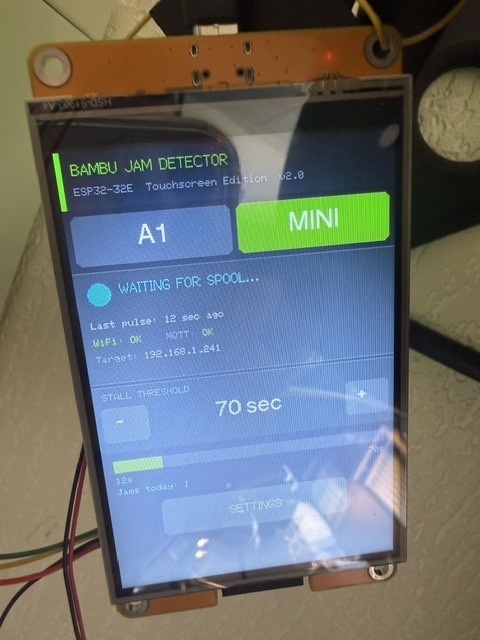
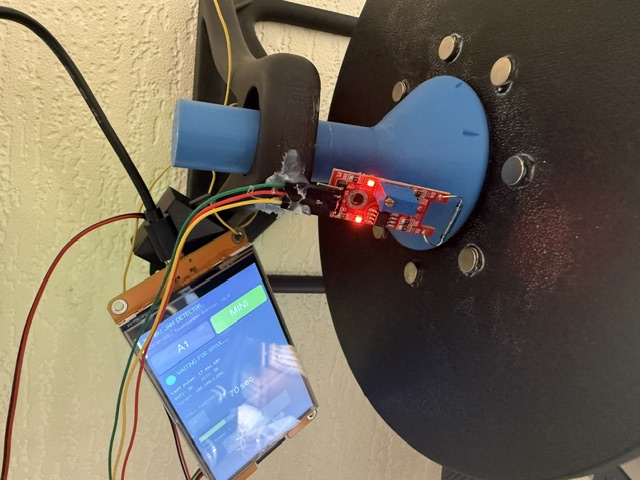
I could be having the same issue, I print loads of TPU tarmac bolts and every now and then a plate will stop extruding and always at night! I get the the same on both A1 and Mini, so time to cobble up some kind of gadget. I have used a touch screen esp32 and a magnetic sensor that picks up non movement of the spool, i.e. its if no movement is detected for more than 70 seconds (adjustable) then it sends a pause command via Wi-Fi to the slicer software which sends me a “jam detected” in real time via the handy app, as the photos show its at a very early test stage but actually work pretty good.