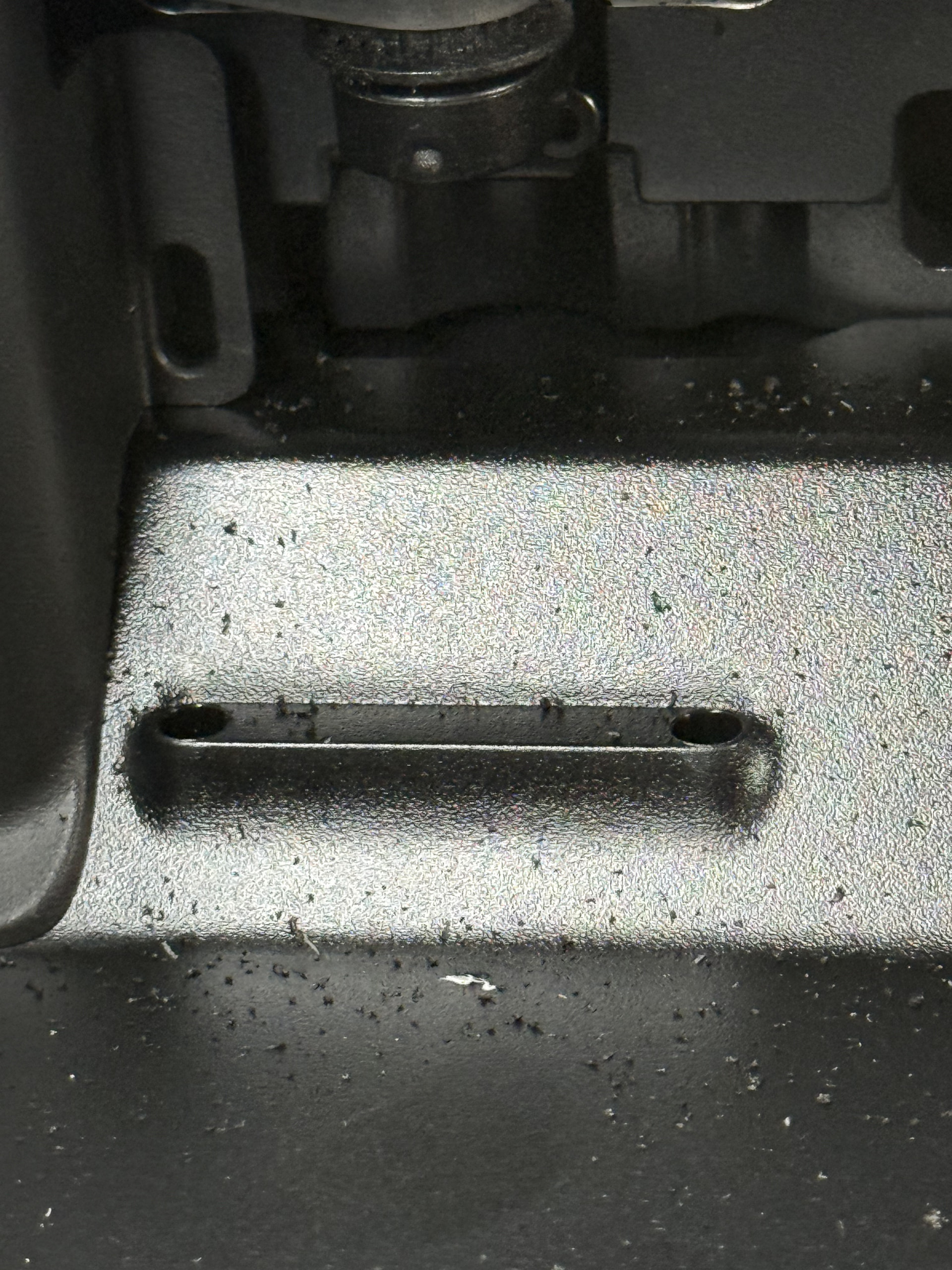
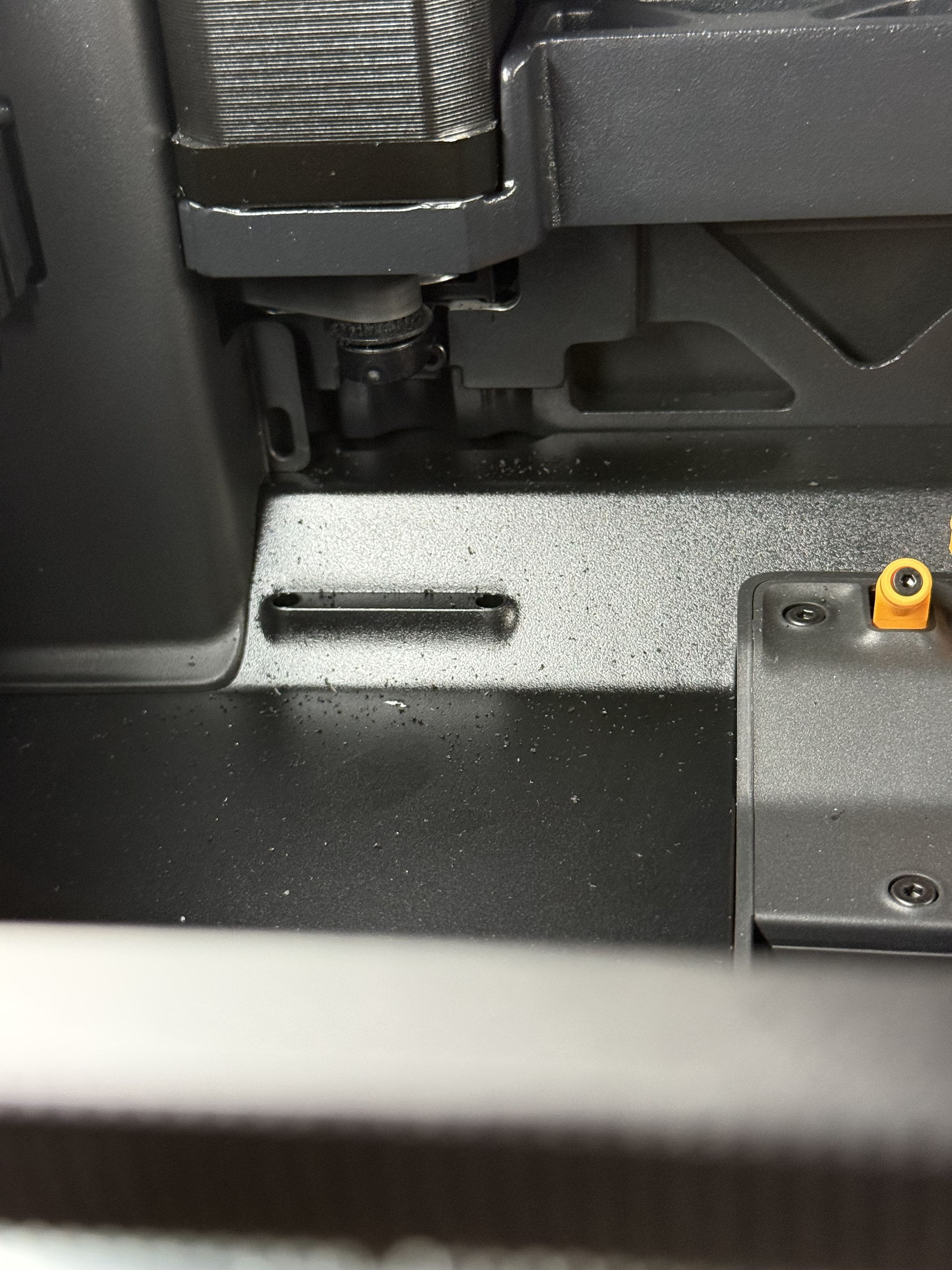
I just recently noticed these strange particles in my H2D.
It’s the same color as the last filament used PLA Pure black. Only located in the top left corner of the machine at the back. To the left of the purge chute.
Seems like might be coming from the part above in the first picture, but I’m not entirely sure. The particles are soft, not hard like PLA.
I’ve got 120 print hours.
Anyone got any pointers or ideas to what it could be and if I should be worried?
The clue is the stepper motor in your last pic, what you are seeing is rubber particles coming from the belt it drives. Most likely this is from the belts breaking in and I wouldn’t be too worried about it since you have only 120 hours.
You might also want to do a belt tension just to be safe.
I think this is recent from the last two prints. I haven’t noticed anything before, I usually take a look around to see if any debris is laying around. But again they are black particles, so I might not have noticed it accumulating before now.
Do they usually need to break in? Worried it might be a symptom of the belt rubbing against something because of misalignment.
There appears to be a lot of rubber on the drive pulley in your pic (I hadn’t noticed that).
My H2D has over 1300 hours on it and my pulleys are clean. In my opinion your belt shows a lot more wear than what might be normal, I’d do a belt tension as linked above to rule out tension, I’d also try to inspect the length of the belt and make sure there isn’t something else going on.
You could always open a ticket with Bambu to see what they say. Again, do what I suggest first because they will most likely tell you to do the same.
Can’t speak for others but based on my experience for some machines it’s kind of a break-in. In other words, you see more of it at first but it’ll largely stop. I wouldn’t be too concerned yet unless there are signs of trouble.
My 1900hr H2D had those at first, but belt tension related performance is still excellent, never had to tighten it yet.
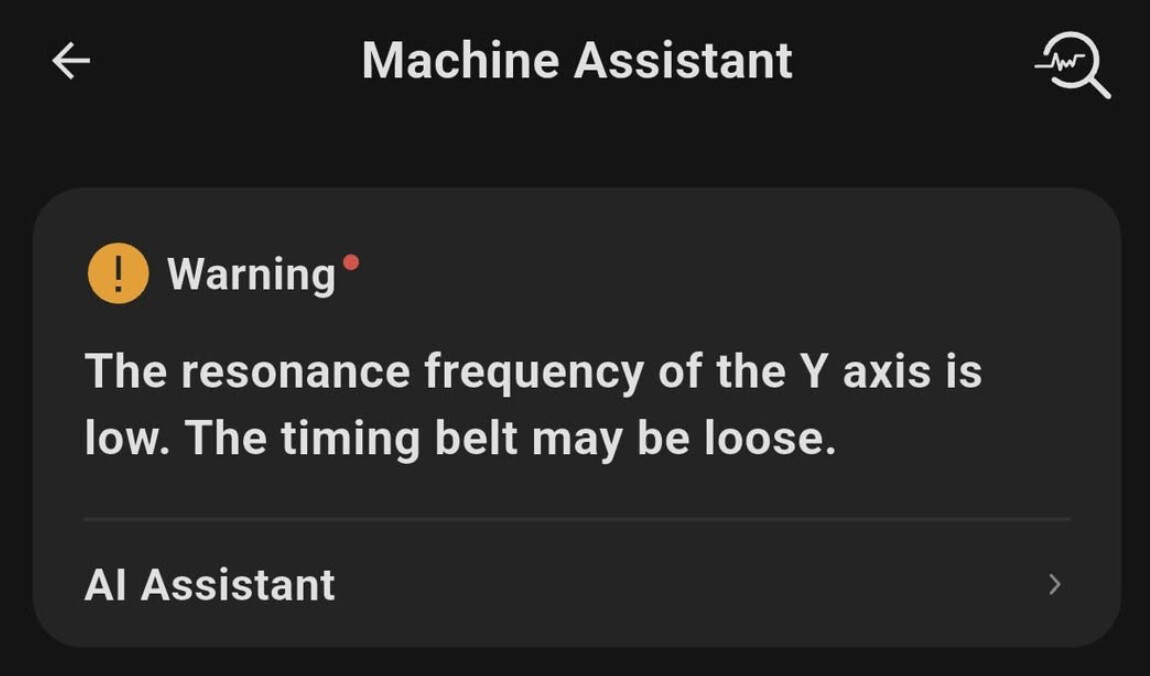
If the belt gets loose you should see a notification like this (not mine):
I had this on mine, the belts were not correctly aligned at the factory. I jiggled them around to stop it, but on most people’s they just wear in over time.
A little late to the party but it does look like the belt may be riding a little high. In a perfect world, it shouldn’t touch either flange on the pulley. Things that can cause this are misalignment or debris in the teeth of either the belt or the pulley. To get the belt to ride in the center requires correct alignment in several planes and correct tension across the width of the belt. If debris gets caught in the teeth, especially if it’s off center, it will cause the belt to track off to one side and rub on the flange. This will lead to it wearing which will increase the debris. I do wonder if a bit of filament got in there and has caused the issue.
With the power off, move the print head very slowly while watching the belt as it runs over the pulley. You should not see any humps as it wraps around the pulley. A hump implies debris in either the belt or the pulley. This hump can be hard to see, watching the belt with some fixed thing in also view can give you a reference point to compare with. A steady finger or tool held near the pulley or a part of the machine like the frame can work. Also, if the flanges run true, they can be used as reference.
If it were me, I would use a small tool to VERY carefully clean every tooth on the pulley. A bent paperclip or a small right angle pick might work. You don’t want to scratch the pulley, just pick the gunk out of it’s teeth. If you can get to the belt, clean it also. A small vacuum attachment like those meant for keyboard cleaning will help keep the stuff from getting everywhere. Then I would do a belt tension procedure as mentioned above and keep an eye on it.
I’ve worked on hundreds of timing belts over the years and haven’t seen belts come apart like that due to breaking in when correctly used and installed. I have seen them last only hours when installed incorrectly or become contaminated.