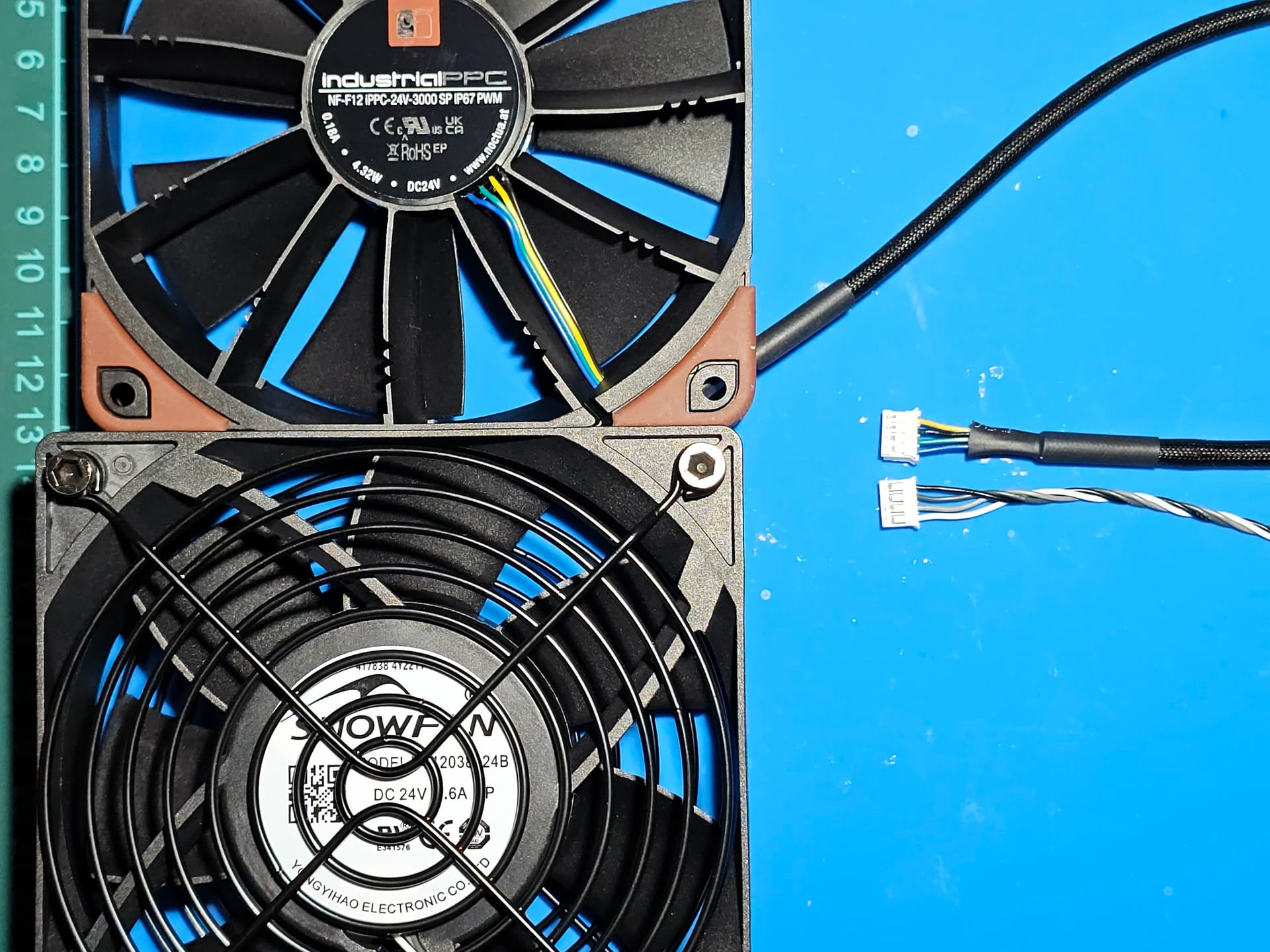
Yes, I replaced it with the Noctua NF-F12 iPPC-24V-3000 SP IP67 PWM industrial fan. It has “only” 3000 rpm max speed vs 4000 from the stock fan. But to be honest, the stock fan was also never running at 100%. It’s now absolutely quiet and the temperatures inside the case are the same with same PWM percentages.
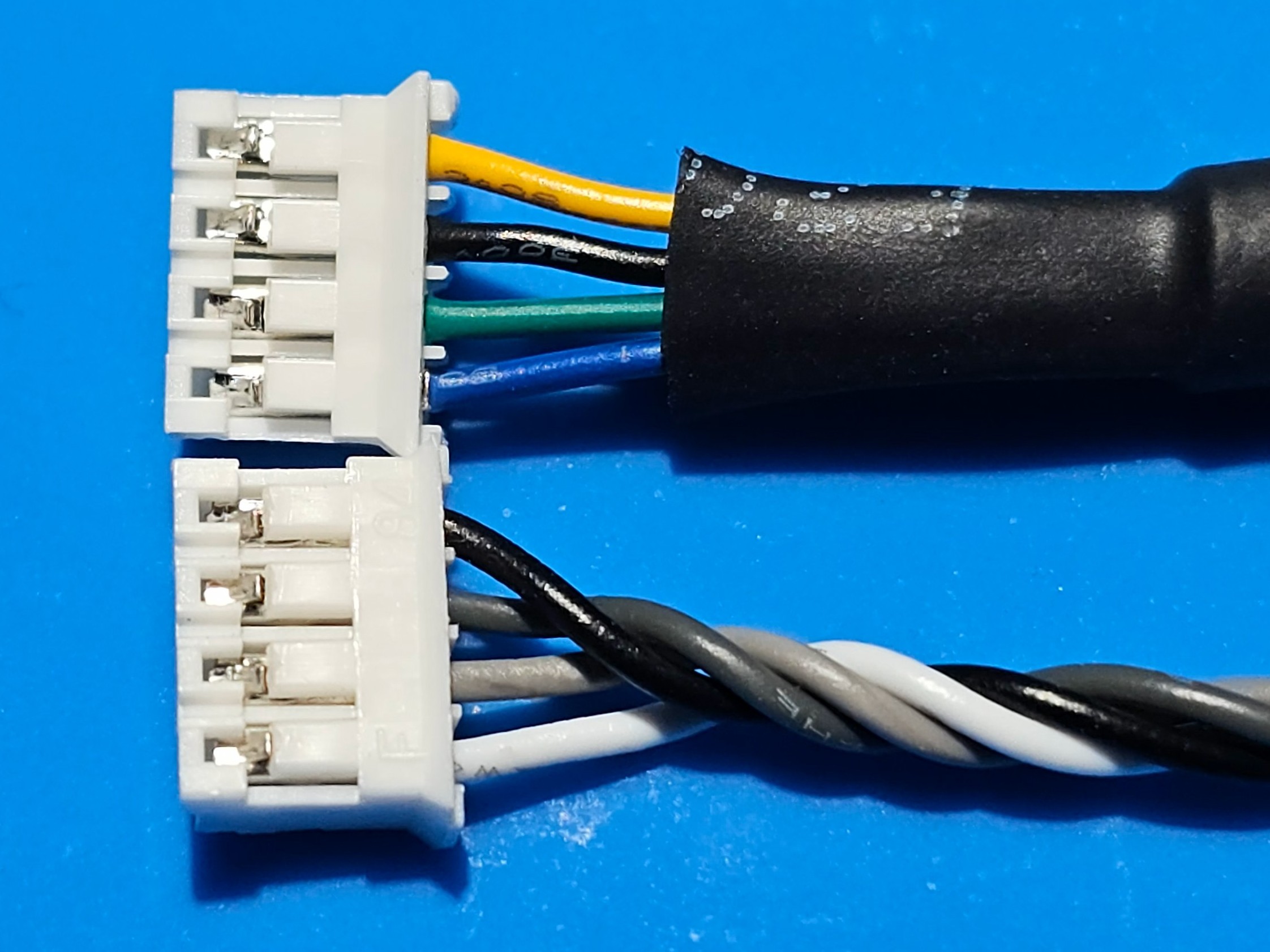
Only downside is that you have to do the wiring by yourself. So cut the cables and connect them to the bambu proprietary plug
| Bambu Wire Color |
Function |
Noctua Wire Color |
Function |
Connection |
| Black |
+24V (Power) |
Yellow |
+24V (Power) |
Splice Yellow to Black |
| Dark Gray |
GND |
Black |
GND |
Splice Black to Dark Gray |
| Light Gray |
Tach (RPM Sense) |
Green |
Tach (RPM Sense) |
Splice Green to Light Gray |
| White |
PWM (Control) |
Blue |
PWM (Control) |
Splice Blue to White |
Interesting.
Thanks for sharing this information!
I might give it try!
I did contact Noctua a day ago, asking if they had something that could replace the original fan and just got a reply:
Unfortunately, it does seem like we are not able to offer a fitting replacement for the fan originally included as an exhaust fan with your BambuLab H2. There is no suitable fan in our product lineup due to the dimensions of the fan you intend to replace. We only offer 120mm fans with a thickness of up to 25mm.
yes it’s a bit thinner than the original fan but this doesn’t matter
I will give the Noctua you mentioned a try 
Thank You so much !
Ive done the same today an it works very well !
Took the same Fan and connected the wires according to your diagram.
Never thought the printer can be this silent !
Two pictures to illustrate your table 
The one thing I am slightly concerned about is the static pressure of the Noctua fan compared to the original Bambu Lab fan. If you have a long exhaust pipe, your mileage may vary … RPM is not everything … (Unfortunately I was not able to find any datasheet for the Bambu Lab fan).
I’ve had my H2D for a few months. I love everything about it except the obnoxiously loud exhaust fan. I bought a Terra-Bloom 4” inline blower. The exhaust port on my H2D is connected to a 4” flexible hose, then to the Terra-Bloom blower, then to a dryer vent that exhausts outside. Thanks to the user that posted the pinouts of the Snowfan factory fan, I’m going to open up the back of the printer, hook my oscilloscope up to the fan motor and measure the PWM and TACH signals. Then, I plan on programming an ESP32 module to receive the PWM signals from the printer, send the printer the appropriate TACH signal, and turn on the Terra-Bloom blower via a PWM signal at the same speed it got from the PWM signal the printer thought it was sending to the internal exhaust fan.
Basically, I’ll be fooling the printer into thinking the internal fan is operating normally, even though it isn’t there. I’m not sure what the airflow specs are for the Snowfan (if anyone knows them, could you post please?). The Noctura that is mentioned in this post as being a good replacement is rated at 109.89 CFM with a static pressure rating at 7.63mm H2O. The Terra-Bloom blower I have is rated at 141 CFM, but they don’t give a static pressure rating. I’m thinking since it’s designed to be an inline blower, it’s surely capable of a much higher static pressure than a 120mm computer case fan.
Once I get my plan finished, I’ll follow up with a post on how it all went.
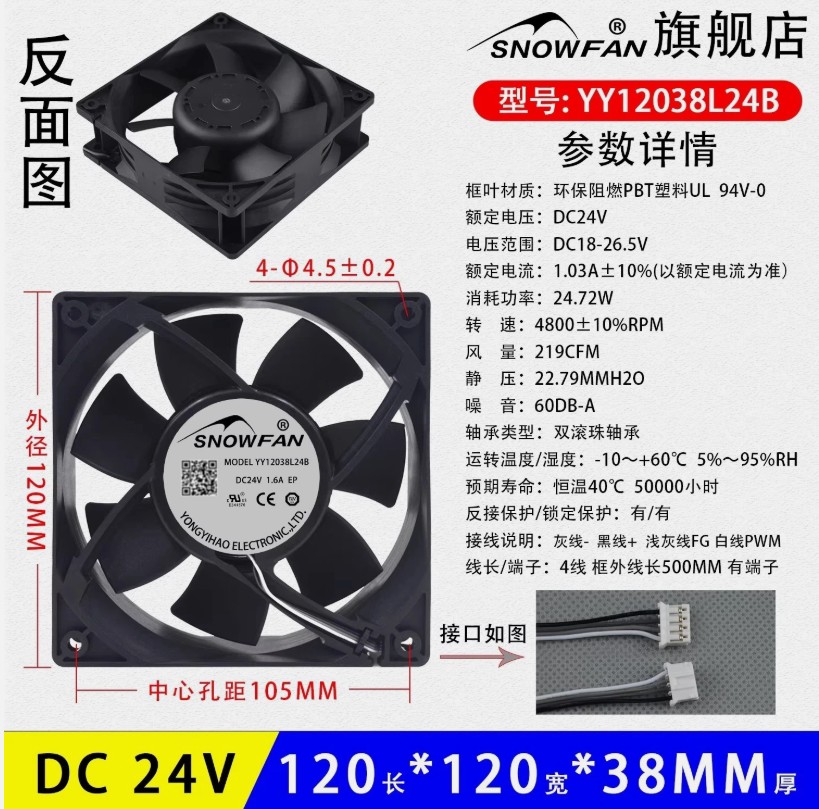
Found some specs of the H2 exhaust fan
Hey Kmiller - I know this is a longshot - but I just opened a ticket because the first ever PETG part I printed I had my windows open and I thought someone was using/chainsaw weedeater down the street. I closed the windows and determined it to be the printer. I then went one by one through the fans and found it was the exhaust fan making the noise - did you ever figure this out??