P1S, AMS 2 Pro, 0.4mm hardened steel nozzle (approximately 8 hours use on nozzle)
”standard” settings
Elegoo “PETG Rapid” black
Model: ”Scissors, Pliers, Tools Holder for IKEA Skadis” from MakerWorld
I’m still learning how to use my P1s with AMS 2 Pro, and in particular how to diagnose and resolve printing problems like this. I’ve had stringing before that I thought was due to poor bed adhesion. This run had two very neat looking bottoms of the model, but then stringing. The stringing seems thicker, it’s less wispy than other stringing I’ve wrestled. It looks like the initial layers of the two parts of the model got adhesion to the bed. I had the door closed.
I think I will probably retry with the printer door ajar.
I will appreciate any feedback and ideas.
— Andrew Wolfe
That’s not stringing. What you have there is a spaghetti failure, and it’s due to poor build plate adhesion. For reference, parts should be very well adhered to the build plate while it’s hot and only be easy to free up when the plate is cool.
Your problem is likely due to an unclean build plate.
Dish soap, nylon brush, and hot water. Scrub it down, rinse thoroughly, and dry with paper towel. Don’t touch the build surface afterward.
Leave the door closed while printing PETG.
Here are a few tips specifically for this model:
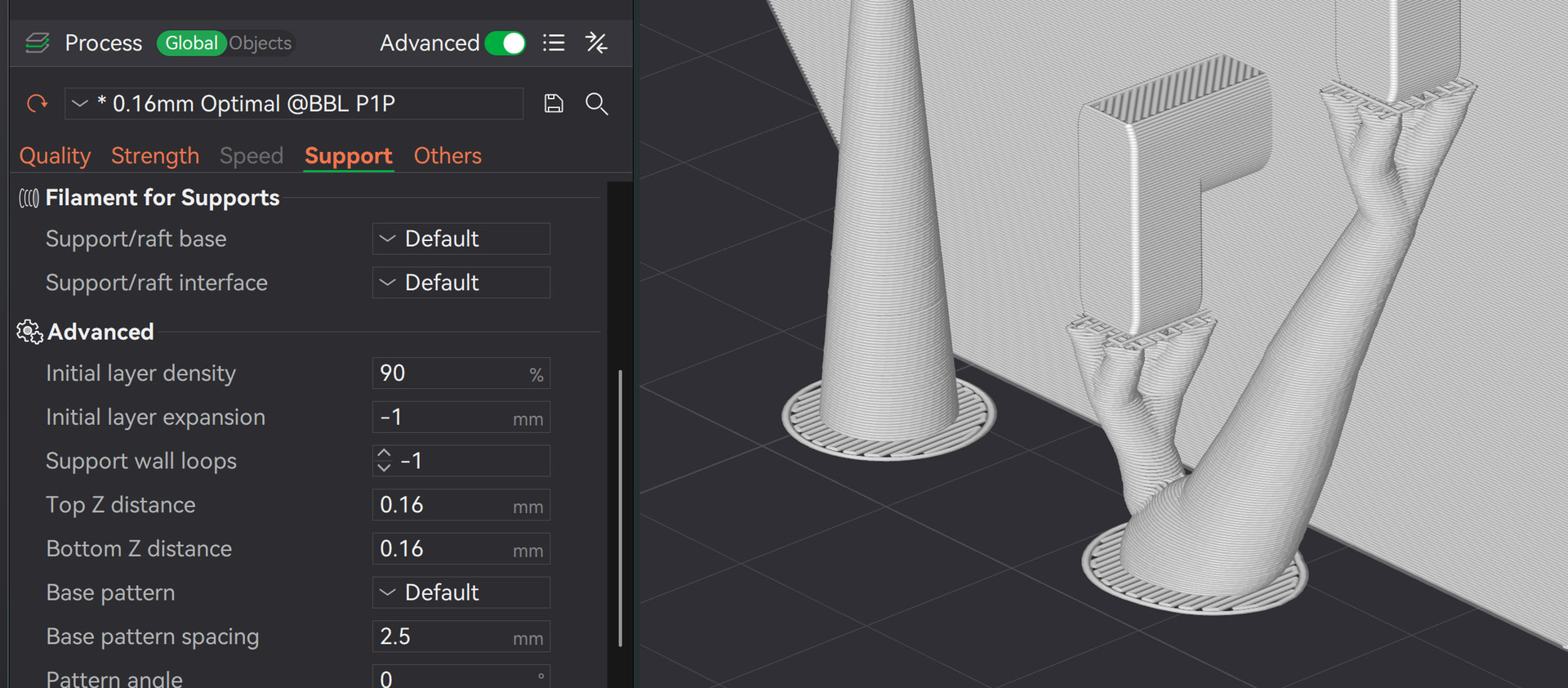
Inital layer expansion:
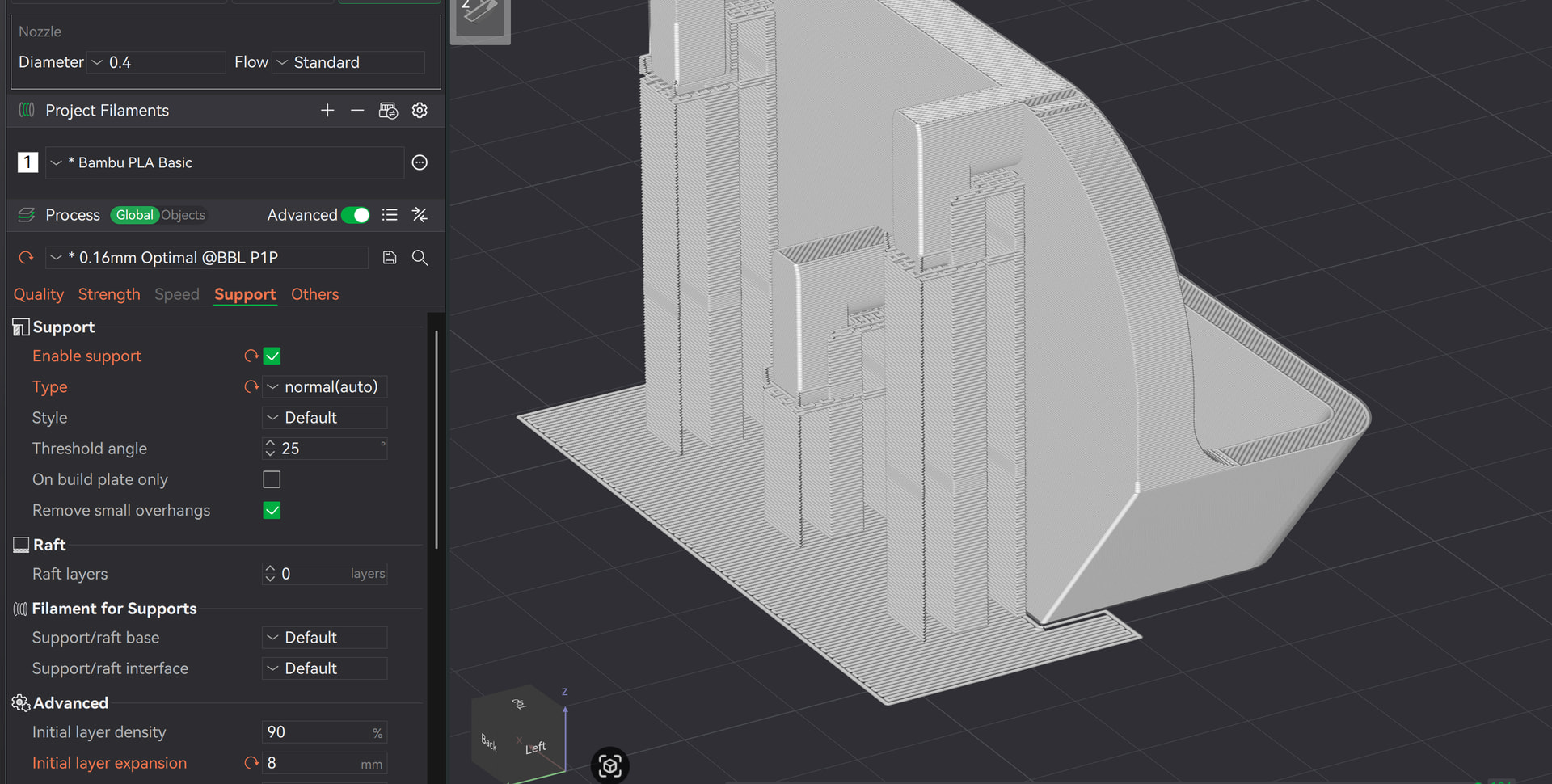
Or even better: Switch to normal support right away in this case, and also enable initial layer expansion:
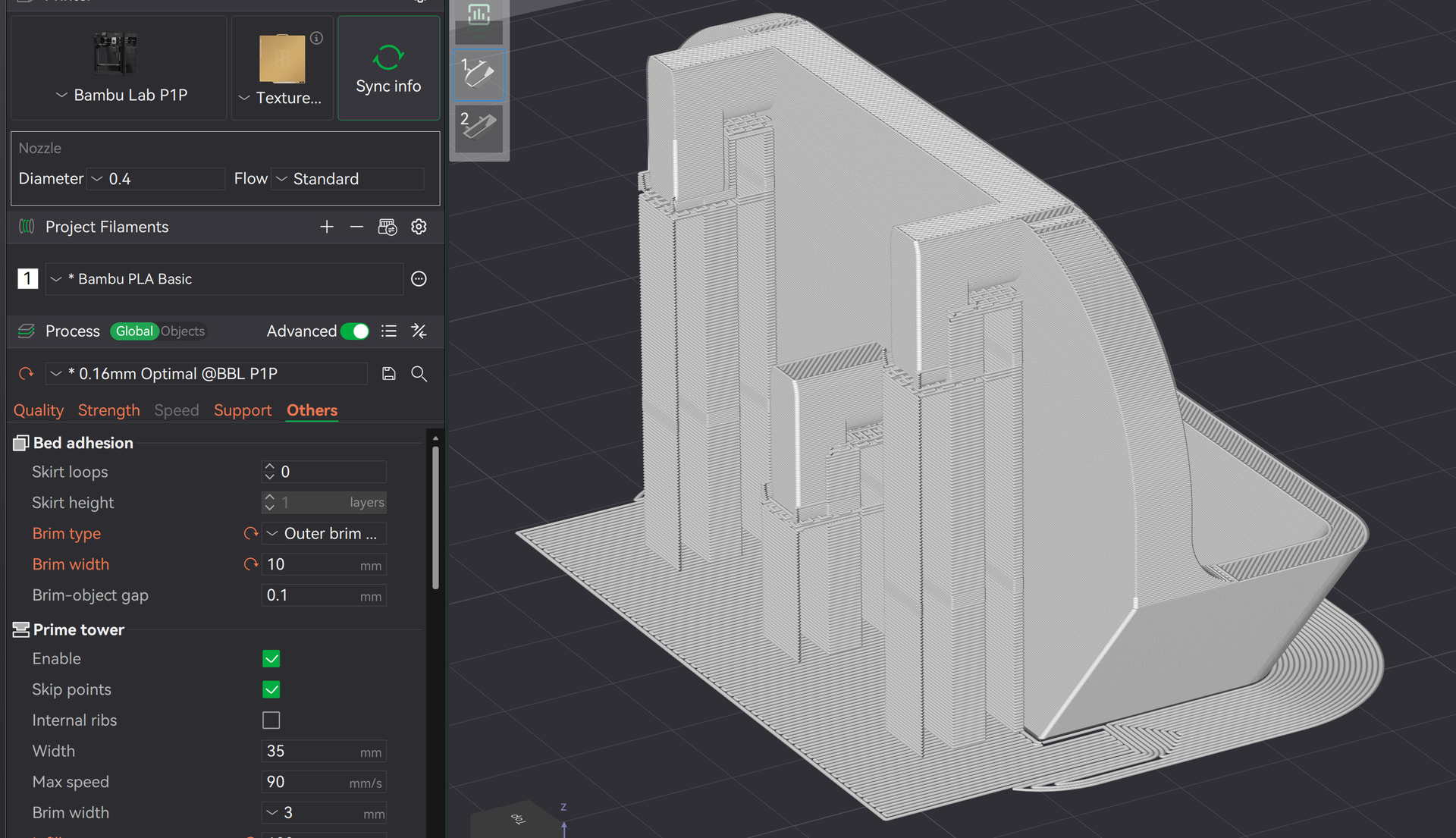
And now overkill: Add a brim: Outer brim and 10mm width
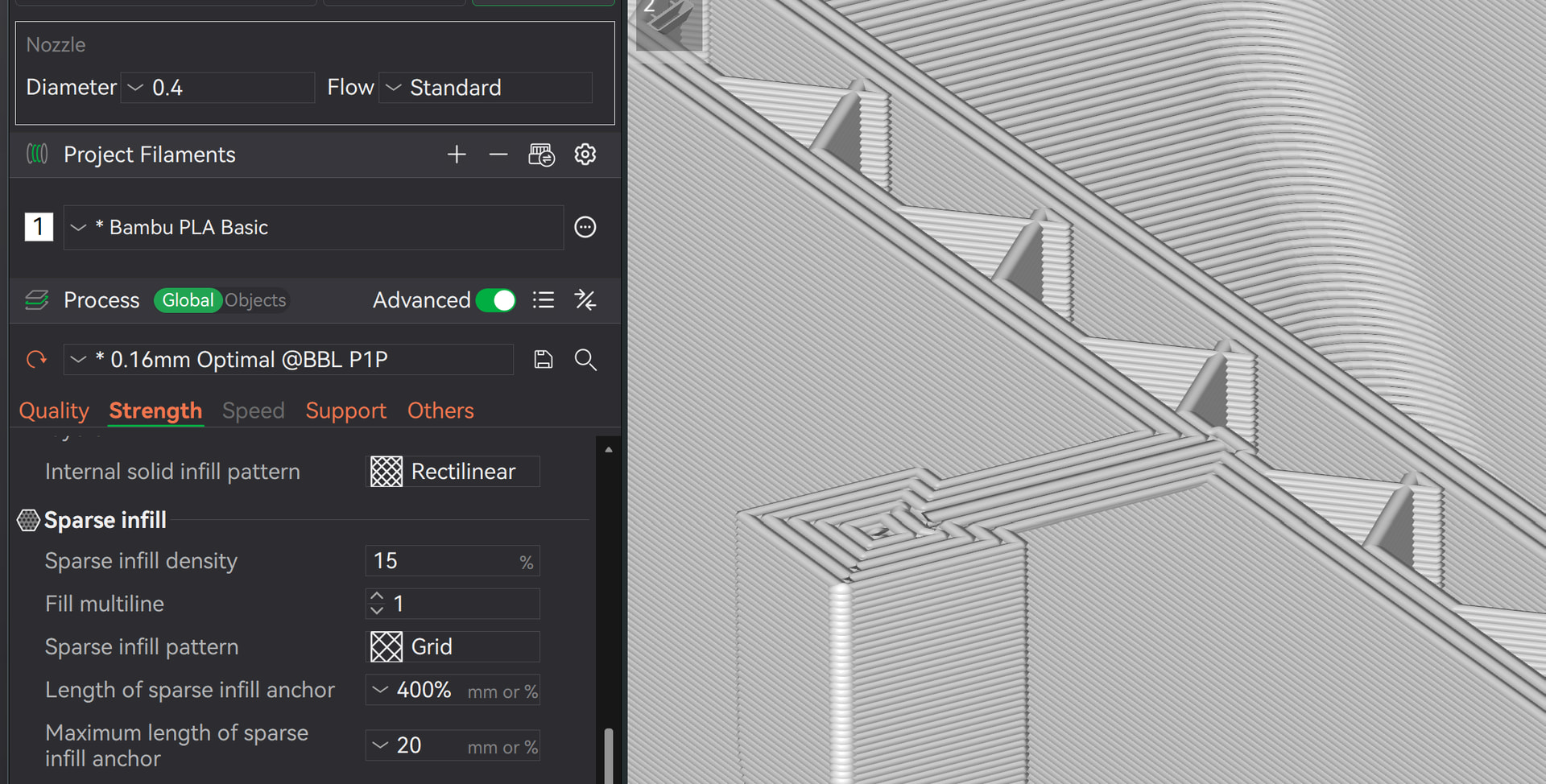
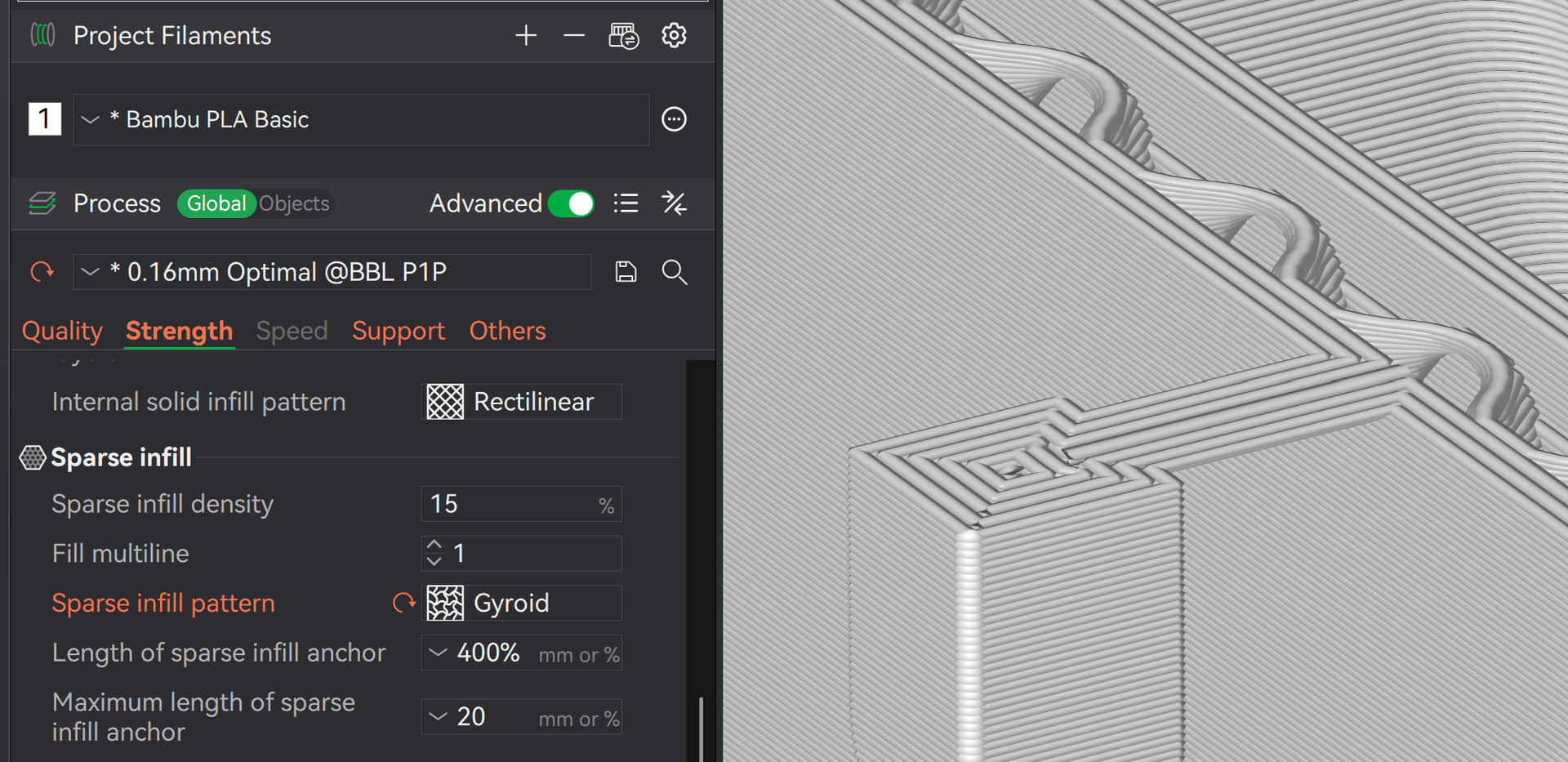
Then there’s one of the worst infill patterns: Grid. An infill pattern that constantly crosses itself, causing the nozzle to repeatedly bump into the object.
Use Gyroid, for example; there are other good infill patterns as well, but stick with this one for simplicity’s sake:
Summary: Increase the width of the support layer, add a brim to the object, and use an infill that doesn’t constantly bump into the object.
…and as CarbonForge already said: Clean the print plate
I don’t think poor bed adhesion is the issue here,I believe a filament break occured mid-print,which made the extruder plastic fail to form according to the model geometry,This was likely a one-off random glitch,try reprinting it again.
Explain the prime line then.
Seriously, no - what kind of suggestion is that?
Also, seriously no: It’s probably a combination of what CarbonForge said and what I described.
You won’t get a free A1 Mini with advice like that - pointing at your name - where can I sign up for the free printer? 
i was just joking,of course i know i cant get a free printer.
If you really want a free printer - I mean, seriously - I’d suggest trying to earn MakerWorld points. Upload models, participate in the community, and complete the Academy. 
thanks for the advice,I’ve already bought an A1 mini, I’m planning to design models and share them on makerworld.i hope this can make my life more fun.