When asking for help, please provide as much information as possible about your inquiry.
This will help everyone to better understand your problem, and provide you with the best solution.
- Detailed description of the problem
- Printer model used
- Slicer settings used
- Type of filament used
- Photos that clearly show the problem
- .3mf file (if the file can be shared)
- Any potentially useful information that is related to the problem
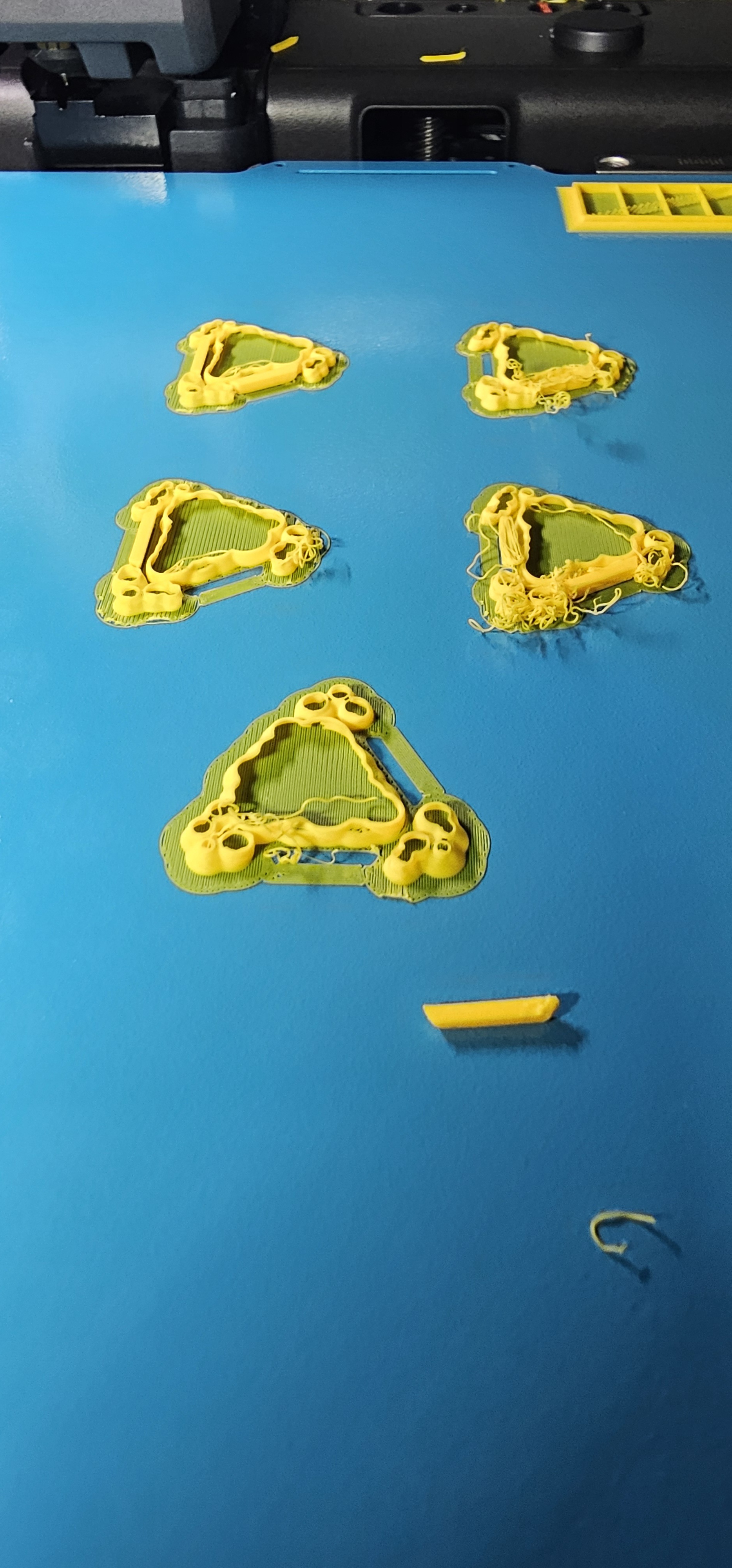
I’ve been printing a bunch of board game components using a 0.2mm nozzle with no problem. P2S, Bambu PLA
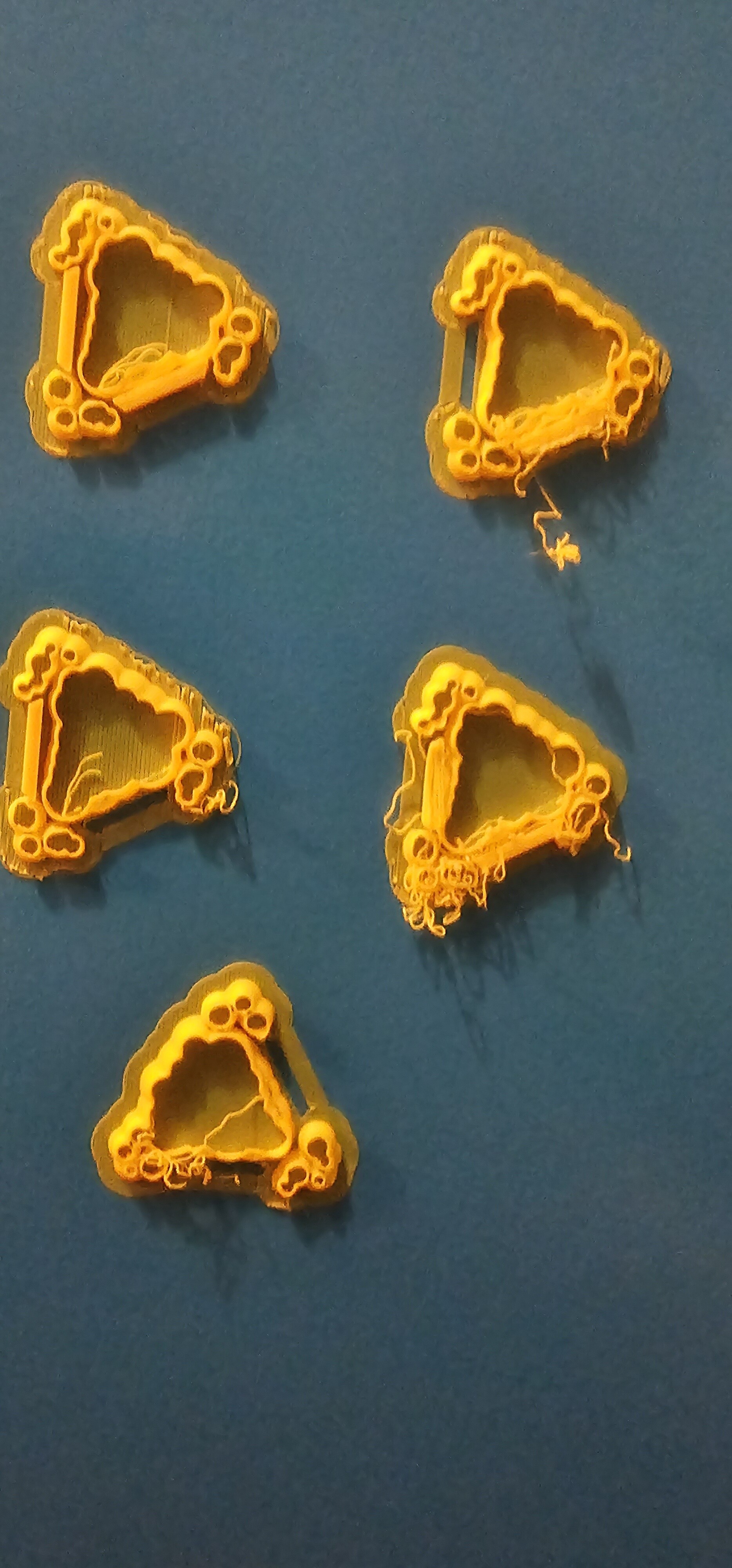
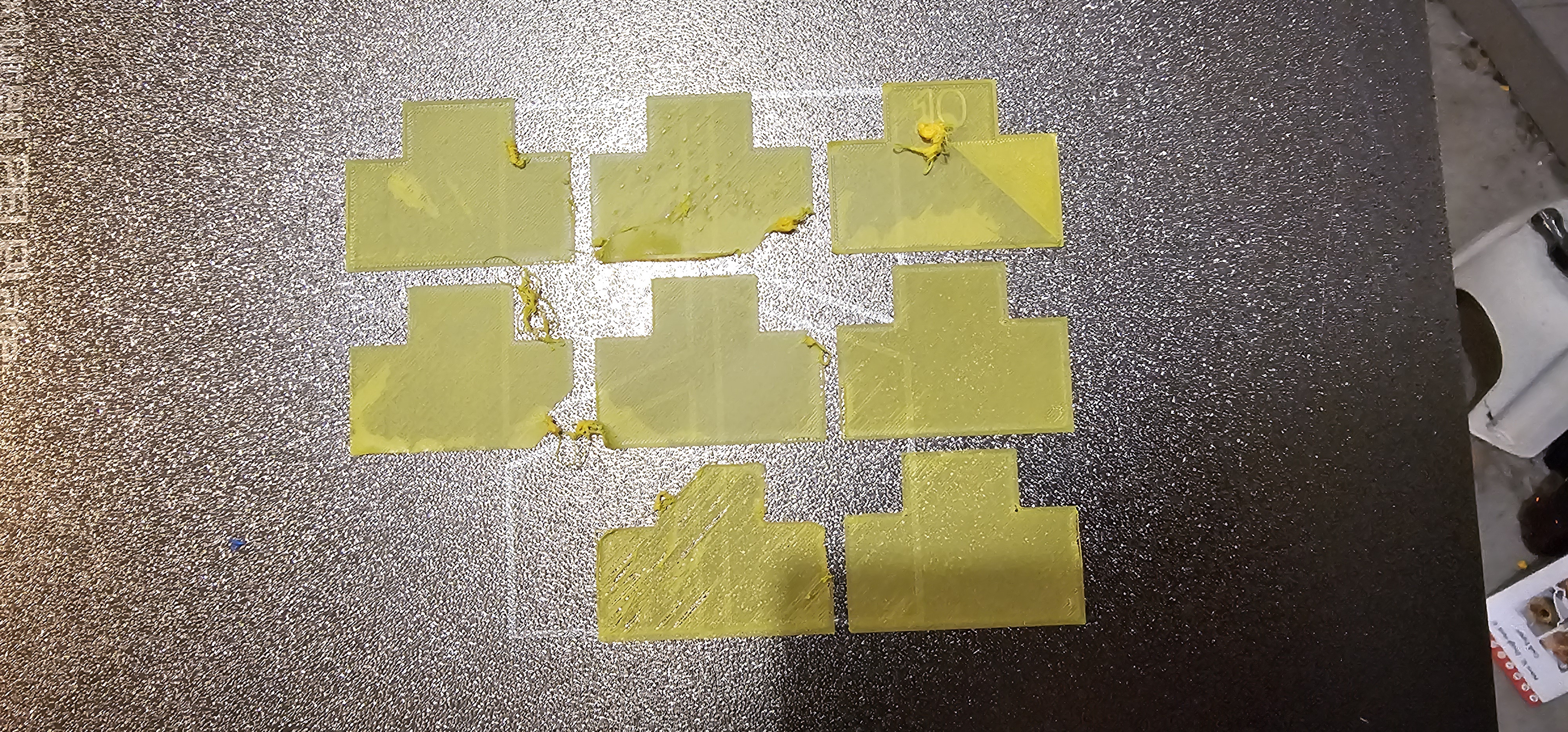
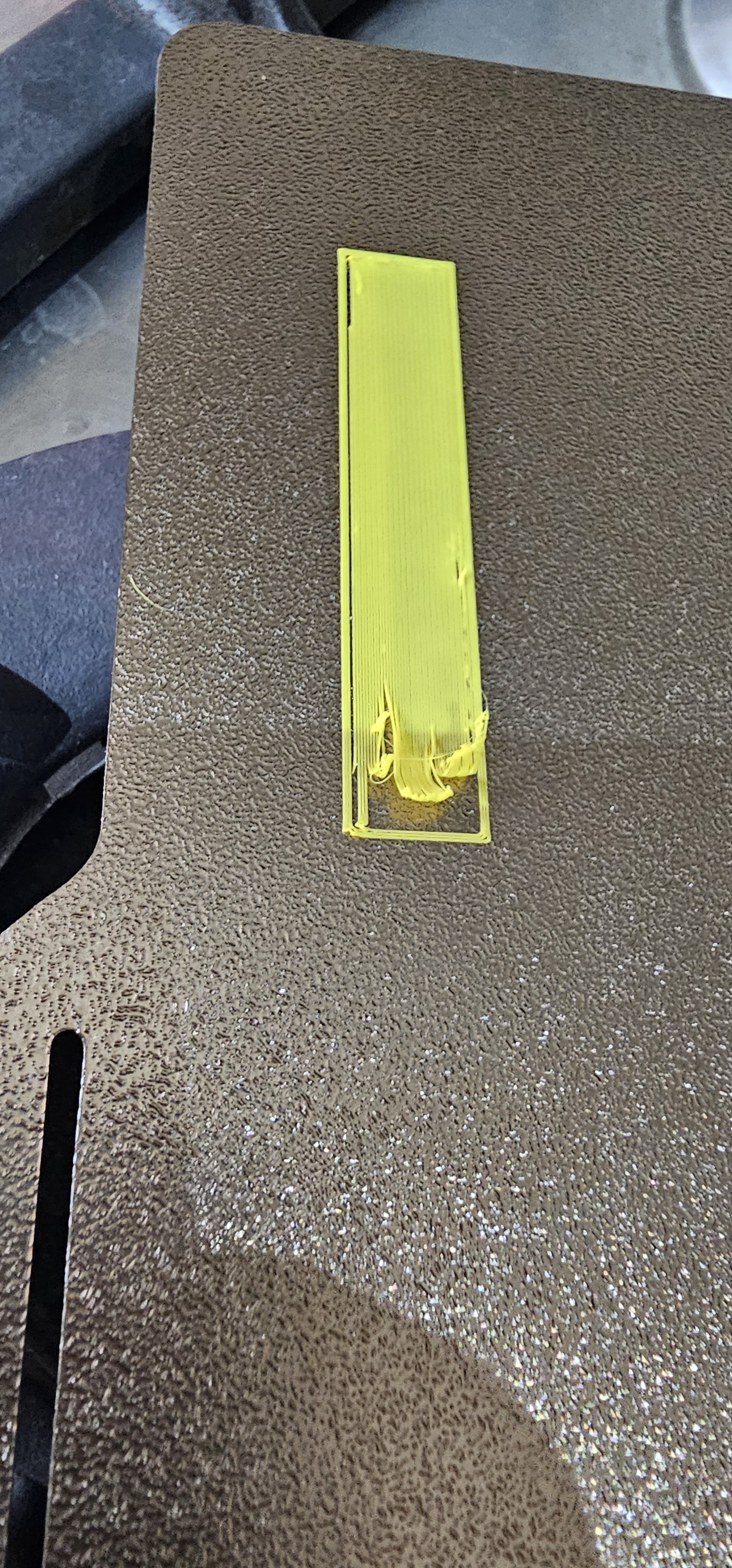
Suddenly, I can’t get a print. Bed adhesion fails, and I get stringing. It looks like the nozzle might be scraping the first layer because right from the start there’s some parts of the first layer in the air, and there are scrape marks too.
I’ve done the calibrations, even used a brand new nozzle, switched build plates to the Biqu Cryogrip, no change. No idea why it’s suddenly not working?
I have recently cleaned and lubricated the z-screws but I can’t see how that would impact it.
I’m using the 0.10mm profile (previously I was setting it myself at 0.08mm with no issue)
I can’t even perform flow calibration successfully. I have dried the filament (several times),
Interestingly, the problems usually occur most on the left side of the build plate (and I do have an airflow deflector in place)
0.4mm works fine (well, I’ve had some stringing, but I had also played around with support settings so wasn’t sure if I did something wrong there)
Have you tried re-printing one of the files that succeeded before?
Yeah, printing the same file i did before.
I just dropped the temp down to 220, that seems to help but still doesn’t explain the change, and still not perfect.
On a 0.4mm my flow rate seems to have changed too….doing the calibrationi now have to select -5 when it was 0 before
Apologies if this is overly obvious, but have you cleaned your print plates?
Adhesion improves dramatically with a little dish soap and hot water, and the amount of oil required to ruin it is nearly invisible. I’ve learned to only grab mine from the edges.
I don’t do a lot of .2mm, but I do PIP and bed adhesion is just as imprortant. https://makerworld.com/en/models/2899259-edge-vise-print-in-place#profileId-3240684
Ah, no apologies needed,it’s a good point and yes, I’ve cleaned the plate
I have been having the same issue with a print file that worked fine with all default setting. I made the file back in April and printed the keychains using a 0.2mm nozzle with no issues. Now I need more of those keychains and they will not print now. Happens on the A1 and A1 mini. The print comes out like it is embedded into the plate…squashed or spread out. You cannot even remove it from the plate…it appears ghosted into the plate. I have been trying to correct by changing g-code to move the nozzle away from the bed. This did help. But it still printed incorrectly and with the colors screwed up. I even redid the print file and that did not help. Tried different FW and Bambu Studio versions. No change. Do not understand how something worked fine months ago and now will not work at all. The file does print with a 0.4mm nozzle…but due to all the fine details, the print does not come out too good.
Pictures would help.
To be clear, is this all happening with the same 0.2mm nozzle?
I’d also advise rolling back your custom gcode changes before doing any additional troubleshooting as they’ll make it harder to see if fixes are working.
…and just for my curiosity, why did you change this from the g-code? There’s a slicer setting that allows you to modify first layer height already.