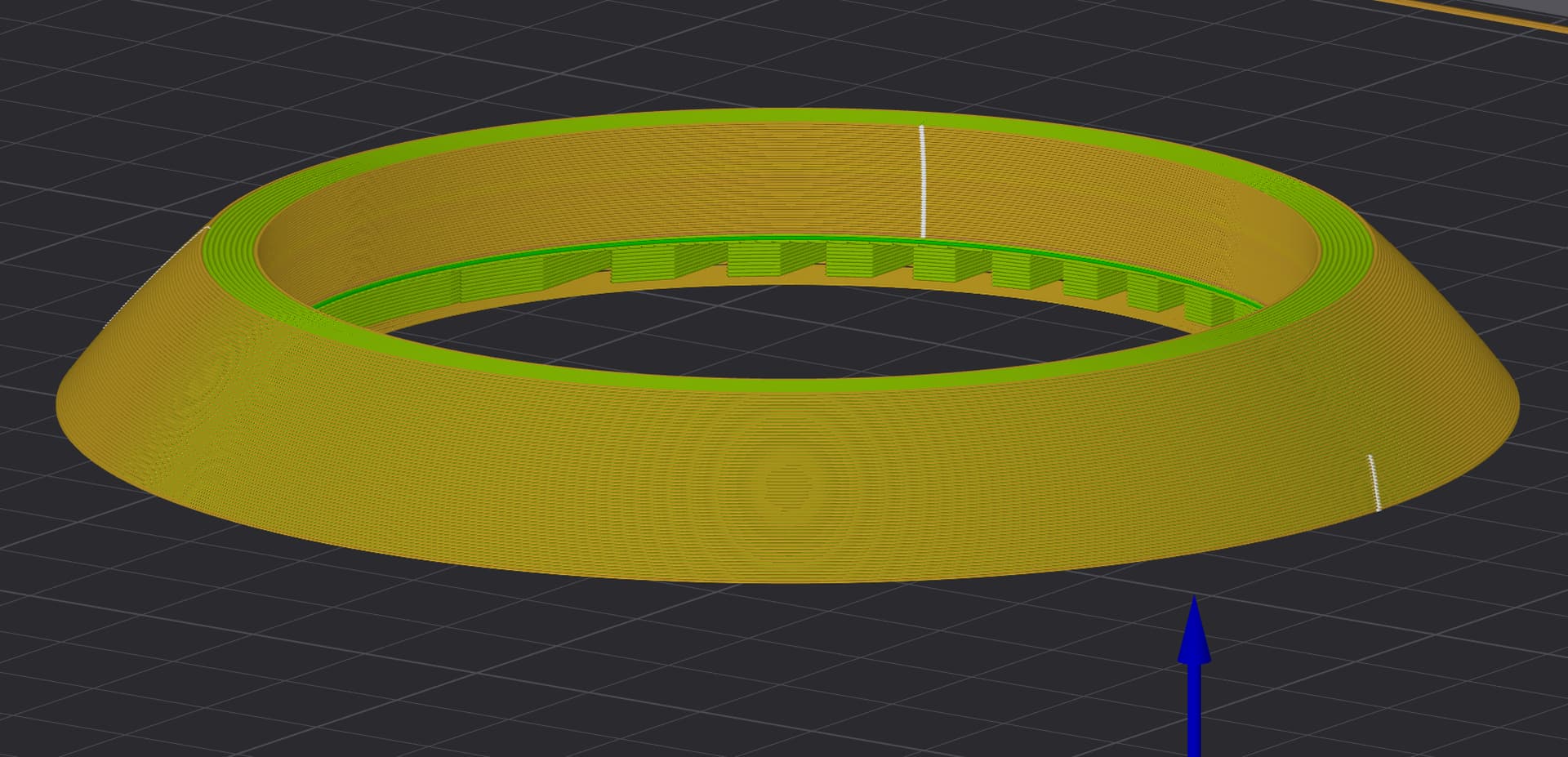
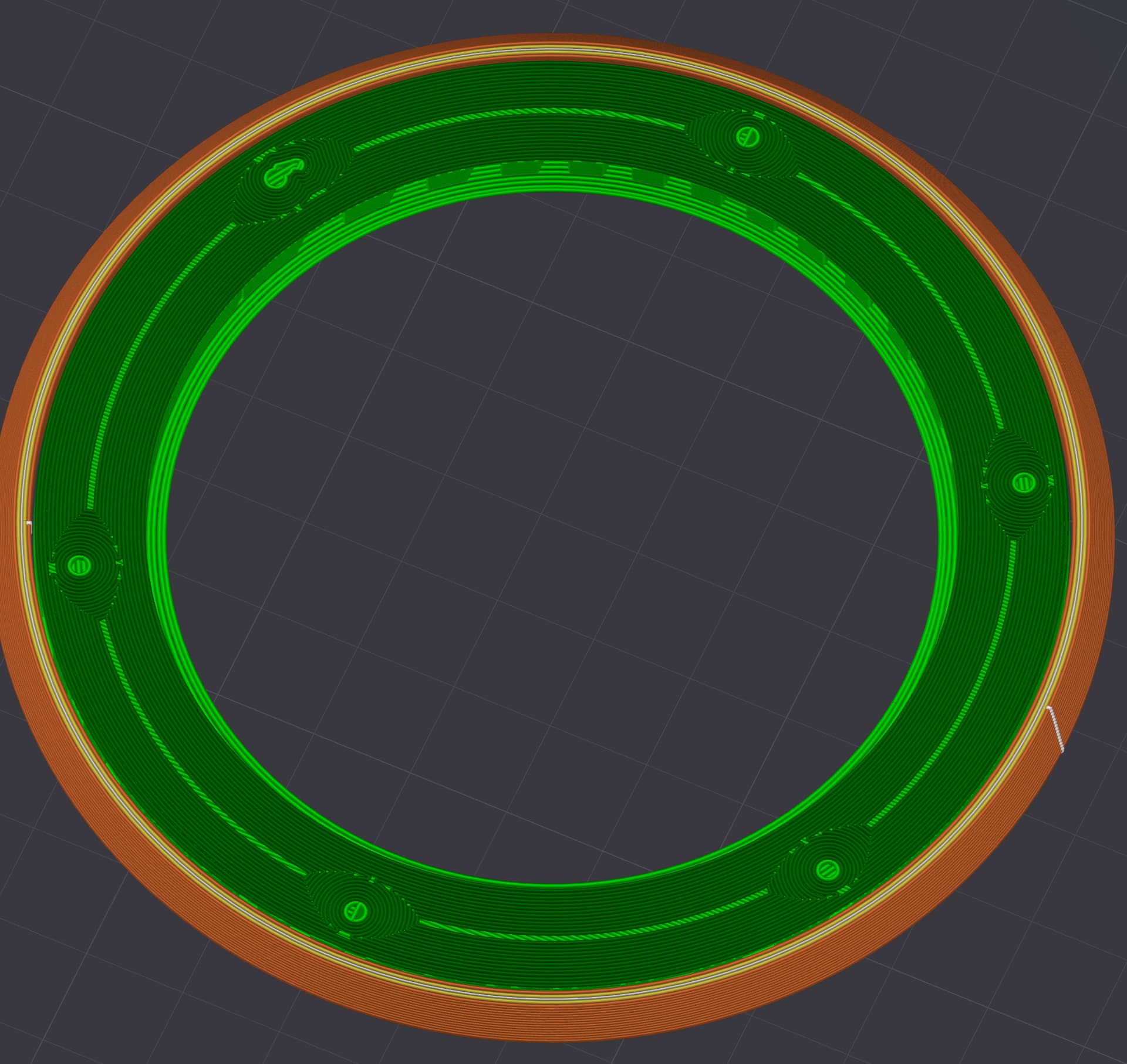
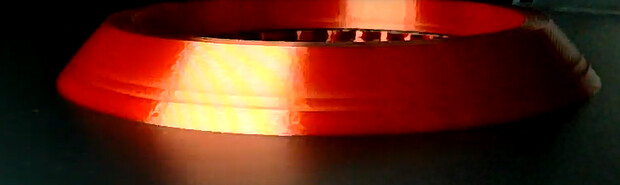
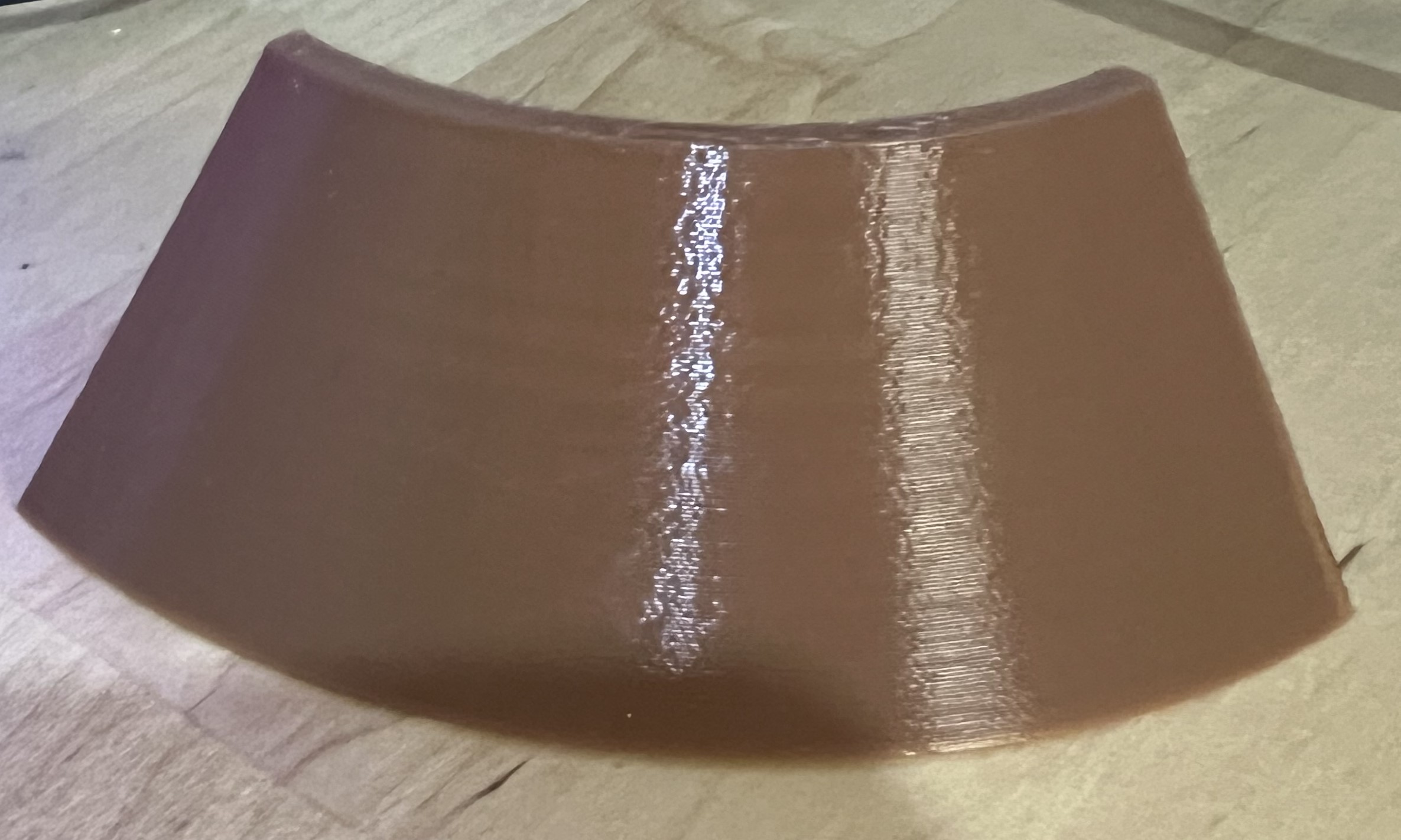
I have been unable to find a way to print a simple model with consistent support and outer walls.
In the images above, you can see two lines corresponding to the support interface layers.
Printing without supports results in a perfect outer wall, but the overhang is messed up, rendering it useless.
If I don’t print the small hole supports, only 1 outer flawed line appears.
If I use PETG for supports instead of PLA, there is no difference.
Increasing the wall loops to six makes no difference.
Adjusting the “Top interface separation” setting has no effect.
Changing the “order of wall” printing has no impact and sometimes makes it worse.
I have printed this model over ten times without success.
Other than that, are the support interface regions solid layers?
Usually, this uneven region does not result in significant artifacts, yet it depends on the filament. Which type are you using?
Regarding solutions, the goal is to make them as homogeneous as possible, i.e. avoiding significant changes within a layer.
I usually slow down, but there are limits.
So, if you are printing fast, you may try to reduce speed and assess the effect.
If you need other solutions, you can tune other variables:
layer height - either changing the thickness or using the adaptive feature - note that for the former, the filament is critical (see below), and the adaptive layer height can be a double-edged sword.
The filament specs are critical, especially regarding layer time and MFR values. I would avoid messing with these values, but if necessary, I would increase the minimum layer time and reduce MFR.
Extruding temperature and cooling fans can be tuned to make layer thermal expansion/contraction more homogeneous.
Thank you. Flipping the model did the trick with both an inner and outer brim. Theoretically, only one line touches the build plate, but it worked. I can’t believe I wasted so much time and filament without realizing the obvious solution.
I am glad that it worked.
I was so focused on the wall that I missed the overall geometry.
I looked at your print bulge, and while I expect some surface artefacts from non-uniform layer time, flow or speed, yours are pretty noticeable.
I had a similar case, but related to the point being paused by about 10 hours due to the filament being stuck in the AMS.
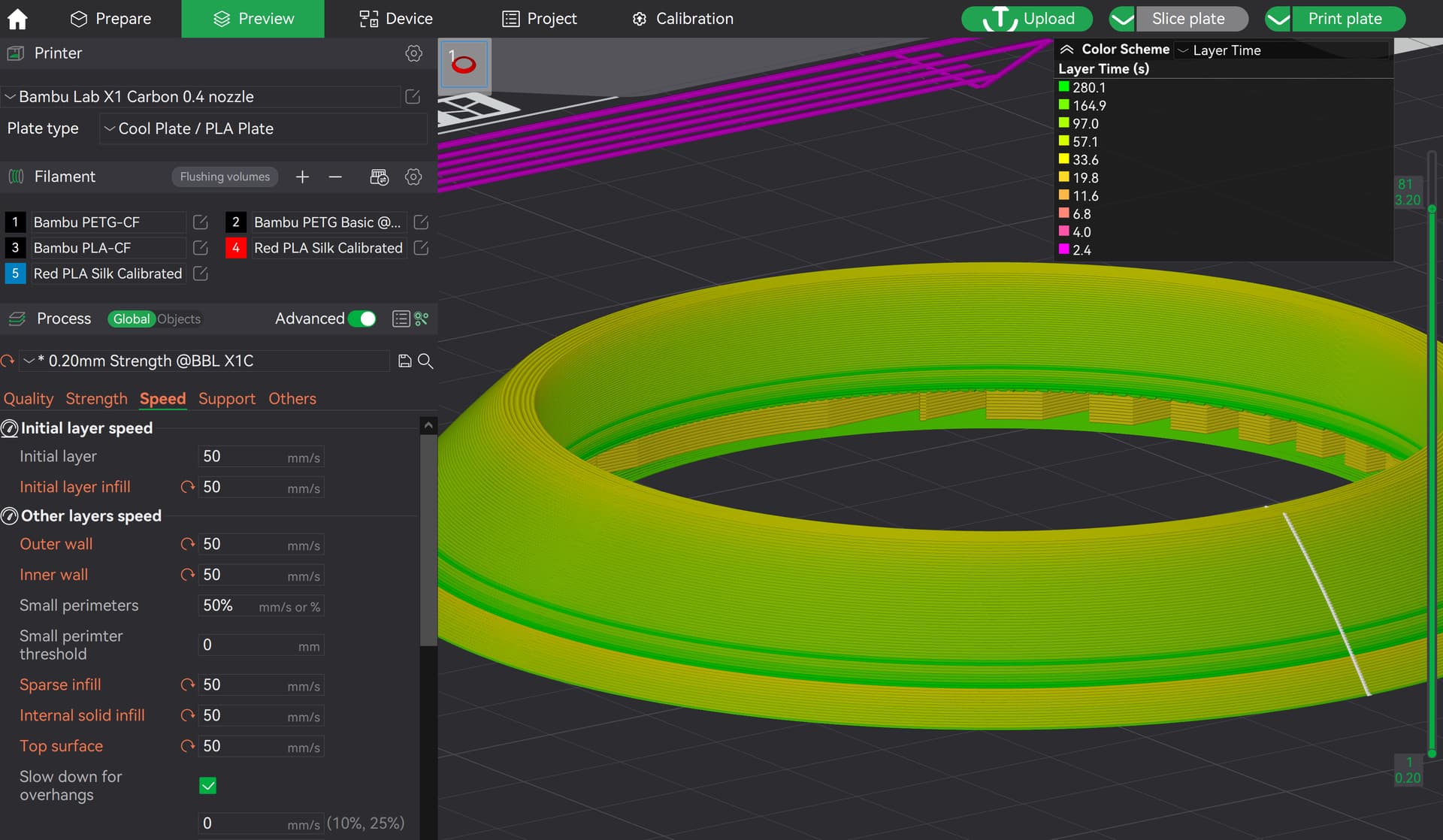
I did a minor test, 1/4 of a part “similar” to yours, using the default 0.2mm print preset, except for adding the option support and changing the infill to gyroid.
I use a standard PLA filament Sunlu Meta dry, with flow rate and pressure advanced calibrated. With this, I mean that I didnt tune the print settings for better quality.
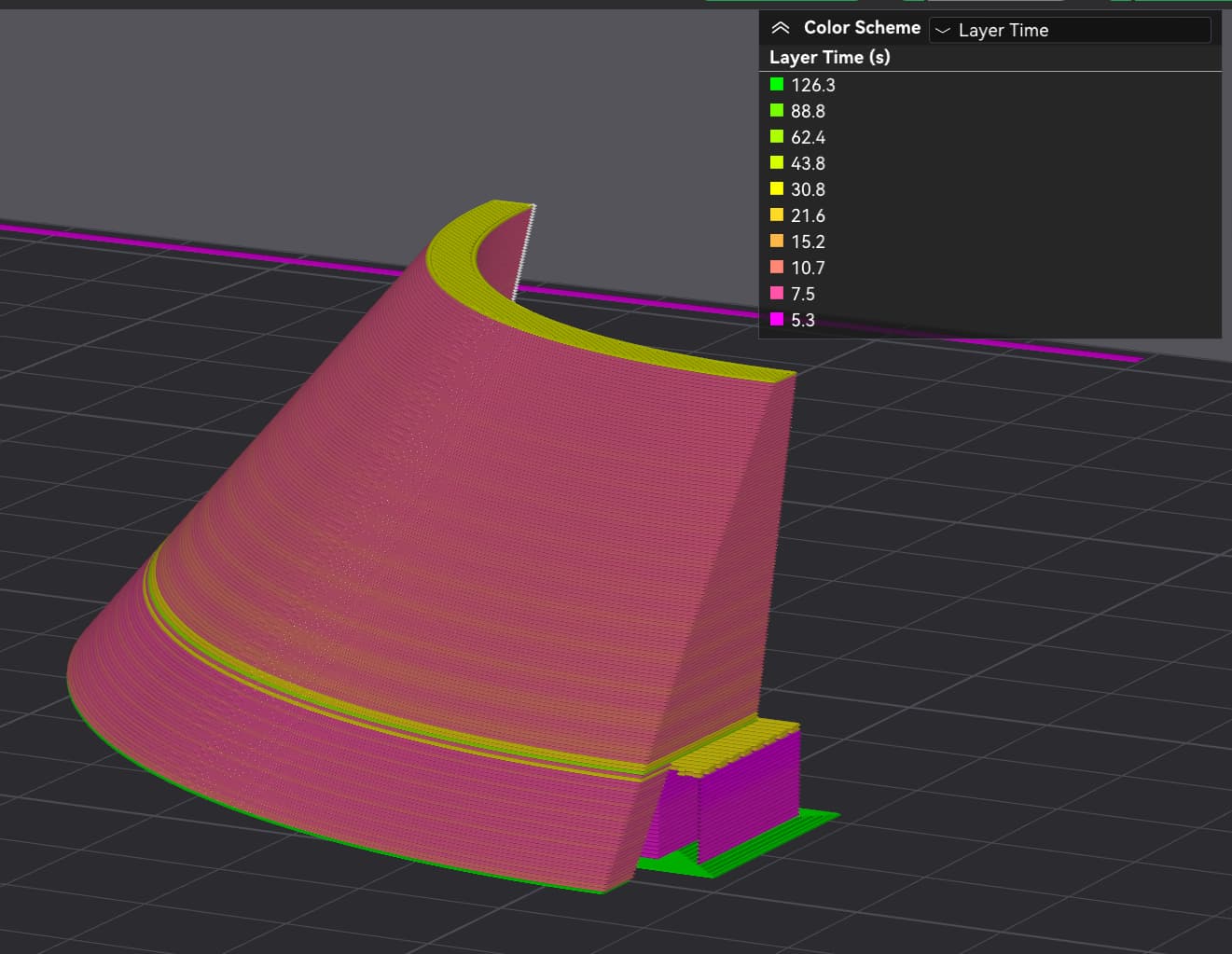
Similar to your case, the print preview shows uneven layer times:
I have no experience with silk filament, nor do I have it at home for testing, and maybe this is the cause. If not, you can benefit from maintenance/tuning on the mechanical movement parts for better results.