And you read my mind on mouse ears!
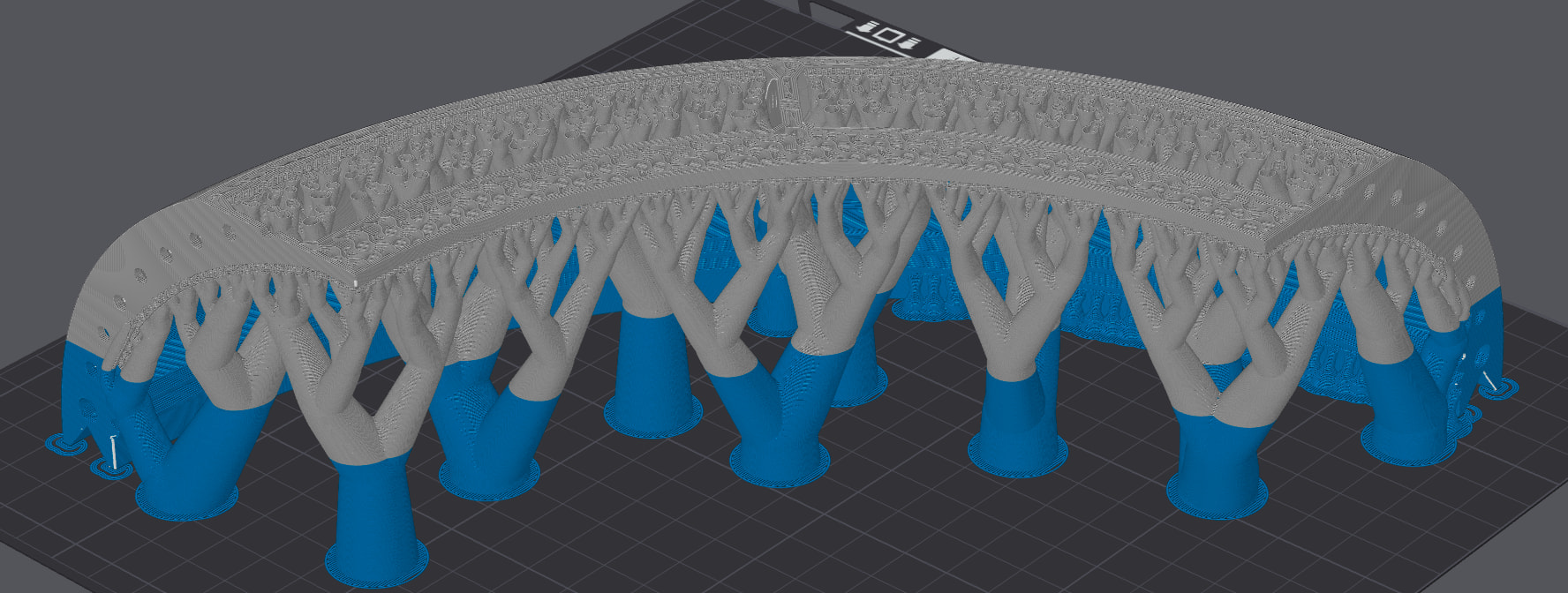
I am not sure about TPU as an additive. I’d expect in particular lots of different pigments.
But the type and quantity of additives are usually a well kept secret as they are what makes the magic happening 
Many thanks for the update 
That is a new one to me. You mentioned that observation before but I could not spot its significance or root cause and therefore focused on the warping.
With solid infill having, by definition, no place to fill out slight overextrusion, even small deviations in flow calibration show up. However, I’d expect the same error to be occuring on top and bottom surfaces. And be even more prominent there due to the deliberately increased flow.
Very puzzling.
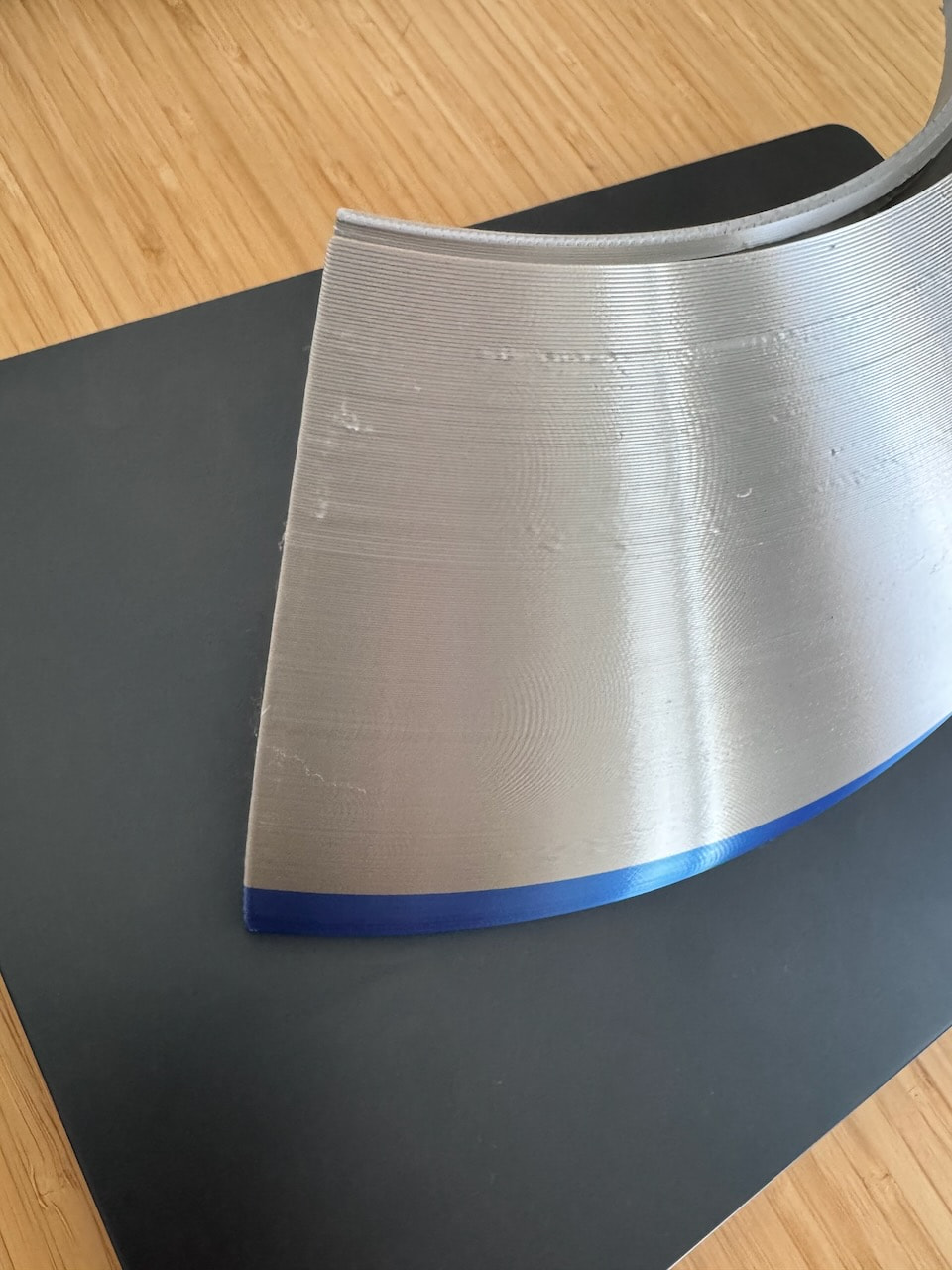
The pic’s indicate slight wavy patterns on the walls. Are these image artifacts or are they present on the print as well? They typically indicate overextrusion as well.
As I mentioned, the auto-calibration is usually better than I am with manual calibrations. But it seems that in your case, auto-calibration leads to slight overextrusion. Has your nozzle seen a lot of use? Or seen a lot of filled filaments like glow, wood or CF? In that case, it may be worth to have a look at the nozzle. And/or just use a new nozzle and verify autocalibration.
 &

They are actually there even in the Bambu Lab. I’m not entirely sure what they are, but you are right and this also looks off… I wonder if I have an issue with the source STEP file that confuses the printer
I would interpretate this as making diagnosis really difficult. If the are in the file then they would not indicate overextrusion. Merely printing as “ordered”. Very puzzling.
I am not so deep into the IT side of things in FDM, but there are some older threads on file types. They may be of interest regarding step/stp, stl and 3mf. Despite them, I usually get better results with stl and 3mf but, as I mentioned, I am not deep into the topic.
&
I like the look, but I find that silk filaments are miserable to print with. I often have the surface quality issues that you are seeing. Silk filaments also have poor inter-layer adhesion, relative to PLA Basic. Print the same part in PLA Basic and it comes out perfect.
For silk, sometimes going slow and printing the outer layer first helps.
Also, changing the orientation of the part on the print bed relative to the aux fan can help. I find that with silk filaments, the surface facing the aux fan is often the best.
Thank you, I’m about to reprint that part so we’ll see if it helps. I’m also thinking about making the outer wall a separate object and printing it as a solid wall with 100% infill. We’ll see how that goes.
You actually haven’t hit the height yet that you will see this, but in my experience, once the rounded shape starts flattening out at the top, the visible-to-your-eye portion will transition from “outer walls only” to “now I see outer walls, and a peek of the inner wall” and then finally “every layer, I see the outer wall, inner wall, and even some top surface”. Silk is a touchy little aesthetic bastartd and I’ve found success in aesthetics by clamping the Line Width of all line types constant, and Print Speed of all line types constant. Otherwise your eye can tell the differences in luster and shine. You may also want to spend some time in the Line Type Preview toggling on and off the various “one wall on top layer” settings to see how that impacts what you see.
Edit: and always, dry and calibrate. Silk also, don’t be afraid to do retraction test. If you see bubbles near seams/travels, do the test. Silk puffs. In the nozzle too. Retract too far, and the walls of the nozzle covered in sticky puffy schmoo can close up and encapsulate a bubble. It’s not super clear if this corner is the seam corner / beginning of the extrusion. Use preview, and the bottom control, to scrub forward/backward in the plan to see
Oh, that’s incredibly helpful! I’ll give a try to it today. Thank you!
Speaking of Silk+, do you know a good way to get the gloss on the top surface? It seems to almost always to be matte-like for me with just a sliver of gloss.