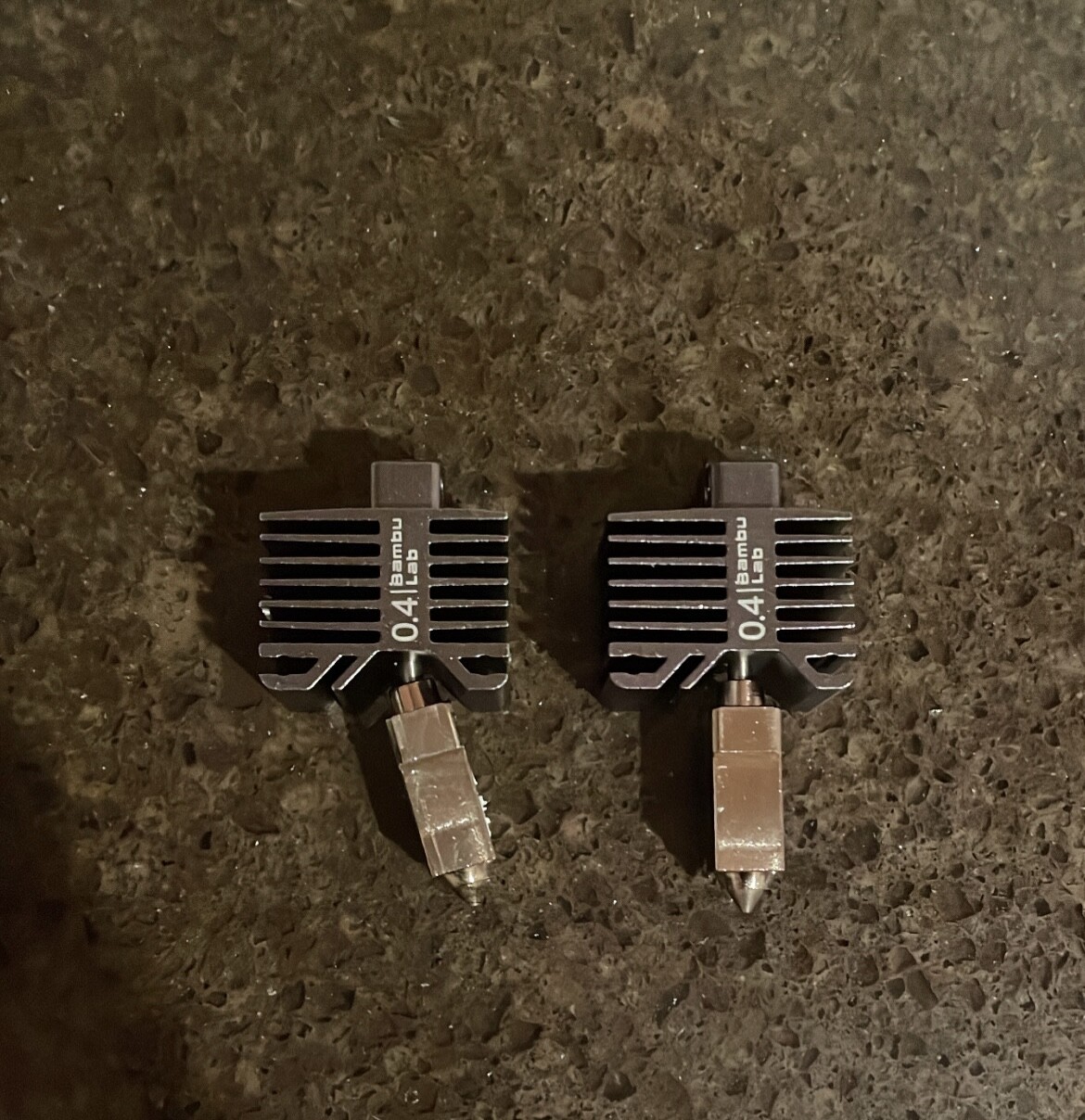
Just got my P1P a few weeks ago, printed some test objects out of the box and it seemed to work fine. Started my first “real” project this week, and I’m noticing terrible print quality on some walls. For reference I’m only using PLA/PLA+. The walls that print poorly are only on the side that faces the front of the printer, no matter how I orient the part. The epicenter of the wall distortion is the front right corner of whatever I print. It seems that the problem gets more defined the more wall loops I add, as I printed a benchy with only two walls and the quality was much better (some distortion in the same spot though). I’ve tried recalibrating, using different filaments, removing the aux fan, messing with settings etc. I think this has something to do with either vibration or the new firmware update, as all other sides of my prints look great.
It was the result of a print bed strike. A couple weeks ago I ran calibration with the print head moved out of the default position and it scraped the bed for about a second. Somehow I didn’t notice any difference in print quality until now.
Not sure if anyone else is having this one wall issue, but I was running Inland Red and got artifacts on one side of the wall, but not the other. I thought perhaps it was a belt tension thing, however I sent a print using BBL Black and the same model turned out perfect. I am doing another print to test, but could this be a filament issue?
I currently face the same issue. Visible here: Layer movement - #3 by Breaveheard
I will change the nozzle in order to understand if this could the cause.
Update for me. I printed using a different filament and did not have the issue. I went back the inland True red and got the issue back. I concluded it was either the filament or the settings for generic. I created a custom profile for Inland True Red and set ‘max volumetric speed’ to 18 from 22. I actually tried a number of values, and settled on 18.
I had the exact same issue and was also fixed by replacing the nozzle that was bent in the same way.
The thing with this printers is that they are, in more ways than one, pretty intense. If the print fails, it does so spectacularly and more than once you might find your printer trying to kill itself, carving into the print as deep as it cans or hitting the walls in the most violent way. Happened to me a few times already, so I’m not really surprised about having to replace the nozzle