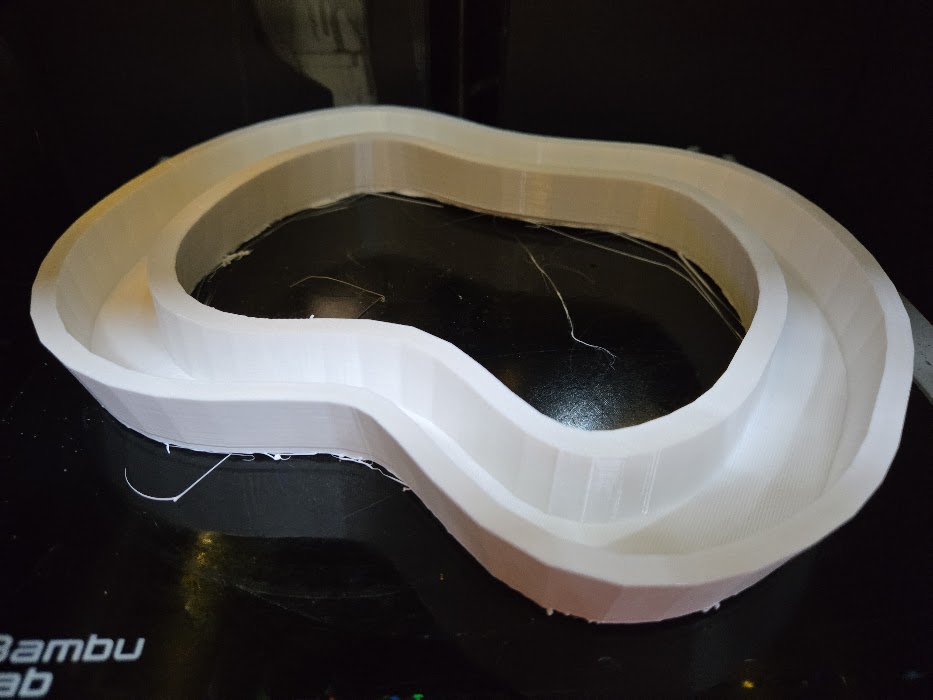
I have a P1S with AMS. Lately my prints have not been great. It seems the lower layers are shifting. If printing anything articulating, the parts fall apart.
The filament prints fine in other printers so it must be something with this printer.
I loosened and tightened the belts, and ran calibrations.
The Cowboys chain was BL ABS
The white lei was generic PETG.
I generally spray hairspray on the bed between prints, occasionally washing it. I just washed the plate and will try it again.
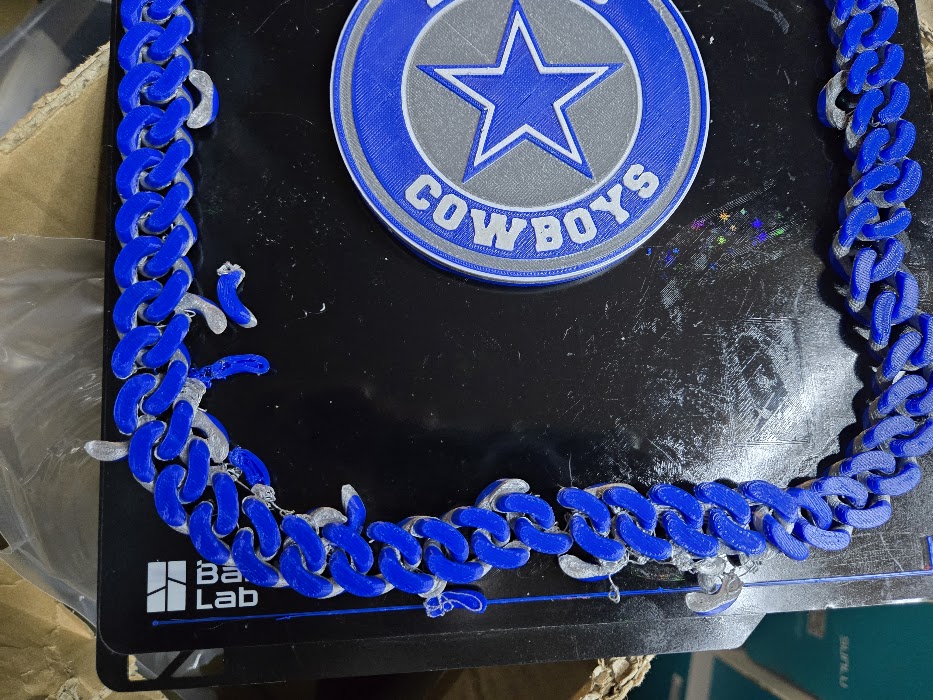
Looks like an adhesion issue. Do you have a different build plates to test?
Are you using glue or hairspray on build plate and if yes, why?
The top picture that bed looks pretty nasty.
If you are using PLA or ABS you should not need any adhesion promoter on the build plate. I good clean build plate should be fine.
What material are you using?
Hi, yes I washed and used another plate. Same issue.
Just a suggestion but while you are having a problem, quit trying to print multiple objects That I’m guessing have some purpose. You aren’t running all those yellow parts to troubleshoot bed adhesion issues.
Save yourself time and trouble. Whatever the problem is, it won’t fix itself in all probability.
Do you have the gold textured build plate that came with the printer? That plate with the failed yellow prints looks like you overlaid the CF pattern sheet over the gold plate but maybe that is how you bought it?
Always best to remove possible sources of the problem from the mix, right from the start.
Printer comes with the gold plate and the gold plate works. So remove that CF sheet build plate and put the original gold plate there. Scrub the gold plate vigorously with a soap that does not contain any skin softeners in it. Dish soap is good. I use a pump spray filled with degreaser but lots of folks use squirt bottle dish soap. Just don’t use the hand soap that may be at your preferred sink. There is a high chance of those type soaps having a moisturizer in the ingredients.
Do you have a new nozzle?
What type and brand is the filament.
As far as a simple model, if you create a “New Project” you should have Studio’s graphical build plate representation.
Right click on the build plate and you should be offered the option “Add Primative” and a list of those primatives.
Select “Cube”
Once your cube is on the build plate. select it and then choose the “Scale” tool.
Uncheck “Uniform Scale” and set the X, Y, Z values to something like 30, 30, 5 so you end up with a relatively thin square that only takes a few minutes to print