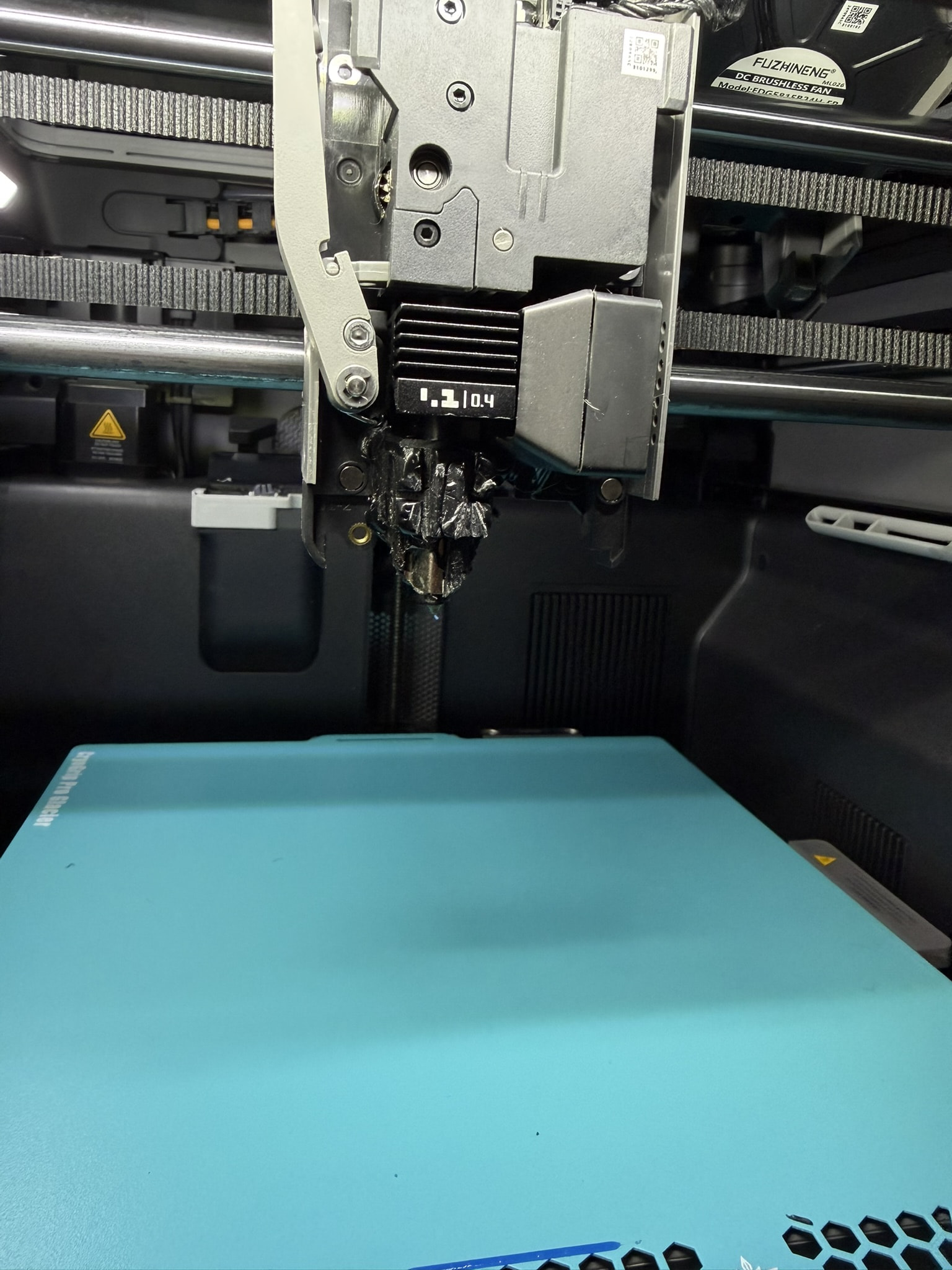
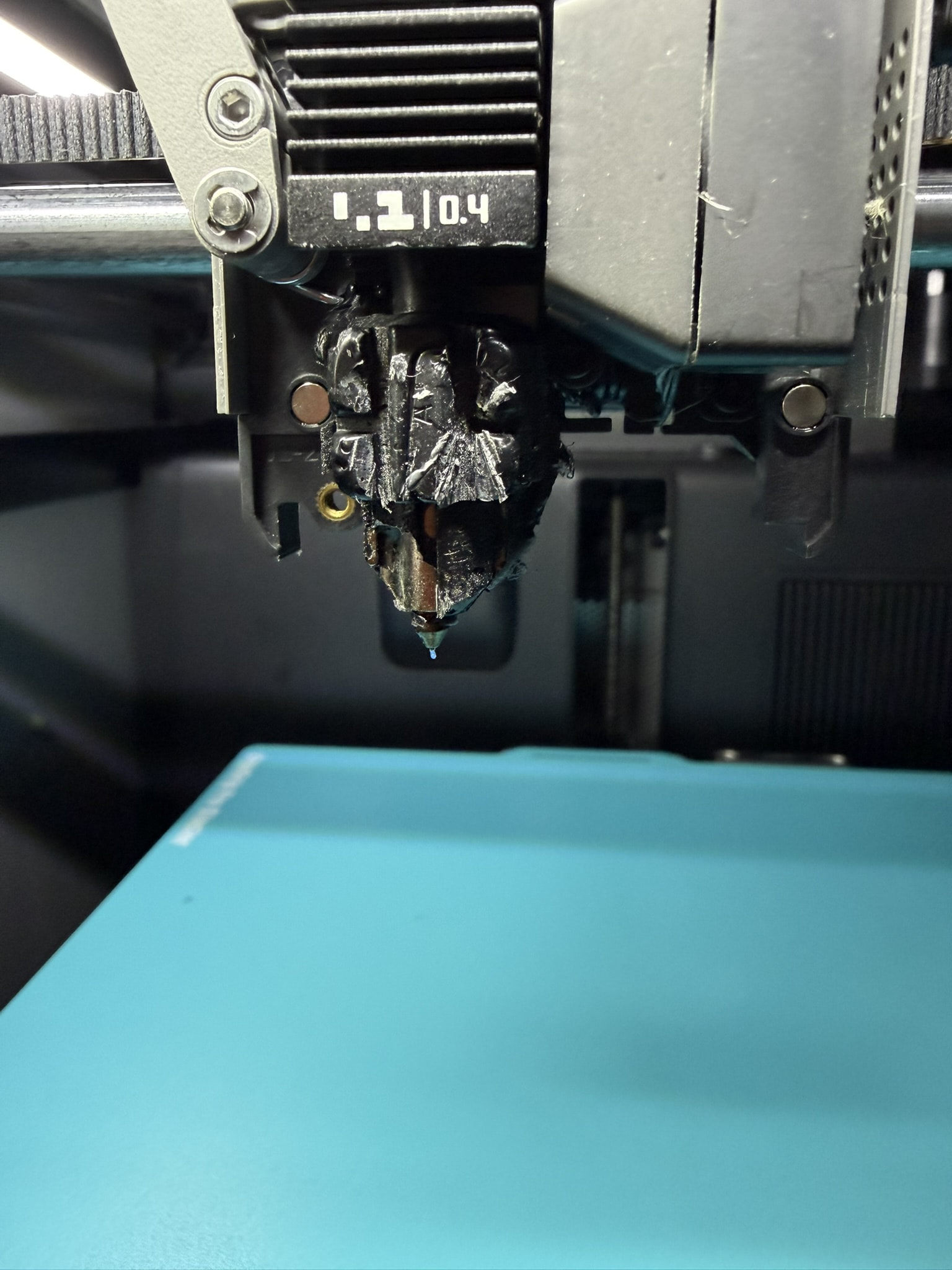
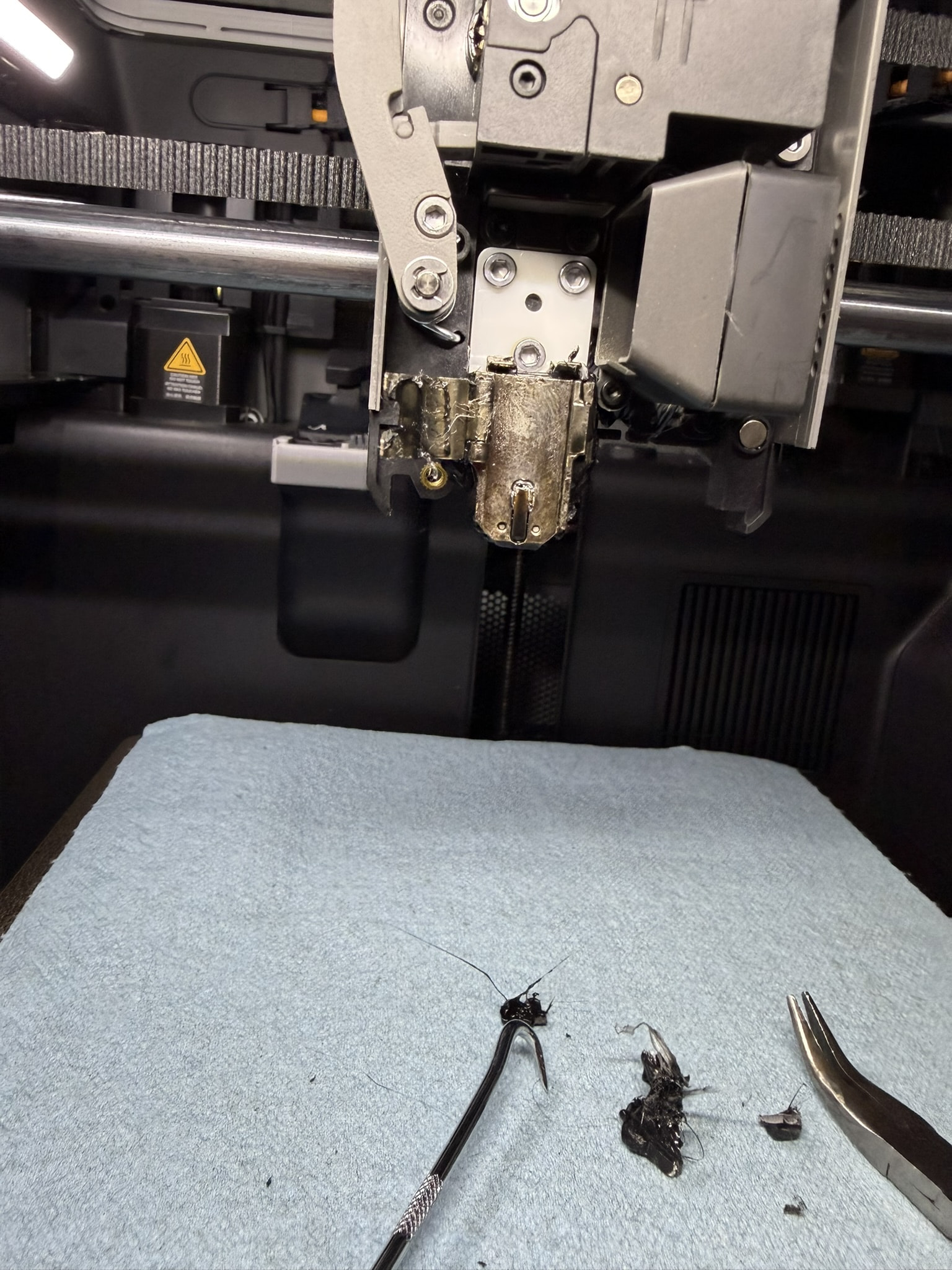
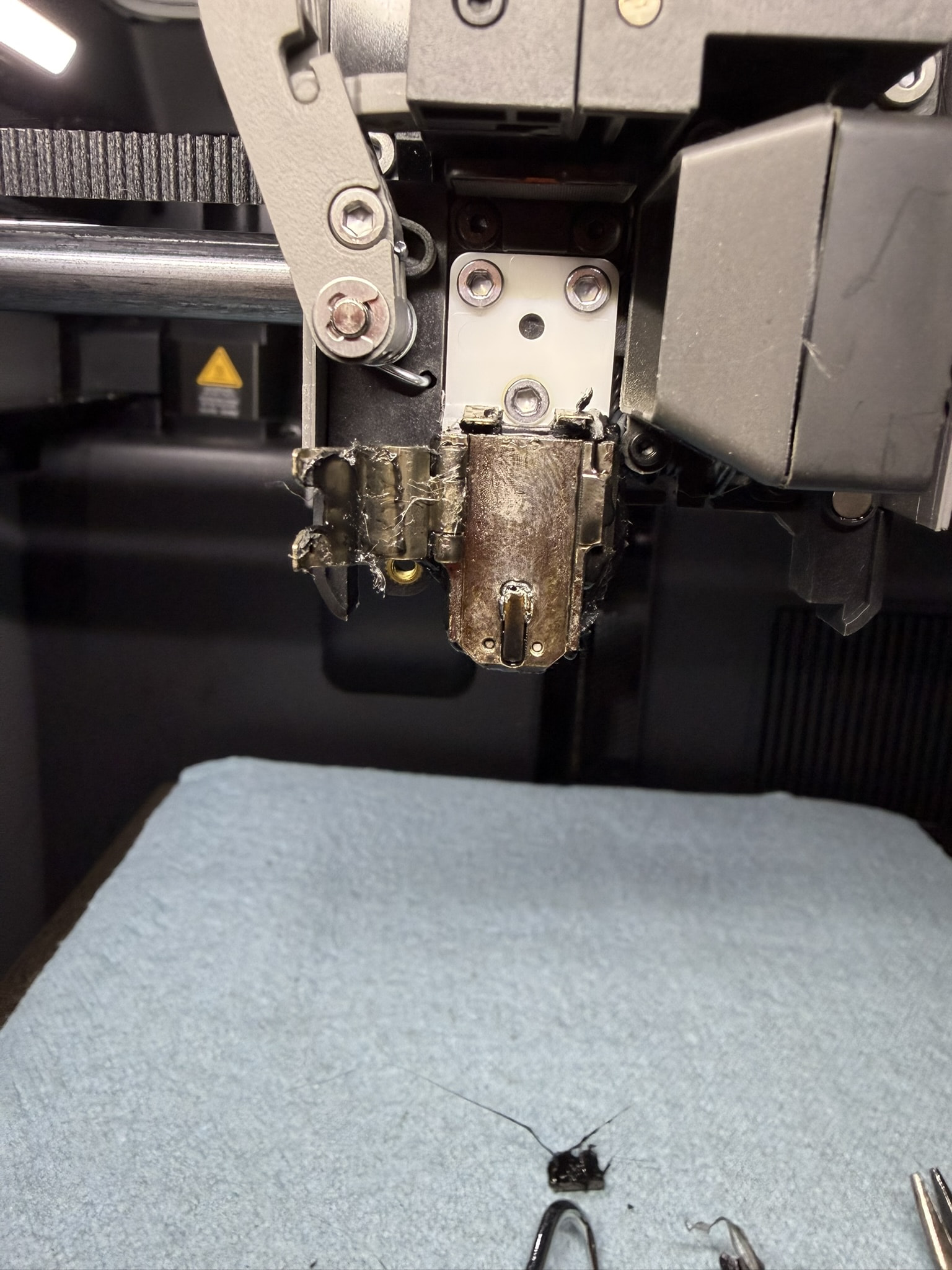
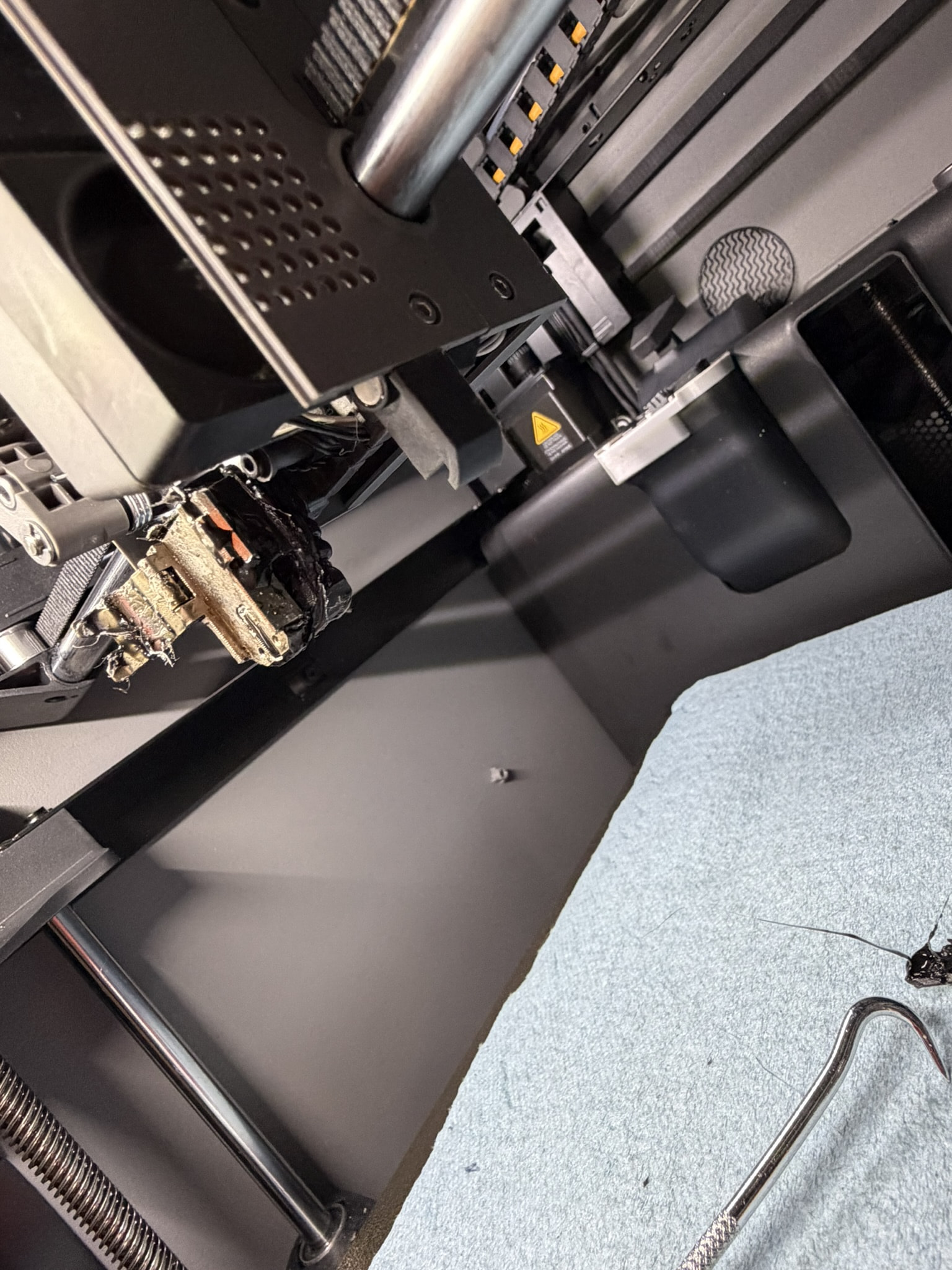
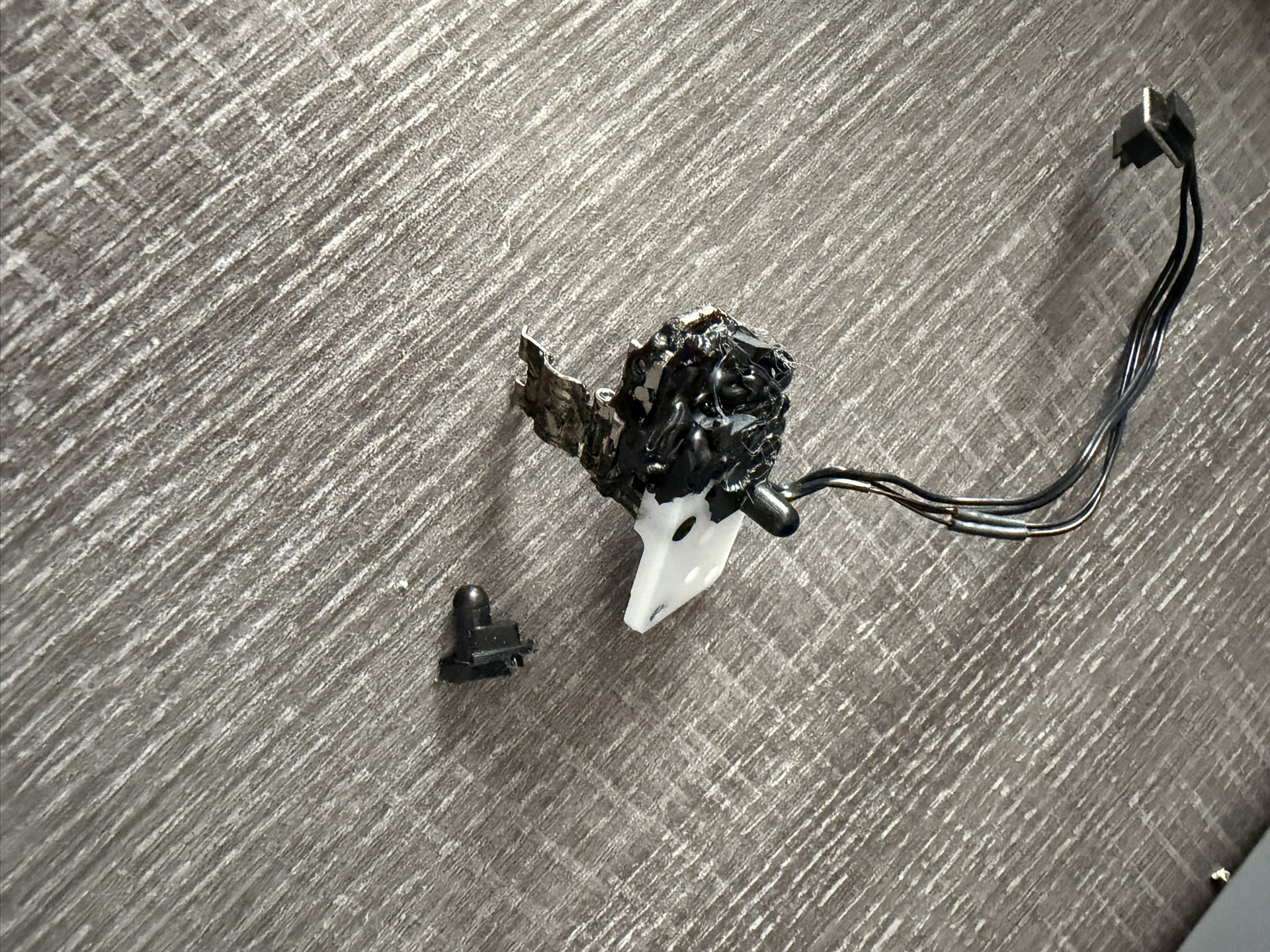
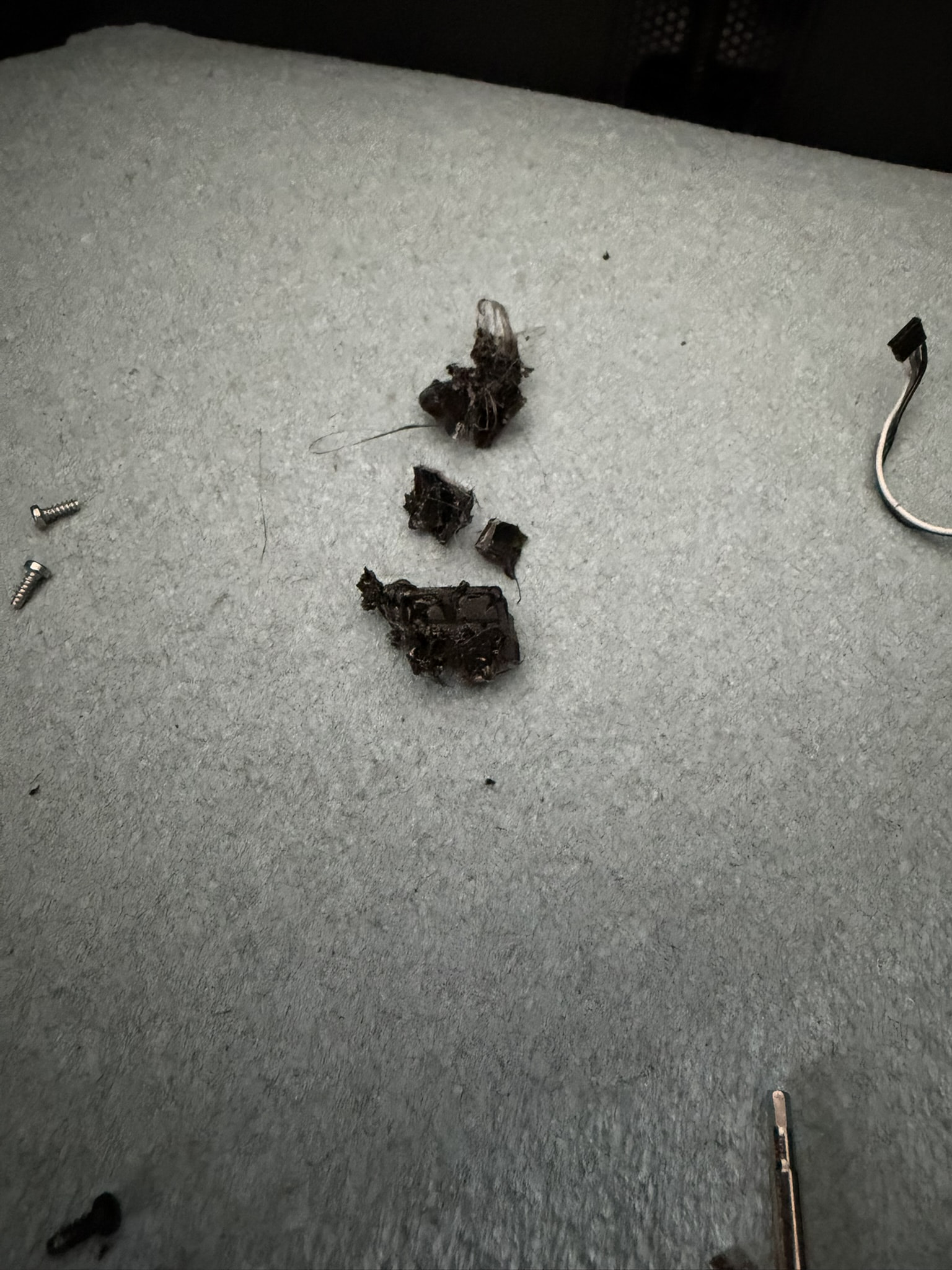
My P2S had a problem (probably caused by damp filament) where filamentt gathered into a ball and clogged the works, escalating into a literal meltdown before the AI detected that there was a blockage. All that plastic apparently trapped the heat and it went to work on the toolhead itself, escalating into pretty severe damage.
Not being mechanically inclined, I look at all this mess and my take is that the best I can do, is to replace the toolhead assembly outright. (Yes, I expect it will be expensive.) Some parts are just unrecognizable (See the fan, for example, in picture 2), and since I’m not intimately familiar with the makings, I’m a bit lost as to how to repair this. I looked on the BambuLab store, and found parts for the tool head, but not a complete assembly.
So I’m here to look for advice (not about drying the filament, please. I get it.) As a fiddler and not a mechanic, what is my best approach? If there was a repair center or some such, I’d be headed that way now. But alas….
Scroll down the page and you’ll see guides for everything you need.
It shouldn’t be difficult and the wiki will give you step by step. If you can turn a driver then you’ll be ok. Just be careful and take your time.
Also, on any given part page, if you scroll down it you will see it links to that parts replacement in the wiki as well. We’ve all been there and if you run into trouble there’s always someone here
It shouldn’t while under warranty. File a ticket, bambu is very responsive with sending replacement parts. They might outright send you a new assembly given the damages.
GOOD NIGHT! I have never seen one that bad. I’m sorry that happened. Like someone else said, I would use the wiki and contact customer support via a support ticket. Due to the damage, you should be sent a replacement for free provided the printer is under warranty, and even if it isn’t, they should still send you parts.
Thanks to all who have replied. I feel protected. I have tried to find how to submit a ticket, but havent found the right path.
At bambulab.com, if I click on Support, then Supporty (again) and then P2S, all I see is links to guides. If I scroll down after Support/Support(again), I see Service Portal but that leads me to a “no records” only.
Can you please help me understand the path to submit a ticket?
I’m having a very similar experience, while not quite as catrostrophic, it is equally “print-stopping.”
I’m interested in your experience with opening a ticket? How was the process?
Are you back up and running?
Thanks in advance……Todd
the ticket opening process was extremely simple, following the above advice from the Handy app. The staff eere very responsive (though in USA it tends to be one message, one answer per day due to the 12-hour time difference with China).
My issue was severe and required a total toolhead replacement, which is a daunting challenge for a fumble-fingers like me. BambuLab replaced every non-disposable part at their expense, so the cost was negligible.
Because I am often away and because of the tedium required, it took me a long time to repair. But that’s me and, again, the case was severe.
My advice: open the ticket, see where that takes you. Costs nothing.
This isn’t a filament issue. it’s a poop chute issue. I have 2 P2s and the poop chutes don’t always properly empty. It plugs up and when the extruder clears on a plugged chute It builds up quickly around the head especially on multi color prints.
I have just had a similar happening. the plastic flowed up inside the tool-sock, and completely covered the nozzle, and clamps that hold the nozzle in place, and all around behind. :-((
I had a similar problem. I had the blob of death. Unfortunately, as I was removing the mess, I believe I damaged my print head assembly. I logged a support ticket with Bambu, and they promptly replied asking me to remove and take pictures of my Eddy Sensor and my extruder printed circuit board, which I did. But, I’ve now been waiting for more than 3 days for someone to look at my evidence and get back to me. I’ve contacted support twice via live chat asking for them to look at my ticket. They claim they requested it to be prioritized but I find I’m sitting her twiddling my thumbs waiting for soeone to get back to me.
Has anyone had a similar experience? Any suggestions on how I get Bambu to at least look at my ticket?
I must say, my experience with BambuLab Support has been nothing short of exemplary. The 12-hour support-hours time difference is my one complaint, but there’s litle to be done about that, I’m afraid. I do wish there could be (good) 24-hour support, but the quality is good enough that the 24-hours-between-transactons doesn’t seem (quite) so annoying.
Wgat a disaster. Had to heat up the toolhead to at least get the PLA to melt away to get the dang extruder to release. Once I got that thing out with the help of some pliers…once I saw the disaster “glob from ■■■■” I had to test my skills…
Had to track down the details on Bambu Wiki and wow…I actually found the hotend assembly so ordered that…this was a tough lesson…Bambu factory plate sucks…