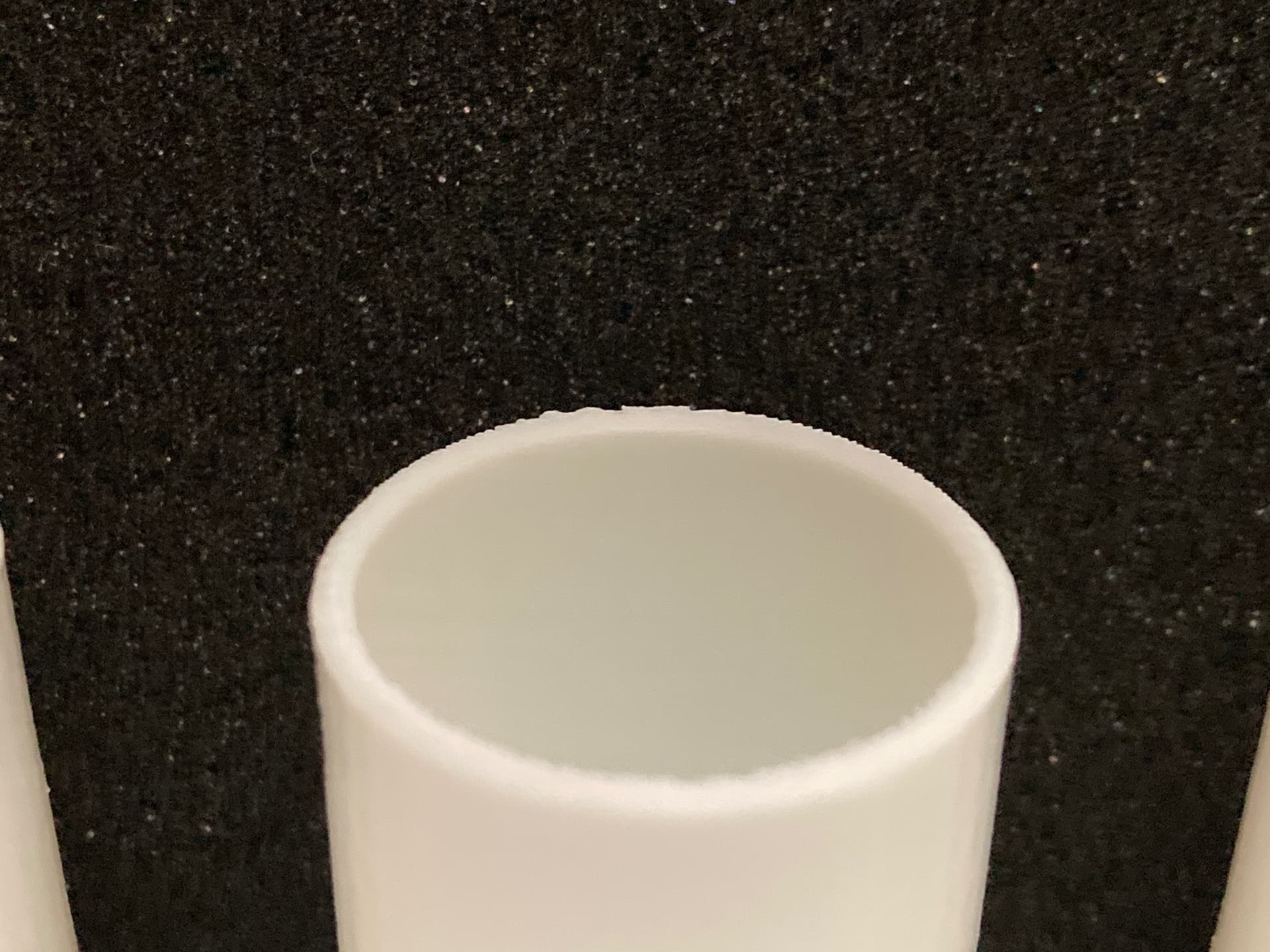
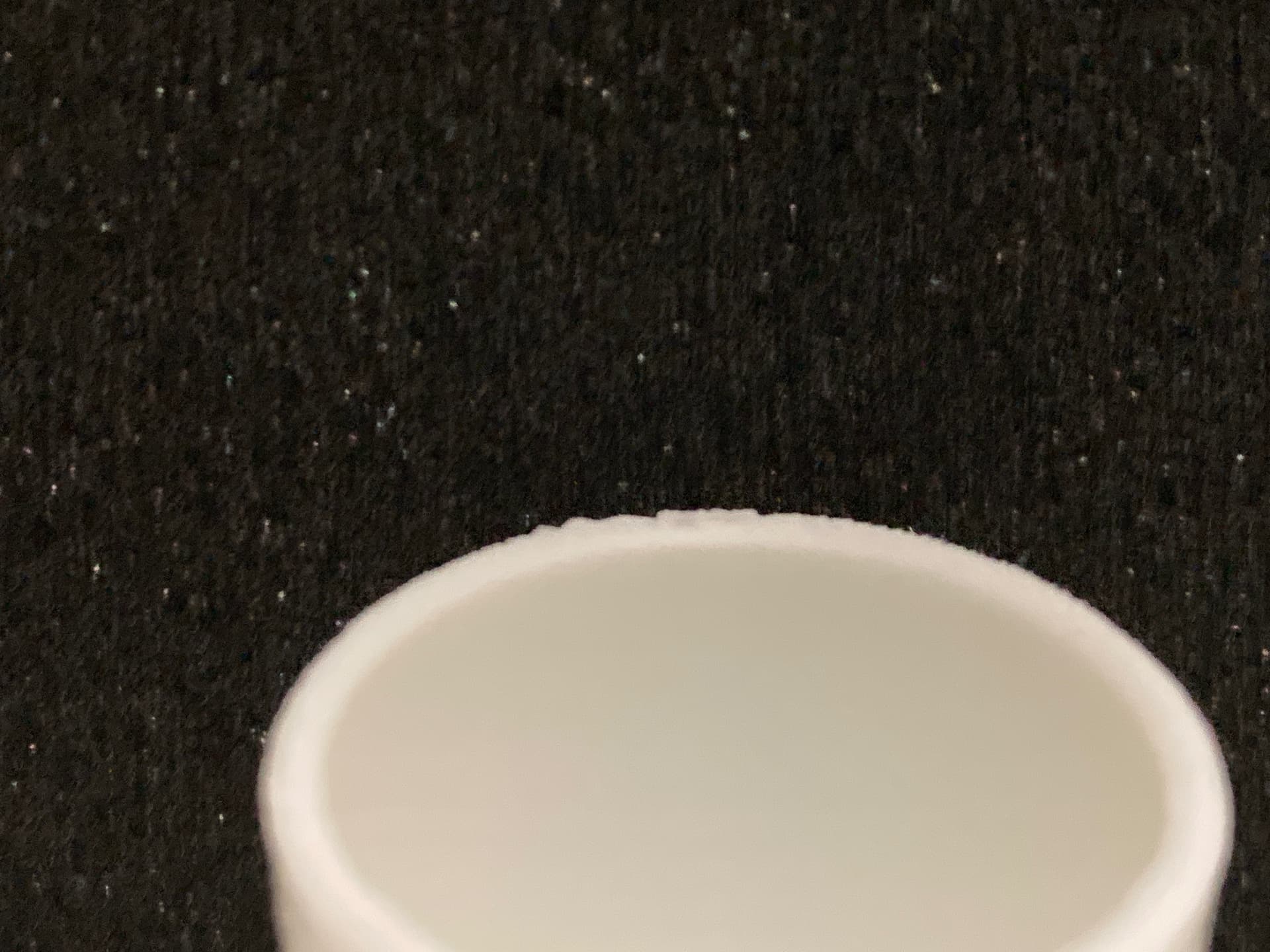
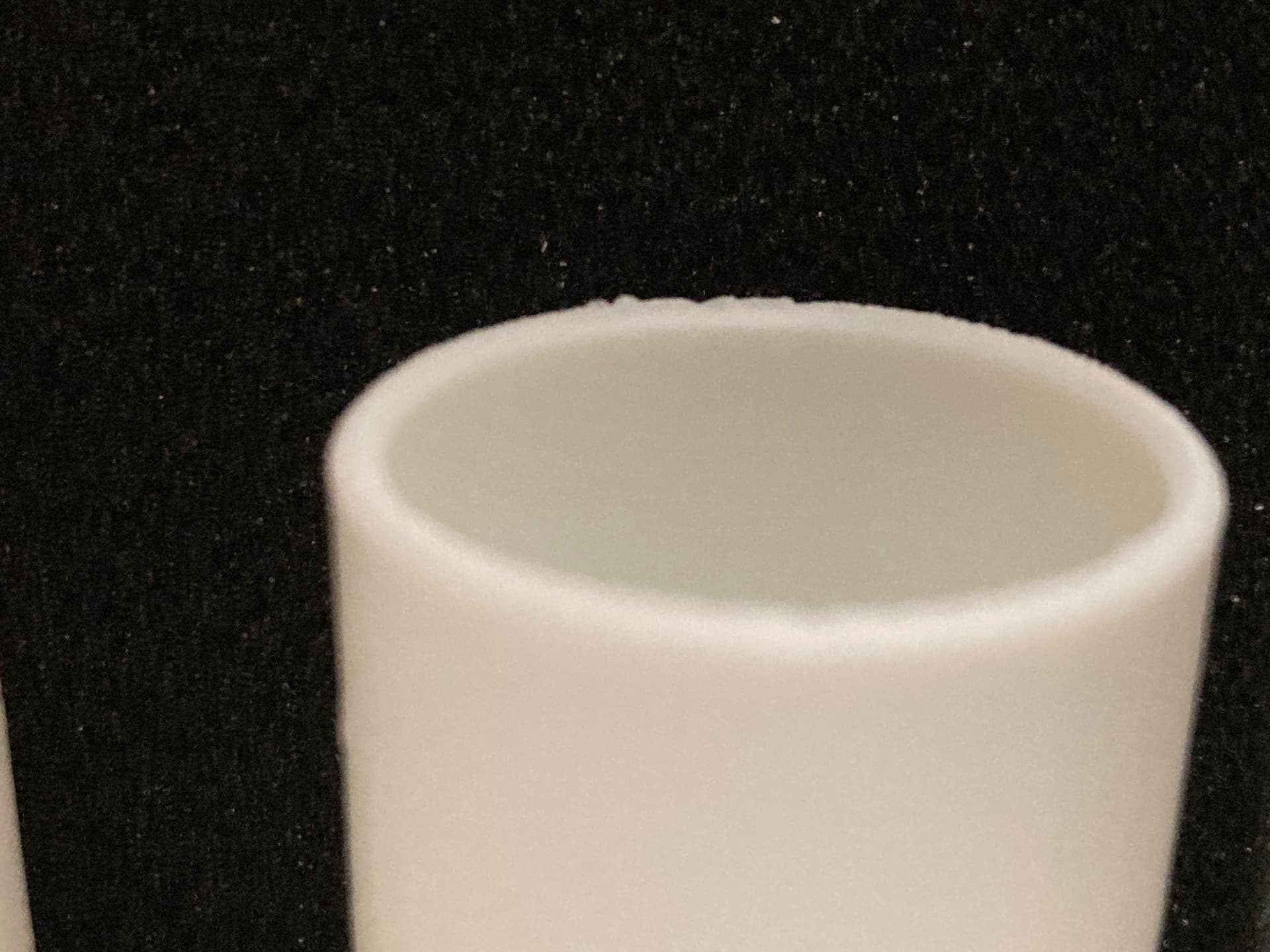
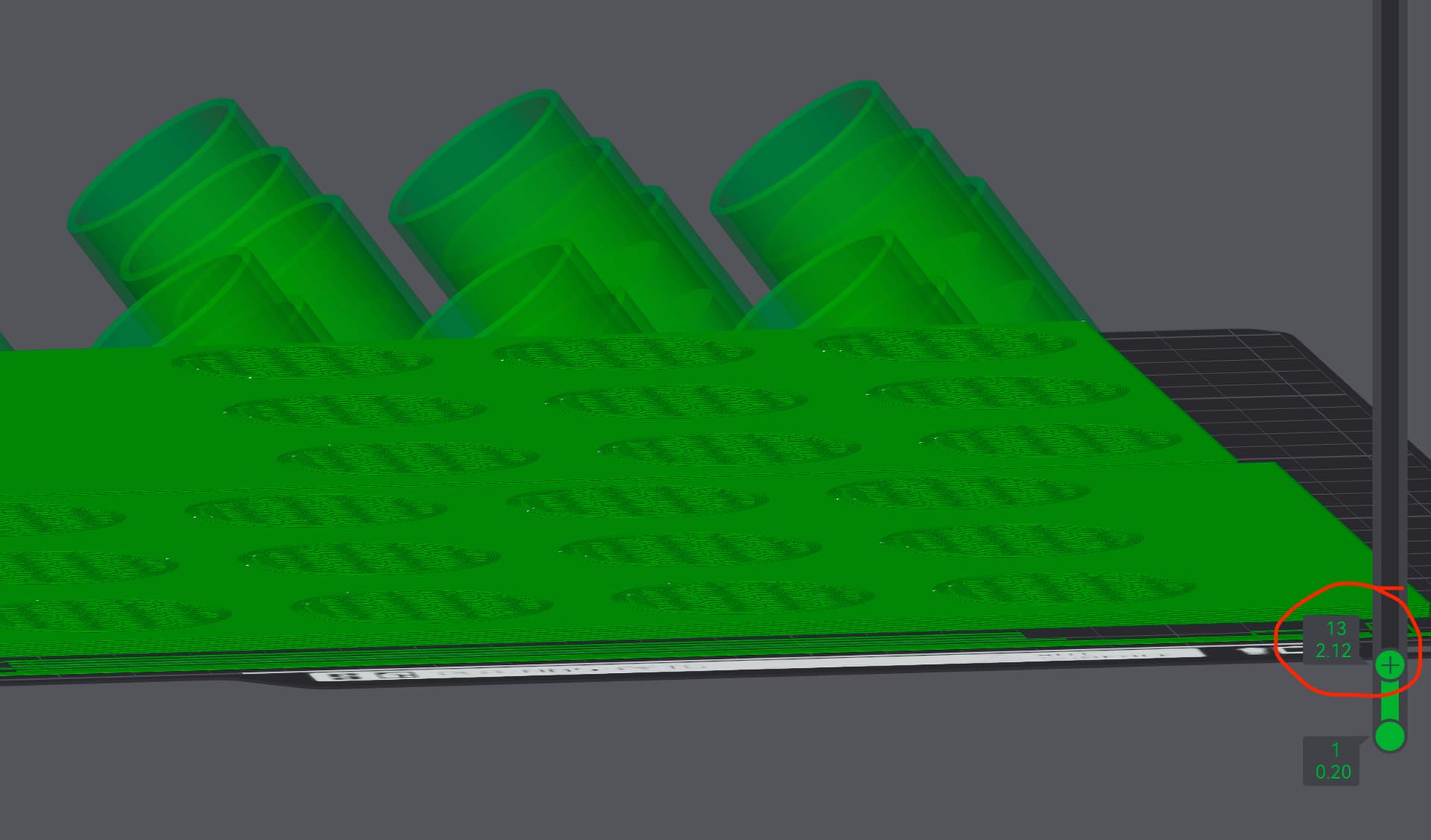
I put a black backdrop behind the cylinders to try and show the rough edges.
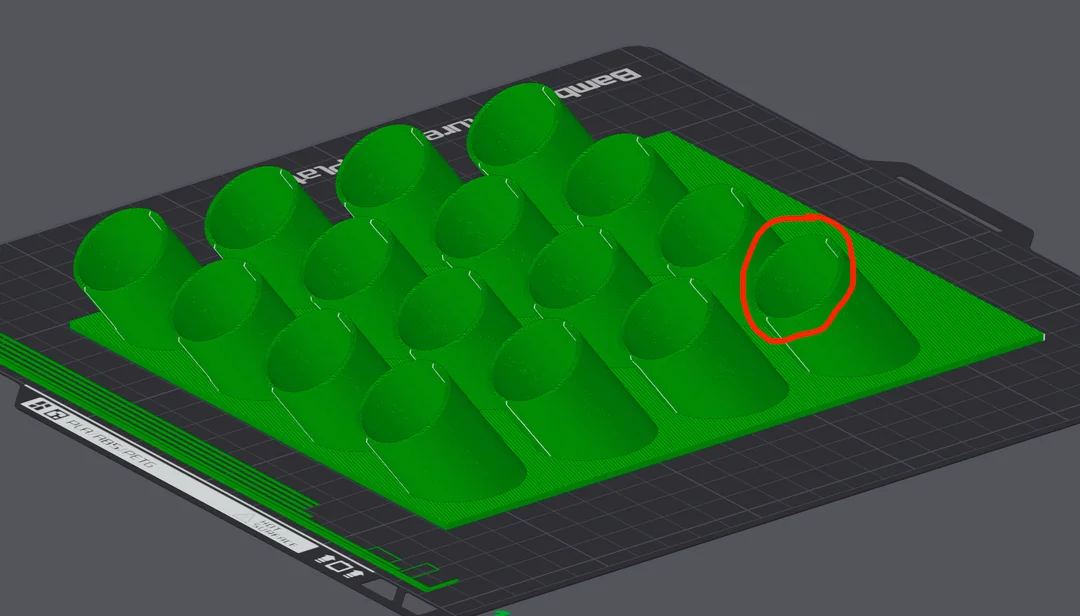
.16 layer height on X1C, cylinders are angled at 53°
I have ironing set to top surfaces. I have top surface layer speed set to 200 mm/s.
The rest of the print is smooth. Only the top of the cylinders that is a problem. Is there a setting that could help fix this issue?
Why do you have ironing enabled?
If it is for the large flat area, cool, but for the cylinders it could be contributing to the problem.
- Add a layer height modifier and set the dimensions to cover the cylinders portion.
- Select the layer modifier if not already selected.
- Now, disable the ironing for that region.
I can try this.
Would the best way be to slice it and use the bar on the side to find the height?
Then go back to “Prepare” and use “Height Modifier” to adjust the settings?
The cylinders are faceted a bit as well so hoping to correct that also.
You can use the bar on the right, just remember the modifier uses mm and the bar denotes layers on the top and mm on the bottom.
Use the bottom value in the little box as you slide it up as the lowest of the two figures you provide.
You could use the same modifier to reduce the layer height for the selected range to improve the quality of the tips of those cylinders.
Alternatively, you could use two different modifiers (which can overlap) to make the changes exactly to the areas of focus.
You can have essentially unlimited layer height modifiers and any combination can overlap with any number of setting changes.
That is very interesting. Thank you.
I will probably use two “height modifiers” then. One for ironing and one for reduced layer height at the very top of the cylinders.
You think this would help with the faceted appearance of the cylinders?
Also, for a .4 nozzle, should I use a .12 layer height to smooth the cylinders at the top? I am reading .12 is the lowest recommended to avoid issues.
You could go down to 0.08 if your filament doesn’t include additives commonly found in glow, sparkle, carbon fibre, glass fibre or other things added to non-standard (or plain PLA).
I have printed down to 0.08mm on a 0.4mm nozzle and with an AMS in the mix as demonstrated in this model I designed.
It is Bambu PLA basic. I have never gone that low before but I will give it a try. If I should be able to do it, I should be able to do it with Bambu filament
I was not aware Ironing only works for surfaces perpendicular to the build plate/nozzle. Thanks for pointing that out
Should I go Arachne or Classic? I can’t change that setting with “height modifier”
Seems like Classic is better for flat and Arachne curved but I have both types
I get an error going to .08, I can go to .09 with no error message
The wall generates is unlikely to be the cause of your issues here and is mostly used to fix issues where the walls of complex shapes like letters need to be fuller than the originally designed model considered.
It is essentially irrelevant to this model, but a great feature when actually required.
If it warns on 0.08, 0.09 will be fine. You could go for 0.1mm as it is 50% of the standard 0.2mm and simply math equation (I like those), I pointed out earlier that your presumption of the thinnest possible wasn’t true, not necessarily suggesting you must exceed it.