I don’t know if this is a Bambu Studio issue - incorrect settings or the wrong support type. OR if this is a P1S issue (cooling, heating). Or something else.
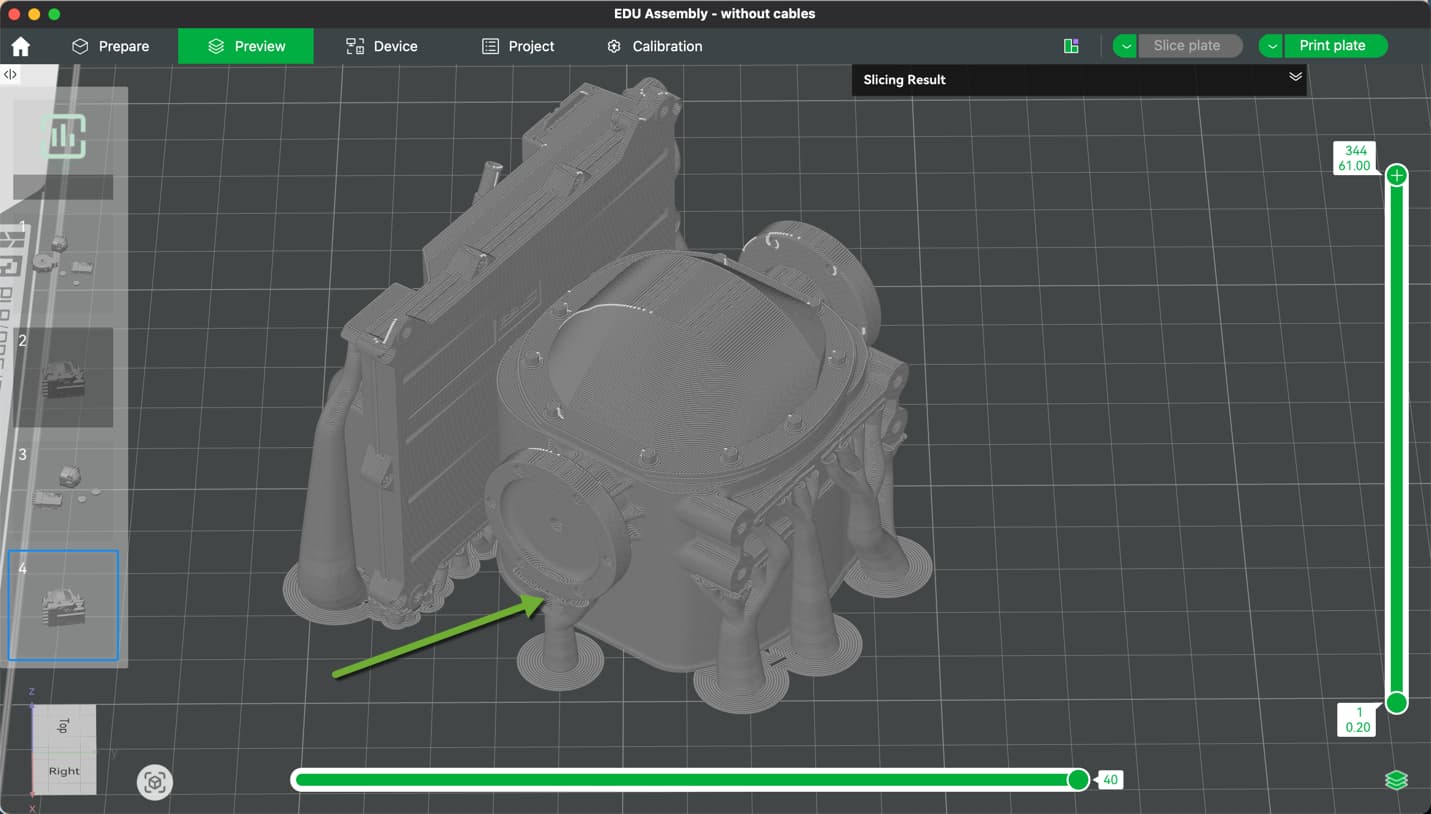
I have 6 successful prints out of 12-13 attempts. The failed prints always fail at the same location - the top of the two supports holding up the two axle output flanges.
I haven’t seen it at the time it happens, but I think that shortly after it starts printing the bottom of the flanges (discs), the discs flex slightly from front to back causing the print head to catch it and break the support free from the print plate.
Any thoughts on this and what I could try to prevent the print fails.
If you’re using grid infill, change it to something like gyroid or cross hatch. Grid can be a pita for the print head hitting.
I think maybe just go with normal tree supports. You could slow the print but often that’s a pain as well. If you some PETG you can use it as a support interface and go with more supports if you choose.
Using PLA Silk. It has been dried. Showing about 18 percent on the drier. Like I mentioned it has successfully printed 6 times, so my feeling is that “something” is moving a little causing the print head to catch an edge.
I got some PETG intending to use it for support, but then had a heart attack when I saw the print time (5x longer) and wasted filament. (600g).
I was using Grid Infill. I will try gyroid and hatch. Interesting. I would not have thought of changing that. Thanks for the help. I’ll post my results back here.
Please note that Silk PLA requires additional settings and that the normal profiles stored in the studio are not sufficient. This is essential to know. Here, for example, are the settings for Bambu Silk filament:
However, switching to a different infill will probably solve the problem, as grid is known for constantly hammering against the 3D object and pushing it. Absolutely unsuitable for what you want to print nor Silk PLA. It’s best to read through this:
“The grid infill is more solid (and has better layer adhesion) than the rectilinear infill, however, it sometimes can cause annoying noise or even a print failure due to the nozzle going over the crossings where material accumulates.”
It sounds like the issue is more mechanical than software—if the discs are flexing and the print head catches them, the supports will break regardless of settings. A few things you could try: increase the support adhesion or contact area with the bed, add a brim or raft under the supports to stabilize them, slow down the print speed for that layer, or slightly adjust the orientation so the flanges are better supported. Reinforcing the base of the supports usually helps prevent them from snapping during printing.
Definitely change from grid to gyroid, honeycomb or rectangular.
But since your prints fail at the supports, this may not be the root cause. I have seen quite a few failures under such conditions due to support and/or model edge curling.
While it can help to increase the tree support wall count, this does not address the root cause and may just delay curling induced failure by a few mm to cm.
Curling can be countered though but may increase print times. Basically the chain is:
Bone dry filament (checked as you dried yourself)
A warm print environment (I keep my chamber at ~35°C or just below for PLA)
If curling persists, further steps are quite effective:
Lower the layer height in the problem area (adaptive layer height is great for this)
Slow down the print (maybe only in problematic areas)
 &
& 