The last few days I can’t seem to connect to my printer via wifi on the first go. It connects if I power the printer off and back on, sometimes only after two or tries though.
The only change on my system is I got rid of Avast and am now using the MS security tools. I assume this is most likely the culprit but no idea how to fix it. Any ideas?
This should not be related to your anti-virus unless your traffic is somehow routed though the computer thats running it or the security software running on the router/AP.
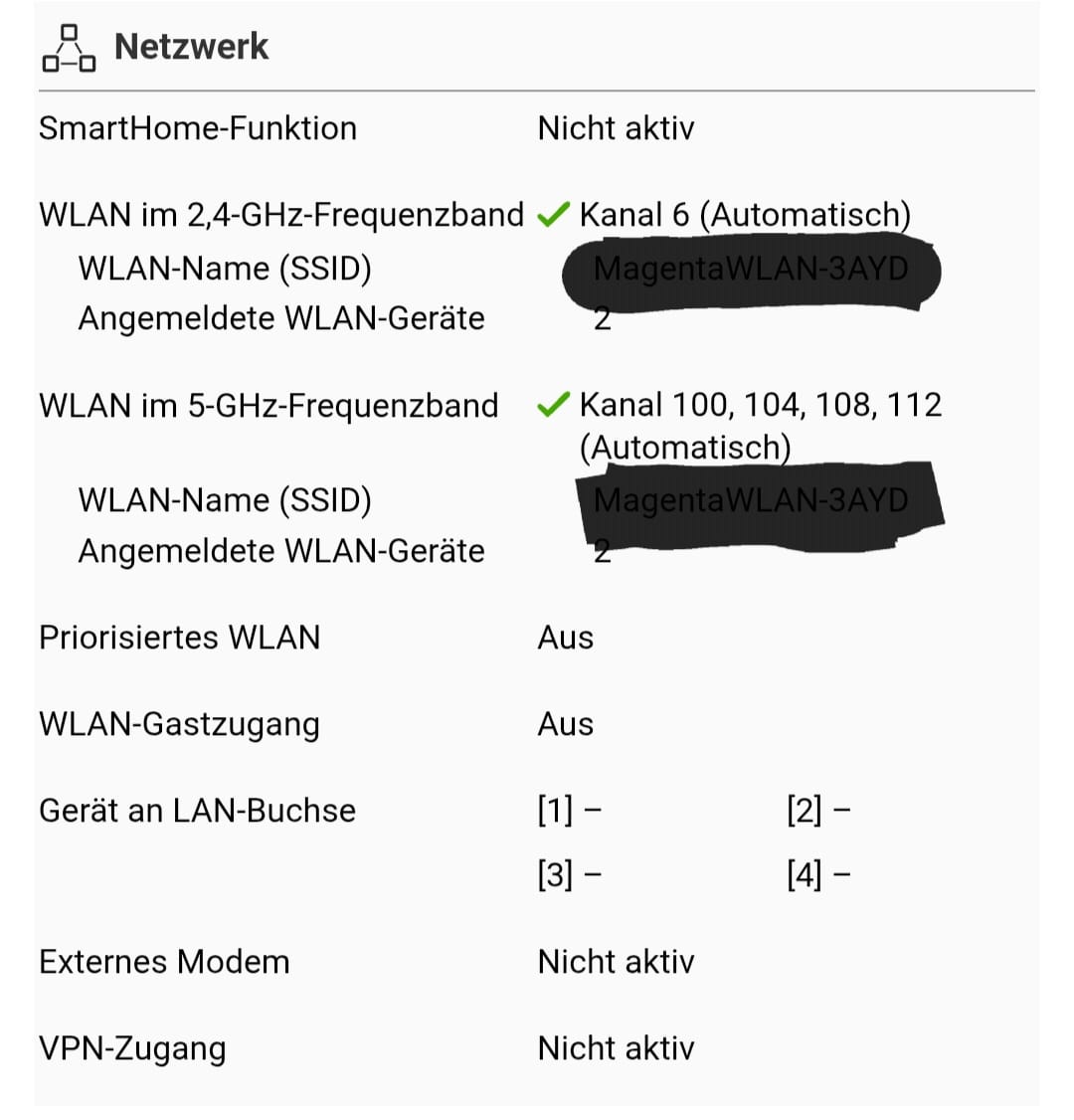
Do you have both 2.4g and 5g with the same SSID? Do you have a wifi 6E router/AP? Do you have WPA3 only enabled? Do you have it on a DFS channel?
Reboot your router/AP just in case. I would separate the two/three bands into unique SSIDs. Also turn off WPA3 and/or make sure WPA2 compatibility mode is enabled. Its possible its trying to handshake with WPA3 and failing, then falling back on 2.4G or 5G with WPA2 and succeeding.
Thank you for the response. I’ll be honest, I don’t know what any of that means so I’ll have to dig out the hand book and find out what’s what.
Still. I find it strange that everything worked perfectly for the first month and then suddenly problems started at the same time I switched PC securtity from Avast to MS. One heck of a coincidence.
This morning a new problem started: Printed something and had the next print lined up ready to go. For some unknown reason the printer is no longer visible from the PC. If I check on the printer it says it is still connected to wifi. But in BL the printer isn’t visible. It isn’t even listed as a printer anymore and there is no option to add it again. BL also takes a long time to open the device page. Not sure what’s going on.
^^^ And of course as soon as I post that BL connects to the printer. Didn’t reboot the pc, nor did I restart the printer or the wifi. It even recreated the printer in the list.
Same issue her. Got three Bambu Lab printers (X1C, H2D and a H2DL) but suddenly none of them are able to connect to the Bambu Servers anymore. Is there anybody with the same issue?
Still not getting this to work. I can run prints off a flash drive but honestly this should work. It did for the first three or so weeks. Now, nothing. The wifi seems to be switched off on the printer and every time I switch it on it auto switches off again after a few minutes.
I have accessed the router settings as suggested by maximit but I have none of the options he mentions in his post. Nothing to be done there.
And again: this worked. Then after three weeks it didn’t. there must be a fix. Help.
I found the extended router settings (buried deep in submenus) and have tried a multitude of different settings and… no change. It sometime connects (seldom) but mostly doesn’t. Pretty bummed about this as it worked perfectly in the beginning.
It’s not the router. At this point it safe to safe something is not right with the wifi on the printer. Why it sometimes works and sometimes doesn’t is a mystery. I’m open to suggestions.
PS: when it doesn’t connect to my router it seems like the wifi is off on the printer. I can go to the wifi settings on the touch screen and it shows no other routers in the vicinty either. When I turned it on it auto-offs after a few minutes.
Probably not it, but does your router automatically assign channels to devices? like 2.4ghz, 5ghz or 6ghz channels? If so, one thing to try is to turn that setting off. Type your own ip address into a browser and it should bring up your router software. The login is usually admin and the password is usually password. Once you turn the setting off, youll have seperate connections for each channel. Connect your printer to the 2.4.
Edit: I think @maxim3D already said this. Sorry. I didnt read up
I have tried a bunch of different settings. Now that it is currently still connected I can try again and see what they do, including assigning a fixed IP address along a few others things.
… but…
I’m booked solid for the next three weeks at least so it’ll be a while before the printer gets turned off and on again. I will post the results here when it happens.
I had an issue also constantly connecting/disconnecting to my Asus router (several months actually) and only thing that fixed it was rebooting my router.
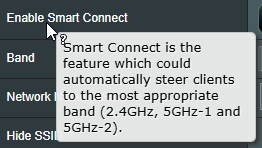
Soon as I disabled a smart connect from Asus, problem disappeared…
Yes band steering (its official name on most routers) should be turned off when you have legacy wifi devices on that network. Its will try to push those devices to an incompatible frequency due to handshake problems.
have a H2D ive been having issues with since day one. It will connec to WiFi sometimes long enough to send a print job, but for the most part it just goes on and off, on and off. Here are all the things I have tried.
I have a Unifi system so I can play around with all sorts of settings:
I went with a new SSID and forced 2.4ghz only with all features turned off. I treated this H2D like the dumbest IOT device on the planet. So no 802.11v, 802.11r, band steering, 20mhz/40mhz, simple WPA 2 password. none of this worked.
Tried the LAN only trick I found online. nope
Tried the cell phone hot spot trick. Nope
Setup a new access point on my Fiber router 2.4 Ghz only. Nope
I have so many types of devices on my network including a Bambu X1C sitting right next to this H2D, and none of them have any issue.
Tried working with Bambu Support and they just want to point fingers at my Wifi, but at least they are wanting to send a new board, we will see. I have friends who are using other brands… Just saying.