Hi,
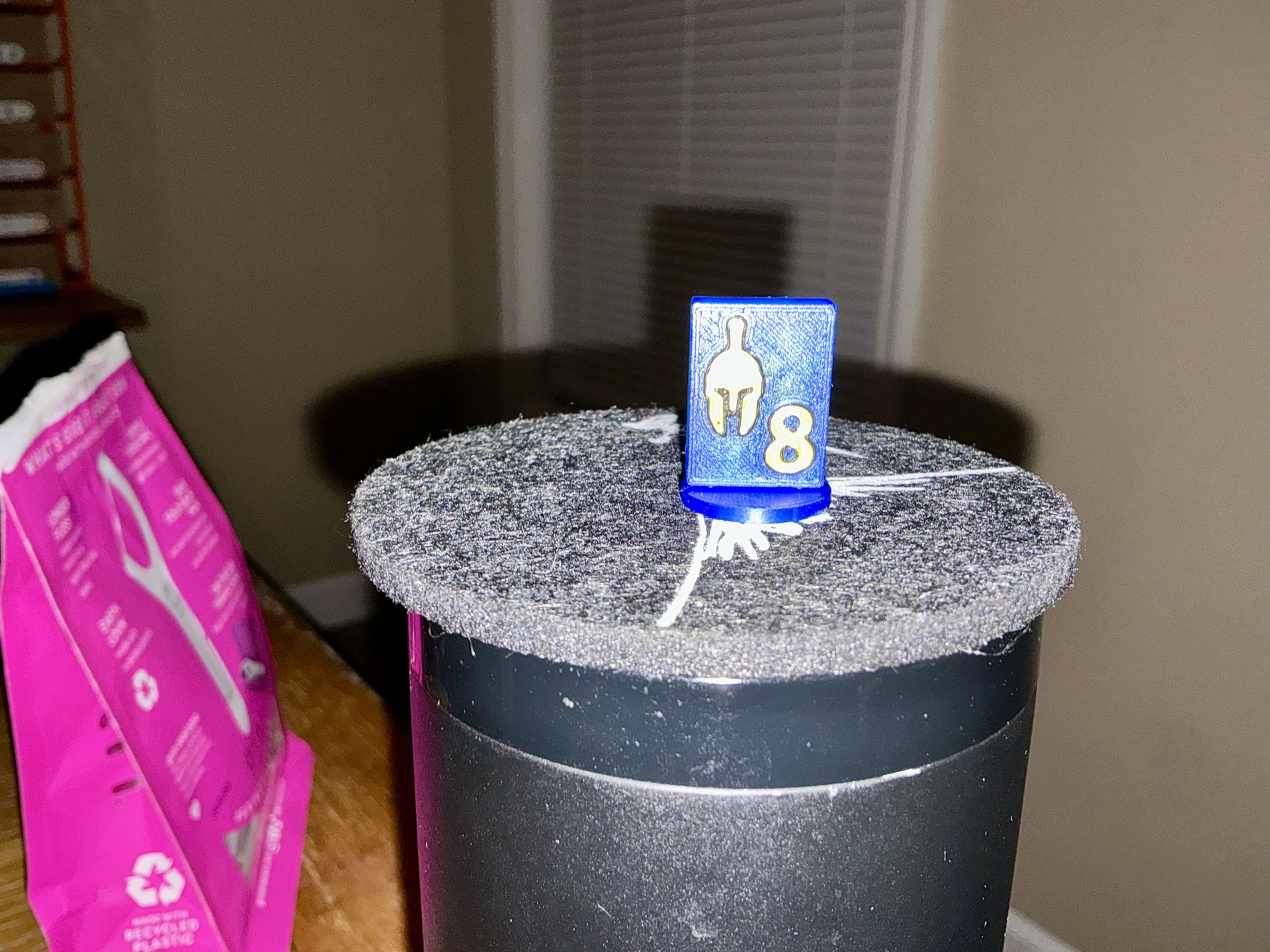
Can use a little help. I’m printing a piece for a game it has images on both sides. This is the side that’s touching the bed. Comes out perfect
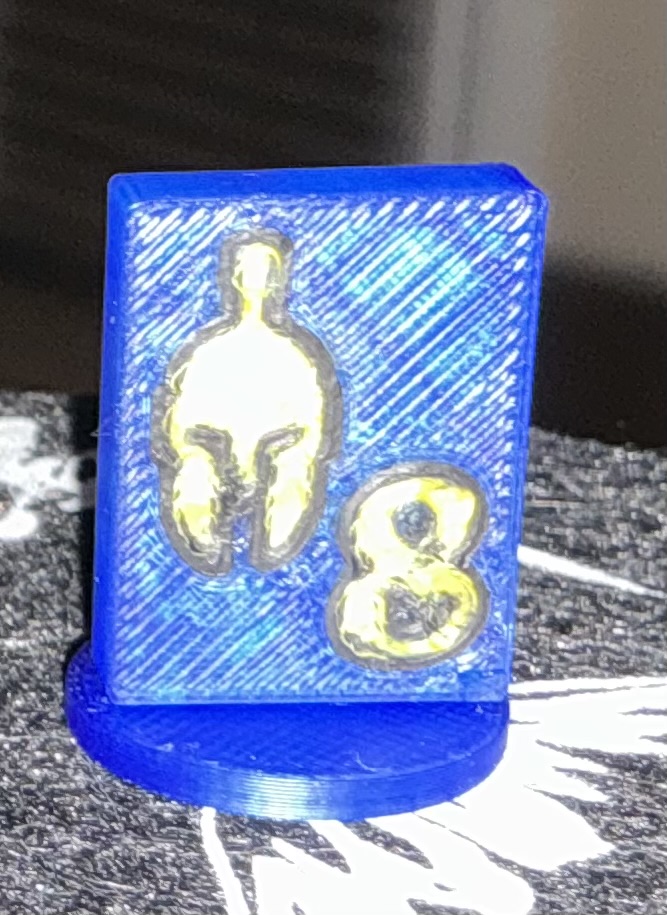
This is the top side, last thing printed.
Comes out mangled.
Initial layer prints at 50 mm/s, top layer also prints at 50 mm/s. The blue is translucent blue pla, the gold is silk pla gold and the black is basic pla black. I have no idea why this is happening or what I should adjust further.
Also I left out that the top and that circular base are printed as two separate pieces. I’ve solved my issue by cutting that top piece into to separate pieces and printing both face down, but I’m super curious about what I should have done.
At a guess, I assume that the front and back may be the same piece, but with individual pic modifiers?
It looks like the top was not merged into an assembly with the main part, leading to overextrusion.
 &
&
Did you dry the filament? Silk is more sensitive to moisture than basic PLA. Also, have you manually calibrated all three filaments? You basically have three different materials which share a common ingredient.
I’ll check that out this evening.
I dried the filament but I didn’t calibrate each one, I’m not even sure how that would be done. I’ll run that down tonight as well.
Since you are posting in the X Series section, I’d assume you to have the auto-calibration enabled when sending a print to the printer. Also, you’d probably have defects on all surfaces rather than just the top one.
If you are interested in checking out more about filament calibration, start with the calibration at the top of the screen. Even if you don’t want to run the calibrations right that minute, there’s a good further explanation there.
As always in FDM, there’s much more.
And even more if you if you look at, for example, Orca Slicer.
 &
&