This is my first posting, therefore I’m hoping to follow the rules.
I printed a ice melt salt spreader provided by the prusa community, sliced (with standard settings) and printed it.
Up until now almost every print on my P1S was perfect (despite the small artefacts on the surface).
For my print I used relatively new PLA AzureFilm Matte White Filament, it was in a plastic bag with dessicant, but the color of the dessicant already changed.
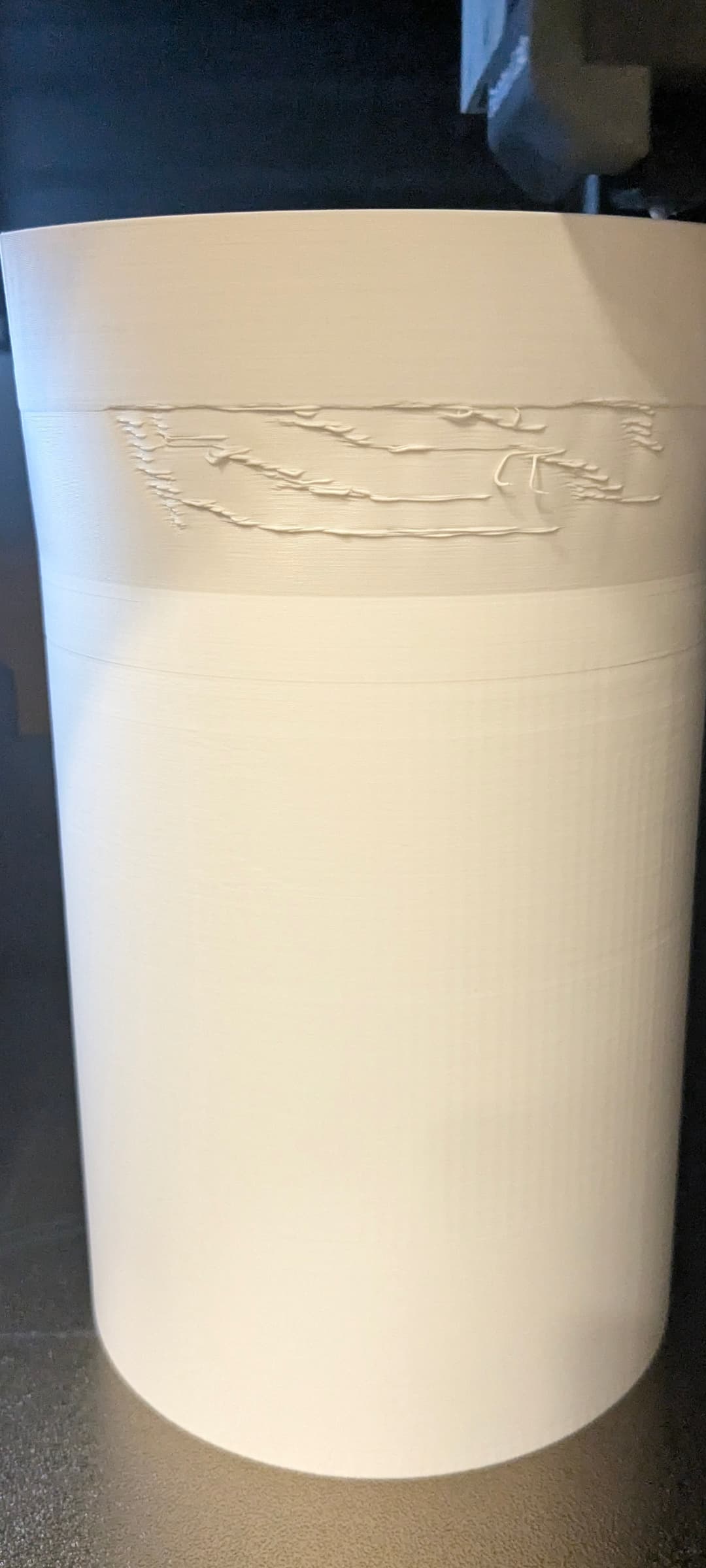
Now my question regarding the white part:
At the upper and more perfect part I started the part cooling and this probably fixed the rest of the part. I don’t know why the printer turned off part cooling at some point but since it is not really necessary for PLA, could the cause of the ugly part be that the filament is too wet?
Regarding the blue (and white) part:
Can someone explain why there are these “waves” on the outer surface? For the white part, ok, I changed the speed to “fast” for a longer period and saw that the nozzle made these artefacts like a slight zickzack movement (even tough I still don’t now why, because even on faster settings a circle should be a circle without those artefacts). This was reduced by reducing the print speed.
The blue part however was printed with PLA generic settings and on normal speed and I still have these artefacts/waves.
Does someone know how to reduce these errors? For the blue filament I am sure that this filament was dry.
Drying is a usual first troubleshooting step. If nothing else, it ensures that this can not be a root cause. That is particularly important for new filament as that can be quite moist after its trip across the oceans.
After that comes filament calibration.
The lower pic looks like either the flow rate being off, or rod cleaning and belt tensioning needing to be done or VFA’s. The latter two would also show on prints with other spools.
Okay. Thanks for the fast reply
I guess I’m gonna buy a filament dryer and in next couple of days and try printing something else with the filament…
For the second image, I don’t know, I used standard settings and the printer was bought in November, belt tension seems to be ok and rods are looking good too but I will try to wipe them with a dry piece of cloth. Any ideas on how I can check if this occurs due to a low flow rate?
As for the VFA (like) “features”, doing a fresh flow calibration after filament drying would eliminate flow problems.
But, depending on utilization, the recommended maintenance (rod cleaning, belt tensioning, printer re-calibration) is usually on a roughly monthly cycle.
If the features are still present after that and have a pitch of 2mm in either/or XX then you have VFA’s with very limited options to get around that. However, they would already now also show on other XY walls.
The second one has nothing to do with wet filament at all.
It’s what @EnoTheThracian said: VFA and unfortunately there is nothing you can do if you have it. Mine has this too.
There are 2 very big topics on this forum and over 2 years no solution has been found.
Some say it could be related to the flat bearings, which should not be flat, and some people have replaced them with mixed result.
This is just how P1S quality looks like.
There is a workaround though. The VFA is showing the most at print speed of outer walls between 50-180. Stay below or above.
I decided to print the outer walls at max 50, which can be set in the print profile.